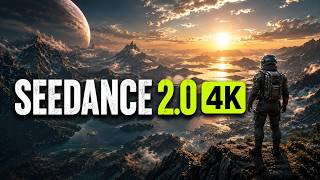

Is This AI Footage Unreal?
45sThe clip challenges viewers to spot AI-generated video, creating immediate curiosity and engagement.
▶ Play Clip"Title accurately reflects the video's content; the tool indeed produces highly realistic AI-generated footage."
This video tests Higgs Field's SeaDance 2.0 4K, an AI video generation tool that claims to produce highly realistic 4K footage. The host evaluates its capabilities by generating two challenging clips—a nature scene and a cyberpunk action sequence—and analyzes the output quality, detail, and realism.
The host notes that AI-generated video previously had telltale signs like off motion and lack of detail, but SeaDance 2.0 4K produces clips that could be mistaken for real footage.
Higgs Field offers a suite of AI creative tools including image generation, AI UGC creation, cinematic video production, and full AI filmmaking workflows. The focus is on SeaDance 2.0 4K.
The SeaDance 2.0 4K interface includes a template menu with presets like CGI breakdown, final serve, and night vision. For testing, the host uses the general template to see raw model performance.
Users can upload reference images, videos, or audio cues to shape output. For the first test, only a text prompt is used.
Prompt: 'A majestic snow leopard walking across a rocky mountain ridge at sunrise...' with settings: SeaDance 2.0 4K, 15 seconds, 16:9, 4K resolution, max bitrate.
The environment looks natural, snow leopard fur detail holds up, lighting is cinematic, motion is smooth. 4K adds detail to fur and rock textures. Minor AI artifacts visible on freeze frame.
Prompt: 'A lone motorcyclist riding through a neon-lit cyberpunk city during a rainstorm...' to test heavy motion, reflections, and complex lighting.
Lighting and reflections on wet asphalt are coherent. Motorcycle maintains shape and natural movement. Rain effects add atmosphere. Overall cinematic quality resembles a big-budget sci-fi film.
SeaDance 2.0 4K handles a wide range of scenes with high realism and visual quality. The host recommends trying it via the link in the description.
SeaDance 2.0 4K delivers impressive realism and cinematic quality across diverse prompts, making it a standout AI video generation tool.
What is the name of the AI video generation tool tested in the video?
Higgs Field SeaDance 2.0 4K.
00:02
What presets are available in the SeaDance 2.0 4K template menu?
CGI breakdown, final serve, night vision, and others.
01:45
What settings were used for the first test prompt?
Model: SeaDance 2.0 4K, duration: 15 seconds, aspect ratio: 16:9, resolution: 4K, bitrate: max.
02:52
What was the first test prompt?
A majestic snow leopard walking across a rocky mountain ridge at sunrise, golden sunlight, cinematic drone shots, nature documentary style, photorealistic lighting, native 4K quality.
02:23
What was the second test prompt?
A lone motorcyclist riding through a neon-lit cyberpunk city during a rainstorm at night, wet streets reflecting lights, water spraying, cinematic tracking shots, atmospheric fog, realistic rain, detailed motorcycle, futuristic skyscrapers, photorealistic lighting, native 4K.
06:05
What did the host note about the snow leopard clip's fur detail?
The fur detail held up impressively well even as the camera moved.
04:28
What was the host's overall impression of the cyberpunk clip?
It looked like a shot pulled from a big-budget sci-fi film, with cinematic quality and polished 4K resolution.
08:02
Realism Breakthrough
The host claims SeaDance 2.0 4K produces clips that could be mistaken for real footage, marking a significant improvement in AI video generation.
00:02Natural Environment Rendering
The mountains and lighting in the snow leopard clip look surprisingly natural, especially in wider shots where AI models typically fail.
04:16Handling Complex Scenes
The cyberpunk prompt tests heavy motion, reflections, and simultaneous elements, demonstrating the model's robustness.
05:37Cinematic Quality
The cyberpunk clip's composition and effects resemble a big-budget sci-fi film, highlighting the tool's potential for professional use.
08:02[00:02] the clip a second time. And after spending a few hours testing Higgs Field's SeaDance 2.0 4K, I'm pretty sure this is one of those For a long time, AI-generated video had a bunch of telltale signs. Motion would
[00:17] look slightly off, fine details would fall apart under scrutiny, and even the best clips still had that unmistakable AI look. dropped that clip into my feed with zero context, I wouldn't have clocked it as
[00:30] AI-generated. The realism, the level of detail, the way every element in the it feels a lot closer to real footage than anything we've seen out of AI video So, in this video, we're putting SeaDance 2.0 4K through a proper test.
[00:47] I'll show you exactly where to find it inside Higgs Field, generate a few different videos from scratch, throw some creative prompts at it, and figure out whether jumping to 4K actually makes a real difference.
[00:59] through the results together and see how far AI video generation has actually there's a link to Higgs Field down in the description and pinned comment. Inside the platform, you've got a full suite of AI creative tools.
[01:14] Image generation, AI UGC creation, cinematic video production, and full AI filmmaking workflows. But today's focus is the one everyone's But today's focus is the one everyone's been talking about, SeaDance 2.0 4K.
[01:28] Let's get into it. Once you open SeaDance 2.0 4K, you'll land on an this. At the top, there's a template menu. built-in presets for different creative directions. Things like CGI breakdown,
[01:45] final serve, night vision, and a handful of others. These presets basically nudge the generation toward a specific look, depending on what you're going for. For For test though, I want to see what
[01:57] the raw model can do without any extra steering. So, I'm sticking with the general template. Below that, you can upload reference images, videos, and pretty big deal because it means you're not limited to text prompts alone.
[02:11] You can feed it visual references, existing footage, or audio cues to shape the output and lock in a specific style. But for our first run, let's keep it simple. No reference image, no reference video.
[02:23] Just a text prompt and SeaDance 2.0 4K. Let's see what it does with this. A majestic snow leopard walking across a rocky mountain ridge at sunrise. golden sunlight illuminating the landscape, cinematic drone shots,
[02:39] atmospheric mountain scenery, ultra-detailed textures, nature documentary style, photorealistic lighting, professional wildlife cinematography, native 4K quality.
[02:52] For the model, I'm selecting SeaDance 2.0 4K. There's also a lighter option called SeaDance Mini, but for this test, I want to push the flagship version and see what it's actually capable of. Duration
[03:05] is set to 15 seconds. That gives the model enough runway to handle multiple camera movements, hold consistency, and show whether the quality holds up across show whether the quality holds up across a longer clip. Aspect ratio is 16:9
[03:17] since this is going straight to YouTube. And obviously, 4K resolution is switched That's the whole point of this test. I want to see if that extra resolution actually shows up as sharper textures, better detail, and a more believable
[03:31] final image. There's also a bit rate setting. I'm maxing that out, too. To preserve as much image quality as possible and give the model every chance to look its best.
[03:43] generate. Okay, it's done rendering. This is always the part I look forward to most because you genuinely don't know what you're getting until you hit play. A prompt can read beautifully on paper,
[03:57] but the output is what actually counts. Let's watch it and see if SeaDANCE 2.0 Let's watch it and see if SeaDANCE 2.0 4K backs up the hype.
[04:16] expecting. First thing that jumps out is the environment. The mountains, the rocky terrain, the sunrise lighting, it all looks surprisingly natural, especially in the wider shots, which is usually
[04:28] where AI models start to fall apart. I was watching the snow leopard closely, too, since animals are notoriously hard for AI video models to nail. stays consistent. And the fur detail holds up impressively well, even as the
[04:42] camera moves. The lighting is another standout. The the terrain and gives the whole scene a cinematic quality that wouldn't look out documentary. The motion also feels smooth and
[04:57] The leopard's walk, combined with the subtle fur movement and the camera drift, really sells the realism of the shot. Sure, if you freeze frame and inspect closely, you can still catch the occasional AI artifact, but watched at
[05:10] convincing. And that's where the 4K really earns its keep. The added detail in the fur, the rock textures, and the surrounding landscape gives the whole scene a cleaner, more polished finish. For a
[05:23] close to something out of a high-end nature documentary. That first test was solid, but now I Because realistic wildlife footage is one kind of challenge.
[05:37] What actually separates a great AI video model from a mediocre one is how it Heavy motion, complex lighting, reflections, and a bunch of elements interacting at once. So, for round two, let's switch gears
[05:51] completely. Instead of a calm nature scene, let's throw SeaDance 2.0 4K into a fast, chaotic, neon-soaked cinematic environment with rain and constant camera movement. Here's the prompt: A lone motorcyclist
[06:05] riding through a neon-lit cyberpunk city during a rainstorm at night. Wet streets reflecting colorful city lights, water spraying from the tires, cinematic tracking shots, dynamic camera movement, atmospheric fog, realistic
[06:19] rain effects, detailed motorcycle surfaces, futuristic skyscrapers, photorealistic lighting, blockbuster action movie cinematography, native 4K This one's a much tougher ask since the model needs to handle reflections,
[06:34] weather, vehicle motion, environmental detail, and camera movement all simultaneously. Let's render it and see how it holds up.
[06:55] this whole video. There's a lot going on at once. A motorcycle cutting through a futuristic city, rain hitting every surface, reflections across the streets, fog rolling through the frame, neon
[07:08] lighting everywhere, and the camera never stops moving. prompt. The lighting is what grabbed me first. beautiful reflections on the wet asphalt.
[07:23] And those reflections stay coherent and realistic even as the camera tracks I paid close attention to the motorcycle, too, since vehicles are usually a weak spot for AI models. But for most of the clip, the bike keeps
[07:35] its shape, the details stay sharp, and the movement feels natural rather other floaty. The rain effects deserve a mention, as well. Rather than sitting on top of the scene like a cheap overlay, the rain actually adds to the atmosphere
[07:48] alive. What impressed me most, honestly, was how cinematic the entire sequence feels as a whole. The camera work, the environmental effects, the lighting, the composition.
[08:02] looks like a shot pulled from a big-budget sci-fi film. And once again, the 4K resolution ties it all together. reflections, deepens the city environment, and makes the whole image
[08:16] feel noticeably more polished. Looking back at both clips we generated Looking back at both clips we generated today, SeaDance 2.0 4K clearly handles a wide range of scenes while keeping the realism and visual quality consistently
[08:28] high. So, if you want to try SeaDance 2.0 4K yourself, the link's in the description and pinned comment below. out different styles, and see what kind of cinematic footage you can pull off.
[08:42] Thanks for watching. I'll catch you in the next one.



⚡ Saved you 0h 08m reading this? Transcribe any YouTube video for free — no signup needed.