

AI POV Video Makes R$40K in 30 Days
45sReveals a concrete, impressive income figure from a faceless AI strategy, sparking curiosity and desire to learn the method.
▶ Play Clip"Delivers on the promise with a real tutorial and results, but heavy self-promotion and fluff reduce the score."
This video is a tutorial by Jonathan Silva on how to make money on TikTok Shop using AI-generated POV (point-of-view) videos without showing your face. He demonstrates the entire process, from spying on successful products to generating AI videos and posting them on TikTok, claiming to have made R$974 in 24 hours.
Jonathan shows a video of a shirt that impressed him, noting it was an AI-generated POV video that fooled even people who make such videos.
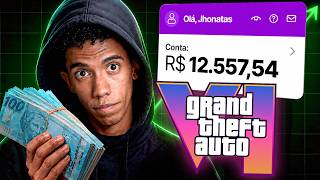
He reveals the profile owner has made R$40,000 in 30 days with AI POV videos on TikTok Shop, and his own test account made over R$974.
POV style means holding the phone camera on the product, never showing your face, which is why it goes viral and works for anyone.
Using a spying tool (Caloda), he sees the profile's top products: a sweatshirt and a Brazil Dry Fit jersey, which together brought R$22,000 in 30 days.
The AI tools run in the cloud, so you don't need a powerful phone or computer; even an old device works.
He uses a paid tool (Tokify) that provides access to multiple AI tools (Google Flow, VO3, Nano Banana, etc.) for a monthly subscription, and a free app called Hands for voice transcription.
He filters products by category (men's clothing) and picks a top-selling men's twill jacket with removable hood, which sold over R$3 million on TikTok Shop.
He takes a screenshot of the product and a background scene from TikTok to use as references for the AI.
In Google Flow, he pastes the product image and background, then uses a prompt to replace the product in the background with his own, maintaining realism.
He recommends the free open-source app Hands to transcribe voice prompts, saving time compared to typing.
He dictates a prompt: 'Take the product (brown jacket) from image one and replace the product in image two, keeping the scene and tattoo hands, maintaining realism.'
He sets aspect ratio 9:16, generates 2 images, and uses Nano Banana Pro model (zero credit within Tokify).
He removes any leftover text from the screenshot and ensures the image looks like a photo, not a screenshot.
He sets video frames 9:16, uses V3.1 L model, and generates 2 videos with a prompt to rotate the mannequin, show the back, and highlight zippers.
Tokify provides unlimited access to multiple AI tools (Caloda, Luma, Grock, etc.) for a monthly fee, with humanized support.
The generated video shows the mannequin rotating as requested, and he transfers it to his phone via WhatsApp.
He uploads the video, adds trending music (TikTok auto-adds a song), and adds text like 'POV: discovering the best jacket from TikTok Shop'.
He searches for the product in the TikTok Shop marketplace, adds it, and sees a commission of R$19 per sale.
He adds hashtags and publishes; TikTok delivers the video to the male audience interested in jackets, and he earns commission on sales.
The video provides a complete, step-by-step method for creating AI-generated POV videos to sell products on TikTok Shop without showing your face, leveraging AI tools and product spying to maximize sales.
What is the POV video style?
Holding the phone camera on the product, never showing your face, which makes it go viral.
02:04
How much did the profile owner make in 30 days with AI POV videos?
R$40,000.
01:23
What is the name of the spying tool mentioned?
Caloda.
19:46
What is the free open-source app for voice transcription?
Hands.
13:30
What aspect ratio is used for TikTok videos?
9:16.
16:27
What is the monthly cost of Caloda's top plan?
R$2,200 per month.
19:46
What commission did Jonathan earn per sale for the jacket?
R$19 per sale.
24:19
What is the name of the AI ecosystem that provides unlimited access to multiple tools?
Tokify.
19:19
What is the first step in creating an AI POV video?
Use a spying tool to find a top-selling product.
07:21
How does TikTok know to deliver the video to the right audience?
Because the product is linked to the video, TikTok understands the niche and delivers it to that audience.
24:46
What is the purpose of taking a screenshot of a background scene?
To use as a setting for the AI to replace the product in, maintaining realism.
12:09
What model is used for image generation in the tutorial?
Nano Banana Pro.
16:41
R$40,000 in 30 days
Demonstrates the potential earnings from AI POV videos, motivating viewers.
01:23POV style avoids showing face
Key insight that makes the strategy accessible to anyone, regardless of appearance.
02:04AI runs in the cloud
Removes hardware barriers, allowing anyone with basic devices to participate.
04:06Tokify ecosystem
Shows a cost-effective way to access multiple premium AI tools for a single subscription.
19:19Algorithm delivers to right audience
Explains how linking the product ensures TikTok targets the correct buyers.
24:46[00:01] Look at the video I found. It's a video of a shirt. I thought this shirt was really cool. First, second, this video won me over. Because this video is very, man, it's very, it gets a lot of men. Yes, I, at least, really like this style of shirt
[00:13] took me a few seconds to realize that it's " iá," because the shirt has impressed me. I said, "Wow, but I make this kind of video. How did this video fool people who make this kind of video?" So basically, I
[00:26] shirt. If I click here, I can see the shirt much better, real photos of the product. Look, look at this, man. That's really cool . I'm even going to buy one. But this is a strategy for AI-powered POV videos
[00:39] , AI-style POV videos. What you don't know is that I'm already already producing results. The owner of this profile isn't a fool, is he? The owner of this profile already has over
[00:54] videos he has here just promoting this shirt. I wondered, wow, is this profile really making money or not? Or is he just , the videos don't get that many views, 100, 200, 300, but
[01:10] most of them do, but one or two get 1 million, another gets 200,000 and those videos compensate and bring in a lot, a lot of commission. I opened this profile in my spying tool and look what I saw. It's so much that you can even
[01:23] see it by the number of followers. And look how much he's sold in the last 30 days, R$ 40,000 with AI-powered POV videos on my TikTok Shop account here, look at this. This isn't a screenshot, okay?
[01:37] TikTok Shop dashboard. In this account where I'm testing this strategy, I've already made over R$ 974, okay? Only with AI-powered POV-style videos need to buy the product, where I don't need to show my face, where I don't
[01:51] need to pose or record anything, and with AI working for me alone, do I get this result. Just so you understand what POV style is, it's basically me taking this my cell phone camera and pointing it here, as if I were recording. Guys,
[02:04] check out this controller, it's really good and all that . It has two batteries and stuff, it has a button for I don't know what. That's basically it, okay? I'm holding the phone with the product in my hand; you can see that at no point do I turn the
[02:16] camera towards my face? No. The camera is on the product 100% of the time. And that's why it goes so viral, because if you think you're ugly, you don't need to put your beautiful face in the video, okay? If you're not confident with the camera, if
[02:29] you don't have a good camera, if you don't know how to talk to the camera, man, that 's not a problem, okay? Because basically we're going to use artificial intelligence to told you, this profile understands the game. Look, 200,000, 100,000, where are they?
[02:43] 300,000, 600,000 views. Man, this stuff sells a lot, bro. The video isn't that well made, is it? Look , the VO3 logo is even down here, over half a million views, and definitely sold a lot
[02:58] for this profile here. But with my spying tool, I didn't just see how much he sold; I wanted to see what he sold to get this result to you here. If I scroll down a bit here, I can come to the product section and
[03:11] see which products this profile has promoted. But first and foremost is this sweatshirt, which is basically a top. First and foremost, it Look at this, man. This is very beautiful and sells very well, okay? Just from the
[03:25] photo. Secondly, there's the Brazil Dry Fit jersey, because Brazil, you know, with the World Cup and everything, Brazilian women bought a lot of jerseys from our country. basically dry-fit shirts, World Cup shirts. He took full advantage of the World Cup hype.
[03:39] was a Brazil shirt. Basically R$ 8,000 for just one product. If you add that to the R$14,000 spent on this product in the last 30 days, man, that's already R$22,000. only with these two products here. That's the power of TikTok
[03:53] You don't need to show your face, you don't need a powerful phone, because the artificial intelligence we're going to use here won't run on your computer, it won't run on your phone, it will run in the cloud. And that's why
[04:06] , dude, if you have a Pocket J3 phone, it'll run. If you have a laptop, man, I don't even know the brand, the one with Xuxa on it, it's really old. Even Xuxa's, if you're not careful , spins around in the clouds. You don't need state-of-the-
[04:20] ask for your focus, okay? So close the tabs that are open there, turn off that television that's on here, because I know you're watching and listening to me, you'll learn. If you watch this video until the end and you don't understand,
[04:34] n't paying attention. So please focus here, because your future may be at stake in the next few minutes, OK? And then it wo know me, I'm Jonathan Silva. I came from the TikTok Shop over in the US. I'll
[04:47] even ask the editor to put on screen the lessons I recorded two years ago teaching people how to do TikTok Shop over there in the US. And then when TikTok Shop launched here in Brazil, I migrated my operations here and today I make a
[04:59] lot of money here in Brazil, without any fuss, without having a phone company very annoying and complicated part. Nowadays, everything's right here, man, on your phone, in the app that everyone already uses, which is TikTok, but a lot of people use it to
[05:11] consume, to become zombies, to be slaves to the algorithm. Man, I like watching it. The guys are watching a video here, like, "Wow, what a cool video!" Check out this video, man. I didn't see it, I saw the back, not because I'm more educated, but, man, that
[05:24] want to watch it, it was the algorithm that decided for them. So, how is she video, how is she going to do that with a video that she doesn't even want to watch, you know? If she really wanted to watch, for example, a
[05:37] of a prank video, a podcast clip, if she wanted to watch that, she would search for it, she wouldn't wait for it to be made available to her, you know? So this is creating a being here with me, you're already not lazy. I really want to trust
[05:51] you that you won't be the kind of person who just consumes, who just watches videos, who just complains about life and doesn't take action. Just by being 's your first step. I really hope that in the coming weeks,
[06:05] days, and months, your life will change even more here, okay? Start right here , start reading books, start studying, and just by being here you're already proud of you, got it? And in this video , I know I've strayed a bit from the
[06:17] video's main theme, but basically I want to teach you how I make these videos to achieve this result. Dude, in 24 hours I got this result here, posting videos of A on a new account. So, basically I come across this
[06:29] a paid tool, but look, don't worry, by the end of this video I'll show you how you can access it and all the other artificial intelligence tools I'll need to generate the video, in a very,
[06:42] very cheap way, okay? It's not exactly free, because all that it will be well worth it, okay? It's the AI-powered videos for TikTok Shop, for Dark channels, for Shop
[06:55] Video, for everything. Is it closed? In this tool, I was inside this profile the data, okay? Just to see how much the profile sold and everything. But this spying tool. I can see exactly what's selling, who's
[07:08] selling it, how much it's selling for, and when it's selling, all through these tabs here. Basically, I want to choose now, since I've seen that there are men's products and that's what's working well videos, premium men's products, like shirts, jackets, sweatshirts, that kind
[07:21] of thing, okay? So basically, I go to the product tab, you see? What do I want to choose? a product. And here he's already showing me the products that are selling the most, including a superior men's product. Look at this!
[07:33] Men's twill jacket with removable hood. Put the last 30 days here, that's the filter here, OK? He's already shown me that this product alone has sold over R$3 million within the TikTok Shop. Man, this is bizarre. This
[07:46] is a very challenging subject, but basically I want to be even more specific. choose it to promote, but at the same time there are pots and pans, women's jackets, and I don't want to see that. I really only want to see top-quality men's products
[08:02] , okay? T-shirt, well, that sort of thing. So, I come here to the category, you come to fashion, men's clothing, and then it will select everything here, you see? Men's, lower part, special clothing,
[08:14] women's underwear. I don't want that, I'm going to uncheck things here and leave only men's clothing for the top section. So I'll uncheck this one and then, man, check everything. Vest, polo shirts, shirts, vest twice, go.
[08:26] Jackets and coats, sweatshirts and hoodies, t- shirts, sweaters, it's all here. And then I click apply, OK? I clicked apply. The heat will tell you: for the filter to apply, meaning nothing changed here on this side, you see? I click
[08:39] filtered here and put it on the side see there's a catch? There's a problem here. He's also filtering problem for me, because I see it 's feminine, okay? It would be a problem if
[08:53] I were looking at this jacket, for example, and then I was unsure, like, is it men's jacket? But I see that it's feminine, okay? So don't worry, I affiliate with, OK? So I'm going to grab this product here, I'm going to click on it, since
[09:06] it's sold over 3 million. I mentioned the filter because I know when you're watching this video, it's probably going to be a different product product on the rise. I'm explaining how to filter this information precisely
[09:20] choose the wrong product. In my case here, I'm going to take the top-selling product , the one that sold the most. This is the product, okay? What do I need to do this product. So I'm going to click here, on the product image, and I'm going to move
[09:33] the mouse arrows over here, you see? Either use the keyboard arrows or the arrow keys here with the mouse. I'll keep checking back to see the product photos. I see that there are several colors. So basically, I come here and take a screenshot of this
[09:45] product. So, I come here and click the print screen button on your keyboard, okay? And I select the area that shows exactly the product, which is this product perfect, okay? I prefer not to use that model. I'm copying this image
[09:59] need another artificial intelligence because I need to generate an image of my product and then generate the video, you understand? For that, I'll need VO3. Actually, I'm going to need Google Flow, okay? VO3 is
[10:12] Google Flow there's VO3, there's Nano Banana, there are, man, these need to generate my AI videos. And I'm looking for I'll click open and it will open the
[10:26] enabled for me. This tool is one that I use to create my because this tool is what catapulted my results, okay? I went out, I don't know, once a week. I'm not going to mention prices here.
[10:39] I went from once a week to, I don't know, six or seven times a week because of this tool, because it optimizes what I do. I create videos using A, I had to Luma, I had to subscribe to Grock, I had to subscribe, man, so many tools
[10:53] that I need to create my videos. And within this Iara here, which is basically an AI ecosystem, man, I managed to get all of this in a need to keep paying extra. I pay a subscription fee for that tool; it's
[11:05] monthly, obviously. And I have limited access to all of that. So I'm works here. Once I click to open Google Flow, it opens a screen similar to this one, okay? Don't worry. This is where you generate the videos.
[11:17] Look at all the videos I've generated this week alone, man. Look at this. Just for today, brother. It already happened yesterday here. But basically, look at how much video I generate here to sell within TikTok Shop, to monetize
[11:29] TikTok Shop accounts. These two videos here in the center, this one and this one, are for for selling or for monetization? I don't remember. Man, there are so many videos, so many videos. This one shirt here. It's attracting a lot of attention. This particular product is still selling
[11:43] very well. So, right? If it's selling, we'll post more of it. But basically, watch this, okay? I'm just showing you what we already do. called "new project," and that's where you'll create your project within your AI. I want
[11:56] each project to be unique. And this is where I'm going to paste what I need to is the field where I'll be working. I'm going to press Ctrl+V, which is the image remember? But here's the catch, folks. I have an image of the product.
[12:09] Point. I need a setting. I don't want to put, I don't want to put the will buy it. Man, that doesn't make sense. So, I can go back inside TikTok and choose a background here, which is this background here. Or it could be anyone.
[12:22] This particular scenario here is very good because it basically gives the impression that it's basically, I click here on the first, second video, I click here and I'm going to take a screenshot of this. It's important that the screenshot shows the product, the setting, and
[12:36] understands that those are hands there. In this case, those are hands that, man, have gloves and I don't have gloves either, so I would have to buy some. Well, man, that kind of shirt, for example, isn't really my style . But because it had the
[12:50] skull and the tattoos on it, man, it sold a lot. And I'll paste this screenshot I just took as well. We have our product and the setting. Okay, basically I'm going to ask Google Flow to remove the product from the screenshot I
[13:02] sent and replace it with ours, you understand? Because I know this product is affiliate here on my account so that when I post this video, I'll already be an the video already affiliated with the product and start making sales. I'm going to give you a tip about
[13:16] an app so you don't have to type here. See? I want ta ta ta ta such and such many seconds here. Every second we gain from working is money. I earn. So what am I going to do with you? I'm going to recommend this
[13:30] app to you, okay? The Hands. It's a free app, you don't pay anything, just search it on Google and you'll find it. It 's open source, meaning you don't pay for it. You can donate, but if you want, it's completely free, it's totally
[13:42] limited. It basically gives you the option to transcribe your speech, okay? So, microphone, you see? Instead of me coming here to type, I want you to remove the know what, man, it's really annoying. Voice commands and prompts are much better because
[13:59] much faster. I've set up the hand here. The only setting I changed was clicking here on the transcription shortcut. I configured the right Alt key on my this shortcut here, and it will wait for me to press a key. I press alt, and
[14:15] there you go, it already understands that it's the out, okay? I can close the app here; it want to talk about what I want to do with these images. So, I click here with the mouse cursor, see? in the text field. Then I press the button I
[14:28] configured, in my case it was the right alt key on the keyboard. Then I'll click and it will start capturing my voice. And then all I have to do is say what I want. When I finish the prompt, let's say, that I want to say , I press it again, it will grab
[14:40] it, transcribe what I said, it will take about 3 seconds and it will paste it where the mouse cursor is, in the selected text field. And I don't need to putting it here, writing it down. No, man,
[14:53] that make it worthwhile for you to subscribe to this channel, brother. Because where you see a tip like that for free, the program is free. I'm teaching you here in a simple, didactic, patient, and free way. Brother, I'm not charging
[15:07] All I ask is that you subscribe to this channel. Take a look at just stand there and watch, okay? You have to do and study, study and apply, anywhere. It's like a kayak, you know? A kayak, you're right here. You have to be
[15:20] with kayaking, because I don't know how to make a kayak here. Basically, if you only study, you'll just be going in circles. You're going to go around in circles, you study, you'll also be going in circles, which is the same problem in this direction.
[15:33] So basically, you have to study and apply what you learn in order to move forward, you circles in the same place. I know I 'm giving you a lesson here, . Since I have both products here, I'm going to use the hand one, okay?
[15:46] say what I want. Look, I want you to take the product, which is the brown jacket, shown in image one, and replace the product in image two, okay? The product in image two is a shirt with a skull and everything. I
[16:00] want you to keep the whole scene, the tattoo hands there, but just replace the product, okay? Maintaining the realism and fidelity of the images. need to type, I didn't need to write for very long. If I were to
[16:12] than a minute, you know? One minute every time I generate a video is have the images and prompts here. But here I need to make some and I'll set it to 9 by 16. I'm leaving the image here because I need to generate
[16:27] my own image first, okay? 9 by 16. Here I select the number of images I two because I don't want to generate so many images, OK? I always generate two because if I have two images, I generate two videos to avoid problems. Is it closed?
[16:41] Here in the model, folks, sometimes Nano Banana 2 Lite appears. Install the Nano Banana Pro, because it won't use up any data either . Within the plan tool I use, you don't spend any credit, you don't need to subscribe to other
[16:54] worry about credit, subscriptions, or anything like that, okay? Within Tocfy, once you're a subscriber (with a monthly subscription), you , okay? That's why I'm creating these videos here without
[17:07] leave the Nana Banana Pro, it's already saying it will generate with zero credit. I'm going to need. It generated just a few seconds unlimited tool. There's a catch here: he left the texts, okay? From the print. So, I
[17:21] click here, three dots, including the command. And then I say: "I want text, everything that's on top of the image, okay? I want the image to really look like a photo and not like a screenshot, okay? Click send,
[17:35] What do I do? I come here, click, I can take a look at the Okay, I'm going to choose this one because the shorts look a little better, okay? Here it's the shorts look a little better, okay? Here it's kind of beige, I don't know, red. And
[17:49] I want. And here I'm going to put my video prompt. And then I need to change this, look. Giving banana 2 light. No, I want video. Frames 9 by 16. I leave it at want video. Frames 9 by 16. I leave it at two, I leave it at V 3.1 L, I leave it at 8
[18:04] credits. So I have zero worries too. And then as a reference I can come here and listen to what the dialogue or there isn't. So I'm just going to turn the volume up here.
[18:25] gives me a little more freedom, because if this video without voice got as many views and sales as it did, then that's fine, but I'm not. I'm modeling something that's already worked. So, basically, I'm
[18:40] going to ask for a command, a prompt, okay? For the video. Jonatas, I don't know what a prompt is, I don't know how to use AI. Dude, just say what you want. Basically , you see these are tools that are already very powerful on their own, but
[18:52] if I combine them, it becomes much more powerful. So, basically, I'm going to click here to say what I want, okay? I want you to generate the product, show that the product is soft, rotate the mannequin to show
[19:06] the back of the product, and also point out details on the zippers. The video is natural, without anomalies or distortions. Okay, just click to send and it generating, I want to show you what Tokify is capable of, okay? Basically, this is
[19:19] an ecosystem, okay? Tokify is an ecosystem of artificial intelligences. So within it, I can access all of these things, you see here, man? All of them in an unlimited way, without me paying anything extra. I subscribe to Tokify and
[19:32] , that's it. I have unlimited access to all of this. You see here, man, I'm generating my videos, I have access to this tool here, it 'll just show you how much a tool like this costs, just
[19:46] Caloda, which is the spying tool I use, brother, the monthly plan, the top one, which is what Tokify gives us, man, R$ 2,200 per month, okay? Pay attention, that's per month just for Caloda, and within the Toc F has Calo Data Gem Knifish,
[20:00] the Toc F has Calo Data Gem Knifish, Audio, Portuguese chat, Luma, Grock, all of these unlimited, without paying anything extra, as many times as I want to use them. But this here, videos, there won't be a limit, there won't be a problem. And even so, if there's a
[20:13] Tocfy, look, there's a WhatsApp button. If I click, I go to support, man. Look at this. There's no other service as good as this, okay? And I click to open the app and it already opens my WhatsApp
[20:27] with Tocfy's support, which is humanized, okay? From what I've seen here, I tested it and the support is one-on-one, okay? It's not a robot answering, it's not a group, no, it's one-on- one, it's a person there helping you solve the problem you're having, okay? I
[20:40] confess I haven't had any, okay? But if you do, they solve it right training, a course here, which is exactly where I'll tell you. I'll teach you how to use all the artificial intelligence tools here, okay? The course is yours
[20:54] for the first time, okay? If you're interested, I'll leave the Toc link in the first pinned comment, okay? This really changed my game and I here inside Google Flow, the video was generated. Take a look at this. This
[21:06] is the image I generated, remember? It used it as the first frame, meaning it starts the video from this. If I press play, look at the video here, it's there, it's rotating the puppet exactly as I wanted, showing the back
[21:19] I don't need a cinematic video, I don't need a video of ours, a video recorded, I don't know, by Gisele Beach. No, man, I need a simple video that sells and shows what I have to sell. In this
[21:32] affiliate of the product. So, basically, look, with I'll take this video and to my WhatsApp and transfer it to my phone, okay? In your case, you can transfer it any way you want, okay? There's no right way to do
[21:47] it. But I like to transfer it through WhatsApp because it doesn't require quality. 'm here on my TikTok, this is an account where I don't post post the video you just generated with artificial intelligence and whether
[22:01] you should activate some options or not. You'll click on the plus sign, I clicked, it will open your camera, okay? And then you click on your gallery, which is the button down there , and you just select your video, okay? I selected my video,
[22:13] I clicked. It will, guys, it can actually add music, okay? If add music. In my case, I 'll click on add sound. You'll notice that TikTok will do something, it will already put music in
[22:27] your video without you having to. Don't ask anything. Out of nowhere, it'll put music in your video. I usually leave it on videos I like, especially POV style ones, I like not to add vocals, okay? I just put the current
[22:40] TikTok song. How do I know what the current song is ? TikTok shows you. TikTok puts it right in front of you because companies are putting money into TikTok to promote that song in the videos, okay? And TikTok does that. One of the things that's
[22:54] part of the campaign to promote the music is that every video that's uploaded to TikTok, if the video doesn't have audio, a song is added. So I'm going to click on add sound. Look, it already puts me here, see, time flies, okay? Time
[23:09] flies. I just leave it here, okay? I click here on volume just to see if there's audio in my video. If there is, I click here on original, leave it at zero. And then I like to leave the sound a little above half, okay?
[23:24] And click on done. Done? That's it. And before clicking next, I can ...until I add, look, some text. So, discovering the best jacket from the TikTok Shop, for example. And there's a detail, I always add POV and put the
[23:37] text here, more or less, okay? So it doesn't take up much space. I'm going to click here and just to make it stand out a little more. See, man? Look at this, man. It's very professional, okay? I'm going to click next. And then, guys, I'm going to click
[23:50] from Calo Data. Remember? So, remember what the product name is? It's this one here. Men's twill jacket with removable hood. I'm going to click product again. And since I don't have a product here, that is, I haven't affiliated
[24:03] yet, I'm going to click add more products, product marketplace. And here I'm going to search for the product, okay? Men's twill jacket with removable hood. Done, I searched for the product and look at the product. I just
[24:19] add. See? Here? Look at the commission. I'll earn R$19 for each sale. Man, this commission is really good. I'm going to click add. Add, that is, just choose the product name here. Okay, now I
[24:32] 'm an affiliate, and the product has already automatically appeared in my add hashtags here, for example. So, men's jacket, for example, anyway, I can add some hashtags here, no problem. And I'll click
[24:46] publish, the video will go to my profile. TikTok already understands that the video is about jackets, it's about a male audience, and it will deliver it to that audience. And it's exactly that audience that will buy this product through my
[25:00] video. TikTok will know this because the product is linked to my video and I will receive a commission. That's it. That's the game . But people don't understand. algorithms, I'll have to know. No,
[25:13] want to learn? Then You'll achieve whatever you want. A doctor doesn't become a doctor by luck. A doctor doesn't become a doctor because they're lazy, but because they want to be a doctor. That's the first thing you have to understand. So
[25:27] you don't need to be a doctor in the IT field, you don't need a PhD in technology and computer science, you don't need to have the best computer in the world or an iPhone 17 or the latest iPhone. You need the will. Do you
[25:40] have the will? Then, boss, nice to meet you . I'm Jonathan Silva. I'm teaching over 300,000 people every single month how to make money with TikTok Shop, with artificial intelligence, completely free. And you're
[25:52] TikTok Shop. You're not learning from just anyone, you're not learning a TikTok Shop course. I don't know if you saw it, but it's kind of a standard trend. When TikTok Shop arrived in Brazil, everyone here,
[26:05] everyone, everyone who works with the internet created a TikTok Shop course. Even without knowing what it was all about. This is TikTok Shop, I'm coming from abroad, bro. I have three and a half years of experience with TikTok Shop, both
[26:20] internationally and here in Brazil. I have a lot of experience to share with you, and people complain in the comments. Can you believe I'm not that? Man, I've already taught a lot and I'll continue teaching completely free of
[26:33] charge. But people don't absorb it. People prefer to stay on TikTok watching videos and not producing videos. So, just by you being here until the end of this free masterclass, I really want to be sure that you're taking this seriously. So,
[26:47] what amount you want to make with POV videos on TikTok Shop, okay? So comment here, "Jonathan, I want to make R$ 2,000 on TikTok Shop with these POV videos" or " Jonathan, I want to make R$ 1,000." "
[27:00] Jonathan, I want to make R$ 500 likes is already good enough for me with these POV videos on TikTok you comment exactly like this, I 'll know you watched until the end and you're not lazy, you're not someone who's been dominated by
[27:13] dopamine, and I'm very proud of you, okay? M.



⚡ Saved you 0h 27m reading this? Transcribe any YouTube video for free — no signup needed.