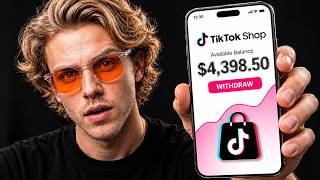

Stop Buying Products: AI Makes Your TikTok Shop Videos
60sThe promise of making money without filming appeals to a huge audience, and using AI to generate product videos is a fresh, intriguing idea.
▶ Play Clip"Delivers a genuinely simple AI workflow, but the 'laziest' claim oversells the setup effort and follower threshold."
This video presents a method for earning money through TikTok Shop Affiliate by using AI-generated product videos, specifically targeting the Halloween shopping season. The creator demonstrates a step-by-step process from getting approved as an affiliate to creating and posting AI videos that sell products, emphasizing consistency and testing.
Halloween, Black Friday, and Christmas are back-to-back, which is when people spend the most money on TikTok all year, making it the perfect time to start.
A brand lists a product with a commission, e.g., a $40 product with 15% commission earns $6 per sale. Ten sales a day equals $60 daily from one product.
Most people quit because they think they need to buy, film, and edit product videos. The shortcut is using AI to create videos with tools like CeeDance 2.5.
Go to TikTok profile, tap three lines, open TikTok Studio, scroll to monetization, find TikTok Shop for Creator, agree to terms, apply, confirm age, and verify identity with ID.
In the US, you need at least 1,000 followers to join TikTok Shop Affiliate. AI videos are the strategy to reach that threshold.
Use TikTok Shop Creator Center, search a niche (e.g., Halloween), filter for products sold over 5,000 and rated above 4.5 stars to ensure demand and quality.
Search the product on TikTok to see if similar videos perform well. Example: a hanging ghost got 395,000 likes with positive comments, confirming its potential.
Vmaker Labs is an AI tool for product videos, running on models like GPT image 2.5 and C-Dance 2.5, allowing creation without filming.
Generate a realistic presenter image with GPT image 2.5 Sunburst, using 16:9 size and 2K resolution. Use the same character in every video to build recognition and trust.
Use Seadance 2.5 for video generation, set to 9:16 vertical, 720p resolution, and 20-30 seconds length. Upload product pictures to ensure accuracy.
Save the product page as an HTML file and drop it into Claude with a prompt to generate a scene-by-scene video script based on real product details.
One video won't make you rich. Successful affiliates constantly test different products. Creating another video takes about 2 minutes once set up.
A Halloween-themed tumbler from Frost Buddy sold over 24,000 times with a 4.9-star rating. Created a 30-second video with a new prompt simulating a real iPhone recording.
Post videos without overthinking. If one gets views, make more for the same product, changing hooks, rooms, and outfits. Use trending sounds at low volume and write captions with searchable keywords.
The first 2 seconds are critical; start with the product or best moment. Check analytics for watch time, not just views, as longer watch time boosts distribution.
Use Amazon Associates to promote the same products. Create a Linktree page with your Amazon link and put it in your TikTok bio, saying 'Links in my bio' in videos.
Once you hit 50,000 to 100,000 views, your first thousand followers come quickly. AI handles the hard part; consistency is key.
Commission Math
Provides a concrete example of earnings potential, making the opportunity tangible.
00:28Consistent Presenter Strategy
Using the same AI character builds recognition and trust, a key psychological principle for sales.
03:49HTML File for Accurate Prompts
A clever workaround to ensure AI-generated videos match the real product details.
06:06Iterate on Winning Products
Emphasizes testing and refining rather than jumping to new products, a core growth strategy.
09:26First 2 Seconds Rule
Highlights the critical importance of immediate engagement in short-form video.
10:04[00:02] easier. And honestly, the timing right now is kind of perfect. Halloween, Black Friday, Christmas, they're all coming back-to-back, and this is when people spend the most money on TikTok all year. So, all that money's going to get spent
[00:15] paid for it. And I'm going to show you the whole thing, start to finish. If you're new to TikTok Shop Affiliate, it basically works like this. A brand lists a product on TikTok Shop and sets a commission. So, let's say it's a $40
[00:28] product with 15% commission. Someone buys it through your video, you get six bucks. Now, if that one product gets like 10 sales a day, that's $60 a day just from one product. But, here's the thing. What stops most people isn't
[00:42] finding a product, it's the videos. They think they have to buy the product, wait for it to show up, film it, edit it, and that's usually where they quit. So, I found kind of a shortcut. I make all my videos with AI using CeeDance 2.5, and
[00:56] they actually sell. But, before I show you how I make them, you need to get approved first. Because that's how you actually get paid. So, first, open the TikTok app and go to your profile. Then, tap the three lines in the top right
[01:08] corner and go to TikTok Studio. Now, scroll down to monetization. If you don't see it right away, just tap more ways to get paid, and you'll see TikTok Shop for Creator. So, go ahead and tap join. It'll show you a quick page
[01:22] the box to agree to the terms and hit apply. Okay, now this part is really important. After you apply, TikTok's going to ask you to confirm your age. So, just tap confirm and finish the verification. And later on, it'll ask
[01:36] you to verify your identity with your ID. When it does, make sure your details match your ID exactly, because you can't withdraw your commissions until that's done. And about followers, here in the US, you need at least 1,000 followers to
[01:50] So, if you're not there yet, don't worry, because the AI videos I'm about to show you are exactly how you get there. So, once you get that approval, you're in. Okay, so now we got to find a product people actually want, and you
[02:04] can literally do this inside TikTok. It's free. So, I'm in my TikTok Shop Creator Center. You can pick whatever niche you want up here, but Halloween's decorations right now, so I just typed in Halloween. And I'm not overthinking
[02:17] it. I just look for stuff that sold over 5,000 because then I know people are buying it and a rating above 4.5 because I don't want to promote junk. And I kind of love this one, this big hanging ghost. It sold over 15,000, the rating's
[02:31] good, and it just looks fun. Like, I can totally see this on somebody's porch. Then, I looked it up on TikTok just to be sure, and there it is, same exact ghost. It got 395,000 likes on this video, and the comments
[02:45] are honestly all positive. People really love this thing. So, this one's definitely worth a shot. So, now we need a video that actually sells it, and for that, we're going to use Vmaker Labs. If you've never heard of it, it's an AI
[02:57] tool built just for product videos. So, you give it your product and it turns it into the kind of video you'd see on TikTok without you filming a single thing. It's also running on the newest models, like GPT image 2.5 and C-Dance
[03:10] 2.5, which is why the quality looks so good. I've put the link down in the description so you can follow along with me. Once you're signed in, just click this little plus icon down here, and it takes you straight into this canvas
[03:22] where everything happens. [music] From here, you've got a few options. You can choose a style if you've seen a video you like and want something similar, you make product images if that's all you need. Then, over on the right, there's
[03:35] an AI you can actually chat with, and it even gives you ideas, like an unboxing or a before and after. So, if you're ever stuck on what to make, you can just show you exactly how it works, we're going to start from scratch with our
[03:49] ghost. So, first, we need a presenter to show off the product, and the key is to use the same character in every video. When people keep seeing the same face, they start to recognize and trust it, and that's what gets them to buy. So,
[04:02] let's create her. Click the plus icon down here, and you'll see a few options pop up. We're starting with a picture, so click generate image. Now, before we type anything, let's pick the model. Click right here, and you'll see a few
[04:15] options. I'm going with GPT image 2.5 Sunburst, because it's really good at making people look real. Then, for the size, I'm setting it to 16:9, so we can fit her from every angle on one sheet, and I'm bumping it up to 2K, so the
[04:29] details stay sharp. So, now, let's type in the prompt. I'm asking for a realistic woman in her mid-20s with a natural, friendly look, and I'm laying close-up of her face and a side profile on the left, and a full-body shot on the
[04:43] right, all on a white background. That way, the AI knows exactly what she looks like from every angle, so she stays the same in every video. All right, and the picture's done. Look how realistic she looks. Like, you could honestly mistake
[04:57] her for a real person. So, from now on, she's my presenter, and I'm using her in every single video. So, I'm clicking the plus icon again, and this time, I'm going with generate video. For the model, I'm using Seadance 2.5. If you
[05:11] haven't heard of it, it makes really realistic videos up to 30 seconds long, up to 50 reference pictures, so it knows exactly what your product and your presenter look like. For the settings, I'm putting it on 9:16, since that's the
[05:25] vertical size TikTok uses. I'm keeping the resolution at 720p, because it saves credits, and it still looks good on a phone. You can go up to 30 seconds, but I'm just doing 20. That's more than enough for this. Next, it needs to know
[05:38] So, go back to the product page on TikTok Shop, and save the main pictures ghost decoration in the video looks exactly like the real one and not something the AI just made up. Then come back to Vmaker Labs and upload all the
[05:53] product pictures you just saved. And there we go. All the product pictures are added. So now for the prompt. Go back to the product page one more time, hit control plus [music] S and save the whole page as an HTML file. The reason
[06:06] we do this is because that file has everything about the product in it like the size, the features and the description. So when Claude reads it, the video prompt it writes is based on what the product really is instead of
[06:18] guessing. All right, so now open Claude and just drop the HTML file in there. I put the prompt in the description so copy that, paste it right here and hit send. Now Claude's going to ask you for your video idea and low key I saw a
[06:31] video like this doing crazy numbers on TikTok so I'm making my own version. She's on her porch hyping up the ghost, she hangs it up and then at night she hits the remote and it lights up. But mine's got a voiceover so she's talking
[06:43] to the camera the whole time which honestly makes it hit way different. Okay, so Claude just gave me the full prompt broken down scene by scene. So I'm copying all of that, heading back to Vmaker Labs and pasting it right here.
[06:56] Now in the prompt section I'm hitting at and adding her as the character so it knows she's the one in the video. Then I'm tagging the rest of the pictures as the product so the ghost looks exactly like the real one. And once that's all
[07:08] set, just hit generate. Okay, it's done cooking. Let's take a >> Halloween's coming and I got this cute swinging ghost. I can't wait to hang it.
[07:23] Okay. Watch this. Look at that. It's so beautiful. >> Bro, look at that. That honestly looks
[07:36] like a real girl filmed it on her phone. And when it lights up at night, that's crazy. And the ghost looks exactly like the one on TikTok Shop. Same shape, same eyes, everything. So, yeah. This is the kind of video that actually gets people
[07:49] to buy. And here's the thing. One video isn't going to make you rich. The people actually making money on TikTok Shop are always testing different products. And now that everything's set up, making another one takes like 2 minutes. So, I
[08:02] found this Halloween-themed tumbler from Frost Buddy. It's already sold over 24,000 times, and it's rated 4.9 stars. So, people clearly love it. So, just pictures and uploaded them to V Make Labs. Then tagged my same presenter as
[08:17] the character, so it's the exact same girl as the first video. This time, I set the length to 30 seconds. And for this one, I cooked up a whole new prompt actually shot on an iPhone by a real person. Shaky handheld camera, normal
[08:32] kitchen lighting, nothing polished. So, now she's in a gray hoodie in a white kitchen unboxing the tumbler and showing it off up close. All right, let's hit generate and see what it gives us. Okay, it's done. Check this out.
[08:46] >> Frost Buddy just released their summer wing collection. This is called sunscreen. Look at all the little details on this tumbler. I'm actually so in the dark. This is the to-go buddy, so it does come with a basic lid to turn it
[09:00] actually also comes with a rubber lid. Once that's on, it's going to fit any large, and it's going to keep it cold and sweatproof all day. This is one of those launches that are not going to last long, literally at all. So, if you
[09:13] would not leave without it. >> Okay, this one's even better. Like, that honestly looks like a real person filmed it in her kitchen. And here's what I just post it. Don't sit there trying to
[09:26] what works until it's live. And if one starts getting views, [music] don't jump to a new product right away. Make a few more videos for that same product, change the hook, change the room, change her outfit, and keep writing it. So,
[09:39] just download the video from Vmaker Labs and post it on TikTok like a normal will help you get views. Use a trending sound, but turn it down low so you can still hear her talking. And don't spam a
[09:51] doesn't really do anything anymore. People search on TikTok now like it's Google. So, just write a short caption with stuff people would actually type in like Halloween porch decor or Halloween tumbler. [music] Also, the first 2
[10:04] seconds are everything. If people scroll past, nothing else matters. So, start with the product or the best moment right away. No slow intro. And go check your analytics every now and then. Don't just look at views. Look at how long
[10:16] people are watching. If they're watching most of it, TikTok keeps pushing it. So, >> Try to post at least three or four times a week. Most people quit after like 2 weeks. So, if you just keep going, you're already ahead. Now, some of you
[10:29] don't have a thousand followers yet." So, let me show you how you can still make [music] money while you grow. You can find the same products on Amazon and promote them with Amazon Associates. It's free and it takes like 5 minutes to
[10:42] the description, so just follow along with that. Once you're in, you'll see this bar at the top of Amazon. Go to the product, click get link, and copy it. That link is yours, so when someone buys through it, you get paid. But, most apps
[10:56] captions. So, what you do is make a link in bio page, which is basically a simple links. There are free ones like Linktree. So, make an account, add a new link, paste your Amazon link, and give it a simple name like Halloween tumbler.
[11:11] Then, copy your Linktree link and put it in your TikTok bio. And boom, now you've got your own little store. So, in your videos, just say, "Links in my bio." And when people buy, you get a commission. And honestly, TikTok is the easiest
[11:24] place to get views right now. From what I've seen, once you hit like 50 to 100,000 views, your first thousand followers come pretty quick. And with AI making the videos, the hard part's already done. Just stay consistent
[11:36] things for you. So, if you want to make videos like the ones I just showed you, description. [music] Or, if you're on code on the screen and you can start making your first one today. Halloween's
[11:50] right around the corner, so now's honestly the best time to start. God honestly the best time to start. God bless and I'll see you in the next one.
⚡ Saved you 0h 11m reading this? Transcribe any YouTube video for free — no signup needed.