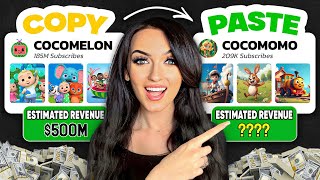

Millions from faceless YouTube channels?
45sOpens with a shocking claim that ordinary people make millions from simple videos, instantly grabbing attention.
▶ Play Clip"The title promises a step-by-step guide to make money with AI videos, and the transcript delivers exactly that with actionable steps."
This video reveals how to create a faceless YouTube channel using free AI tools, generating millions of views and passive income without showing your face or using your voice. The creator demonstrates a step-by-step process to produce animated kids' songs, from generating lyrics with ChatGPT to creating visuals with Invideo AI, and shares strategies for channel growth and monetization.
Videos like these bring in millions of dollars yearly. Anyone can start, even with zero creativity or editing skills.
A couple started this type of channel, now backed by Disney. It's not luck; many new channels are blowing up with the same strategy.
You don't need to show your face or use your voice. The channel becomes a digital asset you can sell.
Use ChatGPT to create song lyrics for a niche topic, e.g., biblical stories for kids. Niche down as much as possible.
Use Suno AI (free) to turn lyrics into a fully produced song. Choose a catchy style and download as MP3.
Use Invideo AI (V3 animation mode) to create animated visuals from the lyrics. Add subtitles and customize scenes.
In Invideo AI, upload the MP3 song and replace the default audio. Then download the final video.
Don't flat out copy others. Use AI to make content unique and better.
Screenshot the best moment from the video (Shift+Command+4 on Mac, Windows+Shift+S on PC) and upload as custom thumbnail.
1) Make videos over 8 minutes for better monetization. 2) Use YouTube Shorts to grow faster. 3) Style titles and descriptions after viral channels. 4) Be consistent; it's a long-term business.
The creator offers a full free course on YouTube automation on their channel.
By leveraging free AI tools like ChatGPT, Suno AI, and Invideo AI, anyone can create a faceless YouTube channel that generates passive income. The key is to niche down, add unique value, and follow growth strategies like longer videos and Shorts.
What is the first step to create a faceless YouTube channel according to the video?
Generate song lyrics using ChatGPT.
01:53
Which free AI tool is used to turn lyrics into a fully produced song?
Suno AI (suno.com).
02:50
What mode should Invideo AI be set to for creating animated videos?
V3 (animation mode).
04:14
How can you add subtitles to the video in Invideo AI?
Use the edit command box to type in the changes, e.g., 'add subtitles on screen with bold font'.
05:39
What is the recommended video length for better monetization on YouTube?
Over 8 minutes.
08:54
What are two ways to grow a YouTube channel faster mentioned in the video?
Make videos over 8 minutes and use YouTube Shorts.
09:09
How can you create a custom thumbnail from the video?
Screenshot the best moment using Shift+Command+4 on Mac or Windows+Shift+S on Windows.
07:33
Faceless channels earn millions
Highlights the massive earning potential of faceless YouTube channels, motivating viewers.
00:01AI enables faceless creation
Emphasizes that no face or voice is needed, lowering the barrier to entry.
01:12Avoid copying; add unique value
Important principle: using AI to create unique content rather than plagiarizing.
07:04Videos over 8 minutes for monetization
Key strategy to increase ad revenue and YouTube's promotion of the video.
08:54[00:01] videos like these on YouTube are bringing in millions of dollars every single year. The people making these videos are no special than you or I. And to do exactly the same step by step in under 10 minutes, even if you have zero
[00:16] creativity and zero editing skills. Look at these analytics, you guys. This the biggest in the niche. Okay, I know. they are bringing in millions of dollars every single year with these videos.
[00:30] Just a couple that wanted to bring joy to the world with these videos. A big company did not start this. Somebody just like you or I started something like this. And now they are literally backed by Disney with tons of investors
[00:44] YouTube automation empire. It's just so crazy to me how many lives are actually changed from YouTube. And this was not a they just got lucky type of situation because there are tons of smaller new
[00:57] channels that are literally blowing up using the same exact strategy and making thousands of dollars monthly. YouTube pays you for the views that you get. This type of business anyone can start. The traffic on YouTube is already there.
[01:12] You just have to produce the content and focus on growing the channel, which show you how to create a channel just like this using all AI tools. And what I love about this is you don't even have to show your face or use your voice. You
[01:26] you decide you don't want it anymore, you can literally sell it. It's a digital asset, especially a faceless one passive income. So like any time that you spend on this, it's just going to
[01:39] continue to be a digital asset for you. This is how I became a millionaire within 2 years from these kinds of digital assets. and from thinking with this mindset. Step one, we need to generate a song and lyrics. But
[01:53] song and you are not either. But there's literally free AI tools out here right First thing we're going to do is just open Chat GPT. Now, I'm going to ask it like it'd be so cute to create like a YouTube channel for kids about biblical
[02:09] stories or something like this or even to create an educational channel about a specific thing. So, it's really great to niche down as much as you can. If you something you can ask the AI, but we're going to just start with this. So, let's
[02:22] teaches kids about the story of Noah's Ark. Then have Chachi generate full lyrics with rhyming lines, repetition, and easy to sing words. So, in literally a second, Chad PT wrote us a really cute
[02:37] a second, Chad PT wrote us a really cute song. So, just keep this tab open and they'll have to remake it again. So now let's turn these lyrics into a fully produced song. So again, another free AI tool here for you guys. You're going to
[02:50] go to this free website called Sununo AI or you can just type in sununo.com. Here we're going to create catchy songs with one click. 100% free. So just make Then you're going to just go to this create tab. So let's just split our
[03:06] screens here and just copy and paste your lyrics from Chad GPT. You can pick a style or leave it blank and it'll give you a bunch of them. And you can see all here. So, let me just listen to a couple of them and see which one is the best.
[03:20] So, this one sounds like the most catchy and kid-friendly. So, let's just go with this one. So, once you get the song that you like, you're going to just click on these three little dot dot dot. You're going to click download, then click MP3
[03:34] audio. So, the MP3 will just save to your computer. Don't lose it. Just like drag it to your desktop or something. And now we are going to go to our next step which is creating visuals. So step one was generating the lyrics. Step two
[03:48] was getting our song. Now we are going to generate the video which is the most important part and the visuals for the video itself. And again we only need one AI tool to do this for us. And my favorite platform as you guys know I've
[04:02] showed it to you guys before which is Invido AI. using one simple text prompt and video AI can create full-blown unique animated videos for you in minutes that you can use for your YouTube channels. I put the link in my
[04:14] bio to access it through there. And once you click that link, it's going to bring you to this page. So, first thing you want to do is up here in this V4, you're going to change this to V3 cuz that's the animation um mode. So, we're going
[04:28] to just type in here. So, I'm just going to split my screen again. And I'm just going to copy the same prompt that I gave to chat GBT, but we're going to change it up a little bit. So, we are just going to make sure we add in for it
[04:41] to make sense of what we're asking the AI in in video AI. So, I just asked it AI in in video AI. So, I just asked it create a fun preppy kids animated video with a song that teaches kids about the story of Noah's Ark. Use this. And I
[04:55] just again copied everything that was in Chad BT. And now let's just copy and paste the lyrics here. And we are just going to tell Invido AI use these click generate a video. Now we're just going to wait a few minutes for it to
[05:09] generate. It might ask you just a couple more questions about like what you how vibe of the video. And when you're done with that, then just click continue. So now we can see the video has been generated for us. These visuals are so
[05:25] adorable. I cannot wait to see it with the song that we made. Now, if you guys want specific things added like your YouTube channel logo or if you want to add lyrics on screen, you can use this edit command box right down here to be
[05:39] able to do that. Just type in anything you want to change and then click language in these videos, too, which is really cool if you decided to do like a as saturated for a different country. I'm going to ask mine to add the
[05:53] subtitles on screen with the bold font. And it just looks more interactive that way. And you can see it changed it right away. If you guys want to change the animations at all, you can just click on edit right here. And here you can change
[06:06] the script or the media all in this one section. All you have to do is just click on one of the like scenes that you want to change. Then you can scroll down can pick for that scene to switch it out. When you're done, just click on
[06:20] save changes. To add your song to our video, you're going to click edit. video, you're going to click edit. Then just click on music. Click uploaded music. Then you're going to click upload again
[06:34] and upload your song. You can see here it's now uploading. Then you're going to just select it and click replace and apply. Then just click save changes. Just go ahead and download it and you'll
[06:49] Just go ahead and download it and you'll find it saved directly in your computer. [Music] It really is so cute. And just like that, we used AI tools to literally copy and paste other channels, but we want to
[07:04] anytime you get to pay attention to detail or just think of how can I do because we obviously are not meaning to try to just copy anybody. just flat out copying people is not going to get you anywhere. But you guys can see we took
[07:18] it's doing so well. We're just taking it and making it in our own way and making it even better. And using these AI tools have never made it easier. To create a screenshot the best moment from the video itself. I'm using a MacBook, so I
[07:33] just press shift plus command plus4 to quickly just capture that frame that I want. If you're on Windows, you can just press Windows key plus shift plus S. And can drag and select the best frame.
[07:48] most bright and eye-catching and like you always want to like clickbait people to do that through your thumbnails. Then you're going to just head over to to your channel if you already have one. It only takes a few minutes. Upload your
[08:02] video and set up your custom thumbnail during the upload process. And again, I below for all the tools you may need. this video was free except Invido AI is
[08:14] guys can see, it's a very crucial part of your video. And of course, you can, things, but it's not going to look as unique and special as this animation and the quality of this animation is. So, of course, you can try Invide Video AI for
[08:29] free as well. But if you want to take this seriously and use their generative capabilities, I have the generative plan that is $96 a month. This is the one that I have now that allows us to create these fully animated unique videos. And
[08:42] if you're already a user on Invidia AI, you can just simply go to the add-on whiteboard is back out, guys, because now I'm going to talk to you guys about how to grow your channel and make money.
[08:54] So, here are my rules for you. Number one, make videos over eight minutes. channel like this is ideal. You can even see the bigger channels do this. So, you channels, like I'm already developing strategies. That's how you guys need to
[09:09] minutes thing, you're going to thank me later because once you're monetized, you whenever you make money, YouTube makes money. So, they're going to push your video out more. Number two, shorts. Speaking of shorts, shorts on YouTube,
[09:25] have seen them, help to grow your YouTube channel faster. So, don't sleep on these. And invide AI allows you to make these too, or you can clip them up yourself in editing softwares. My number three rule for you, style your video
[09:39] titles and descriptions. Style your video titles and descriptions after channels that are already going viral. You do not have to reinvent the wheel. one or two videos and expect them to blow up. This is a long-term business
[09:52] model and commitment just like any other business. So, pick something that you purpose in when creating these videos. So, you're going to want to actually do sixth and final rule is I want you guys to watch the full free course of this on
[10:07] created an entire free course for you guys all about YouTube automation on my YouTube channel. I go over every single thing you need step by step, even slower than I did today. So definitely make sure that you guys go and watch that
[10:22] full free course. I will link that down below so you can really master this strategies about growing your channel, monetizing your content, and overcoming these challenges that creators face along the way. You guys know I have two
[10:35] successful YouTube channels. One is Faceless, and I'm very experienced in hope that free course helps you guys out tons. And you guys already know all I is just smash that like button for the YouTube algorithm and subscribe to my
[10:48] create free courses and videos for you guys just like this. Nobody's got you like I got you. Make sure you guys are following me on Instagram at bad and biz and bis for more business inspiration and updates. Wishing you guys and our
[11:03] YouTube channels all the best and I will see you guys in my next free course. Bye see you guys in my next free course. Bye guys.



⚡ Saved you 0h 11m reading this? Transcribe any YouTube video for free — no signup needed.