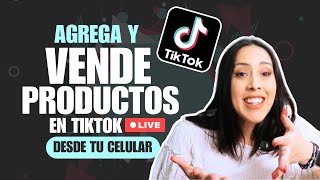

No 1,000 Followers Needed for TikTok Live?
40sChallenges a common belief about TikTok's follower requirement, sparking curiosity among small creators.
▶ Play Clip"Title accurately promises a tutorial on adding products to TikTok Live, which the video delivers step-by-step."
TikTok has removed the 1,000-follower requirement for going live, allowing small accounts to use TikTok Live to sell products and earn commissions. This tutorial shows how to add products to a live stream, pin them, and maximize sales.
TikTok no longer requires 1,000 followers to go live, enabling small accounts to earn money and promote products.
The video is a step-by-step guide on how to do TikTok Live and add products to sell.
Log into TikTok, tap the plus icon, select 'Live', name the event, and set an objective.
Go to 'More' then 'Store' to see products. Tap 'Recommended for you' to see showcases. Add products by tapping the add button.
You can add multiple products to a single live stream. Products can be from your showcase, brand collaborations, or the product marketplace.
During the live, tap the bag icon to see added products. Use 'Anchor' to pin a product to the bottom of the screen.
Unanchor a product to remove it, then anchor another product to promote it. You can switch products throughout the live.
The viewer count only shows people who tapped the screen. Actual viewers are higher. Stay motivated even with low numbers.
Early mornings (5-6 AM) are great for going live to earn commissions and engage with viewers.
A short live reached 149 people despite showing only 3-5 viewers. Longer lives can reach more people and increase sales.
TikTok Live is a powerful tool for selling products and earning commissions, especially now that the follower requirement is removed. By adding and pinning products, creators can effectively promote multiple items in one session.
What was the previous follower requirement for TikTok Live?
1,000 followers.
00:01
How do you add products to a TikTok Live stream?
Tap 'More' then 'Store', then tap 'Recommended for you' to see showcases and add products.
01:51
What does the 'Anchor' option do during a live stream?
It pins a product to the bottom of the screen so viewers can see it.
04:51
What is a recommended time to do TikTok Live?
Early mornings, like 5 or 6 AM.
07:11
Why might the viewer count on TikTok Live be misleading?
It only shows people who tapped the screen, not all viewers.
06:16
New TikTok Live Policy
Removing the 1,000-follower requirement opens earning opportunities for small accounts.
00:01Viewer Count Misconception
Explains that actual viewership is higher than displayed, encouraging creators to stay motivated.
06:16Best Times for Live
Provides actionable advice on optimal timing for TikTok Live to maximize reach.
07:11Real Metrics Example
Demonstrates that a short live reached 149 people, proving the platform's reach potential.
08:05[00:01] you need more than 1,000 followers on your account to be able to go live. Now, that's no longer mandatory, which means that small accounts will be able to do TikTok Live and benefit from making money, showcasing
[00:14] their products, and gaining an audience. And for people who are part of the TikTok Shop creator program, that also means we'll be able to do more live streams to sell our products. Remember that within TikTok this is a
[00:27] super interesting way to tell people what the product is about, what its functions are, its benefits, answer questions, and it's a super powerful way to sell products within TikTok Shop. In today's video, I'm
[00:39] going to show you how you can add products to a live stream so you can start doing live streams right now on the TikTok platform and start earning money. [Music]
[00:55] we support personal brands, creators to develop an online business and TikTok, as you can see within this channel is a very powerful way to have a business from home earning commission. In today's video we're going to
[01:09] talk about how to do TikTok Live and how to add products. This will be a super easy video tutorial so you can add products every time screen. First things first, let's log into our TikTok account. Down
[01:23] here you'll see a plus within a plus. Here it is, ready. content. See? Publish, create and live. In this case we're going to put live. As part of live, what you have to do is give the event a name,
[01:38] add the objective, what you want to do. At this point, what interests us is having the products ready that we are going to promote in that live stream. How do we have to do it? Let's go here to the little arrow that says more and
[01:51] let's go here to where it says store. I click on store and here the products I have will appear. Now, when you want to see a product that's in your showcase, depending on how you have it
[02:04] on your phone, you click here where it says "recommended for you" and you'll see "recommended" and next to it you'll see " showcases," meaning all the products you have in your showcase will appear here. So, imagine that you're
[02:17] going to act like a goli here, you're going to add it and this product will be in live stream, you'll be able to select it and it will appear. It doesn't have to be just a product. You can have a live stream with different products.
[02:31] For example, let's say I want to add these best-selling nasal stick booms. I put it here to add it and look, I already have two products. So, these are the ones that are within our stockpile. If you need recommendations,
[02:46] recommended products for you to use while you go live. These are outside your shop window, they're separate. Or you can also add products and at the top you'll have a plus sign and here you'll have the
[03:00] collaboration invitations section if you have a request from a brand that wants you to do a live stream with them, or you can go to the product marketplace. So, in the all the products that are currently available, divided by whether any of them
[03:14] have a promotion. Remember that sometimes brands pay you money when they have an active promotion. You'll be able to see them here. Or those that are bestsellers, popular themes, or even those that give
[03:28] free samples. So, let's go here where it says bestsellers and see which bestsellers today. So, I'm going to see, I don't know, let's say I want to do a live stream of one of them. The first thing in these parts is to add and
[03:40] look, within my live I'm having two products that were on display and Once these products are added , I go back, click "done," and look, TikTok even tells you to
[03:56] recommends products to you. Then they tell him, "Put here 'do not add products automatically' for these 7 days." No, I don't want this. And now I'm done
[04:08] . So now I'm going to have products that are ready in my store so I can do live streams. When we start, we're going to give an event.
[04:23] the product there plus a test and I'm going to start the live stream. 's telling me that I can get more views on the live stream if we sort them
[04:37] you start doing the live stream within TikTok and how do you add it to the screen? While you're demonstrating the product and answering questions, you'll see a little
[04:51] purse, like a bag, appear down here in the live stream, and inside that bag you can put the products you want to sell. In this case I'm going to use the anchor option and if I leave here, the product I'm promoting will appear at the bottom. That is
[05:06] , the one from Goli comes out down here, whichever one you want. So, you talk about the product, you tell people what this product is about, you tell them its benefits, you even answer questions because people will be
[05:18] questions about that product in the comments. You answer, you talk all you want, and then you want to move on to another product that you had ready. In other words, it doesn't have to be a TikTok live stream exclusively about one product; it can't be about several. These
[05:33] products can be from brands you're working with, or there are even products pinned and are dedicated to doing live streams of their own products. So, I'm going to put here to exit, unanchor, and at this moment my product
[05:47] that I want to make sales of disappears. I want to add another product that has nothing to do with that one. Let's go and repeat the same process. We click on this little wallet and I'm going to put, for example, these here, right? Anchor.
[06:02] We're back and now I have a completely different product and I can talk about the benefits of this other product during that same live stream. And the important thing is that live streams are how TikTok wants you to do live streams,
[06:16] so it will help you show it to more people, and it's an important fact four people connected inside the live stream, and that number isn't really real because that number will only show you the people who clicked "tap tap".
[06:31] But if it doesn't work, there are people watching you on your TikTok Live anyway, and it doesn't show up as you're online. There are actually more people than that number important, know that you should stay motivated, that it doesn't matter if you don't get
[06:44] many people watching, you have people watching you and the most important thing is that you encourage the sale of the product you have pinned at that moment and then you unpin it and you no longer have any product inside TikTok Live.
[06:57] So, this is super good, super good. I swear. There are people making a times, there are times when live streams work better. Completely. For example, early mornings, or any day in the
[07:11] early morning are great for doing TikTok Live, or super early in the morning, like 5 or 6 am. It's also a great time to do TikTok Live and earn money through commissions, recommend the product, and answer questions. Yes,
[07:25] want to anchor, for example, I'm going to anchor one of these, I don't know, let's say this one here, I do have it around, I'll anchor the hair one, you have it physically and show it within the TikTok Live or give proof that thanks
[07:39] to this product you are getting a certain result. Recommendations the people who tuned in. You can go to my YouTube channel to see the full video on how you can do a TikTok Live and how you can pin
[07:52] products to sell and earn commissions for it. A little hug. Bye. Look, I want you to see real metrics within what we're seeing now. If you noticed, there were always three to five people in my live stream, six
[08:05] live, but realize, the actual impressions that live stream had were 149. That is to stayed to watch. It didn't go tap tap. There were 51 people who went "tac tac," but
[08:17] there were more people watching me. So if you're doing a TikTok Live, it reduces your overall reach. And listen, we did this in a super short time and look at the number of people we reached, I mean, in just a few minutes we reached
[08:30] almost 150 people. Imagine if it had been a super well done live stream with the product, lasting a good hour, and above all, if you stayed there for quite a while. all the opportunities you had to sell these products. I've made
[08:45] a video on the channel showing you that you can do the same thing we just did with your cell phone from your computer. If you feel much more comfortable on the computer, the camera is better, you can see the comments better,
[08:57] you can even do the live video from the computer, here's the link to the video and then you use your cell phone to answer the Take advantage of this opportunity we have now with TikTok Live and go out and sell
[09:11] products and earn commissions. Don't just stand there with your arms crossed. Start right now. If you liked this video, give it a thumbs up. Don't forget to subscribe because there are many more videos coming to the channel to help you
[09:23] online business that you can manage from home or anywhere in the world. As I like to say, see you in the next video. Hai
⚡ Saved you 0h 09m reading this? Transcribe any YouTube video for free — no signup needed.