[00:02]
Hermes Agent. What if your inbox could answer itself while you sleep? Not a filter, not a template, an agent with its own email template, an agent with its own email address. It reads, it writes, it follows
[00:15]
up. Today I'm going to show you how I use Hermes Agent inside my Agent OS to run my email and how I turned it into a link building outreach agent. Stick around because at the end I've got two pro tips that make your scheduled tasks
[00:30]
run properly. So let's start with the big idea. Link building is really just personal email outreach. You find good sites, you write to them, you ask for a link, then you follow up. That's it. And every
[00:45]
single one of those steps can be handed to an AI agent. On one of my own websites, as we built more backlinks and got more referring domains, the traffic grew over time. Here's how. Hermes Agent is an open
[00:58]
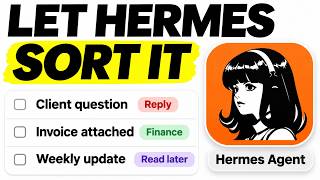
source agent from New Research. Inside my Agent OS, I give Hermes its own email my Agent OS, I give Hermes its own email inbox, not my personal one, its own. Once it has that, it can read emails, sort them, figure out what matters,
[01:12]
write replies and send them. That works for outreach, for lead generation and So how do you set it up? There are three simple things. Number one, tell it what
[01:24]
you want links to. You can say something like, my page is a free, genuinely useful guide and then paste in the link. Number two, give it your prospect list. That could be a few blog names. It could be a spreadsheet.
[01:38]
sites for you. Number three, put it on a schedule. Hermes has scheduled tasks built in so it can do the work step by step every day without you asking again. That's the whole setup, website, prospects,
[01:53]
schedule. First, let me explain how Hermes connects to email. Hermes works with skills. A skill just a set of instructions that teaches the set of instructions that teaches the agent how to do one job. New research
[02:06]
ships a Google Workspace skill that lets Hermes use Gmail, calendar, drive, docs, and sheets. It can search your mail, send messages, and reply inside the same There's also an agent mail skill. That one gives the agent its very own email
[02:21]
address, so it never sends from your personal account. In my setup, I connected the agent's inbox with Google Service account details. The easy way to do it is to just tell Hermes, set up this email address with
[02:33]
my Google Service account details. It will connect it or it will ask you for whatever it's missing until it's done. And once it's wired in as a skill, you just talk to it. You can say, what's in my inbox? And it handles it.
[02:46]
So here's what I actually tested. I told Hermes to email me saying the call moved to 3:00 p.m. It sent it. I checked the inbox and the email was right there. Then I gave it the real job. I said, here's the page I want to build
[03:01]
backlinks to. Reach out to five relevant websites per day asking for backlinks. Short, direct email, schedule the task. Make sure you reach out to realistic websites that would actually link to us and follow up with them daily, too. Do
[03:15]
Now, quick pause before I show you the next part. Inside the AI Profit Boardroom, we've got the full agent OS zip file ready to install. And we've built a complete 30-day roadmap to go with it. The roadmap walks you through
[03:30]
setting up your agent OS step by step. We also run four coaching calls every week. So if you get stuck connecting your inbox or setting up a scheduled task, bring it to a call and get help. If you want my setup and my agent
[03:44]
operating system, this is where it lives. Link in the description or go to aiprofitboardroom.com. All right, let's get back into it. Here's a prompt I use. You're my link building outreach team for this website.
[03:57]
Email these five blogs asking for a backlink. Then it writes the email for said it was done. It would send the first batch that day, then run daily. It gave me the email strategy and the target websites. So how does the inbox
[04:13]
actually run itself? I call it the self-writing inbox, and it has five layers. Layer one, a dedicated inbox. The agent gets its own email address, never your personal one. Layer two, the connection. You plug the
[04:27]
account details into your agent. Layer three, the skill. Email gets wired in as a Hermes skill, so you can control it just by talking. Layer four, the draft gate. The agent writes a draft and only sends once
[04:41]
you've said yes. So you stay in control of every word that goes out under your name. Layer five, the always-on clerk. Once it's wired in, it doesn't clock off. It reads, sorts, and handles mail
[04:55]
around the clock. So why bother? The old way, I'd spend two or three hours a day on inboxes, read every message, copy it into ChatGPT, copy the reply back, fix the formatting, send it by hand, and still be behind. The new way, it's maybe
[05:11]
five to 10 minutes a day. You ask, what's important today? And because my agent OS has a memory system plugged in, it already knows my business. Now, scheduling. Hermes has a built-in scheduler. You can write the timing in
[05:24]
scheduler. You can write the timing in plain English, like daily at 9:00 a.m. You can pause, edit, or delete a task, and you can attach skills so your email skill loads before the job runs. Inside my agent OS, I just go to the manage
[05:38]
screen and I can see every scheduled task in one place. That's useful for morning triage, follow-ups, and overnight work. You can even ask, what did this person send me last week? And get the answer. And you can tell it,
[05:51]
create drafts, don't send any emails. Then you approve them yourself. Once you trust how it writes, let it send. Who's this for? Agencies, online stores, coaches, software companies, marketing teams, everyone uses email.
[06:07]
Not comfortable giving an AI an inbox? Fair. Don't give it your personal one. drafts until you're happy. And if you're still not comfortable, you don't have to do it. Worried it sends something embarrassing? With drafts on, nothing
[06:21]
goes out without your approval. Sounds too technical? That's why I built my agent OS. Everything's in one place. So how do you make the right decision? Ask how much time you spend on email. If it's a lot, start small. Separate inbox,
[06:36]
it's a lot, start small. Separate inbox, drafts on, one job like follow-ups, then add more as you trust it. Now the two pro tips I promised. Pro tip one. Hermes runs each scheduled task in a fresh session with no memory of the chat where
[06:49]
you set it up. So put everything in the scheduled prompt. The page, who to email, how many per day, and whether to draft or send. If you leave something out because you set it earlier in chat, the scheduled task won't know it. Pro
[07:03]
tip two. If all you need is email, the Hermes Google Workspace skill points you to a different skill called Himalaya. It works with a Gmail app password. No Google Cloud project needed. Now there's a window right now where most business
[07:17]
owners haven't figured this out yet, and that window won't stay open forever. If you want to get ahead on learning Hermes and your own agent OS, the AI Profit Boardroom is the place. You get the full agent OS zip file ready to install plus
[07:31]
the complete 30-day roadmap. There are daily tutorials to learn something new on this stack every day. Four coaching calls every week where you bring your setup and work through problems live. A prompt library so you're not writing
[07:45]
inbox prompts from scratch. And the member map to find people building the same thing. Link in the description or go to aiprofitboardroom.com. If you want the full process, the SOPs, and over 100 AI use cases like this one,
[08:00]
join the AI Success Lab. It's our free community. Links in the comments and description. You'll get all the video notes from this episode plus access to 96,000 members. The video notes break down
[08:13]
everything we covered today, from the three-step setup to the five layers of the self-writing inbox, so you can follow along at your own pace. It costs to learn with other people who are building with AI agents too. So grab the
[08:27]
building with AI agents too. So grab the link, jump in, and I'll see you inside.