
7 Pitfalls When Scaling PHP to Multiple Servers
45sHigh curiosity and fear of scaling, with a promise of a checklist.
▶ Play Clip"Delivers a solid, practical checklist that matches the title's promise, though some sections could be more concise."
This video provides a comprehensive checklist of seven critical considerations when scaling PHP applications to multiple servers, covering deployment strategies, load balancing, session management, file system handling, cron jobs, database migrations, and logging. The presenter, Benjamin, draws on over a decade of experience to guide developers through common pitfalls and best practices for multi-server architectures.
Scaling PHP applications to multiple servers offers benefits such as scalability, fail safety, rolling updates, and server upgrades without downtime.
Three approaches: using a network file system (NFS) to share code, maintenance mode deployment, and a dedicated deployment machine (admin machine) that prepares releases and pushes code via rsync.
Introduce a load balancer (often Nginx) to distribute traffic across application servers. It can offload SSL and proxy requests to the backend servers.
Sessions must be moved from local disk to a shared store like Memcached or Redis to ensure consistency across servers. This can be done by configuring the session save handler.
Handle file uploads and storage by using NFS, S3-compatible stream wrappers, or abstraction layers like Flysystem to centralize file storage.
Avoid running cron jobs on all servers simultaneously. Use a cron master or leader election mechanism (e.g., database table) to ensure jobs run only once. Monitor with tools like Tideways or Oh Dear.
Run migrations only once, ideally from the admin machine during deployment. Write migrations to be backward-compatible so old and new versions can run simultaneously.
Use tools like tmux-xpanes or Cluster SSH to tail logs across servers, or centralize logs with systems like Loki. Implement error tracking with tools like Tideways Trace to aggregate exceptions.
Scaling PHP applications to multiple servers is achievable with careful planning across deployment, load balancing, sessions, file storage, cron jobs, migrations, and logging. By addressing these seven areas, you can achieve high availability, scalability, and maintainability.
What are the benefits of scaling PHP applications to multiple servers?
Scalability, fail safety, rolling updates, and server upgrades without downtime.
00:17
What are three deployment strategies for multi-server PHP applications?
Network file system (NFS), maintenance mode deployment, and a dedicated deployment machine.
01:14
Why must sessions be moved off local disk in a multi-server setup?
Because the load balancer sends requests to different servers, and sessions stored on disk would not be accessible across servers, causing inconsistent user state.
12:00
What are two common backends for storing sessions in a multi-server PHP application?
Memcached and Redis.
12:43
What is the purpose of a stream wrapper in the context of file storage?
It allows you to use standard file functions like file_get_contents on remote storage (e.g., S3) without changing much code.
18:03
What is the simplest strategy to avoid duplicate cron job execution?
Designate one server as the cron master and configure cron jobs only on that server.
21:25
What is a more robust approach to cron job execution than a single master?
Use a leader election mechanism, such as a database table indicating the active server, or tools like Consul/ZooKeeper.
22:56
Why should database migrations be run only once?
Running them multiple times could have devastating consequences, such as data corruption or schema conflicts.
26:04
What is a key requirement for database migrations in a multi-version deployment?
They must be backward-compatible so that multiple versions of the application can run with different database schemas.
27:16
Name two tools for tailing logs across multiple servers simultaneously.
tmux-xpanes and Cluster SSH.
28:14
Benefits of Scaling Out
Clearly outlines the key advantages of multi-server architecture, setting the stage for the entire video.
00:17Deployment Strategies
Provides three concrete deployment approaches, each with trade-offs, giving developers actionable options.
01:14Load Balancing with Nginx
Demonstrates that load balancing can be achieved with a simple Nginx configuration, demystifying a common complexity.
08:09Session Storage Shift
Highlights a critical pitfall (session loss) and offers simple solutions using Memcached or Redis.
12:00Cron Job Duplication Problem
Warns against naive cron duplication and presents scalable leader election strategies.
20:43Backward-Compatible Migrations
Emphasizes the importance of writing migrations that support multiple application versions, a key to zero-downtime deployments.
26:04[00:01] multiple servers requires work and can cause serious bugs if you don't address each pitfall individually and with care. If you have never run a PHP on multiple servers, this step can feel extremely daunting and scary. But I'm here to say
[00:17] you everything is fine. Once your application is scaled out to more servers, you get a lot of benefits, scalability, fail safety should one server get down, rolling updates, and server upgrades without downtime.
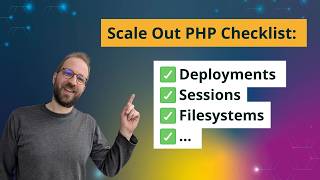
[00:31] In this video, I'm going through a checklist of seven things that you need to address when scaling out your PHP applications to multiple servers. While the advice in this video holds true for PHP applications in general, details may
[00:45] vary a lot between different platforms, hosting providers, and your application architecture, what libraries and code you're using. This video focuses on deployment in a more classical uh setup with a physical or virtual
[01:00] server infrastructure and not in container-based infrastructure. This, I future. Hi, I'm Benjamin and I'm helping PHP developers with performance and scalability for over 10 years. The first
[01:14] topic we'll need to address is deployments. How does the code actually get served to multiple servers? That means your PHP application code, when you update it, how do you get it out to the servers at the same time and make
[01:29] same code? So, we have a small example here. Um uh users are accessing um your application, PHP, Nginx, Redis, MySQL through a
[01:41] single server. And we want to scale this to multiple servers, so let's um sort of set up this um deployment scenario. So, we have one server,
[01:53] two servers, and we're conveniently ignoring the case how users are getting ignoring the case how users are getting there for now. get the code, PHP, um to the same basis? So, the first
[02:09] um to the same basis? So, the first thing that we can do is we can introduce a new server, which is a network file system, and um [clears throat] we could build our deployment in such a way that we have
[02:22] the PHP code on this network file system. That means we only have to connect to one server, write all the files and updates there, maybe make our deployment, and then both servers are using the network file
[02:37] servers are using the network file system to to get the PHP code. Picking this here and completely failing. Both of them are
[02:50] code, and we don't have PHP code here anymore. So, this is one way of sharing the code. Then you could like run a deployment
[03:03] tool, composer, everything on this to make it work. Um the second approach would be to keep the code The downside of this is network file systems are a bit slower.
[03:18] I mean, it's a very old standard, so it's very stable, but they are slow because obviously the um the code is loaded from the network. But with opcache, like once the files are in uh opcache, that isn't a big
[03:31] are in uh opcache, that isn't a big problem anymore for PHP code execution. in your application, um and can uh work if you need to get started fast.
[03:44] Another approach that I often see is that we um sort of uh put the application in maintenance mode. So, uh and then we deploy the application on two on all servers, and then when the deployment is done individually on each
[03:58] server, then we remove the maintenance page. So, let's say we have Git deployment here on every server. deployment here on every server. Um but so, we pull the code changes, do
[04:11] the necessary updates in place, and as long as this happening, we have a three long as this happening, we have a three no one maintenance page, which is served from the Nginx servers.
[04:26] which is served from the Nginx servers. Um the simplest idea here is to Um the simplest idea here is to configure Nginx to have sort of like um um a specific file they look for to see maintenance mode, and then if they see
[04:39] it, they serve this page notifying users um that the application is currently down for maintenance. This obviously has the downside that um the site is not available all the time,
[04:52] so it's not a zero downtime deployment, but it's a very simple deployment to introduce if you want to make sure that you have time to update an application on multiple servers before allowing it to run again. So, let's look at the
[05:05] third approach that we are going to look at is at is we are going to have a dedicated machine that is responsible for the deployment.
[05:17] It doesn't have to be its own machine. It can also be one of the two machines, but usually it makes more sense to have a dedicated machine because um that provides some additional isolation. Um
[05:33] In our case at Tightways, this additional machine is also the SSH jump host. So, um this way um we can only connect to our infrastructure through this
[05:46] um we call it admin machine, or it could be the uh deploy machine, deployment machine.
[06:02] Git pulls the code. It could also
[06:16] changes or pushing our changes to them using different tools, composer or deployer. So, deployer is one PHP-based tool that um allows to orchestrate this kind of deployment, um performing tasks on
[06:30] multiple machines. There's also the possibility to use Ansible for that, which is what we are doing at Tightways. And the way this works is that this machine here prepares the code um for a new release,
[06:44] and then we are we are pushing the code
[06:57] uh once it's done. The This could be done using rsync, for example, any other means. So, um you could also have this machine here call
[07:12] have this machine here call Git pull um on all of the application One thing that I recommend doing in this approach is to have one directory for every release, and then you um deploy and prepare the code
[07:26] base. The application is still running on the old folder, and then once the deployment is done, you switch the symlink for the sort of current directory that is active to the new release version. And this way you can
[07:40] deployment. And this way you only have to perform the complicated and um failure-prone steps like composer installation and so on on the single machine, and then um move the code using rsync to the
[07:56] application servers. The next step to address in um the checklist for uh scaling out a PHP application is load balancing. So, we haven't talked about a user reaching our multi-server setup yet.
[08:09] So, for this, we actually need yet another server. Um and this is, depending on your infrastructure, either a server that you set up yourself or uh various infrastructure providers
[08:23] also just provide this for you, manage this for you, So, what does managing a load balancer mean?
[08:36] Is this something difficult? No, it's actually just Nginx again. So, it's an Nginx server, and I can show you here using Nginx as a and I can show you here using Nginx as a load balancer is a very common strategy.
[08:48] The way it works is you define an HTTP or HTTPS server, define multiple servers, and then you um sort of declare this as a server and proxy all traffic to those
[09:02] servers here. So, the upstream is an application name with all these servers, and this uh load balancer acts as a proxy to um push all the traffic forward. So,
[09:15] It's the first time I'm using this whiteboard thing, so you whiteboard thing, so you see how I terribly newbie I'm about it, so Uh actually the other way around. Let's
[09:28] do it this way. So, traffic is coming from the internet, and it's going to be sent to the servers by the load balancer. And then we have a user here.
[09:44] Let's take the user here to make it all shiny and nice. shiny and nice. Okay, so, user hits our website, example.com, the load balancer accepts this traffic. This they can also offload
[09:58] SSL already. So, they can handle SSL and then um uh move forward to traffic to the application servers over HTTP um if you have a secure network between these servers and uh you don't need to encrypt
[10:13] the traffic. So, So, um here is still Redis and MySQL are on the those uh duplicated. So, usually
[10:28] um either you have Redis and MySQL running just on one of those servers or if you're starting to um fan out with servers, this would be the point where you also introduce um
[10:47] sort of one uh one one Redis server,
[11:03] with both servers, so they are talking to dedicated database servers. So, the benefits here is scalability. If you don't need that for now, then it's okay to keep um database and Redis on one server.
[11:18] Um one problem with this is that they need to be scaled at different sizes, very well. Um so, the server with the database would need more cores, more RAM uh compared to the other application
[11:31] server, and it would also introduce different latency behaviors, and this could make it more difficult to debug uh the default behavior of performance. If you have a default network trip to the database from any server, then this is
[11:46] something you can reliably trust to be the same or um from every server. Okay, so this is our setup for now. The next thing that we need to talk about is sessions.
[12:00] So, with a default PHP application, sessions are usually stored on the disk, and if you're using multiple servers, then sessions are not cannot be loaded from the disk anymore because um the load balancer is randomly
[12:15] uh sending the traffic from a user to a different application servers, and if these application servers need to log in the user with the session, the session is loaded from disk, then this will introduce very weird behavior on the
[12:29] multi-server setup. So, uh sessions need to be moved to uh some kind of database. historically has been to use um so, you can do this
[12:43] um calling uh session save handler here, overriding uh this um the session save handler and setting it in code, and historically, the easiest way to do this is with the Memcached or Memcached extension. They
[12:58] are usually shipped in every distribution. Um it's just one package. Installing Memcached is also very simple, and it's also very reliable piece of software. Um it doesn't keep the sessions around
[13:13] one downside, but if you put it on a dedicated server, usually it can run almost infinitely um and there's no maintenance needed for that. Or not a lot of maintenance needed. Um and you can just update an any
[13:30] setting for the Memcached support and set the session handler to Memcached, and then as a save path, specify where the servers are, and then you're already using uh Memcached sessions in your application without having to change a
[13:44] single line of code, and this is a very good approach if you have a legacy application it would be very difficult to to do that. Um it's also possible to do this with the PHP Redis um extension. So, if
[13:58] you're using Redis already um and want to store the sessions in Redis, then you can do this uh installing PHP Redis, and it also has session support. Let me look for it. PHP session handler. So, again,
[14:12] handler to be Redis, and um here's an example. Uh specify the hosts where Redis is, and it will use it to to store the
[14:24] sessions in. So, let's decide in our graph to put the sessions into Redis. We also we already split up
[14:39] So, we have a dedicated Redis server, and we are using the sessions on Redis uh to make that work. Uh sometimes your application requires the sessions to be very stable. In this case, I can also recommend using a
[14:55] a database as a back end for the sessions. Since we need to access a central database anyways, um we already have a single database, and we can store difficult because you have to write a custom user session handler accessing
[15:12] the database, but you'll find ton of examples out there in the internet, or your framework uh already provides an an implementation for it.
[15:25] that we have um sessions handled, the next question is what about the file system in general? We moved off the sessions, but what about the file system So, we have two servers on there, and
[15:39] depending on your application, users might upload files, and users uh their application might download files from the internet and store them on disk, or you might be using SQLite databases on disk to store information. All these
[15:54] things have to be handled if you now have multiple application servers. have multiple application servers. So, the first thing that we need to talk about is uh using an abstraction for the file system um that allows us to store
[16:09] files remotely. So, again, we talked about this in a scenario before, we can use NFS. So, NFS. So, what if we had a server
[16:22] that provides an NFS network? This doesn't have to be a dedicated server. It can also be uh just one of the servers that you have. Um but it also can be some kind of
[16:36] Um but it also can be some kind of storage system that um exposes NFS. Um a lot of hosters provide this um to you. So, what you can do is if you are using
[16:49] if you are using file uploads, then you can configure file uploads, then you can configure them to go to the network file system.
[17:01] application to use the network file system path. This is usually simple uh because you already have some configuration variable for the paths for the uploaded files, for example. If the uploaded files are put into the
[17:14] public directory of your uh web application already, then you need to make this directory a symlink of your network file system.
[17:28] another approach that you could take is that you're using um as F S3. So, um
[17:49] implementing. So, a second approach could be that you're using a stream wrapper to write all the files to an S3 compatible um device. What is the
[18:03] benefit of a stream wrapper? Let's look at the uh Amazon SDK stream wrapper code. So, we have a client here um with the options, we registered the stream and then the benefit of this is that you can continue using file get contents,
[18:20] can continue using file get contents, um file put contents, F open. So, if you have a lot of file related code in your application, then you can use the stream wrapper to make it quite simple to move everything over to a remote object uh
[18:34] destination without having to change a lot of code. If you have an application where you have the code under control, then you might be using an abstraction like Flysystem already. It's a file system
[18:48] abstraction layer, and it provides different implementations for file systems, for example, um also an S3 adapter, which again, with all the uh vendors usually providing an S3 compatible API, you can connect it with
[19:02] a lot of different services. And the API for this is you create a client, and then you have an adapter, and then you have the file system here, and you can see here in the documentation the file system API. So, you have different ways
[19:17] of writing and reading to the file system in a way that abstracts the uh uh vendor that supports this.
[19:29] One thing that that you need to account for is performance with this because file system operations are so ubiquitous in applications usually. If you have written your code to be aware of sort of a local disk, assuming
[19:44] a local disk and not the performance overhead of the network, then it could be that like using performance monitoring such as Tideways, We see here an application performance
[19:56] split down to the individual layers. We can see here SQL, Redis, and various things are contributing. And we can see if we look at the trace, um that
[20:15] performing file operations for just 1 millisecond. Uh but, um say we would have uh move this over to F3, we are doing a lot of operations here, and we would see our access to
[20:29] this remote file system go to over at least 100 milliseconds, then this means the performance of the application radically changes. So, this is something that you need to be aware of. Coming back to our application diagram,
[20:43] one thing that we now need to address uh when scaling an application to multiple servers is cron jobs. Because we need to find out where to execute cron jobs in a other. Let's say if we have just naively
[21:00] duplicated server one and server two, and they have the same cron job configuration running. This means the same cron jobs are This means the same cron jobs are executed at exactly the same time twice,
[21:13] and if you have multiple servers, three, four, five times. This is not the behavior that we want because cron jobs usually perform operations that should be done only once. So, what are the different strategies
[21:25] here? We could, um and this is the most simple strategy, designate one of the servers to be the cron master. cron master. Cron master.
[21:44] configure cron job setups on this one server, and this way um we are making sure that they only run once. Um The problem with this approach is that we don't have um reliable server architecture anymore.
[22:00] One benefit of the approach of having multiple servers is that any of the servers can go down uh just for maintenance, for example, installing new packages, restarting, um or um replacing the server with a new
[22:14] um or um replacing the server with a new server with a better operating or more If you're using this approach, then you need to be careful that one server is always the active cron master, and if you're doing this manually, um then this
[22:29] means this is some work. And if you have downtimes of this just one this one server because of hardware failure, for example, then even if your interface, cron jobs are not running, and this could have potentially bad
[22:43] consequences. For example, if the cron job uh sends emails, um like, for example, password uh request emails or double opt-in emails.
[22:56] So, a better approach would be to um allow the cron jobs to run on all servers, but we have sort of a cron job leader, one server is designated to be the the current active leader executing the cron jobs, and all the others are on
[23:12] standby. And the way you can implement this um is uh using multiple approaches. One simple approach could be to you that you just have a database table where the name of the active server is in. Then
[23:27] every minute when a cron job is executed, um the individual server runs the cron job, all of them run them. They look, am I the server designated for running cron jobs at the moment? And if not, they stop. If yes, they perform
[23:42] Um this makes it a little bit more scalable, and either you can manually manage this table by updating the servers if necessary, or you can come up with a mechanism to update this automatically
[23:58] a mechanism to update this automatically if the the server being active um if the the server being active um uh goes down for a while. introducing dedicated software for doing this kind of um leader election, and the
[24:15] usual softwares that are uh picked for this are Consul and ZooKeeper. Keeper. They both are um in the medium and high level of complexity uh operating. So, only
[24:29] introduce them really if you have very specific and advanced needs. Uh personally, I would recommend against doing that and finding more simple database, or uh with sort of server-wide locking.
[24:45] There are many different ways of doing this, spreading the cron jobs without running them in parallel. Once you have cron jobs set up this way, and you have a mechanism that runs them on different machines, um maybe provides
[24:59] some automatic um selection of where they run, you need to be sure to have some advanced monitoring in place. Um on one server, usually, um it's not necessary that much because you can rely
[25:13] it's up, so you know the cron jobs are running. But with a more complex approach, um you might be missing cron jobs. One way to do this is with a Tightways heartbeat monitoring, where you can
[25:26] specify that individual cron jobs um should be running once every day, once every hour, or something like that, and then Tightways will notify you if that's then Tightways will notify you if that's not working. Another tool for this um
[25:39] is from our dear friends at Oh Dear, which uh who provide cron job monitoring that allows you to uh monitor that cron jobs are running by sending HTTP requests about this cron job run, this cron job
[25:52] run, and they're sort of checking that this really happened in the specified Let's continue with the next check item that we need to handle on multiple um
[26:04] PHP server architecture, and that's database migrations. Database migrations is sort of a special case of deployment and um um cron job execution, but it's also task that should only be
[26:19] as at a single time. It should not be run multiple times um because that could have devastating consequences. consequences. And um the the way to do this is either
[26:33] And um the the way to do this is either to use the mechanism for the um cron job server, or since usually this happens during deployment, if you decided to use an admin machine, then what we are doing at
[26:48] Tightways is we run the database migrations on the admin machine and an early step of deployment, and then the database is already at the new schema. The application is still running at an
[27:01] old version, and then we switch over to the new application at a later point. One thing that this requires, which is not specific to deployments or scalability, is that database migrations need to be written in a way that
[27:16] multiple versions of the applications can run with the different versions. And we achieve this by only adding tables, only adding columns, never only if we are very sure that they're not
[27:30] used across multiple versions, we can start cleaning up old tables, old The last thing I want to address today is logging and errors. Um so, with an application that scales out of multiple servers, you also have log files on
[27:45] multiple servers, and the question is about when debugging and looking at stuff, how to um look at all the log files in a way that helps me debug issues, troubleshoot problems, find certain ways,
[27:59] find certain ways, um auditing um access to the system. And what you can do in the most simple approach is to use a software that allows you to connect to multiple servers at the same time,
[28:14] um and uh performing the same operations. So, my colleagues uh are using um a software called tmux x panes for this, but there's also different uh um a software called cluster SSH, which
[28:29] also allows this. The way it works is you specify here a command you want to execute on on a set of servers that you have access to. You can use patterns for that, and then it will perform this across a fleet of servers. This way you
[28:44] can tail log files in multiple servers, and you see them um in panels. And um it provides a way of debugging across multiple servers in a simple way without having to run a lot of additional
[28:58] software. Um for an application that is bigger um and has more operational needs, it makes sense to look into a software that centralizes log files. There are a few
[29:14] centralizes log files. There are a few different ones. Um the Elasticsearch um Grafana um and Stack is there. There's um and I wanted to show uh Loki shortly
[29:28] and I wanted to show uh Loki shortly from Grafana, which is also um Tightways um aggre- um as a server to aggregate log files.
[29:45] interface that you can log in over the web and then you can search for terms in web and then you can search for terms in the log files through the web interface.
[29:58] in applications that are running on multiple servers is error and exception tracking. It's a special case of logging but uh I would even recommend for a single server
[30:11] setup to use an exception tracking tool such as Tighten Trace. I put it here in the server graph. So the way it works is you connect
[30:25] Canva. You connect your PHP errors that are happening. It will aggregate them so they only appear once. It will send
[30:39] notifications when they are um happen for the first time or repeatedly. happen for the first time or repeatedly. And you can see in this example here we are seeing a list of all the errors. We see here that they happened multiple
[30:52] times. There's a workflow engine on top of it where we can see errors are being acknowledged, have a state are being acknowledged, have a state open. Also closed is available and we
[31:04] can see and work on those errors from a centralized user interface only seeing each individual error once and not across multiple servers, multiple lines in log files.
[31:18] I remember working on my first multi-server PHP application many years ago. It was an amazing feeling getting to work and run. And since then I've benefited greatly from using this architecture and
[31:31] itself. Single servers can go down so hardware failures do happen. You can do rolling upgrades to new PHP versions, to new versions of the operating system without the application
[31:47] being down and you can scale the application to tens of thousands of requests per minutes easily. I hope this video gave you some helpful pointers and ideas to achieve multi-server setup for your application.
[32:01] If you want to follow my channel on PHP performance topics, please subscribe and also you could subscribe to our newsletter. Link is in the description. newsletter. Link is in the description. Bye.
⚡ Saved you 0h 32m reading this? Transcribe any YouTube video for free — no signup needed.