
Why Lowering max_execution_time is Better
47sChallenges common advice with a counterintuitive take, sparking curiosity and debate.
▶ Play Clip"Delivers exactly what the title promises: a clear argument for lowering max_execution_time with practical strategies."
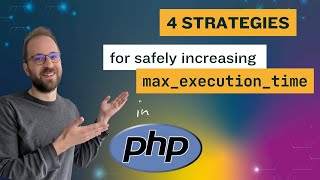
The video argues that instead of increasing PHP's max_execution_time setting to fix slow scripts, developers should lower it to 5-10 seconds and handle slow operations explicitly. The presenter explains why high settings hurt scalability and throughput, then details four strategies to safely accommodate long-running tasks.
The default value is 30 seconds, but the presenter recommends lowering it to 5 or 10 seconds and handling edge cases explicitly.
PHP runs with a fixed number of parallel processes, so slow requests can block faster ones, leading to 503 errors and making scaling unpredictable.
Twitter's fail whale and GitHub's angry unicorn are examples of stopping slow requests to protect overall service.
Instead of raising the global limit, increase it programmatically on a per-page basis and guard parallel execution with strategies.
Increasing max_execution_time is simple (a one-line change) and requires no programming, unlike improving performance or code changes.
1) Set higher limit for specific pages, 2) Use multiple PHP-FPM pools, 3) Implement locking/waiting list, 4) Offload to message queue.
Set a higher limit in code for specific actions (e.g., PDF generation) or based on request info (e.g., admin URLs).
Define separate pools (frontend and backend) with different sockets; frontend static with 50 children, backend on-demand with up to 5, idle timeout 10s.
Use Symfony Lock component to restrict a feature to one user at a time; if lock not acquired, show a waiting message.
Offload slow work to a message queue (e.g., Symfony Messenger) so the web server can handle fast requests without blocking.
Set max_execution_time to a low value (5-10s) to ensure high throughput and prevent slow requests from blocking important fast ones.
Lowering max_execution_time and handling slow operations explicitly improves scalability and user experience. The presenter recommends a low default and using strategies like per-page limits, separate pools, locking, or message queues to manage long-running tasks.
What is the default max_execution_time in PHP?
30 seconds
00:02
Why is a high max_execution_time problematic?
It can block faster requests, leading to 503 errors and making scaling unpredictable.
00:19
What are the four strategies to handle slow scripts?
1) Set higher limit for specific pages, 2) Use multiple PHP-FPM pools, 3) Implement locking/waiting list, 4) Offload to message queue.
03:29
How do you set max_execution_time for a specific page?
Use ini_set('max_execution_time', 60) in the code for that page.
04:17
What is the purpose of using multiple PHP-FPM pools?
To separate fast and slow requests, with the frontend pool handling normal traffic and the backend pool for slow operations.
05:14
How does locking help with slow scripts?
It restricts a feature to a single user at a time, preventing resource exhaustion.
06:22
What is the benefit of using a message queue?
It offloads slow work to background workers, keeping the web server responsive.
08:13
Parallel processes bottleneck
Explains the core reason why high max_execution_time hurts scalability.
00:19Twitter fail whale example
Historical example of how slow requests can break a service.
01:05Four strategies overview
Provides a clear framework for handling slow scripts safely.
03:29PHP-FPM pools configuration
Concrete configuration example for separating fast and slow requests.
05:14Recommendation to lower default
Actionable advice to set max_execution_time to 5-10 seconds.
09:48[00:02] execution time when searching for it on Google or YouTube is about increasing its configuration value. In this video, I will discuss why instead you should be thinking to decrease this value from its default of 30 seconds to a much lower
[00:19] default of 30 seconds to a much lower value of say five or 10 seconds and instead explicitly handle the edge cases. Why decrease max execution time? The reason is simple. PHP runs applications with a fixed number of
[00:34] applications with a fixed number of maximum parallel uh processes and that means maximum number of parallel requests. If you have a few pages that take close to 30 seconds, they can clock up the number of free slots to process
[00:49] up the number of free slots to process other faster PHP requests, risking that some users will run into HTTP error 5003 service unavailable errors. A high setting makes scaling your PHP application more complicated and
[01:05] unpredictable. Remember Twitter's failway in the early days uh around 10 2010. Twitter ran a Ruby application, not PHP back then, but the fail whale
[01:17] was Twitter's equivalent of quickly stopping requests that take too long. GitHub still does this today and shows you the angry unicorn when a page is taking too long to load. But what if you have slow modules that take longer than
[01:31] 10 seconds? just increase the max execution time in the application on a execution time in the application on a programmatic page-by- page basis. You can guard the parallel execution with one of the strategies explained in this
[01:45] video. Hi, I am Benjamin and I write PHP code for over 25 years. I'm one of the maintainers of the doctrine ORM have contributed to Symfony and many other libraries. I am responsible for bringing attributes to PHP core and serve on the
[02:00] attributes to PHP core and serve on the PHP foundation administration board and help thousands of companies improve PHP performance with Tideways a PHP profiler. Why is everyone looking to increase the max execution time? That's
[02:14] at a crossroad. Just increase the max execution time configuration globally through PHPini. This is really simple. requires no programming skills and is just a simple uh line change and restart
[02:31] of the web server or increase the max execution server or increase the max execution time in code for just that page that is failing. This requires some understanding of the software system and
[02:44] uh requires changes to the code and maybe even a deployment of that code maybe even a deployment of that code base. Or the third vers uh variant is improve the page performance so that is running faster uh and not reaching the
[02:58] max execution limit anymore. This is usually the most difficult approach and might not even be possible or practical when a module is not that important or not used that often. So, it's easy to see why a lot of people are searching
[03:15] for increasing this max execution time. And this is usually the most suggested solution when running into max execution time errors in PHP. Let's discuss a few strategies to safely allow scripts with high execution
[03:29] time. You can set max execution time for just a single or few pages. You can use multiple PHP FPM pools. You can implement locking or a waiting list in code or you can offload work to a message queue. Let's look at each of the
[03:45] four ones individually. Setting higher max execution time for just a single or few pages uh requires little PHP programming skills and some understanding of the application. You need to know where to
[04:02] change the code to set this value based on user requests and different modules that are being loaded. A simple example would be to loaded. A simple example would be to just change the setting directly in the
[04:17] code that you know is going to be running slower. In this example, there's running slower. In this example, there's a generate PDF action method on a class and we know that is taking longer. So we are setting the max execution time to 60
[04:30] seconds from maybe a default of five or 10 seconds that the application is running on. A more generic approach is to change on. A more generic approach is to change uh a central file in your application
[04:44] uh a central file in your application and decide on the execution time value based on request uh information. For example, uh set the max execution time to 5 seconds and then if it's uh a request to
[04:59] seconds and then if it's uh a request to a URL in the admin, then increase the execution time further to 15 seconds. The second strategy to safely allow scripts with high execution time is to use multiple PHP FPM pools. In the
[05:14] PHP FPN configuration, you define two pools. We call them front end and back pools. We call them front end and back end here with two different sockets. The front end pool has a static pool configuration with a maximum of 50
[05:28] children. This is the part of the application that serves a lot of traffic and requires the response times to be quite quick. The backend pool has its own socket and uses the ondemand strategy to create processes. Up to five
[05:43] of them are created at the same time, but once they reach an idle time of 10 but once they reach an idle time of 10 seconds, PHP FBM will shut them down and not use the resources for them. On the engine X side, we
[05:57] them. On the engine X side, we conditionally uh use one of the sockets conditionally uh use one of the sockets based on the URL uh of the application. So in this case if the request starts with admin then we are
[06:10] using the PHP backend socket instead of the front-end socket. A third strategy to safely allow scripts with high execution time is to implement locking or a waiting list in your application
[06:22] code. Locking is the more simple strategy and I will show it here because it restricts the use of a feature to a single user at the same time. We are using the Symfony fact uh lock um component here but you can use different
[06:39] locking mechanisms for example with radius or with Unix summerforce which are available to you um depending on your application architecture. Symfony lock component abstracts all the different backends. So
[06:55] this code here is usable for any kind of back end that you want. We are creating back end that you want. We are creating a lock for uh using a name PDF create and only a single user will be able to run the code after the lock is acquired.
[07:11] If the lock cannot be acquired, we are showing a waiting error page. For example, I am sorry uh this module is currently being used. Please refresh the page uh in a few minutes. If the lock can be acquired,
[07:25] then we are generating the PDF and we are rendering it. Finally, uh, independent of an error or no error being h happening, we release the lock and the module is available again for the next user to be
[07:40] processed. Waiting cues and waiting lines are a bit harder to implement. If you allow multiple people to use the module at the same time, but you want to restrict them to let's say five, you can do that either using PHP FBM pools for
[07:56] example and risking 503 errors or you can implement uh a ticketing system manually. The fourth approach to safely allow scripts with high execution time is just to not have slow execution time
[08:13] in the front end. instead deferring and offloading this work to a message queue. Again, I'm showing this using Symfony component, the messenger component here. Uh for this to work, we have to move all the code to um uh a backend script. In
[08:32] this case here, we have a new class generate PDF message handler and it is generate PDF message handler and it is processing all generated PDF message classes. The Symfony Messenger uses a concept
[08:47] that's called message bus. You could also have different libraries that call also have different libraries that call them Q or um uh worker or something like them Q or um uh worker or something like that. The front end script then calls
[09:01] the dispatch method uh passing the generate PDF message payload and um your application can be configured in a way that now the process is running in the background. Going back to the examples I showed
[09:16] process perspective here we can see that the PDF perspective here we can see that the PDF generate request is handled in a worker generate request is handled in a worker and the web server can still process all
[09:31] the fast requests achieving the highest possible throughput. This is the end of this video showing some strategies how to handle max execution time. As I said, I really recommend setting this value to a low uh value of five or 10 seconds to
[09:48] making sure that there's a high throughput possible in your application throughput possible in your application and no slow requests are blocking uh all the faster requests that might be more important to your success of uh an
[10:01] application. If you want to dive a little deeper into this topic, I have also written uh the blog post what is the best value for max execution time in the best value for max execution time in PHP on our uh typest blog and you'll
[10:14] find uh a lot of the information that I posted here in more detail including the code snippets for the different strategies and you can start using them in your own application or build a solution for your application based on
[10:28] solution for your application based on them.
⚡ Saved you 0h 10m reading this? Transcribe any YouTube video for free — no signup needed.