
REST API vs Web App: Key Difference
44sExplains the core difference between web apps and REST APIs in a simple, relatable way.
▶ Play Clip"The title accurately describes the content: a step-by-step guide to building a REST API with Laravel."
In this course, Jonathan, a full stack web developer and instructor at Treehouse, teaches how to build a REST API using Laravel, a popular PHP framework. The video covers the basics of REST, including statelessness and the difference between application and resource state, and guides through setting up a Laravel project, creating a database, and preparing a welcome view.
Jonathan introduces himself as a full stack web developer and instructor at Treehouse, and states the goal of building a REST API with Laravel.
Both take requests and return responses, but web apps return HTML while REST APIs commonly return JSON or XML.
REST stands for Representational State Transfer, an architectural style introduced by Roy Fielding in 2000, with six guiding constraints.
The most important constraint: requests must contain all necessary information, and no state context is stored on the server, only on the client.
Resource state is the state of data on the server; application state is everything needed to keep the app running, stored in server memory.
Familiarity with setting up a Laravel project with Composer and basic understanding of REST APIs using Postman is required.
Develop a habit of reading Laravel documentation regularly, and ensure you select the correct Laravel version.
REST APIs are valuable for PHP developers as front-end frameworks and mobile apps need backend servers to respond to requests.
Build a REST API that allows submitting favorite books and authors, with CRUD operations, a common use case for APIs and SaaS applications.
Install Laravel with Composer, create a new project in the desired directory, e.g., 'laravel_apps' on the desktop.
Existing Laravel projects with dependencies need 'composer update' to install dependencies, but new projects do not.
Use 'cd Laravel_rest_api/' then open in Visual Studio Code with 'code .'.
Use 'php artisan serve' to run the Laravel app, and open a new terminal for other commands.
Create a database, user, and password, then add them to the .env file. Some Mac users may need DB_SOCKET.
Run 'php artisan migrate' to test the database connection and credentials.
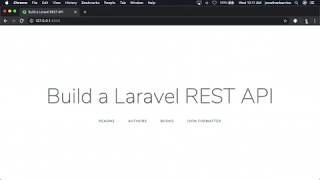
Edit the welcome view in resources/views to add links for README, authors, books, and a JSON formatter Chrome extension.
Installed Laravel, added database credentials, tested migration, and updated the welcome view. Next: delete default migrations and create models and migrations.
By the end of this course, you will have built a fully functional REST API with Laravel that supports CRUD operations for books and authors, a valuable skill for any PHP developer.
What does REST stand for?
Representational State Transfer.
0:47
Who first introduced the REST architectural style?
Roy Fielding in 2000.
0:53
What is the most important constraint of REST?
Statelessness: requests must contain all necessary information, and no state context is stored on the server.
1:08
What is the difference between resource state and application state?
Resource state is the state of data on the server; application state is everything needed to keep the app running, stored in server memory.
1:26
What command is used to create a new Laravel project with Composer?
composer create-project --prefer-dist laravel/laravel project_name
4:28
What command is used to serve a Laravel application?
php artisan serve
5:37
What command tests the database connection in Laravel?
php artisan migrate
6:33
What is the purpose of the JSON Formatter Chrome extension?
It displays JSON in a more human-readable format.
8:06
Definition of REST
Provides a clear, foundational definition of REST as an architectural style.
0:44Statelessness Constraint
Emphasizes the critical constraint of statelessness in REST APIs.
1:08Application State vs Resource State
Clarifies a common point of confusion in REST architecture.
1:26Value of REST APIs
Explains why building REST APIs is a valuable skill for PHP developers.
3:06Installing Laravel with Composer
Provides a concrete step-by-step instruction for setting up a Laravel project.
4:11[00:00] [MUSIC]
[00:05] Hi, I'm Jonathan,
[00:08] instructor here at Treehouse.
[00:12] In this course, we're going to
[00:16] one of the most popular
[00:20] Even if you've never built an API,
[00:22] the concept is very similar
[00:26] They both take in a request and
[00:30] The critical difference
[00:33] Web applications return an HTML format.
[00:37] While REST APIs most commonly return
[00:44] So what is REST, exactly?
[00:47] REST is an acronym that stands for
[00:53] An architectural style first
[00:58] Check the teachers notes below to
[01:02] the six guiding constraints for
[01:08] The most important constraint
[01:12] Requests from clients to the server
[01:14] must contain all of the information
[01:19] And cannot store any state context
[01:26] It's also important to remember that
[01:28] application state is not
[01:33] Resource state, in the context of REST,
[01:36] is the state of some data represented
[01:42] Application state, on the other hand,
[01:47] your application running,
[01:52] and is faster than storing and
[01:57] For example,
[02:01] such as creating, modifying,
[02:06] Before taking this course, you should
[02:11] project with composer and have a basic
[02:18] If you need to brush up on Laravel,
[02:23] Postman, check out
[02:27] As always,
[02:30] slow down this video, and
[02:35] So feel free to move the closed
[02:39] Finally, try to develop a solid habit of
[02:42] reading the Laravel
[02:46] And be sure to select the correct
[02:50] Laravel has excellent documentation.
[02:53] And if you're not sure what version
[02:56] navigate to your project
[03:00] type php artisan --version to find out.
[03:06] Building a REST API is
[03:10] developer should have in their
[03:15] Front-end frameworks are becoming
[03:18] they will all need a backend server
[03:23] Mobile applications have become part
[03:27] And yet, they all need to
[03:31] some infrastructure, most commonly REST.
[03:35] In this course,
[03:39] that allows you to submit your
[03:43] The REST API we're building from scratch
[03:50] and also allows you to submit,
[03:56] This aggregating of information
[04:00] as well as SaaS applications,
[04:05] such as TurboTax, or Spotify.
[04:09] Let's get started.
[04:11] To get started, you'll need to
[04:14] then create a new Laravel project in
[04:19] For demonstration purposes,
[04:21] I'll use laravel_apps in
[04:28] Open the terminal and
[04:29] navigate to the desktop using the cd
[04:35] then use the following command to create a
[04:42] While Composer installs Laravel, it's
[04:47] project that uses dependencies, will
[04:52] to install any dependencies used
[04:56] Since this is a new project, we don't need
[05:01] you will eventually need to use
[05:05] when you want to run an existing
[05:10] To learn more about Composer update, and
[05:13] Laravel mix,
[05:17] Next, let's navigate to our
[05:22] cd Laravel_rest_api/ then
[05:27] to open our new Laravel
[05:32] Finally, let's review our Laravel app
[05:37] the integrated terminal like this.
[05:45] Great job.
[05:46] We have our Laravel application up and
[05:51] Before we continue,
[05:54] we can continue serving our Laravel
[05:59] Next, create a database, user, and
[06:02] password which will add to
[06:11] Note that some Mac OS
[06:15] an additional database
[06:20] Remember, if you need to review how
[06:24] password, or
[06:28] max length errors, be sure to
[06:33] To test our new Laravel application and
[06:38] simply type php artisan
[06:45] Great job,
[06:49] This next step is optional, but
[06:54] testing so I can see what our API looks
[07:01] Let's edit the welcome view located
[07:06] or download the project files and
[07:13] First, change the titles on line 7 and
[07:18] a Laravel REST API Next,
[07:28] Replace the # sign with the URL for
[07:33] this project on GitHub Next,
[07:41] The author's link uses the built in
[07:47] Cool.
[07:49] Next, we're going to add
[07:54] The books link also uses the built in
[08:00] Finally, let's add a Chrome
[08:06] The handy Chrome extension named
[08:10] in a more human readable format.
[08:14] Let's take a look at
[08:19] Nice job, we have a landing page,
[08:23] showing off our application with a README,
[08:28] book routes, and a link to the JSON
[08:34] We're off to a great start.
[08:36] We've installed Laravel using Composer,
[08:42] file, and tested our database
[08:47] php artisan migrate.
[08:51] We even updated the welcome view
[08:55] In the next section, we're going to
[09:00] use artisan to create our projects
[09:05] See you there.
⚡ Saved you 0h 09m reading this? Transcribe any YouTube video for free — no signup needed.