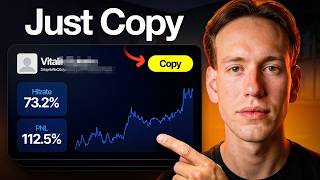

Why Copy Trading Fails: The #1 Mistake
45sOpens with a strong warning that most people lose money by blindly copying top traders, creating an immediate curiosity gap.
▶ Play Clip"Delivers exactly what the title promises — a thorough, step-by-step copy trading guide with real risk warnings."
This video provides a comprehensive, step-by-step guide to setting up copy trading on Binance, emphasizing safe practices and proper trader selection. It covers account setup, key metrics like Copiers P&L and drawdown, configuration options, and risk management, while also promoting a signup bonus.
Most people copy the highest ROI trader and wipe out their accounts. The video promises a safe step-by-step setup with up to $100 in rewards.
Need a Binance account; use the provided link for the full bonus. Sign up takes less than a minute.
Funds must be in the Fiat and Spot wallet before copy trading. Transfer via Wallet > Overview > Transfer.
Navigate to Trade > Copy Trading. Smart Copy AI auto-picks three traders; you can refresh the selection.
Key metrics: P&L, ROI, drawdown (over 20-30% risky), AUM, copier count, Copiers P&L (most important), Sharpe ratio (above 1.0 good).
Sort by Copiers P&L, not ROI. Look for consistency over 30 days, not one lucky month.
Check copiers P&L, cumulative profit ROI chart, win rate (50-60% ideal), trading days (1-2 months), drawdown, token preferences (major coins), and trader description.
Advanced filter allows filtering by time range, tags, and adjusting 30-day filters. Compare up to four traders side-by-side.
Mock copy gives 10,000 USDT virtual capital per trader to test performance without risk.
Fixed Ratio Mode (proportional) vs Fixed Amount Mode (fixed USDT per trade). Set copy amount, copy pairs, stop loss, slippage (0.1%-3%), auto-invest.
Copy trading is not passive; monitor regularly, stop if strategy changes, diversify, never invest more than you can afford to lose.
Copy trading on Binance can be a safe, automated way to enter crypto, but only if you pick traders based on copier P&L and recent performance, use stop losses, and diversify. Monitor regularly and never risk more than you can afford to lose.
Copiers P&L is the key metric
It reveals whether followers actually profit, not just the trader's personal ROI.
05:13Sort by Copiers P&L, not ROI
A pro tip that filters out traders whose followers lose money despite high personal returns.
06:11Drawdown risk threshold
Sets a clear 20-30% drawdown limit to avoid excessive volatility.
04:48Mock copy before committing
Allows risk-free testing with 10,000 USDT virtual capital.
08:42Stop loss is essential
Automatically protects capital if the copy trade balance drops by a set percentage.
11:17[00:00] Copy trading on Binance is the easiest way to trade crypto automatically, even with zero experience, but most people do it completely wrong. They blindly copy the highest ROI trader and wipe
[00:14] out their accounts. In this video, I'll show you the exact step-by-step way to set it up safely, pick the right traders, and claim up to $100 in signup rewards plus WCT and HUMA token vouchers
[00:29] using the link below. So let's get started. First things first, you need a Binance account. If you already have one, you can skip ahead to the next step. If you don't have one yet, click the link in the description below. That link will take you directly to the Binance signup page and it will
[00:45] make sure you get the full exclusive welcome bonus package up to $100 in rewards plus those token vouchers I mentioned. If you use a different link, you will not get the full bonus. So do make sure
[00:57] you're using mine. Just click sign up, enter your email, create a strong password, and you're in. The whole process takes less than a minute. Once you're logged in, you'll land on the Binance main dashboard. Now let's make sure your funds are in the right place before we do anything else.
[01:13] Before you can start copy trading, you need to make sure your funds are sitting in your fiat and spot wallet, because that's where Binance pulls the capital from when you set up a copy
[01:25] trade. To do this, click on wallet at the top of the page, then select overview. From here, click on transfer. Make sure that the fiat and spot wallet is set as the destination. You can
[01:37] confirm this on the left side of the transfer panel. Just double check that your balance is showing up there before moving on. If your funds are already in there, great, you're ready to go. If not, just complete the transfer and then we can move on to the actual copy trading setup.
[01:53] Now hover over trade in the top navigation bar and select copy trading. This will bring you to the copy trading spot interface. Right here you can already see a lot of useful information.
[02:05] You've got your total copying balance, your total unrealized P&L and the copy overview section, which is where you'll manage all of your active copy trades. You'll also notice something called smart copy AI.
[02:20] This is Binance's AI-powered feature that automatically recommends the best copy traders for you. All you have to do is set your copy amount, set a stop loss, agree to the terms, and click next.
[02:35] Binance AI will then pick the top three copy traders based on their performance data. You can see their stats right there on the screen. If you're not happy with the selection, just click try other AI pick,
[02:48] and Binance will give you a completely different set of three traders. Once you see a trader you like, click on them, then click Copy Now on the lower right side and click Confirm. After that, click on Copy Overview to monitor the performance.
[03:03] Here you can see your total copying balance, total realized P&L, total unrealized P&L, and your net profit all in one place. You can also see the details of each copy trader you're following.
[03:17] On the upper right side, you have options to adjust your balance, adjust settings like choosing the order type, copy amount, copy pairs, and max trade slippage. And also, stop copying if you want to exit a trader completely.
[03:33] We'll cover all of those settings in more detail in just a bit. Now going back to the main copy trading dashboard this is where you can browse all available copy traders Here something important that most people skip Go to the all portfolios tab and switch the filter to
[03:48] 30 days. This gives you recent performance data without going too far back. You don't want to be looking at traders who had one good month six months ago and have been losing ever since. Recent data is way more relevant. Now let's go through the filters you can sort by because understanding
[04:05] these is really important before you just randomly pick someone. First is P&L. This number shows the profit and loss of the trader over 30 days. Basically, a positive number is a good sign, meaning they are making money. And a negative number is the opposite, and they lose money
[04:21] over the last 30 days. Next is ROI percentage. This shows the return on investment the trader has made in percentage terms, how much profit they've generated relative to their capital.
[04:35] Higher is better, but you want to see consistency, not just one massive spike. Next, drawdown is absolutely crucial. This shows the biggest drop from peak to trough in their account balance.
[04:48] If a trader has a 50% drawdown, that means at some point their account dropped by half. Anything over 20% to 30% is pretty risky in my opinion, and you need to be comfortable with that level of volatility before copying them.
[05:01] A UM stands for assets under management. The total capital being managed by the trader across all their copiers. Copy traders count shows how many people are currently copying their trader.
[05:13] Copiers P and L, and this one is probably the most important metric on this entire page. This shows whether the people copying this trader are actually making money. I've seen so many traders with massive personal ROI,
[05:26] but their followers are losing money because of timing, slippage, or the trader closing positions manually before copiers can exit. If this number is negative or barely positive, skip that trader immediately.
[05:40] Sharpe ratio measures risk-adjusted returns. The higher the Sharpe ratio, the better the trader is at generating returns relative to the risk they're taking. Anything above 1.0 is considered good, above 2.0 is very good, and above 3.0 is excellent.
[05:58] Now here's a pro tip that most people don't know. Sort by copiers P and L, not just ROI. This is a real test of whether a trader is actually profitable to copy.
[06:11] If followers aren't making money, it doesn't matter how good the trader's personal ROI looks. Skip them. Also, don't just sort by ROI and pick the top one. That's a rookie mistake I see beginners make all the time.
[06:25] You want consistency, not one lucky month where they 10x on a meme coin. Once you've narrowed down your list, click on a trader's profile to see all their detailed stats.
[06:37] Focus on these key metrics, copiers, P and L. If this is negative or barely positive, that's a massive red flag. Skip them immediately. Cumulative profit ROI chart.
[06:49] Look for steady upward growth. Big spikes and crashes mean high risk. And you could get caught on the wrong side of one of those moves. Win rates at least 50 to 60% is ideal.
[07:01] Anything below 40% is pretty risky. Trading days. I prefer traders who have been active for at least one to two months. You want to see consistency over time, not just a few good days.
[07:14] Next drawdown again. anything over 20 to 30 is something you need to think carefully about Token preferences focus on traders who mainly trade major coins like Bitcoin and Ethereum Low cap altcoins are way higher risk and can move against you very quickly
[07:34] Trader description. Some traders actually explain their strategy here, which can give you good insight into how they operate. Take your time here. You're trusting this person with your money, so do check carefully before you commit.
[07:48] Now, if you want a more precise filter, there is an advanced filter on the right side of the page. Here you can filter by time range and by tags like top performer, moneymaker, most resilient, and more.
[08:00] You can also adjust the 30-day filters for max PNL, ROI, MDD, copier PNL, and so on, so you can really dial in exactly what kind of trader you're looking for.
[08:14] There's also a really useful feature here where you can compare top lead traders side by side. You can add up to four traders at once and compare their stats directly against each other,
[08:26] their equity curves, drawdown, ROI, everything. This is a great way to make a more informed decision before you commit your capital. And by the way, if you haven't signed up yet, do make sure you use my link in the description.
[08:42] you'll get the full exclusive welcome bonus that I mentioned at the start and it only takes a minute to set up. Before you fully commit you also have the option to mock copy the trader. Think of it
[08:55] like paper trading. You get 10,000 USDT in mock capital per trader and you can see how their trades would have performed with your real capital without actually risking anything. Once you've seen
[09:07] the performance you can either move forward and copy the lead trader for real or stop mock trading if you're not happy with the results you'll also see the lead trader overview which includes their
[09:20] leading balance aum profit sharing percentage minimum copy amount and last trade date the profit sharing is the percentage of your profits that goes to the trader this is how they get compensated so do keep that in mind when calculating your expected returns there's also
[09:37] an asset preference chart showing which coins this trader focuses on. These figures are refreshed every one to two hours, so it's always relatively up to date. Scrolling further down, you can see
[09:49] their current holdings, trade history, balance history over time, and the list of current copiers with their redacted usernames, copy amount, total PNL, total ROI, and how long they've been copying
[10:02] this trader. This is really useful because you can see how real people copying this trader are actually performing. Once you're happy with the trader, click copy near their name at the top
[10:14] right of their profile. Here you'll have two options, fixed ratio mode and fixed amount mode. Fixed ratio mode means your copy trades are proportional to the lead trader's position size. So if the trader opens a position using 10% of their capital, your account will also open a
[10:31] position using 10% of your copy amount. This keeps things proportional and is generally the recommended option for most people, especially if you're just getting started. In fixed ratio mode,
[10:43] you'll set your copy amount. This is the total capital you're allocating to copy this trader. There's a minimum and maximum range shown on the screen, so just make sure you're within those limits. You can also select copy pairs. You can either copy all pairs, meaning every trade the
[11:00] the lead trader makes or you can select specific pairs For example if you only want to copy their Bitcoin and Ethereum trades and nothing else you can set that here Any pairs you don select you simply won't copy. There's also an option to automatically include newly listed pairs.
[11:17] So if the trader adds a new pair in the future, it gets added to your preferences automatically. Next is stop loss. This is highly recommended. You set a percentage and if your total copy trade
[11:30] balance drops by that amount, it will automatically stop copying and protect the rest of your capital. This is a really important risk management tool, so don't skip it. In the advanced settings,
[11:42] you'll find max trade slippage. You can either leave this at the default or customize it. It ranges from 0.1% to 3%. Slippage is the difference between the price the lead trader got and the
[11:56] price your order actually fills at. I'd recommend keeping this at the default setting to start with, as setting it too low can cause your copy orders to fail in fast-moving markets. There's also an auto-invest option. With this enabled, Binance will automatically invest a set
[12:11] amount, for example, 100 USDT, into this copy trade portfolio on a recurring schedule, like every seven days. The funds are deducted from your spot and funding wallet. Automatically,
[12:23] This is useful if you want to dollar cost average into a copy trade over time, but it's completely optional. Now, fixed amount mode works a bit differently. Instead of being proportional to the lead trader's position size, you set a fixed cost per order, meaning every single trade the lead trader opens, your account will open a position of the exact fixed USDT amount, regardless of how large or small the trader's own position is.
[12:52] This gives you more control over your per trade exposure, but it also means you're not scaling proportionally with the trader. All the other settings, copy pairs, stop loss, slippage, auto invest, are the same as in fixed ratio mode.
[13:08] Before you click copy, you can also see the profit sharing ratio on the right side of the screen, along with the 7-day P&L and ROI percentage for that trader. Just double check everything looks good, then click copy, confirm on the pop-up, and you're done.
[13:26] You'll see a confirmation page. Click view details to go straight to your copy overview and start monitoring the performance. All right, so that's the full step-by-step breakdown of how to set up copy trading on Binance.
[13:39] Copy trading is a great way to get into crypto without needing to be a chart expert. But do keep in mind, this is not completely passive. you still need to monitor your traders, check in on their performance regularly,
[13:54] and don't be afraid to stop copying someone if their strategy starts changing or their drawdown starts increasing. Never invest more than you can afford to lose, and always diversify across a few traders,
[14:09] rather than putting everything into one. use my link in the description to sign up on Binance and claim the full welcome bonus package up to $100 in rewards plus those token vouchers in the rewards hub all the details are down below
[14:27] if you have any questions drop them in the comments I do read them if this video helps you out make sure to like and subscribe for more crypto tutorials like this one and for a more
[14:39] detailed walkthrough of the Binance platform itself check out the video popping up on your screen right now I'll see you in the next one
⚡ Saved you 0h 14m reading this? Transcribe any YouTube video for free — no signup needed.