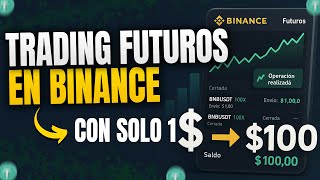

Trade Futures with Just $1?
44sThe promise of trading with minimal capital is highly engaging and controversial, challenging common beliefs about financial barriers.
▶ Play Clip"The title promises trading futures starting with just $1, and the transcript delivers exactly that, with step-by-step instructions and a working example."
This video tutorial demonstrates how to trade cryptocurrency futures on Binance with as little as $1. The presenter shows how to select an affordable trading pair (XRP/USDT), configure isolated margin, and use high leverage safely. The goal is to help beginners learn futures trading without risking significant capital.
Use XRP/USDT instead of Bitcoin/USDT because Bitcoin requires $150+ minimum while XRP allows trades with just $1.
Switch margin mode to 'Isolated' so you only lose the margin of that specific position, not your entire wallet balance.
With 10x leverage, a $10 input opens a $100 position. With 50x leverage, $1 opens a $50 position. The loss is capped at the margin amount.
Set a Take Profit (TP) and Stop Loss (SL) to automatically close the trade at a profit or loss target. Example: SL at -$0.50, TP at +$1.
XRP is less volatile than other coins, making it safer for beginners but slower for big profits. Expect small gains.
Which trading pair is recommended for trading futures with only $1?
XRP/USDT
02:51
What is the difference between isolated and crossed margin in Binance futures?
Isolated margin limits your loss to the funds in that specific position; crossed margin can use your entire wallet balance.
03:48
How does leverage work in futures trading?
Leverage multiplies your position size. For example, 10x leverage on a $10 margin opens a $100 position.
05:07
What are TP (Take Profit) and SL (Stop Loss) orders used for?
Set a Stop Loss to automatically exit a trade at a predefined loss, and a Take Profit to lock in gains.
08:43
Why is XRP recommended over Bitcoin for small capital futures trading?
XRP is more stable and less volatile, making it safer for beginners to learn without huge price swings.
03:36
What is the advantage of using 'Market' order instead of 'Limit' order for beginners?
In 'Market' order mode, it executes immediately at the current market price, which is easier for beginners.
04:28
When should you click 'Sell' (short) vs 'Buy' (long) in futures trading?
Sell (short) if you believe the price will go down; Buy (long) if you believe the price will go up.
05:34
Using cheaper altcoins
Enables trading with minimal capital by selecting a low-priced pair like XRP/USDT instead of Bitcoin.
02:51Isolated margin for risk control
Critical safety tip: isolated margin caps losses to the specific trade, preventing account-wide liquidation.
03:48High leverage with small risk
Demonstrates using 50x leverage on a $1 margin to open a $50 position with only $1 at risk.
04:41XRP's low volatility is beginner-friendly
Explains why XRP is better for learning: less dramatic price swings reduce the chance of rapid losses.
10:06Setting TP and SL orders
Automated risk management allows traders to lock in profits and limit losses without constant monitoring.
08:43[00:01] I hope you are all doing very, very well. I recently brought to the channel a video where I showed you how we could use the futures contracts tool on the vainance platform. For those who don't know, the
[00:14] tool that basically allows us to price differences of a cryptocurrency. We can buy it cheap and sell it for more, price and sell it for less, also trying to make money when a
[00:29] cryptocurrency's value drops. So today I decided to bring you this second chapter unanswered, such as, how much do you really need to be able to trade thought that a lot was needed, like $150 and so on, but the reality is that it wasn't.
[00:44] Today I'm going to show you how we can trade futures starting from $ or even with less with just one dollar so that you too can replicate it and learn to trade this type of tool without taking any risks. Or rather
[00:59] also be, for those who watch this video, somewhere in there I left mysterious boxes with futures positions. They are completely paying for them out of my own pocket and both new and
[01:14] well, I try to renew every so often because they have an free, you open it, you'll have a position in the market, and if it's profits. I think it's a spectacular prize, and on top of that, they'll be
[01:29] Okay, let's go directly to the Binance app where I'm going to show you how we can open futures positions and start winning or losing depending on what happens in the market. I'm letting you know now that if this
[01:44] might be better to go and watch the first one, the one that's showing up there on the the video description or in the channel's playlists, where I explain everything very well, step by step, in a much more basic way and for beginners, from how to
[01:58] so on. Now, here we are in the Binance app. If for some reason yours doesn't look like this, it's because you have to change it by tapping the three selecting the Pro version, which is this thing down here , see? What does Light say?
[02:11] Okay, you change it, it's going to say pro, you press it and it's going to look like this. the bottom right where it says "futures" and you'll get to this first time you want to do something, you'll get a five-
[02:25] question questionnaire where you basically have to select anything, and it will send. Obviously, they have to put them all in green to be correct, and then that's it, they will be able to operate after the first time they
[02:37] do it, it will never ask them again. Point number one, in order to be able to operate with little capital, from, for example, $ or even less, well, is that we are not in the Bitcoin USDT pair. We're going to use a much cheaper pair, such as
[02:51] XRP USDT. Where do we exchange it? Up there on the left. I click here and you'll see that I have several in favorites. People generally use Bitcoin USDT, but this pair is a very expensive pair. Look, what I
[03:05] like most is outperforming Bitcoin USDT, but if we do n't want to use a lot of a bit expensive. At that point we will need $150 or more, and with less, but we would still be risking $ 10, $15, $20 per trade, which
[03:21] is perhaps not the best. So I advise you to press there and go example, I have Bitcoin Ch, Ethereum. I have several, but XRP is one of the ones I consider to be among the best for trading with little money. We press XRP
[03:36] there, apart from the fact that it moves much less because it is a much more stable coin than others and the screen will appear like this. What we need to modify before anything else is this thing that says isolated up there on the
[03:48] left. Let's tighten it. They probably have it crossed. Very, very important, put it in isolation. Then on the right, here we can basically put whatever leverage we want. I recommend
[04:00] leverage we want. I recommend 10X or 50X. 50X, that's crazy. They're going to "This guy's gone crazy." But rest assured, we are in isolation and we are at 50x. But I'm going to show you how even if we use 50x, the most we
[04:15] can still lose is $. Furthermore, we're going to lower it, let's say 10x for the example, and then we'll raise it again so you can see it properly. Notice here that where it says "market order", well, if it says " limit to where it says 'market'", it has to
[04:28] say "market" so that it is easier for you to open and close the orders. comments and I'll teach you how to use the rest of the orders, which I consider very important for improving in futures trading. Now
[04:41] here we have two options where it says USDT, we can press it and it might say XRP. You can put it there or you can put it in USDT. I advise putting it in USDT, so you always see the size of the position you are going to put
[04:54] in the market. And what is that? Well, if we put 100 here, it's not that we're going to put in $100 of our own, it's not that we need that amount. Look further down where it says cost, right above the green and red buttons, it says 10 with 10
[05:07] the green and red buttons, it says 10 with 10 and below it says 10. That is the amount of money we are going to put in, for example, $10 in this case to open a $100 position in the market. Because? Because we are leveraged at 10x.
[05:20] Because? Because we are leveraged at 10x. So * 10x gives us 100. That's how want to open only a $10 position, we see that the cost will only be $. And now all that remains to be done is simply to click buy if
[05:34] we want the price to go up, or we have to click sell if we believe How can we know? How can we analyze that? Well, if we go up here you'll see a couple of candles. If we press there, the graph will appear.
[05:47] This graph has a time frame. The one we're watching is one hour long. Each of those lines, called Japanese candlesticks, lasts for one hour. example, we press the 15-minute one, now each one has 15 minutes. There
[05:59] we see that the price has been falling in the last 30 minutes. If we set it to 4 hours, each line has 4 hours. And so on. I advise using 15 minutes or 10 minutes or maybe 1 minute if you are going to use this type
[06:13] of strategy of trading with a single dollar and with high leverage. In this case, the price is falling. Let's suppose we want to make money So, we're going to place a short order, that is,
[06:25] do is press the red button down here and we see that it says successful and a position is displayed down here. This position has a size, as we can see, of 9.89, which is the $10 we had put in. And the margin, which is that thing
[06:39] on the right, says 0.98. That's the money we're completely lose, but we're not going to lose more than that for two reasons: because we put it in isolation and because our margin on this position is only [amount
[06:53] have it crossed, then they might get the money they available up there at the top. Well, that money could be at risk if you have it crossed. So it's very important that they put them in isolation
[07:07] just have to wait for the price of XRP to move; if it goes down we'll be losing. When are we going to be losing that dollar? Well, here on the right we see that it says leak price, that's the liquidation price and we see that if
[07:21] liquidation price and we see that if XRP goes up to 2.51, 2.52, we're going to be losing that dollar. We'll see the profit here on the left, but since it's only a $10 position and it's not moving much, we're
[07:33] So, what I'm going to do now is increase that leverage. In short, we're always going to be risking money. What's going to happen is that those movements are going to be more abrupt; that is, we're going to make money faster or we're going to
[07:46] there we see that I'm earning one cent of a dollar, which would be 1.39 of the position, but we already know that this isn't going to get us very far. So, what I'm going says close, then confirm, and that's it. Now what I'm going to do is increase the
[08:00] leverage. I'm going to increase what it says 10x to 50x. I click confirm and here in quantity, remember that we are now at 50x, therefore, if I put 50 here, 50x, therefore, if I put 50 here, look, the cost becomes 1.04 or $ if I
[08:15] go short. So, I decide to sell or go down, and now I have a or go down, and now I have a short position with $. The size is now $50 and the margin is $. That is, I will simply lose if this goes very badly, but
[08:28] if I win I can make more money, for example. And well, let's go here where it says in the middle, the one that says TPSL, we press it and then we'll switch to where it says TPSL position. We press there and here we will be able to set
[08:43] two things, a take profit and a stop loss. Take profit is the point at which profit, and stop loss is the point at which we want to stop losing. In this case we are risking two and we
[08:55] lose at most that dollar. But if we don't want to, we can make it smaller. For example, here where it says stop loss, where it says PNL, we press and put 0.5. And we see that we're only going to lose 50 cents when the price reaches 2.32,
[09:11] which is very soon, but for example, let's suppose I want to win, I want to win. So here where it says "take profit NLP", I put one and it says that if the price reaches 2.25, that is, it starts to fall and
[09:25] reaches 2.25, I'll be winning $. I click confirm and that's it. Down below we see how those orders have just been set and are placed in the pending section. And that's where we see how the price is moving. It's also going to be very slow. There we see
[09:39] also going to be very slow. There we see that it just went up 4%, that is, 0.04 cents is what we are gaining, simply by risking. Obviously, we shouldn't expect to make 15, 20 or $ by risking only one. It can be
[09:53] done, yes it can be done, but the truth is that it's going to be a bit complicated and you're times before that can happen to you . So, don't expect it to work the first time. It can happen, it can happen, but don't expect it to work the
[10:06] first time, especially not with the XRP token. That type of strategy to earn 10, 15, or 20 times more is done with other, more volatile currencies. XRP is much calmer and is better for beginners to start trading with. We see that I'm at
[10:19] 7 cents and I can simply leave it there and since I already set take any time when those targets are reached or I can press the button that says close and confirm.
[10:31] We see that it says NLP estimated 5 6 cents, 7 cents. And well, that's what I won. Remember that to do this type of trading you need to have can create from the link I leave below in the description or in the
[10:43] pinned comment which is the first comment, or by scanning the QR code registering through these links, you will receive discounts on commissions and at the same time you will receive bonuses so you don't have to pay commissions
[10:56] the first few times you trade. And speaking of that, right in the surprise boxes so you can open positions in the markets completely free. I set the margin. And well, if you win the positions, you'll be
[11:10] able to take them with you, along with the profit you make. Remember, once you've reached what you consider a good profit, simply close the position and the USDT generated will be transferred to your spot account. These will
[11:23] all be positions in XRP so you can see a clear example of what I just showed you. If you want me to teach you and bring you more our level, please let me know in the comments below. And do
[11:36] n't forget to accompany your comment with a little rocket, so I know you watched until the end of the video. I hope you enjoyed the information, and if so, don't forget to support me by liking the video,
[11:48] notifications so YouTube will let you know whenever I upload new content. Hopefully we'll see each other in the next video. Goodbye, Crypto Trader.

⚡ Saved you 0h 11m reading this? Transcribe any YouTube video for free — no signup needed.