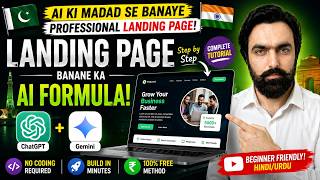

I Built a Client's Website with AI in Minutes!
45sThe creator claims to have built a professional website for a client without hard work, sparking curiosity about AI's capabilities.
▶ Play Clip"Delivers exactly what the title promises — a complete, step-by-step AI website tutorial with a real, working result."
The video demonstrates a practical, AI-driven method for creating a professional landing page without any coding or design skills. The creator uses ChatGPT to generate detailed content and design specifications for a car transport business in Japan, then leverages Google's Gemini AI to convert those specifications into a fully functional HTML website. The process is shown as a quick, free alternative to hiring a professional web designer.
The video opens by showing a fully designed landing page for a client's car transport business in Japan, created entirely with AI assistance and minimal manual effort.
The creator instructs ChatGPT to design a one-page website for a car transport business in Japan, specifying the business name and the need for an attractive page. ChatGPT provides a detailed design brief with all necessary commands and specifications.
The creator copies the design brief from ChatGPT and pastes it into Google's Gemini AI, instructing it to create a landing page using the provided details.
Gemini offers two options, and the creator selects the HTML option, which generates complete coding for the website.
The generated code is copied into Notepad and saved as an index.html file. Opening the file reveals a professionally designed page with images, graphics, colors, and sections for about, services, process, and contact information.
The page includes comprehensive business details, a request code section for clients, and official contact information, making it a fully functional business website.
The creator highlights that such a page would typically cost thousands of rupees from a professional, but AI delivers it for free in just a couple of minutes.
The video concludes that AI tools like ChatGPT and Gemini can create professional, fully functional landing pages for free and in minutes, making web design accessible to everyone. The creator encourages viewers to try the method themselves and promises more content in future videos.
What two AI tools are used to create the landing page in the video?
ChatGPT and Gemini
00:14
What type of business is the landing page designed for?
A car transport business in Japan that picks up cars from auction and delivers them to ports.
00:29
What file format does Gemini generate for the website?
HTML
01:43
What is the recommended file name for saving the HTML code?
index.html
02:11
What sections are included in the final landing page?
About, services, process, timing, and contact information.
02:27
How does the creator describe the cost and time to create such a page with AI?
It's free and takes only a couple of minutes, compared to thousands of rupees from a professional.
02:56
AI-Generated Website
Demonstrates that a fully functional, professional-looking website can be created entirely with AI, without manual coding.
00:02ChatGPT as Design Brief Generator
Shows a practical use of ChatGPT to generate detailed design specifications, not just text.
00:14Gemini as Code Generator
Illustrates how Gemini can turn a design brief into executable HTML code, bridging the gap between idea and implementation.
01:13Cost and Time Efficiency
Highlights the economic advantage of AI tools, making professional web design accessible to small businesses and individuals.
02:56[00:02] main page of the website, I have created it all with AI and I have not done much hard work in it, I have just told it, given it the command
[00:14] [nasal sound] main page of the website for my client, you people can also make this, let's see how, first of all you people will come to Chat GPT, okay, you people will call Chat GPT, for example, I told it that friend,
[00:29] I am designing a one page video for a car transport business which is in Japan and what that business does is that it picks up cars from auction and delivers them to different ports of Japan, that is, it is a delivery and transport
[00:44] service business. Ok? So I also told him the name of the business that this is the name of the business. Ok? Which you can see. And I said, make this a very attractive page. So after a little thought, he gave me these things.
[00:58] Although it didn't create the page, it created it for me with all the commands and all the [nasal sound] detail. Now he said that I cannot create the page directly. What did I do? I copied this from here.
[01:13] Ok? Or you in Jimny. In Jimny, I said this, Create a landing website page for my business
[01:27] using the following details and after this sentence, I pasted this, which I had copied from there, I pasted it completely here. Ok? As soon as I clicked, Ok? As soon as I clicked,
[01:43] show you [sound of clearing throat]. A I think he left from here. Well, I gave him two options and he asked which option do you want? I chose this HTML
[01:55] option. Then no, he gave all this coding and said that it has to be copied from here. This copy is to be copied. This is also written here. See you can copy this code and save it as index html file. Ok ? So I copied all this and
[02:11] pasted it into Notepad. The file I saved in Notepad was saved on Save As Vol. Now as soon as I opened it, this is the page in front of you, meaning that he has created this page with complete images, design, graphics, colors and in a professional manner, this is the
[02:27] graphics, colors and in a professional manner, this is the main name of the business, here is about, here is service, process, good instant, this is timing and meaning if I come below, this is the complete detail of the business, what work does it do, this business is completely
[02:42] related to Japan, okay and if we come at the bottom, there is the request code. Meaning any if we come at the bottom, there is the request code. Meaning any client can come here and send his code is contact. Look at the contact. This is the official contact and you can also enter your number here. I
[02:56] mean, this is too much, friend. Such a great page that people create for thousands of rupees. He makes you here for free within a couple of minutes. So this is it brother, AI Kama Kamal 6GBG and with Jimny you can
[03:15] See you in the next video. Till then Allah Hafiz.




⚡ Saved you 0h 03m reading this? Transcribe any YouTube video for free — no signup needed.