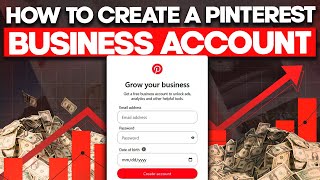

Why Pinterest is Underrated for Business
40sHighlights a lucrative opportunity with low competition, appealing to entrepreneurs seeking new traffic sources.
▶ Play Clip"Delivers exactly what the title promises—a clear, step-by-step guide to creating a Pinterest business account, with no fluff or bait-and-switch."
This video is a step-by-step tutorial on creating a Pinterest business account, explaining why it's superior to a personal account and how to set it up for maximum reach and analytics.
Pinterest users have high disposable income and are passionate about the platform. It's underrated by marketers, making it less competitive for reaching target audiences via organic pins or paid ads.
A business account provides access to analytics, performance tabs, Pinterest Trends (current market trends), and the ability to run paid ads—features not available on personal accounts.
Go to business.pinterest.com, click sign up, and enter basic information like email, password, and date of birth to create the account.
Select the option that best suits your business, provide a business name (or create one), add a website if available, choose a business goal, and select your niche (e.g., fitness).
Choose the third option to optimize your profile for SEO so your content appears on Google. Add a logo, fill out the About section, enter your website, username, email, and phone number, then save.
Once optimized, you can create organic pins, analyze pin performance, and run paid ads. The video also mentions a separate tutorial on using AI to automate pin creation in under 5 minutes daily.
Creating a Pinterest business account is straightforward and unlocks essential tools for analytics, trends, and advertising. Properly optimizing your profile is key to maximizing organic reach and visibility on Google.
What are three key benefits of a Pinterest business account over a personal account?
Access to analytics and performance tabs, Pinterest Trends, and the ability to run paid ads.
00:43
What is the URL to create a Pinterest business account?
business.pinterest.com
01:25
Why does the presenter recommend selecting the third option after creating the account?
To properly optimize your profile for SEO so your content can show up on Google when people search for related keywords.
02:45
What information is required to create a Pinterest business account?
Email, password, and date of birth.
01:38
What are the steps to optimize your Pinterest profile for SEO?
Add a logo, fill out the About section, enter your website, username, email, and phone number, then click save.
03:13
Pinterest's untapped potential
Highlights the platform's low competition and high user spending power, making it a valuable channel for marketers.
00:03Business account advantages
Clearly lists the exclusive features (analytics, trends, ads) that justify using a business account.
00:43SEO optimization for Google visibility
Emphasizes the importance of profile optimization to appear in Google search results, a key tactic for organic growth.
02:45Ready to drive traffic
Confirms that after setup, users can immediately create pins and analyze performance, making the process actionable.
03:38[00:03] Pinterest is undeniably one of the go-to platforms if you wish to expand your business reach online. Not only do Pinterest users have a high disposable
[00:15] income, they are also very much passionate about the platform. You see, Pinterest is still very much underrated by most affiliate marketers, bloggers, and business owners alike, which makes it relatively less competitive, and you
[00:31] can easily reach your target market either via organic pins or through paid ads on Pinterest. However, in order to reach Pinterest users, you would need a
[00:43] Pinterest account. And that is where a Pinterest business account comes in. You don't want to create a regular user account as you will be missing out on a account as you will be missing out on a lot of vital data like analytics and
[00:57] performance tabs which gives you crucial information on how your pins are performing on platform. You also get access to Pinterest trend which is a platform built by Pinterest showing users the current market trends and what
[01:13] is currently working on the platform. And finally, if you wish to target And finally, if you wish to target Pinterest users via paid ads, you can also do that with a Pinterest business account. All you need to do is to go
[01:25] account. All you need to do is to go over to business.pinterest.com and it's going to bring you to this page. And the next thing you want to do is to click on the sign up button. Once you do that, it's going to bring you to
[01:38] this page just like any other regular website out there. Just enter your basic information like your email, password, date of birth, and that is all you need to create your business Pinterest account. And once you do that, it's
[01:52] going to bring you to this page where you want to select the option that best suit your business. The next thing you want to do is to click on next. And here you want to again give your business a name. And if you don't have a business
[02:06] name already, this is a good place where you can then decide business name for your business. And here you want to then type in a website if you have one already. And if you don't have a website right now, you can select this option.
[02:20] And you want to click on next. And now it's going to ask you to select your business goal for this Pinterest account. As you can see right here, there are several goals which you can select from these options. Now, it's
[02:33] going to ask you to select your niche right here. Okay. So, this is going to depend on whatever niche you are in. Okay. So, for me, I'm going to select fitness right here. And you want to click on done. So, once you do that,
[02:45] it's going to bring you to this page basically asking you if you want to create a pin right away or if you want to create an ad or build your information. I highly recommend to come over to select the third option. This is
[02:58] because you want to properly optimize your profile for SEO so that your content can show up on Google when people are searching for related keyword about your business. Okay? And this is where you then want to add a logo for
[03:13] your business if you have one already. And now you want to then come over here to the about section. This is where you want to then give people context about what your business is all about. Now here you want to enter your website if
[03:26] you have one already. And here you can enter your username if you want to do that. You can enter email address, your phone number. This is really up to you. All right, these are the most important information right here. You want to
[03:38] click on save. Once you've done this, then you are ready to start driving traffic from Pinterest to your business. You want to over to the top right here. As you can see, you can create an organic pin. Just like I mentioned
[03:52] earlier, with a business account, you can analyze your pins and you can see valuable insights on how your pins are performing on Pinterest. And also, as you can see here, if you want to run paid ads, you can do that with this
[04:07] business account as well. And now for those who want to use organic traffic to reach users on Pinterest, I have created a dedicated video showing you how to use AI in less than 5 minutes every single day to create your title, your pins,
[04:23] day to create your title, your pins, description, and automate the process in 5 minutes. Just click this video on your screen right


⚡ Saved you 0h 04m reading this? Transcribe any YouTube video for free — no signup needed.