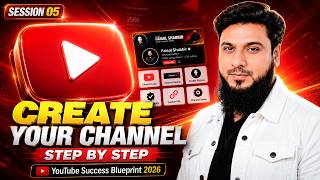

Why 90% of New YouTube Channels FAIL!
50sHigh failure rate and branding insights create immediate curiosity and relatability for aspiring creators.
▶ Play Clip"The title promises a masterclass on creating a YouTube channel, and the video delivers a thorough, step-by-step guide, though some parts are padded with motivational talk."
This video is part of a free masterclass series, guiding viewers through the process of creating a professional YouTube channel from scratch. The instructor covers everything from setting up a dedicated Gmail account and brainstorming a channel name to configuring essential channel settings, branding elements, and security features. The session emphasizes the importance of proper branding and settings for channel growth and success.
The session aims to help viewers create their own professional YouTube channel, building on previous sessions about mindset and niche selection.
Poor branding is a major reason new channels fail. People judge a channel by its logo, banner, and about section before watching videos.
Recommendation to create a new Gmail account and possibly a new phone number for the channel to keep personal and business life separate and enhance security.
Use tools like NameLeaks or Chat GPT to generate channel name ideas. For personal branding, simply use your own name.
When creating the Gmail account, choose the 'for work' option and enter your chosen name or channel name.
Sign in to YouTube with the new Gmail, click 'Create a Channel', set a profile picture, and choose a channel handle.
In YouTube Studio, customize the channel by adding a cover image, profile picture, and watermark. Use tools like Magific.com for free cover templates.
Use Chat GPT to generate a professional channel description and relevant keywords, then paste them into the channel's About section.
Create profiles on other social platforms with the same channel name and link back to the YouTube channel for external SEO.
Configure settings: select country, add keywords, choose audience type (children or not), enable automatic dubbing, and verify phone number for feature eligibility.
Advanced features like custom thumbnails, live streaming, and monetization require phone or ID verification. This can also be done automatically after uploading a few videos.
Set default upload settings like description, category, language, and comment moderation. Manage team permissions and roles for collaborators.
Block specific words, filter comments with URLs or hashtags, and hide users who spam or abuse.
Enable two-step verification and set a strong password for the Google account to secure the channel.
Arrange the channel's home tab to showcase latest videos, playlists, and other content as desired.
After setup, the dashboard shows analytics, subscribers, and top content. Future sessions will cover using analytics for growth.
The video provides a comprehensive, step-by-step guide to creating and setting up a professional YouTube channel, emphasizing branding, settings, and security. It encourages viewers to take action and complete the setup to differentiate themselves from dreamers.
What is the main reason new YouTube channels die before they can grow?
Poor branding.
00:46
Why should you create a new Gmail account for your YouTube channel?
To keep personal and business life separate, and to enhance security.
01:51
What tool is recommended for generating YouTube channel name ideas?
NameLeaks or ChatGPT.
02:17
What is the benefit of enabling automatic dubbing?
It allows your video to be dubbed into other languages, e.g., Urdu to English, expanding your audience.
11:52
What are the two ways to verify the advanced feature eligibility?
By providing ID card front and back, or automatically after uploading two-three videos.
13:15
What is the purpose of the 'Hidden User' section in community settings?
To hide users who spam or abuse, so their comments are not shown.
15:36
What security measure is recommended for your Google account?
Enable two-step verification and set a strong password.
16:25
Branding is crucial
Explains that poor branding is a primary reason for channel failure, emphasizing the importance of perception.
00:46Separate email for business
Recommends a dedicated Gmail account to keep personal and business life separate, a key practice for professional creators.
01:51Automatic dubbing feature
Highlights a powerful feature that can translate videos into other languages, significantly expanding audience reach.
11:52Verification for advanced features
Explains how to unlock advanced features like custom thumbnails and monetization, which are essential for growth.
13:15Channel security
Emphasizes enabling two-step verification and strong passwords to protect the channel from hacking.
16:25[00:08] very special because by the end of this session, you will have created your own YouTube channel which belongs to a professional creator. In the previous sessions we created our mindset. Then we went towards the models. Within that, categories are divided into niches. Then
[00:21] surely you must have chosen all the niches for yourself and today we will create our YouTube channel on the same niche. So before creating a channel, let me make one more thing clear to you that as soon as some people create their channel, they upload videos, put thumbnails, get views and when
[00:34] someone comes to their video, comes to their channel, he does not understand who you are? In which category are you working? After all, why should he subscribe to you and he comes and watches your video and after some time goes away without doing anything. Why
[00:46] new channels often die before they can grow. One of its main reasons is poor branding. Because YouTube is not just a game of videos but also of perception. People judge your channel before watching your videos. Your logo, your banner, your
[00:59] about section, all these things together create an impression in a few seconds. And not going to miss any of it. From Gmail account to the last setting of the channel, I am going to So if you are watching today's episode on mobile, then I
[01:14] You will understand everything clearly in that. Rest you can do all this work on laptop PC as well as on mobile. always make is that if you are watching this video on Facebook, then go and watch today's session
[01:27] on YouTube, the link of which you will find in the comments. This will increase the reach of this video on YouTube and it will reach more people because of you. So let us start with the blessings of Allah Almighty. Let's go to the screen and create
[01:39] your YouTube channel. So before creating a YouTube channel you must have a Google account. This is called Gmail account and here I would recommend you that you should never here I would recommend you that you should never
[01:51] channel with a new email address and if possible, attach a new mobile number as well. What will be its benefit to you? Firstly, your personal life will not merge with your business life. If you want to get any work done by the team, you can get it done easily. There will be a
[02:04] separate dedicated email for the channel which will not be visible anywhere, due to which your channel will also remain secure. So first of all we will create our Gmail account. But before creating a Gmail account, you have to do one more small thing which 90% of the people do not do. Now
[02:17] here I am giving you a site by the name of Name Leaks. If you are creating your channel in your name then you should not do this work. But if you are going into a specific category. If you want to choose a specific name for your YouTube channel, then
[02:29] you must do at least a little brainstorming. Take different types of ideas. Look for names that have a professional feel. A clear way by which you have to choose that name. Moving on to personal branding. Simply write your name. Channel ready on Gmail and
[02:42] also on channel, rest of the work later. But if you are going to become a brand or have some other name then you will definitely do this work. For example, here I have written 100 tech YouTube channel name ideas, click on generate on lix.com.
[02:55] As it is next next and next. you will get names of different types here.
[03:09] is one way. Another way is Chat GPT. Here you type 100 Tech YouTube Here you type 100 Tech YouTube Channel Name Ideas and enter. So, there you have it, you have got a great list in which the names of different tech channels are
[03:22] appearing before you. So once you choose a specific name or your own name for your personal brand. Then you have to come to Gmail. Click on Create an Account. Here you will choose the second option and not personal. Get a
[03:36] Gmail address, click on this. Now I assume that you have chosen your own name that you are going with your personal branding. So here you will write your name. We write Asif Zab.
[03:48] Click on Next. You will enter your details etc. here. Next, choose your username.
[04:04] you can try a different one. After this we will set the password. Click on Next. Now Google has changed some scenarios here. Whenever you create a new email address on Google, you need to verify it with your phone. And that's why I
[04:18] said that if possible, do this with a new number. You can do the same with the previous number. No issue. This entire procedure has to be done on the phone only. start working. And that's it, our scanning is done. Anyone can provide the recovery email here.
[04:31] scanning is done. Anyone can provide the recovery email here. Enter the phone number here. Make sure you do this work. This will secure your account. This will secure your account.
[04:45] continue. Yes I am in. Next Agri.
[04:58] Here it is offering you business, so we will click on Not Now. We will Yes, our Gmail account is ready. After this you will simply type youtube.com here,
[05:10] After this you will simply type youtube.com here, Click on Sign In here. After clicking on Sign In, same ID that we have just logged in with and here you will see the option of Create
[05:26] a Channel, click on it. Now here you have to work very carefully. First of all you have to set your profile picture. From Computer Upload: Whatever From Computer Upload: Whatever your picture is, set that picture. The
[05:45] matters a lot. You have to set the picture. Do n't make any mistake in this. After this, if you want to go with your name then write your name and set the channel handle here. No issues and can be set later. So if you have chosen any other name
[05:58] going with self-rendering then you will click on Create Channel. Yes, Now you will click on Customize Channel.
[06:13] Welcome to YouTube Studio. We will discuss this in detail later. So here you will click on continue and close it. Look, first of all, as soon as we come to YouTube Studio, we are inside the customization tab. Here you have to
[06:25] inside the customization tab. Here you have to come to you. There will be collaborations. People will contact you. So here I would recommend you to
[06:40] create a separate Gmail account for your audience, your customers and created on your channel should secure it is, the more it remains away from people's eyes , the more secure your channel will be
[06:53] and it will be safe from hacking. After this, the option of video watermark comes here, you have to upload it which is shown here. So, first of all here your cover image, like I upload this image here which is from my own channel. So,
[07:08] why are these things important? Just understand this. Just look at my channel here, click on Proface and More, then here you will find description links, email and other details. All these things create a strong impression on your audience, your viewer. The
[07:22] viewer gets a professional feeling that the person has really done the work properly. Proper channel is set. Check out my other channel. Go to the About section under the name of my own Faisal Shabir. What am I providing on my channel, is there a
[07:34] business email, are there social links? And the cover image and profile picture are in front of you. on your channel. Now many of you do n't know how to create this cover image. So no issue. Come visit Magific.com. Search YouTube covers here. Here you will
[07:48] get readymade cover images for free in which you have to change your name, text, image etc. and upload it. There are many designs available here. You are many designs available here. You
[08:01] get many files in JPG, PNG and Photoshop formats. So you have to upload it here. After this you have already set your name. You have to choose the handle. Try to have a handle that is easy to understand and does not have dashes, numbers etc.
[08:13] Choose simple with your name. See if it is available or not. If it is not available then you can try using Mr. IE or anything else. Now since this I Asif Zeb is available, of description. If you know how to write a description then it is fine. If it does
[08:28] n't come then there is no issue. You come inside Chat GPD. Tell us about your channel here. What are you? What are you going to do on this channel? And also tell him that after the description, give the best keywords for this channel.
[08:40] And here you type it in English. Whether you guide it in English or Urdu, it is not a problem. Look, proper description has come for our channel and keywords have also come. It has given the short line and
[08:55] It has given the short line and also the tagline, so from here you copy this description and come to your channel. Paste it here. This is our description. If you want to make some changes, you can do it easily.
[09:08] After this, the channel URL is in front of you and along with creating the social handle YouTube channel, you must create profiles on TikTok, Facebook, Instagram and other social platforms according to the name of your channel
[09:22] you must add the link of your YouTube channel in those profiles as well. This will be your external SEO and this work also comes under your SEO. That means search engine optimization and the rest of this branding is already happening to you. And down here you will provide your email address
[09:35] you will provide your email address and upload your watermark image.
[09:51] after setting all these things, you will click on publish. After this come to the channel. Refresh. Look, our cover has arrived. Our image has added inside More. Meaning our proper professional branding has been done.
[10:06] Many new YouTubers ignore this thing. While it matters a lot. So this completes our branding. After this, you will come to the most important part, the settings of your channel. This is the part that people often do n't complete. Many people make good videos and
[10:19] thumbnails. But due to not touching these settings they are not able to grow. We will do some privacy settings here. Some will make settings to grow the channel. You will turn on some off features and
[10:31] this part is also very important. Look at this also very carefully. Let the General be you as it is. Come into the channel. From here you have to select your country, from which country your basic audience is going to come. If you choose a specific country,
[10:45] Because when you select the country , the algorithm knows for which country's people this guy is going to work. So, from here we will choose Pakistan. After this, you have to add keywords related to your channel here. Now
[11:00] these keywords will be very important. Just a while ago we took keywords from Chat GPT keywords. You have to look at these keywords carefully to see what topics most of the videos will be on in the work you are going to do on this channel in the next two-three years, and carefully to see what topics most of the videos will be on in the work you are going to do on this channel in the next two-three years, and
[11:13] kind of topics will you cover. So, and paste them in your keyword section. You must do this work. After this you have to come to advanced settings. Here you also have to choose whether your
[11:28] channel is for children or for adults. If you are going to create a channel with cartoons, stories, tales audience is specifically children, then choose the first option here. If your target audience is not children then simply
[11:40] choose the second option. Now there is an option Google Ads Account. This is only for professionals that if you are a business owner, you run ads on Google, you pay Google, then you can add that account here. If you do
[11:52] down. Here you will see an option called Automatic Dubbing. You have to enable this when you want that if someone from America opens the video you are making in Urdu, then the video should reach him that you are speaking
[12:05] in Urdu, but everything he hears will be in English. This means that your Urdu language video will be dubbed in English language. But if your audience After this we will scroll down. Allow clips here. You have to allow both these options
[12:18] also. YouTube automatically enhances your video quality and audio quality. After this you will come to feature eligibility. Look at this intermediate feature that if you want
[12:30] you can put custom thumbnails on your channel. Can do live streaming. You can upload videos longer than 15 minutes. verify with your phone number. Click on Verify Phone Number. Choose your country here and add your number.
[12:49] code will be sent to your phone number. You have to paste that code here. Yes, the phone number has been verified. Come back and see that our second feature has also been enabled. After this comes the advanced feature.
[13:02] You will be able to add links to your sites in the description of your video. Will be able to come live for a longer time. Will be able to upload daily messages. You will be able to do AB testing for thumbnails, titles and will also be eligible for monetization.
[13:15] When your watch time and subscribers are complete. Now you can verify this feature in two ways. It is very easy. It happens, no problem. You can give the front and back of your ID card, it will be verified. And the second way is that you do not do anything. If
[13:28] you upload two-three videos, it will automatically get verified with your history. After this click on save. Again, We have completed the channel section. After this come to upload default. Now, don't touch your title here at
[13:41] all. You can touch the description in such a way that if you want to give You can touch the description in such a way that if you want to give link of any of your business sites at the end of the description of every video, then add it here. Whenever you upload a new video,
[13:53] give its description at the top and these things will automatically appear below. scroll down so that whenever you goes private or remains unlisted, you can leave it as it is
[14:07] or unlist it. The advantage of unlisting is that when you unlist and publish your video, advantage of unlisting is that when you unlist and publish your video, shown on your video. You'll be able to remove that element and
[14:19] set up the video before publishing. After this there is the option of tag. This also has to be left. you have to let the license remain as it is. Get into the category. Here you have to choose your specific category in which you are going to work. Suppose we are
[14:32] In language, I will keep Urdu as my basic language. Apart from this, we will leave both these options. It's your choice whether you want to turn comments on or off. people should not contain any vulgar words or whatever comment comes, you should first pass it and then it should be
[14:46] published on your video, then you can choose that setting from here as per your wish. Well, we have kept it basic. After this we will come to permissions. Here, then you can invite him by
[14:58] can give him access as to what kind of feature shows he should have, whether he should have earning shows or not , whether he should be a full editor, a limited editor, a caption writer, you will choose his role here. Then you will invite him.
[15:10] After this you will come to the community. This section is very important for you here. Block words. If you want that someone should write a word on your videos which you have added here, then that comment will never be shown. So here
[15:22] This way your comments will be filtered and many of our Pakistani audiences are putting links of their channels and websites in the comments. Different types of hashtags are being added. So if you want that hashtag and URL should not be shown. If that comment is
[15:36] not shown then you can also turn on this option. After this you will come to user management. Here you get a section called Hidden User. If someone is repeatedly coming to your videos and violating them, spamming, making bad comments
[15:48] , abusing, then add the URL of that person here. If that guy has his username, your channel will stop showing. That's it. You have to do all these settings and save it. Well, our channel has become secure to a great extent.
[16:01] SEO optimized. We turned on the features that were disabled. We turned off the things we wanted to turn off. So proper branding of our channel has also been done. Proper setting of the channel has also been done. So some new YouTubers just start working by creating a channel.
[16:13] Some stop at proper branding and some start the work by creating a channel, branding it or setting it up. There is another very important part which many of us forget and that is the security of the channel.
[16:25] For that we will again click on Settings. On the channel, go to Advanced Settings, scroll down and click on Manage YouTube Account. Here you will click on Google Account. You will come to Security and Sign In. Here you will turn on two-step
[16:40] verification. Set a great password that includes ABC, capital letters, small words, numbers, and different types of signs like add, dollar, or #shtug. By combining all these you will set a powerful password.
[16:55] you must also make this security setting mandatory. After this, come back to your channel. Here in the customization section you see an option Home Tab. You should turn this on as well. What will happen with this? Here you can arrange the sections as per your wish. Your
[17:08] latest videos, shots, live streams, created playlists, collaborations, social posts you make within the community can all be adjusted to your liking. shown, where the latest video should be shown , you have to do all these settings also.
[17:21] Then click on publish. That's it. This is our channel fully ready. After this you will click on Dashboard. Now your content creation journey will start from here. As videos are created, analytics, subscribers, summary, top
[17:34] content, views, everything will start showing here. Inshallah your content will be showcased here. Your posts, lives, playlists, podcasts, promotions, collaborations. After this you will go to Analytics which is an important section. We will
[17:47] how you will grow your channel only through analytics , how you will increase views , how you will get new ideas from here and how you will make your channel successful. And later we will talk about this community section also. Overall,
[18:00] in this video you have created a complete professional YouTube channel. If you have n't made it, then make it mandatory because there is a difference between dreamers and action takers. I have guided you in a very easy way. If
[18:14] watch that point. Inshallah everything will be clear. And again I say try to get a completely new email address, a completely new number and do this work on a laptop PC instead of mobile. With this you will be able to set up your channel easily and professionally. So in today's
[18:27] session you learned about channel creation, channel branding, channel privacy and overview of the dashboard. In the next session, Insha Allah, we will talk about the viral content research system and how you should prepare your content. And as always, I
[18:40] would like to say once again that this series of ours is running absolutely free of cost. Any person from all over the world running absolutely free of cost. Any person from all over the world one more request to you all, please share this series and these videos as much as you can.
[18:53] Those who are unemployed, are not getting work despite studying, are not getting a job, want to earn by working online , then this free training program is a great option for all of them, Insha Allah. So tell us in the comments
[19:05] what name did you keep for your channel? Which category are you going into and have you completely set up your channel or are you stuck somewhere. It is necessary to tell all this. This will solve your problem and will also motivate other people. And
[19:17] one most important thing is that whatever hard work and effort you are putting in to be successful in this world, put in a little less hard work and a little more effort to be successful there and be regular in your prayers. Take great care of yourself. Remember me in your prayers. Greetings.
[19:29] care of yourself. Remember me in your prayers. Greetings. [music]


⚡ Saved you 0h 19m reading this? Transcribe any YouTube video for free — no signup needed.