
Free AI Makes Viral Meesho Ads
45sShows realistic, professional product videos made with free tools, sparking curiosity about earning money.
▶ Play Clip"The title promises a full course on AI Meesho product videos and affiliate marketing, and the video delivers exactly that with step-by-step instructions."
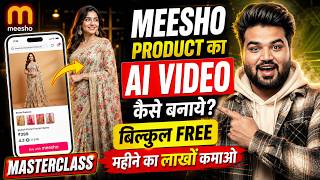
This video is a comprehensive Hindi tutorial on creating professional AI-generated promotional videos for Meesho products and using them for affiliate marketing. The creator demonstrates how to use free AI tools to make high-quality ads, generate affiliate links, and earn commissions of up to 30%.
The video shows how to create AI-generated promotional videos for Meesho products using free tools, with examples of kurta, saree, shirt, and soap dispenser ads.
The video covers generating affiliate links, enabling Creator Club and affiliate commission options, and turning on auto DM on Instagram.
Open the Meesho app to see products with 'Affiliate' labels and commission percentages (e.g., 4%, 10%). Choose products with higher commissions.
Share the product, download its images, and copy the product link. Save them for video creation.
Use a Chrome browser tool (likely an AI video generator) to create a video. Upload product images, add a prompt, select video mode, 9:16 size, 10-second length, and generate.
The generated video for a pink Anarkali kurta is played: 'Check out this beautiful pink Anarkali kurta... Make it yours today.'
Use a master prompt from Telegram channel 'Technical Mukut One'. Copy the prompt format, paste it in the AI tool, and generate a second video.
Use a video editor (like CapCut) to combine clips, add transitions, and export the final professional video.
Post the video on Instagram Reels. Then in Meesho Creator Club, connect Instagram account, create affiliate link, and paste the product link. Enable auto DM to send product link to commenters.
If Creator Club is not showing, use Meesho Creator Web on Chrome browser, login, add Instagram, and after 24 hours the affiliate option will appear.
By following this tutorial, you can create professional AI-generated videos for Meesho products, post them on Instagram, and earn affiliate commissions of up to 30%. The key is to use the right prompts and tools to make high-quality ads that drive sales.
What is the maximum commission percentage you can earn from Meesho affiliate marketing?
Up to 30%.
02:56
What should you do if the Creator Club option is not showing in the Meesho app?
Use Meesho Creator Web on Chrome browser, login with mobile number, add Instagram, and wait 24 hours.
17:27
What are the steps to create an AI video for a Meesho product?
Download product images and copy link, use AI video generator tool, upload images, add prompt, select video mode (9:16, 10 sec), generate.
06:15
How do you enable auto DM on Instagram for affiliate links?
In Meesho Creator Club, after connecting Instagram, click on 'Send product to DM', select the post, paste product link, and add.
15:41
What is the purpose of the master prompt from the Telegram channel?
To create professional AI videos with specific lines for wearable or beauty/kitchen products.
09:37
Up to 30% Commission
High commission potential is a key motivator for affiliate marketers.
02:56Free AI Video Creation
Demonstrates a free method to create professional ads without expensive software.
06:15Master Prompt for Consistency
Using a pre-written prompt ensures high-quality and consistent ad videos.
09:37Auto DM for Automated Marketing
Automates sending product links to potential customers, saving time and increasing conversions.
15:41Workaround for Missing Creator Club
Provides a solution for a common issue, enabling more users to participate in affiliate marketing.
17:27[00:02] As friends, you saw the thumbnail of the video that how you can make EI video of MSHO product me show you some videos, friends, which I have made here using absolutely free AI tools of Meesho products. Then friends, I am going to
[00:16] Ok? So first of all here I will play three-four videos and friends, you will understand which product's video is being here I am showing you the video by playing it. So here I'll do a little bit of sound.
[00:31] ? Check out this beautiful pink Anarkali kurta. It has beautiful white embroidery on it. Perfect for every occasion. Make it yours today.
[00:49] video has been prepared. Ok ? Now let me play the second video here and three videos. Let me open this video here. Ok? Do you also want a similar saree photo ? It is very easy to buy it now. Look at
[01:01] its beautiful drape and stunning border. Its zari work is very beautiful. Then Its zari work is very beautiful. Then what are you waiting for? Order today.
[01:18] nor any pic detailing work has been done here in the ad. Here I will I will show you that also here. You will be able to see it here. Hello friends, today I have brought this wonderful shirt for you. Both its fitting and
[01:31] fabric are amazing. Click on the link to buy it now. Here you will be able to see how professional the ad is that I have created it. You will be able to see it absolutely realistic. Let me
[01:46] you also troubled by the mess in the kitchen? This modern soap dispenser will make your job easier. It comes with both sponge and steel scrubber.
[02:05] how professional ads I have created here and after watching this video you will Ok? So friends, in this video I will tell you how you have to generate affiliate link and for many brothers the Creator Club
[02:18] option is not showing in MSHO, so how will it be shown here and friends, for many brothers the affiliate commission option is not showing here, so how will it be visible to you, how will you be able to turn on auto DM in Instagram.
[02:30] How do you generate the collaboration link? Affiliate link has to be generated here. Which product will give you more commission ? Friends, I will cover all the things not getting the affiliate option, the creator club option,
[02:44] I am going to tell you here how it will come, that means all the things are going to be an A to Z master class, we are going to cover all our things from A to Z, all the things are there, you just don't have to do anything, you just have to follow the video or
[02:56] where you will be able to upload such reels videos orders come from there, you will be able to earn commission directly inside MSHO. Ok? How much commission will you earn ? Here you are going to get commission up to 30%.
[03:11] cover in the video which product it will be available on and which one it will not be available on. So now I have told you how we are going to are video makers. So friends, we will discuss everything in the video. watch the video till the end without skipping. Only then friends, you will understand the video well. So
[03:24] Without wasting much time let's start the video. Before we start, I will not yet subscribed to our YouTube channel Technical, then you will subscribe to the channel by pressing on it. From
[03:38] you have to press all notifications by pressing the bell icon. Ok? So simply friends, let's learn here. open my MSHO account here. It opens here in this manner. Ok ? And friends, here you will be able to see that we have seen many products here. You will be
[03:52] Affiliate Affiliate Affiliate Affiliate is written below inside all the products. Isn't it is also mentioned that if you sell this product here then you will get 10% commission. If you sell this one, you will get 10% commission. Meaning,
[04:07] different commission is given here for different products according to the product. So, you simply have to pick up the product on which you get the highest commission. getting 4% on this one. I am getting 10% on this one. And here
[04:21] you get to see a lot of options category wise. As you come here. So you will be able to see it here also. Here you will see 10% commission. In how much commission you are getting on which product. Wherever I am, I open it.
[04:36] Here it is showing 10% above. Ok? Now friends, here many brothers have this Ok? It is not showing normally above, right? So if this is not showing then let me tell you how it will come. And many brothers are
[04:49] how will their earning start? So I will tell you this also inside the video. As explain everything clearly to you here. Isn't it? So first of all here I will teach you how to make a video. , how to generate affiliate links and how to earn.
[05:04] As I told you, it is going to be a master class in a way. Isn't it? So Inside this you get to see two colors here. Ok? Now whatever color you like, simply click on share here. And after
[05:19] click on Continue. Ok? And Ok? And I click on Share again here and after clicking on No, I simply
[05:33] what happens is that the link is not shared simultaneously in iPhone. Ok? So let me First of all you have to download the image of this product and simply copy its link. And after copying, friends, you have to save it anywhere.
[05:46] Ok? Here you will be able to see this below which is simply its link. Here is the link to the product like this. Ok? Now I have saved it here, we have downloaded the image here, you will be able to see it inside the gallery, all the four images have
[06:01] come to us here in this way, here we have to for making an ad video, friends, you can make an ad video of any product here as I have told you in the demo video, if you want to make a professional ad like that, then
[06:15] for that, simply friends, here you will have to first telling you professional things, so simply you will have to come inside the Chrome browser unique, stylish and touches the mind of the viewer. He
[06:29] can order your product directly. Isn't it? First of all, you have to come here and do a flow or search. You will be able to see here that the website which will come on the first number, you have to click on it. As soon as you click, an interface like this will appear. Simply here you have to
[06:41] friends, if you click on New Project, it will open here like this. Isn't it ? You are there, please watch the video carefully. You will understand everything. You will Below here you can see an interface in black color. This one over here.
[06:55] If I show you, you will be able to see it here. Here you can see a plus icon. click on the plus icon. As soon as you click on the plus icon, an interface like this will appear in front of you. And here the arrow option will be visible in the top corner. You will be able to see.
[07:08] Simply you have to click here. Ok? And it says Photo Library. From here, you simply have to select your photos from the library. As I have just taken four photos here normally, I
[07:21] can see it in some way, right? And all four photos have to be added. All four photos have Because friends, the video that we are going to make now is your mind will be blown after
[07:34] master class. So friends, I am explaining all the things to you step by step. So it will take some time to understand. Whatever other things are there, ? You can see that this image has come here. So it is, right? Let's do it here. Let's
[07:47] We have all four images uploaded here. Now like this image, right? Simply here I click. I click on Add to Prompt. Like This image has arrived here. I tap and hold on this image. Let me add this to the
[08:01] come here. And here I click on this print. I am adding to the request. click on this and add it to my app. This one has first give a normal Hindi copy.
[08:14] So friends please review this video with us. Isn't it? Let Before that, video is written here, you have to click here. If select the video and here you have to select 96 size.
[08:27] How many outputs do you want? Simply select them here and length of the video is 10 seconds, you have to select it here. And the Hindi Pra is simply written below it, what do you meet create here.
[08:40] You simply have to paste it here. You will be able to see it is something like this, I am, I will click on the arrow. Like I click on the arrow. Our After this, friends, I will also teach you how to make professional videos.
[08:54] ? Then I will also show you my demo. So first of all let's complete this video here. Simply, let me first play the video and show it to you. Here I open the video. Check out this beautiful pink Anarkali kurta. It has
[09:08] beautiful white embroidery on it. Perfect for every occasion. [MUSIC] Make it yours today. [MUSIC] Make it yours today. complete. Isn't it? Here you can see I back up. Isn't it?
[09:23] here you will see the download option coming. Simply, first of all I able to see it here. Here I click on Simply Download. So I have downloaded this clip. Simply inside your gallery. Now I am going to
[09:37] tell you how to make an ad using the second method. Which friends will now run after this ad. Isn't it? So come back to my Telegram channel and I am going to give you a master print on my Telegram channel. this is my Telegram channel Technical Mukut. Like you will come to Telegram and search
[09:51] @ Technical Mukut One. So here you will get my Telegram channel in this way. things are useful in the video, I directly upload them here below the video. Isn't it ? So you will get it here. And the format file that you will get will be something like this. Let
[10:04] show you here. This is the one, you will be able to see MSHO Master Prapt. Now, Now in the second video, you will be able to see something like this. Now below the prompt, you will see that I have written four things in space here.
[10:18] If the product is wearable, be it a t-shirt, shoes, watch etc. Ok ? In this way, if the product is related to beauty , cosmetic, or kitchen, then friends, this line is written below them.
[10:30] First of all you have to add this line at the top. This is by removing the upper line above it. It is advertisement is created in premium achieve. Even after removing this line, you have to add any of these lines. Ok? If you want professional ads then there is no problem if you do not want to add friends. In
[10:44] a way I have created a master print. Simply you have to copy this format till the bottom here. Something like this as me copy this here. Isn't it ? Let's copy it. After copying,
[10:57] And here, you simply have to long press on the video that you made. And Simply click on this. As soon as you click here, you will see that it will print has to be removed from here. All the evidence has to be removed. Isn't it? Ok?
[11:13] I remove it in some way. And now I had copied and pasted the print from there. Simply you have to paste that print here. You will Whatever print we had copied from there. Ok? After that,
[11:26] remain the same as the previous video and here you have to click on the arrow. complete. We have another video here right now that is being completed. You will be ready here. Now let me open this here and show it to you.
[11:41] Ok? Here I simply play it.
[11:54] What a dangerous advertisement this is. Anyone seeing this will be shocked. Isn't it ? You will be able to see. Now simply go back and download it from here. By clicking on download here,
[12:08] videos have been downloaded here. Friends, here we will generate affiliate link. Isn't it? What do you do before that, friends? You have to open any VA editor or any editing software here to
[12:22] Okay, right? Because friends, if we have to upload a video on any platform, then it should be a professional video so that our video gets views. Yes, ? I add both the videos here by clicking on them. You
[12:37] will be able to see it here and here I can give any transaction here. You will be able to see this in this way, I have given it here and here I export this video. The and here I export this video. The
[12:49] what type of video you are making. Ok? So here our entire video is complete, right? And you have to keep in mind that the link which you had copied is Here I delete Telegram. Ok? Here I will show you inside the gallery. You
[13:02] can watch our final video now. In what way has our video been made here? You will be able to see that this is the one from the ad, right? And it is made of very high quality. It's not like that. It has become normal. Now this is the video, first of all we will have to post this clip here. Isn't it
[13:15] ? Where will it have to be done? For that, friends, you have to open your Instagram I have opened it here. Here I click on Instagram. Simply click inside the reel. You will be able to see this post, right? Here I click on share.
[13:28] and here I click on next. You will have to put a hist here. You have the Meesho app, right? I simply write it here. You can see Mehsho app here below, you have to click on OK here. Ok ? And simply here you have to click on share.
[13:42] As soon as you click on share, you will see here that your post will simply be shared here. Isn't it ? I'm showing you right now. I am shared it here on Instagram. Come inside the profile. Here you will see that
[13:55] our post has arrived here. Ok ? Let me show you now. come inside Notepad and the link which you had copied. You will be able to see it here. You simply have to copy this link from here. Ok? I have copied the link.
[14:08] come back here inside Mehsho. Ok? You have to come inside Meesho. Now friends, what do you have to do after joining Meesho ? Simply here you have to click on your profile. And here you will be able to see Meesho Creator Club, it
[14:20] is simple here, you have to click on open. Now many brothers are I am going to tell you how it will come at the end of the video. In what way will it come? Like here I click. Here, first of all you will see an option called Create
[14:33] Instagram. Whichever option is coming, simply you have to first connect your Instagram After that friends, you will have two options enabled here. Send auto product DM what do you have to do first? Simply here you will see that you have to click on Create Affiliate Link.
[14:48] After that friends, I put kurta or kurti here, I put it here. click on done. Here, simply, you get a lot of options. YouTube,
[15:03] Facebook and Instagram Simply here I select the Instagram story and select the Instagram story and Product Link, you have to paste the link of that product here and add it.
[15:16] Ok? As soon as you add the product, it will appear in front of you and simply clicking on Done, simply able to see here that this link has reached us here. The option of direct copy link has
[15:29] come to us here. Ok ? This is one way we have got its link here. By clicking on copy, if you share this link anywhere, you will get direct commission. Friends, the second option here is send product to DM.
[15:41] Ok? As soon as you click on this, whatever post you have on Instagram will select the one. Click on continue. Ok? Then it is written below here paste product link, right? So before the link of your affiliate,
[15:54] right? So before the link of your affiliate, and click on the add. So that product will come here and product is here. Now let's
[16:06] I click on Go to Home. Ok? So now we have the link added here as well. What will happen now friends? Anyone will watch that video. Like here Here you will be able to see and here I open the second Instagram,
[16:20] my second profile. Ok? Now you will be able to see here that the post is coming to us here. one below this who is going to comment here. Ok? You will be able to see it here in this way as I will tell you. I will write the link here.
[16:33] Anyone can write nice etc. You will see that I have written the link. Now as soon as I write the link, it will automatically give us the details of that product here. DM. You can see that here inside the comments and show you. So here you will see that the
[16:46] ? Let's check our DM now. So we have received the link of that product inside the DM. Now as soon as anyone clicks on this, he will directly reach this product inside MSHO and as soon as he buys it,
[16:59] you will get 10% commission here. Ok? Now friends, here me show you here. Here you will see that you come down and here you will see that inside the kurta you get applet links. You can share this anywhere in
[17:12] and I have already told you about Instagram above. work here. Rest of the friends, let's talk about it here now. Creator Club is not coming to many brothers and the affiliate
[17:27] option is not coming here. So how will it come? Ok? So here I will MSHO Creator Club is not available to you here, then simply you have to go to the normal Chrome browser and there you have to search Meesho Creator Web. Ok? As soon as you
[17:41] get the option of Creator Hub. There you have to login with your mobile number. Friends, after logging in, Then friends, you have to add Instagram. Normally, after 24 hours of adding to Instagram, you will
[17:57] affiliate link is being selected below the product. If you are searching, you will get to see a link like this. Then friends, you can earn here normally by sharing. I have told you all the processes here in the video. You don't have to do anything right now.
[18:10] Watch the video till the end without skipping. You learned how to make videos. You will find the prompts in the video description. here. So friends, in this way you can also run here from Meesho. Has AP ratings. It is a very dangerous system. The sooner you do it, the sooner
[18:24] you will be able to earn here and you can also create any Instagram account here. friends, I hope you liked the video. If you like the video then please See you guys in the next video. Until then, bye bye. Vande Mataram
[18:37] Until then, bye bye. Vande Mataram friends.
⚡ Saved you 0h 18m reading this? Transcribe any YouTube video for free — no signup needed.