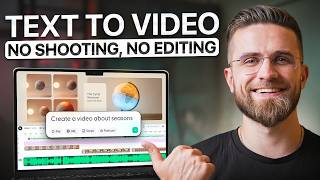

Can AI Make a FULL YouTube Video?
60sTests a bold claim and hooks viewers with a challenge: can AI handle the entire production?
▶ Play Clip"The title promises a 2026 tutorial on creating videos for faceless YouTube channels with AI, and the video delivers exactly that with a detailed walkthrough and repeatability test."
This video tests whether AI can handle the entire production of a faceless YouTube channel, from scripting to final export. The creator uses Wondercraft to generate a science explainer video, demonstrating the workflow's efficiency and repeatability. The video concludes that this approach can support a scalable, monetizable content strategy.
Most AI tools generate clips but leave a gap between 'looks cool' and 'ready to upload'. Users still need to script, paste, edit, and export, which is time-consuming.
Wondercraft asks structured questions (topic, audience, style, pacing) instead of starting with a blank prompt. It then generates the script, visuals, voiceover, and drops everything into a timeline editor.
The creator picks the 'explainer video' workflow, enters the topic 'why do we have seasons', selects whiteboard style, single narrator, landscape aspect ratio, 2-minute duration, and medium pacing.
The AI builds an outline (intro, explanation of Earth's tilt, visual demonstration, conclusion), generates script for each scene, chooses matching visuals, and syncs voiceover to the timeline.
The user edits the video by regenerating a visual for a scene, swapping the AI voice from Eric to Alfred for a warmer tone, adjusting pacing by trimming clips, and using director mode to make the conclusion more inspiring.
The user regenerates captions with a block style, customizes caption colors, adds a brand logo, and inserts an AI avatar (optional). They also trim the outro and adjust music volume.
The final video is exported as an MP4, ready for YouTube. It includes voiceover, B-roll, transitions, captions, and music. The user did not start from a blank timeline.
The user creates a second video on 'how does photosynthesis work' in 5 minutes, proving the workflow is repeatable. The first draft is already good enough to publish.
The user demonstrates three styles: whiteboard (clean, educational), Ghibli (hand-painted, dreamy), and Pro Studio (sleek, modern). This shows the platform can match different audiences and content goals.
Educational explainer content is evergreen, generating search traffic and ad revenue over time. The workflow solves the problem of consistent production, allowing creators to publish regularly and build a content library.
The workflow can be used for TikTok, Instagram, LinkedIn, internal training, client onboarding, and course materials. It's also a potential paid service for freelancers and businesses.
The value is not the generation itself but having a repeatable process that doesn't break when scaling. The bottleneck becomes channel strategy, not production.
The video demonstrates that AI can handle the entire production of a faceless YouTube channel, making it possible to create videos in under an hour and scale content consistently. This workflow enables monetization through ads, sponsorships, and other revenue streams, turning production from a bottleneck into a strategic advantage.
What is the main problem with most AI video tools?
They generate clips but leave a gap between 'looks cool' and 'ready to upload'; you still need to edit, export, and hope it holds together.
00:02
What is the key difference in Wondercraft's workflow?
It asks structured questions (topic, audience, style, pacing) instead of starting with a blank prompt, generating the script, visuals, voiceover, and timeline in one place.
00:49
What are the steps to create a video in Wondercraft?
Enter topic, choose style, narration, aspect ratio, duration, pacing, then click generate.
01:31
How can you change the AI voice in the editor?
Go to voice settings, select all clips with the current voice, and swap it for another voice (e.g., from Eric to Alfred).
03:53
What is 'director mode' used for?
To give specific instructions to the AI voice, like making the conclusion sound more inspiring.
04:34
How can you customize captions?
Regenerate captions with a block style, choose text color, and adjust background opacity.
05:14
What is the advantage of educational explainer content for monetization?
It's evergreen, generating search traffic and ad revenue over time, building a compounding content library.
09:32
What is the bottleneck for most creators?
Lack of consistent production, not lack of ideas.
10:01
What are three styles demonstrated in the video?
Whiteboard, Gibli, and Pro Studio.
08:20
How long did it take to create the second video?
5 minutes.
07:50
Structured Workflow
Highlights the shift from blank prompts to structured questions, making AI video creation more accessible.
00:49Repeatability Test
Proves the workflow can be repeated quickly, addressing the common creator problem of burnout.
07:18Evergreen Content for Monetization
Explains why educational content is a sustainable revenue source, not just a one-off hit.
09:32Bottleneck Shift
Shows that with AI, the bottleneck becomes strategy, not production, which is a paradigm shift for creators.
12:43[00:02] YouTube videos, scripting, finding B-roll, editing timeline, recording when I finished, it still felt unfinished, like I was missing transitions. The pacing was off, captions weren't quite right. Most AI
[00:16] tools will generate clips for you. Cool visuals, interesting concepts, but there is a massive gap between this looks cool and this is ready to upload. you still have to script it, paste it, edit it, export it, and hope [music] it all holds
[00:32] together. So, I wanted to test something. Can AI handle the entire production. Let me show you what I found. I found a workflow that doesn't start with a blank prompt. It asks you structured questions, topic, audience,
[00:49] style, pacing. Then it generates the script, the visuals, the voice over, and drops everything into a timeline editor where you can refine it all in one place. Today I'm going to start faceless YouTube channel from scratch. Pick a
[01:04] niche, generate a complete video, edit it, and show you the final result. No editing experience required. Also, I'm testing whether this workflow can realistically support a monetizable, repeatable YouTube channel you can
[01:18] publish consistently, scale, and earn from. Let's see if this actually works. All right, I'm using Wondercraft for this test. Here's the dashboard. I'm going to pick the explainer video workflow because I want to create
[01:31] educational content. My niche, science explainers for students. Specifically, I'm going to answer the question, why do we have seasons? Let me walk you through exactly how this works. First step, enter your topic. I'll type why do we
[01:46] have seasons. For style, you get options. Gibli, Pro Studio, playful, whiteboard. I'm going with whiteboard because it fits the science explainer vibe perfectly. Next, narration. I'll pick single narrator. Aspect ratio.
[02:01] Landscape for YouTube. Duration, let's say 2 minutes for this first test. Pacing, medium, not too fast. Click next. Everything else I'll leave on auto. Voice over music all handled automatically. Now I hit generate. Okay,
[02:17] this is interesting. Look, it's building an outline first structuring the video into scenes. Intro hook. Explanation of Earth's tilt, how that creates seasons, visual demonstration of orbit and sunlight. Conclusion. Now it's
[02:32] generating the script for each scene. Then choosing visuals to match the script. diagrams, animations, earth rotating, then generating the voice over and syncing everything to the timeline. This is what I mean by workflow. It asks
[02:46] doesn't have to guess later. Less prompting, more building. All right, the first draft is done. Let's see what we've got. Okay, playing it back now. transforms from a snowy wonderland to a sundrenched beach every single year?
[03:01] closer to the sun at certain times. >> Not bad. The voice over is clear. The visuals match the script. The pacing is decent. The B-roll shows Earth rotating.
[03:13] Diagrams showing the tilt. Animations demonstrating summer and winter positions. Captions are autogenerated and positioned well. But I want to refine this. Let me show you what you can edit. I'm in the editor now. Here's
[03:26] where you can change anything you don't like. First, I don't love this visual in scene three. It's showing a flat diagram of Earth's orbit, and I want something of Earth's orbit, and I want something more dynamic, a 3D rotating view. I'll
[03:39] click on that scene and hit regenerate visual. Give it a second. Okay, new visual. Much better. Now, it's showing Earth rotating on its tilted axis with the sun in the background. Next, the voice over. It's using a default AI
[03:53] voice called Eric. It's fine, but I want something with more warmth and clarity for educational content. I'll go to the voice settings, select all the clips with Eric, and swap him out for Alfred. Alfred has that authoritative teacher
[04:06] >> Earth doesn't sit straight. It orbits the sun while tilted on its axis at an angle of about 23.5°. >> Yeah, that's better. Alfred sounds more engaging. Now, I want to adjust the pacing. The intro feels a bit slow. I'll
[04:21] open the timeline view, find the first voice over clip, and trim the pause at the beginning to get into the explanation faster. You can drag the edges of any clip to shorten or extend it. You can also use director mode if
[04:34] you want to give specific instructions to the AI voice. Like, if I want the conclusion to sound more inspiring, I'll select that clip and type make this sound inspiring and encouraging. Alfred generates a new take with more energy.
[04:48] generates a new take with more energy. Without that 23° lean, our world would be a very different >> Perfect. That's exactly the tone I wanted. And if I need to tweak the script itself, I can click directly on
[05:01] the text and edit it in line. Change a word, fix a phrase, adjust the explanation, whatever you need. The voice over will regenerate automatically to match your changes. Now, let's add some polish. I want to regenerate the
[05:14] captions with a different style. Go to the lefthand menu. Click generate the lefthand menu. Click generate captions. Choose block style. Done. The captions are now chunky and centered. Way more readable on mobile. You can
[05:28] also customize caption colors if you want. Click on the caption track. Choose your preferred text color. Adjust the background opacity. I'll keep it simple. White text with a dark background works well for educational content. If you
[05:42] want, you can also add a brand logo in the corner. Upload your logo, position it where you want, set the opacity, and it'll appear throughout the entire it'll appear throughout the entire video. Or insert an AI avatar to deliver
[05:55] parts of the video on camera. Choose from the avatar library. Pick a voice, type what you want them to say, and drop it into the timeline. For this explainer, I'll keep it faceless, but the option is there if you're building a
[06:08] channel where you want a consistent host without recording yourself. Let me trim the outro slightly. snap the clips together so there are no gaps and adjust the music volume so it sits underneath the voice over without competing. Okay,
[06:23] I'm happy with this. Let's export and see the final result. Here's the final video. I'll play it one more time full length so you can see the complete >> Have you ever wondered why the world changes from snowy winters to hot sunny
[06:36] summers every year? The real reason our seasons change is because the Earth's seasons change is because the Earth's axis is tilted at 23.5°. >> This is what you get. Ready to download as MP4 and upload to YouTube. Voice
[06:50] over, B-roll, transitions, captions, music, everything is there. And here's the thing, I didn't start from zero. I didn't sit in front of a blank timeline wondering where to begin. I just made decisions at each step and the workflow
[07:05] handled the rest. Now, here's the real test. Can I do this again quickly? Let me create a second video right now to prove the workflow is actually repeatable. I'll go back to the dashboard. Select explainer video
[07:18] workflow again. And this time, pick a different topic. How does photosynthesis work? Same audience, students, same style, whiteboard, duration 1 minute, pacing, medium, hit generate. Look at this. It's building the outline. Intro.
[07:35] What is photosynthesis? The chemical process. Why it matters? Conclusion. Generating script. Choosing visuals of plants and sunlight and chemical diagrams. Sinking voice over. 5 minutes later I've got another complete video.
[07:50] Same quality, same structure, different topic. I could make quick edits if I wanted to, but honestly, this first draft is already good enough to publish. That's what I mean by scalability. Once you understand the workflow, you can
[08:04] produce consistently. Not one video, 10 videos, 20 videos, 100 videos, same process, different topics. And let me show you the range. I ran the same see how much flexibility you have. First, the whiteboard style we just
[08:20] made. Clean, educational, minimal distractions, perfect for science content where you want viewers focused on the explanation. Second, I generated the topic using the Giblly style, the water cycle explained. Look at this hand
[08:34] painted backgrounds, soft watercolor animation, dreamy aesthetic. It's like watching a nature documentary through the lens of Studio Gibli. Completely different vibe, but still educational. This would work beautifully for a
[08:48] channel targeting younger students or anyone who loves that artistic touch. Third, I tried the Pro Studio style for introduction to physics. Sleek, modern, polished, clean animations, professional color grading, sophisticated feel,
[09:04] perfect for high school or college level content where you want to convey content where you want to convey authority and precision. Same workflow, same platform. Three totally different outputs depending on what you choose at
[09:17] the beginning. That's what scalability looks like. You're not locked into one aesthetic. You can match the style to your audience and your content goals. means for building a channel. Because there is a difference between making one
[09:32] cool video and having a sustainable content strategy. Educational explainer content works because it's evergreen. People search for why do we have seasons or how does photosynthesis work year round. And that evergreen angle matters
[09:46] for monetization. These are the kinds of videos that keep getting search traffic, keep getting views, and can keep generating ad revenue over time. Instead of oneoff viral hits, you're building a compounding content library that can
[10:01] actually pay you back month after month. The challenge with most creators isn't lack of ideas, it's lack of consistent production. You make one great video, then you burn out trying to make the second one. Then three months go by and
[10:15] you haven't posted anything. This workflow solves that problem. If you can produce one video in an hour instead of 6 hours, you can actually maintain a publishing schedule. One video per week becomes realistic instead of
[10:29] aspirational. 10 videos becomes small library. 50 videos becomes real channel with depth and authority in your niche. This isn't just for YouTube either. You can use the same workflow for Tik Tok explainers, Instagram reels, LinkedIn
[10:45] educational posts, internal training videos, client onboarding content, or course materials. The value isn't the generation itself. It's having a repeatable process that doesn't break when you need to scale. Let's talk about
[11:00] where else this applies in practice. If you're an educator or tutor, you can build a library of lesson videos in any subject. Science, math, history, language learning. Pick your expertise, break it into topics, generate a video
[11:17] for each one. Students can watch at their own pace, rewind and rewatch difficult concepts, and you've created a resource that scales beyond one-on-one sessions. If you're a business owner, you can create explainer videos for your
[11:31] product features, onboarding flows, or frequently asked questions. Instead of writing long-help articles, show your customers visually. Film it [snorts] once using this workflow. Embed it on your website and reduce support tickets.
[11:46] If you're a marketer, you can batch produce educational content for your audience. How to use our platform? Best practices for X. Common mistakes to avoid. Turn your expertise into video assets that drive engagement and
[12:00] conversions. If you're a freelancer, you can offer video creation services to clients without being a video editor. Set up templates for different use cases, plug in their content and branding, deliver polished videos that
[12:14] would normally cost thousands of dollars and weeks of production time. Which means this isn't just about growing your own channel. It can also become a paid service. You can monetize the workflow itself by creating videos for clients,
[12:28] courses, brands, or educators who need consistent, highquality video, but don't have production teams. The possibilities expand once you have a workflow you can repeat reliably. Here's what I learned from this. Most AI video tools give you
[12:43] raw material. They generate cool clips, but you're still stuck in the editor trying to make it all work. This workflow is different because I'm not building from scratch. I'm just making decisions. Pick a topic, pick a style,
[12:56] adjust what needs adjusting. Export, done. I built that first science explainer [music] in less than an hour using Wondercraft. Then I built a second one in 5 minutes. If I wanted to, I could generate a new video every day.
[13:10] Different topic, same workflow. That's how you scale content without burning out. And when you can scale content consistently, monetization becomes realistic through YouTube ads, sponsorships, affiliate links, digital
[13:24] products, or lead generation. The bottleneck stops being production. It starts being how smart your channel strategy is. I've linked Wondercraft in the description below. You can use my code amasser for 50% off your first
[13:39] month if you want to try it yourself. If you've been stuck between, I want to start a YouTube channel and I don't have time to learn editing, this is the fastest path forward. And if you want to see more tutorials like this, real
[13:51] workflows, real tools, no flow, subscribe and hit the bell. I'm testing AI tools every week and showing you exactly how to use them. Thanks for exactly how to use them. Thanks for watching. I'll see you in the next



⚡ Saved you 0h 14m reading this? Transcribe any YouTube video for free — no signup needed.