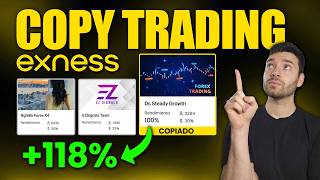

Copy Trading: Make Money Without Trading
45sImmediately addresses a common pain point (lack of time/discipline) and introduces a promising solution, hooking viewers.
▶ Play Clip"The title accurately describes a step-by-step tutorial on copy trading with Exness, and the content delivers exactly that, with practical examples and clear instructions."
This video provides a comprehensive tutorial on how to use copy trading on the Exness platform. It explains the concept of copy trading, demonstrates how to select traders, and shows the process of investing, managing risk, and using the mobile app.
Copy trading allows individuals without trading experience to automatically copy the trades of professional traders.
Exness offers low costs, convenience, and a user-friendly terminal for trading Forex, commodities, and cryptocurrencies.
Deposit funds using Binance Pay for fast, commission-free transfers that credit in about 10 minutes.
Navigate to the Copy Trading section in your personal area to discover strategies, filter by performance, and view profitability and follower counts.
Traders charge a performance fee of 20-30% of profits, incentivizing them to trade well.
The example trader 'Steady Grow' generated a 100% return on a $10 investment over 3 months.
Analyze trader profiles for reliability scores, maximum drawdown, and performance over different timeframes.
Only new orders opened after your investment are copied; existing positions are not replicated.
Set stop loss and take profit levels as fixed amounts or percentages to manage risk.
Use the dedicated 'Copy Trading by Exness' mobile app for managing investments on the go.
What is copy trading?
Copy trading allows someone without trading experience to automatically copy the trades of professional traders.
00:00:40
What is the recommended deposit method mentioned in the video?
Binance Pay, which credits funds in about 10 minutes with no commission.
00:03:05
How does the performance fee work in copy trading?
The performance fee is typically 20-30% of the profits generated, charged at the end of the billing period.
00:04:37
What return did the example trader 'Steady Grow' achieve?
The trader named 'Steady Grow' generated a 100% return on a $10 investment over 3 months.
00:05:41
How can you set risk management on a copy trading investment?
You can set a stop loss and take profit as a fixed amount or a percentage of your investment.
00:13:36
What is an important detail about which trades are copied?
Only new orders opened after your investment will be copied; existing positions are not replicated.
00:12:32
What is the name of the mobile app for copy trading on Exness?
The dedicated app is called 'Copy Trading by Exness'.
00:14:48
Performance Fee Structure
Explains how the performance fee aligns trader incentives with investor profits.
00:04:37Real Example of Returns
Provides a concrete example of a 100% return in 3 months, illustrating potential gains.
00:05:41Copying Only New Trades
Clarifies that only new orders are copied, which is crucial for understanding how investments work.
00:12:32Risk Management Tools
Shows how to set stop loss and take profit, essential for controlling risk.
00:13:36Start Small
Advises starting with small investments to learn and observe trader behavior without significant risk.
00:18:15[00:01] traders! I hope you are all doing well. Welcome once again to a new video on the Easy Money channel. Today I bring you something very interesting that could be an alternative for all those who
[00:13] want to obtain returns from trading, but who do not have the necessary time or perhaps the discipline to start trading on their own. It's a tool that we've talked about more than once on the channel, but this time we're going
[00:26] to do it in more detail on a new platform that we're using. We're talking about copy trading, but on the Exnes platform, which, as you using to do our own trading. For those who don't know what
[00:40] copy trading is, simply put, it means that someone who doesn't have markets, opening and closing orders, making and losing money, can copy someone who is. In this case, we'll be doing it
[00:54] with professional traders, that is, with people who know how to operate in the markets, or at least that's what we're going to try to achieve: to see the statistics, to see the strategies of each person in order to choose the right one and ensure
[01:07] that it generates profits. I'm going to show you everything. I'm going to show you how to select a person correctly, and I'll even show you an example because I've been following someone for months and they've had very
[01:19] how you can do it from your computer, from your laptop, or also how you can do it from the Exnest application, which is not the same one we use to operate. I'm going to show you everything in a very,
[01:32] very simple way. So, pay attention to this video and obviously don't information I'm sharing here is helpful or interesting to you. The first thing, obviously, account on Exess. I always leave the link in the description and in the first
[01:47] pinned comment so you can create your account from there, or you can also scan the QR code that appears on your screen. Exest broker, it's using it for several months. We are conducting our operations there. And
[02:01] always very friendly and always available for anything we need. At Exestar, we trade Forex contracts for difference, raw materials, cryptocurrencies, which is what we operate. We do it here because the
[02:16] costs are the lowest of all and also because of the convenience we have. And we don't even Metatrader 5 or anything like that, because we operate directly within because we operate directly within the Exnest terminal.
[02:28] the link I've included in the description below, or if you already have an Exn account but want to get discounts on those very low commission fees, you can message me privately on Instagram or via email,
[02:41] and I'll get you an extra refund on those fees to make them call me, I explain the process to them, and it won't take more than a single day. But anyway, let's start with copy trading,
[02:53] this thing about being able to copy the trades that another person makes in the market. We will show the first example which is through the computer, from a computer. Here we are inside our account. Obviously, we first need to
[03:05] deposit funds here. If you don't know how to deposit funds, it's very easy. Let's go down here , it says deposit. We press the option that suits us best . I often use Binance Pay because it's very simple, very
[03:17] fast, and the money is credited to my account in 10 minutes. Basically, there is no commission and to $20,000. [music] Very, very simple. are from Argentina, for example, you can choose Mercado Pago, which actually
[03:31] transfer from any wallet. I already showed you how to do it, even from personal pay mode. If you don't know how to do it, I advise you to Exnest playlist I've left above, where I show everything: how to deposit money, how to
[03:45] trades, and even how to open an account. It's all detailed there step by can find it on the cards up there or you can find it inside playlist on the YouTube channel. But anyway, those two options are the
[03:59] best, but we have a lot more if any of them work for you, and we don't have to method; we can withdraw it using any of these here. So it's very simple . Okay, let's get started with copy trading. If we go to our personal area, here in
[04:12] our account, and scroll down a bit to the left in the computer section, we will find the copy trading section. Let's find the section to discover strategies, okay? Here we have the most copied ones, we have the ones with the
[04:24] best results, we have, depending on how much you cooperate, below we have others with moderate drops, suitable for selecting people who are perhaps more conservative. We see the profitability, how many people are following it, and below that, the
[04:37] keep from the profitability they obtain. Because it's very important that you have this, let me explain. Because if the person has 20 or 30%, they will earn 20 or 30% of the profitability they generate for us. That will
[04:50] encourage the person to operate correctly, because if they go into losses they won't get any profit from our money. On the other hand, if it has [music] 20 or 30%, it will take 20 or 30% of that profit it
[05:02] generates for us. And that happens at the end of the billing period, for a good period of time. Now, with the example I'm following for several months, you'll understand it better. Here we have better
[05:15] growth for 3 months, low commissions, new strategies, and a lot of traders to follow. The one I 'm following is this one here called Steady Grow, which is like a kind of conservative growth strategy
[05:28] trades, which gives me confidence because it's constantly opening and closing trades and doesn't get stuck in long trades that big losses. On the right we have favorites if we want to save any. Here we have
[05:41] assets, which are the traders who have assets. And here we see exactly what I'm talking about, the 10 Stig Grow, where I made an investment of only $10 to try it out. I did it on September 7th, we have September, October, November. We've been using
[05:53] this copy trading for over 3 months now and we see that it's earning $10, meaning it generated a 100% return for us in over 3 months. Obviously, it's a very important that you make a small investment at the beginning so you can see how it
[06:07] works, so you can see how they operate and get to know it, and then if you're encouraged, invest more capital, which is what we're going to do in this video. If you go into you like it you'll find the link in the description so you can
[06:20] investment recommendation. I'm even teaching them how to select the trader that best suits their investment profile because, imagine, each trader operates differently. So it's very important that it
[06:33] needs. Well, here we see it. Yes, the investment was I have a capital of $20 now and the financial result of $10. If we want, we can add a stop loss and a take profit. I generally don't do that; I only
[06:47] add a take profit or a stop loss if I know the person's strategy. Here the moment he doesn't have any, but if we go to the closed bets we can see all the ones he made today and how much he won or lost. Here we see the ones she won today.
[07:00] example, these closed in the negative, and we can see that some close in the negative and others in the positive. Something totally good and normal [music] which is something healthy. Yes. It wouldn't be good if I had
[07:13] all the others were closed in the red. That means he is not could end up costing us money. In this case it is not the example because it has been closing operations both positive and negative for more than 3 months. If we want to see the
[07:28] profile, we simply have to press the name and we will go to see this trader's profile. We can see the security profile which has 72 points. We can from the country where it is from, the level of reliability of the operations which is
[07:41] 72 out of 100 and all the specifications here, how the last 30 days and so on. If we go [music] to the big picture, we'll times, the maximum drop in its total capital, and the
[07:55] very important for you to see here, the performance of the strategy. If we look was 10% up in September and yes, it was 30% down, I remember this, I had put in $10 and I had seven a month
[08:09] later, that is, 3 weeks later and then it started to recover and continued to rise. There are times when it's performing better, for example, here it was at 81% and then it dropped to 43%. If it has bad streaks, but then manages to
[08:22] recover, the important thing is that it does so in a safe way. Obviously, any money you put into copy trading should be considered risky; be prepared to lose it. I would never put a huge amount of capital in someone else's hands
[08:35] decision and I was sure of the risks involved or I knew that person very well. In this case, it's not a person from Vietnam, obviously he Telegram channel where he shares his analysis and so on. We can see it here.
[08:49] We can see that if we open this Telegram channel where he reactions from people who are surely followers of the strategy. He doesn't post very often, but we see
[09:01] we have about the trader and the more information about the person, the better for our important detail: here we return to the strategy performance part. If we go back 6 months, we can see the performance it was achieving. If we look at one year,
[09:15] one year, 768%, we see that it is bullish. For example, here it was we see that it is bullish. For example, here it was up 341% and then fell to over 100%, therefore, it can have very sharp drops. Obviously it
[09:28] recovers later, but that doesn't guarantee it won't happen again in the future. And if we look at with very little capital. If we put capital here, we put all of it, we see that at the until he determined that he was going to operate with 15,500. That's why he makes deposits and withdrawals
[09:43] to always operate with $1,500. But here at the beginning he operated with very little capital, so he said he earned 300, 600, 100% in a very short time. And that's why it return generated during a period was achieved with a low level of capital and
[09:59] of future results. So, at the beginning, since he was operating with very little money and, for example, with $50 he made $ 150, that's fine, it's a very good return, but he was doing it with very low risk, therefore he shows you the
[10:12] alert here so that you take it into account, because if we start like this at the beginning and then we have 484,000%, obviously what happened is that he started with little and then he increased it. But if we take a year,
[10:24] was operating, it's been 346 [music] days, if I'm not mistaken, if he managed to make 768% in a year, a spectacular return. Now, remember I told you that on top of that 100% that I was earning, he's going to get a percentage
[10:38] profit? Well, here we see it, performance commission. He will take 30% of the profits I generate in a billing period. Here we see that the billing period runs from November 29th to December 27th, more or
[10:50] less. Each month, we charge 30% of the profits we make with it. If we don't make a profit, he's not going to get anything. For example, if we put in 10 and now we have nine, they won't charge us anything more because we already lost $.
[11:03] Now, if we start with 10 and go on to have 20 in the billing period, then they will take $3, which is the performance commission for the person. investment, they will charge me for that too. If we go further down, we can see
[11:16] which trading instruments it operates with. Here he mostly trades gold against the dollar, a little bit of Bitcoin, and very, very little Ethereum and the dollar against the Japanese Shen. So, more than anything, their strategy is gold against the dollar,
[11:28] when the gold market is open. I'm going to add this to my and I'm going to show you how it's done if I want to invest here. Simply put, if I want to start following him, I have to enter up here on the right how much
[11:42] I want to allocate to copying this trader's investments. I enter the amount and click invest. If for any reason it shows up in red, but I have a balance in the account, it's because a transfer needs to be made within the
[11:55] Exnest wallets, because we currently have it for trading, but it needs to be moved to the have funds, we simply have to deposit, and if we already have them, we transfer. Then, we click where it says transfer and we see that we have
[12:07] money in the first account and in the MT Trader 5 account, but we need to transfer it to the Investment Wallet. Therefore, we are going to select one of these that destination account, the Investment Wallet. Here we will put the $90 that we want to
[12:20] allocate to copying the trader and click confirm. This is completely free, don't worry. Now, if we press up here, we see that we already have the $90 in the investment wallet. Now we can put here
[12:32] that we want to invest $90. We click where it says invest and it will ask us performance fee and so on. Very important detail: keep in mind that only new orders opened after our investment will be copied.
[12:44] Whether she has an investment that's profitable or losing money, that's not going to be copied. It will new ones he opens. That's very important. We click confirm and it says starting the verification process that we have to confirm it on our
[12:57] cell phone, in our application. It's as easy as unlocking the app and tapping confirm. And that's it, we've created a new successful investment where we see that we now have an investment of $90 and profitability starts at zero. Everything is
[13:10] back, yes, we're going to our copy trading and we're going to the part that says assets, we'll be able to see that we have two different types of copy trading. One started on September 7th and we already have a 100% return, and the
[13:23] other one has $90 and we just started it . We see that two separate copies are made more background, we couldn't. Simply stop copying it and click where it says stop copying, and that's it . And then we would start one with
[13:36] want. Now, if we want to add a stop loss and a take profit, we can a stop loss, I can simply set it to , I don't know, $50 . So, if it drops by 44.44% or 44%, will we stop tracking it, or
[13:53] can I put it as a percentage? Yes, if I fall by 20%, it says the investment will be closed when the capital reaches $72. Yes, I can set a stop loss. I'm willing, as I have seen this person operate, to let them continue
[14:06] assuming at my own risk that if I do not set any stop loss and it goes wrong, I will can also set a take profit. Yes, we can add a take profit, and if I reach $150 in this trading, this copy will stop. I can also
[14:21] set it as a percentage; I can set it to earn 50%, and if I reach $135, the copying will stop. It's that simple, and if you want to do it from the mobile app, I'll show you how . Very important, it is not done
[14:33] from the same application that we always use for trading. Exest, the description below so you can go and do it. Or you can go this trader's link that I left you so you can download the application as well.
[14:48] The application in question is called Copy Trading by Exness. We opened it there and basically logged in here with our Exnes account. It's the same account, different app so they can keep everything organized correctly. Up there
[15:03] we see the assets we have, $110 plus the $10 I earned from the first traders here, for example, this one down here . We can see the profitability it obtained, the maximum drag down, and more. I do n't really like this type of graph
[15:17] very sharp drops. If we look at it in 6 months, the same thing happens, and if we look at it in a year, the same thing happens . I prefer that he keeps his profits and losses separate, as we saw in the previous trader. If we look at the orders, we can see that he
[15:30] loss. I don't like this at all. I like it when orders that are losing money are being closed. We see that it has some gains and some should be analyzed in a better way. Here we do see that this trader
[15:44] has significant drops. For example, here it was at 631% and went down to 83%. It used to be 631% and went down to 83%. It used to be 3,500% and went down to 787%. , it could easily drop to 3,000%. Something that
[15:58] could cause us quite large temporary losses or even the total loss of money. In this case we see that the maximum drag downs are indeed usually around 87% very often. And it's something that perhaps I don't look for so much, but obviously everyone
[16:11] has to choose what best suits their way of operating. One very important detail: we see that 31 points is its reliability level. Therefore, reliability. Here we have one called Easy Signal Steam, which
[16:25] has a much higher level of reliability and we can see the returns over the last 3 months, 6 months, and a year. I don't like this graphic either. This is a famous Martingale system that can generate very good temporary profits
[16:37] , but if managed incorrectly it can cause us to lose unlucky enough to enter when this drop occurred, we directly lose our money. In this case, it would seem to be a fairly conservative martingale in the sense
[16:50] that in the last year it only generated 174%, but I personally don't like this type of strategy; I prefer the first trader. portfolio is, we can see our copies and if we want to make a
[17:04] want and click where it says create investment at the bottom and there it asks us for the same thing as before, to reload the wallet in order to make the specify how much we want to send. We can continue. We confirm and the transaction
[17:19] where it says "create investment," it will let us do it. We see that we have $20, we would simply put 20 or whatever amount you want and click continue and continue. The investment is already being created . And now I'm going to show you
[17:33] successfully and if I wanted to cancel it, because this would already be the third one, I simply click where it says stop copying, I click stop copying and that's it stop. It might take a little while if the market is closed, but that's it, no
[17:46] . And we'll have our capital back in our wallets. There we see investment portfolio $20, which if we want to send again to the other make the transfer and simply where it says source account we select
[18:02] Investment Wallet and where it says below destination account we select the other one, we put the total, we put continue and confirm the internal transfer. That's how easy it is to do copy trading on Exness. It's very, very simple.
[18:15] Now, a very important detail: doing it is simple, but obtaining correct returns from these traders may be a little more complex than I 'm telling you. That's why it's so important to properly analyze
[18:27] how they behave, and how they can do it with very little money. With $10 you can already see how a trader works. They don't need to put 100 in each one to see how it works. Because? Because it's relative. If you put in 10 and he operates with 1000, it will
[18:40] be the same, but 100 times smaller. If he opens a trade with his total of $1,000, you will do it with 10. And if he loses 10% of that $ only lose one. Everything will be proportional. Therefore, I advise you to
[18:53] take very little risk until you learn, until you see different traders and find one that suits how you like to trade or what returns you are looking to obtain. I really liked this one that I followed 3 months ago,
[19:07] and that's why I added $90 more so you can see how it works, and that's what we're We'll be monitoring these copy trading operations more closely to see their medium-term performance, because this trader seems quite good to me
[19:20] so far, but obviously past performance is no guarantee of . Remember that all Next account, the Telegram channel, the trading group where you can talk
[19:33] to other people, the trader I showed you, you can find everything below pinned comment. And if you liked the video, you would help me a lot by giving it a like, subscribing to the channel, and activating the bell so that YouTube notifies you
[19:46] See you in the next video. Goodbye, Crypto Trader.


⚡ Saved you 0h 19m reading this? Transcribe any YouTube video for free — no signup needed.