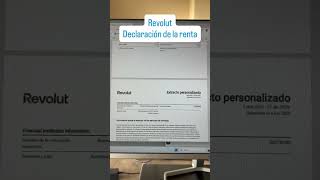

How to Get Your Revolut Tax Statement Fast
44sPractical, time-saving tip for a common pain point—tax season—appeals to a broad audience.
▶ Play Clip"The title promises a practical guide and delivers exactly that — a clear, concise walkthrough with a useful AI tip."
The video demonstrates how to download a tax statement from Revolut and use AI to summarize it for tax filing purposes.
In Revolut, go to account details, select tax statement, and choose the year 2025. The document can be sent to an account manager or processed personally.
The tax statement is very long, so the creator uploads it to an AI tool like ChatGPT, which provides a summary of key tax-relevant items.
The AI summary highlights interest earned on the interest-bearing account (box 27), flexible money market funds in euros, pounds, and dollars, robot advisor dividends, currency conversion gains, and earnings from invitations, accounts, and balances.
The AI provides a concise summary of what needs to be reported, making the tax filing process easier.
Using AI to summarize Revolut tax statements can save time and help identify all taxable income categories, including often-overlooked items like currency conversion gains.
How do you download a tax statement from Revolut?
Go to Account > Details > Tax Statement and select the year 2025.
00:01
What tool can be used to summarize a long tax document?
An AI tool like ChatGPT.
00:14
What tax items are highlighted in the AI summary?
Interest earned, money market funds, robot advisor dividends, currency conversion gains, and earnings from invitations, accounts, and balances.
00:27
AI-powered tax document summarization
Shows a practical use of AI to simplify a complex financial document.
00:14Overlooked taxable income categories
Highlights less obvious income sources like currency conversion gains that users might miss.
00:27[00:00] me preguntaba y aprovecho para hacer vídeo de cómo en RevBru te descargas el extracto fiscal y cómo se ve eso porque en RevBru puedes ir a tu cuenta datos extracto fiscal y seleccionas el año 2025 y
[00:12] eso se lo pasas al gestor o si lo quieres hacer tú mismo como es un documento muy extenso como este de páginas y páginas que es mi caso yo lo que he hecho es se lo he dado a cloud la inteligencia artificial supongo que lo puedes hacer con chat gpt puedes escribir tan mal como
[00:28] hecho y ahora y te va haciendo un resumen tu cuenta remunerada pues ha sido este interés bruto ve a la casilla 27 y pp fondos monetarios flexibles que tenían euros libras y dólares se ha ganado esto
[00:40] también en esta casilla si tenías un robot baisor que era repartió dividendos ganancias por conversión de divisas porque ha estado viajando y cambiando cosas que ni me había ni había caído en
[00:52] eso ganancias por invitaciones cuentas y saldos aquí te hace un resumen de lo que tienes que hacer y listo. Espero que os sirva.




⚡ Saved you 0h 01m reading this? Transcribe any YouTube video for free — no signup needed.