
Is Revolut a Real Bank? Shocking Truth!
45sReveals a key difference in deposit insurance (25k vs 400k UDI) that could affect viewers' money safety, sparking curiosity and concern.
▶ Play Clip"The title promises a complete guide and the video delivers a thorough walkthrough, though it's padded with personal anecdotes and some repetitive explanations."
This video provides a comprehensive review of Revolut, focusing on its entry into Mexico as a formal bank, its features, and the creator's personal experience. The creator walks through the account creation process, highlights key features like multi-currency accounts, interest-bearing savings, shared accounts, and various card options, and concludes with an opinion on whether Revolut is worth using.
Revolut entered Mexico as a formal bank, not a sofipo. This means deposits are insured by IPAB up to 400,000 UDIs, compared to 25,000 UDIs for sofipos. Revolut is a unicorn valued at ~$75 billion with 70 million customers.
The creator demonstrates creating a Revolut account from scratch, including phone verification, personal details, ID photo, selfie video, and address confirmation. The process is straightforward and takes a few minutes.
Revolut allows managing over 30 currencies, including USD, EUR, and MXN. Currency conversion is instant and easy, with competitive exchange rates. This is useful for international payments and travel.
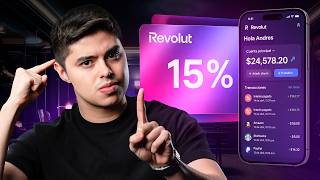
Revolut offers daily interest payments on balances. The rate is tiered: 15% on the first 25,000 MXN, 7.50% on amounts from 25,000 to 1,000,000 MXN, and 5% above 1,000,000 MXN. The creator's effective rate is 7.74%.
Revolut allows creating shared accounts with another person (partner, friend, etc.). Both parties have equal ownership and can deposit/withdraw without permission. This is useful for shared expenses.
Revolut offers physical, virtual, and disposable cards. Disposable cards are single-use and great for online purchases from untrusted sites. Each card has its own spending tracking.
Revolut has Standard (free), Premium, and Metal plans. Metal includes perks like 13 subscriptions (e.g., Duolingo, Headspace, Financial Times), airport lounge access, and higher cashback rates. The creator switched to Metal because it paid for itself with subscriptions.
Revolut allows scheduling recurring payments (daily, monthly, etc.) and making transfers via QR codes, payment links, or directly to other Revolut users without fees. International transfers are also simplified.
The group feature lets users split expenses with friends or roommates, dividing costs by percentages or equal shares. This is useful for shared bills and trips.
Revolut enables fee-free transfers between Revolut accounts globally, and international transfers to other banks with automatic currency conversion. This is a major advantage over traditional banks.
Revolut offers a compelling package of features, especially for those who travel, manage multiple currencies, or want to earn interest on their savings. While the standard plan is free and sufficient for many, the paid plans can be worth it if you use the included subscriptions and benefits. Overall, Revolut is a strong alternative to traditional banks, though its long-term interest rates may decrease.
What is the IPAB insurance coverage for Revolut accounts in Mexico?
Up to 400,000 UDIs.
00:53
How many currencies can you manage in a Revolut account?
Over 30 currencies.
07:46
What is the interest rate on the first 25,000 MXN in Revolut's daily returns account?
15% annually.
10:19
What is a disposable card and when is it useful?
A single-use virtual card that becomes invalid after one transaction, useful for online purchases from untrusted sites to avoid fraud.
19:23
How can you send money to another Revolut user without fees?
By using their Revolut Tag or account number, transfers between Revolut accounts are fee-free.
28:42
What is the main difference between a sofipo and a bank in terms of deposit insurance in Mexico?
A sofipo protects savings up to 25,000 UDIs, while a bank (via IPAB) protects up to 400,000 UDIs.
00:40
What is the 'shared account' feature in Revolut?
An account owned by two people (e.g., partner, friend) where both can deposit and withdraw money without needing permission from the other.
15:00
What is the 'Revolut Tag'?
A unique username within Revolut used to identify users for transfers and adding friends.
05:04
What are 'reps' in Revolut?
Loyalty points earned on purchases that can be redeemed for airline miles or store discounts.
20:56
What is the current valuation of Revolut and how many customers does it have?
Approximately $75 billion and over 70 million customers in more than 40 countries.
01:06
Revolut enters Mexico as a formal bank
This is a significant regulatory milestone that provides customers with higher deposit insurance (IPAB) compared to sofipos.
00:27Daily interest payments
Revolut pays interest daily, which is unusual and beneficial for compounding, with rates up to 15% on the first 25,000 MXN.
09:38Shared accounts feature
This is a rare feature in banking that allows two people to co-own an account, simplifying shared expenses.
15:00Metal plan pays for itself with subscriptions
The creator demonstrates that the cost of the Metal plan is offset by including subscriptions like Headspace and Duolingo, making it a smart financial decision.
22:01Fee-free international transfers between Revolut users
This is a major advantage over traditional banks, which often charge high fees for international transfers.
28:42[00:02] It promises many things. But is all of this true? That's why today I'm going to talk about Revolut, its features, performance, advantages, disadvantages, and in general my experience using the platform so
[00:14] you know all the good and all the bad before putting your money [music] there. And most importantly, to determine if it's really worth it. Without further ado, let's begin with the video. The first thing I want to talk about is regulation.
[00:27] that arrived in Mexico as a bank. This comes after receiving final approval from the National Banking and Securities Commission. And this is very interesting because, unlike other institutions that initially started as
[00:40] sofos, Revolute opted to enter the country as a formal bank. And what's the difference? Well, many, but one of the most important for us as customers is your insurance. A SUFIPO protects your savings up to 25,000 in case of
[00:53] bankruptcy, while a bank, thanks to IPAP insurance, protects your money up to 400,000 UDI, so your money is safer in case of bankruptcy if you want to deposit a larger amount. Although, to be completely honest, it is
[01:06] happen, because for context, Revolut is a unicorn company, that is, a company worth more than $1 billion without being listed on the stock exchange. Revolute currently has a value of around 75 billion dollars and
[01:20] has more than 70 million customers in more than 40 countries, so is at least very large and secure. However, it's always good to know the regulations and have IPAP insurance for double protection.
[01:33] Revolut's features, so instead of just telling you about them, I'm 're watching this video, one little thing I forgot to mention is that Revolut has a promotion where you receive a reward of 1 when you make
[01:46] your first purchase with your card worth 1 peso. In other words, you spend and is that by applying this promotion you also get the opportunity to attend the Year 6 gala in Spain. It's definitely something
[01:59] in the description in case you'd like to learn more about it. The first thing we're going Personally, I already have mine, but I want you to see the process so you can see So we're going to create an account from scratch, and for the rest of the video we'll
[02:13] do is go into the app store and search for the Revolut app. This is it right here, Revolute Bank. And well, I already have it downloaded, so I simply select open. Once inside the application, we will
[02:26] on the screen where we can log in if we already have an account, and if not, we can create the account directly. Then I'm going to select create account. In record the screen for our security, however, I'm going to
[02:39] leave the screenshots here so you can see them with me and see what things they our phone number, I fill it in, select continue and I will receive a verification of this number with a
[02:51] six-digit code. I fill in the six-digit code and then it asks me to put my country of residence now, which in this case is Mexico. I accept and will email address, so I quickly fill it in and select the
[03:05] continue button. It asks me to create an access key, so I do it and continue with the video. It asks me to enable Face ID. I'm putting no here. And now I have to fill in the full names of the account holder, including their
[03:17] ID. I fill in the information and click continue. It asks for my date of I select the continue button and it asks me to enter the employment status of the Employee, worker, student, unemployed, homemaker, retiree. It doesn't really matter
[03:31] that best suits your situation. It's due to Mexican regulations. Then it asks you to enter the amount of monthly deposits, more or less what month. Again, it doesn't affect anything, but it's due to regulation. Similarly, it asks you to do
[03:45] the same with monthly outgoing transactions , also due to regulation, but you are not obligated to make those transactions. Then it asks me person creating the account is a Mexican citizen. So I put
[03:58] yes. He now asks me for a photo of my voter ID card, which is the identity here in Mexico. Then, you simply have to take it and we continue with the process. He asks us to do it from the front and from the
[04:12] back. Actually, it's very simple, it's a basic verification process, but credential on hand. And now it asks us for a selfie video where we have to verify that the person whose official ID we took
[04:24] creating the account. So I'm going to hand the phone to the team and we'll be back. and it asks me for some things about the address, if we can use the address that comes on the INE as a residential address. Then you
[04:38] this case I'm going to say yes. He asks me if I am a citizen of the United States, in this case no. It also asks me if you are a tax resident only in Mexico. In this case, yes. And you confirm. The faithful one asked. In this case, I'm
[04:52] not going to fill it out right now, but you can fill it out later. And well, it everyday needs, what do you want to use Revolut for? Then add international payments, savings accounts, and disposable cards. You select
[05:04] continue and then it asks you to create a Revolut Tag, which is like a particular user of the application, which we will use later. So, continue. Then it tells you to look for friends on Revolut. I mean, in this
[05:17] asks us to fill in a beneficiary in case of death. I think it's important, I'm not going to do it right now to continue with the video, but from your Revoluto account. And well, it asks me to confirm my details here. Just
[05:31] entered is completely correct. If you look, data such as the CURP or RFC were automatically filled in, simply with the information I everything is correct and select the continue button. Now it asks us to
[05:44] enable location services to know that we are actually creating the account from the location or from where we say we are from. So, we allow the use of the the Revolute account contracts. Here are the Revolut account terms and
[05:57] conditions. And the authorization for credit bureau. Well, this is mostly want, just click accept and sign. And the first thing that appears is selecting a plan. It appears as a premium plan, a metal plan. [music]
[06:10] But very importantly, you don't need to have a plan to use the the Revolute app looks like inside. Even here you can select you can upgrade to the [music] plan you want. I have one of the plans, I
[06:24] why later, but it's not necessary, you just select " inside the application. Now it asks us to choose a card, it can be your home, or virtual. In this case I'm going to choose virtual so I can move
[06:39] you can have both and they are not mutually exclusive, that is, you can have several virtual ones and one physical one. They talk a little bit about credit cards here, so we'll put "no" here. And well, I already have my account pre-loaded, so it's
[06:51] tutorial of the application, but well, we'll do the rest of the video for that rest of the video on my phone with my own account, but I wanted you to see how to create a Revolut account from scratch and how easy it is, and above
[07:05] let's move on to my account. And well, we're now in the Revolute app. Now it's on my personal cell phone and my personal account. This is the balance I have , you can see it on the screen. This is in Mexican pesos, but pay
[07:18] important things you need to know about the account. This is the Sando that I have immediately. In other words, if I take my card, whether physically or otherwise, and go to a store, make a purchase, and my balance will be deducted from there, right? For
[07:32] example, a few hours ago I went to Costco and that's what I spent, and that's money came from. However, this is only in Mexican pesos. If I go to the left side, you can see my balance, but now in US dollars.
[07:46] allows you to manage up to 30 So, if you're interested in handling US dollars, Colombian pesos, dirhams, and even more, you can do it here at Revolut. In fact, something you might notice
[08:00] bottom, I just exchanged 314 Mexican pesos for transaction details and I can do it again, I can go in here, I'll put in Mexican pesos, I'm going to put, for example, 1,000 pesos, which again will be
[08:15] taken from the balance tab and it tells me exactly what it would take in exchange rate it's using for the conversion. Then I click on check order and here I do the currency conversion and that's it. It's that simple.
[08:29] practically in seconds, but it's not the only currency you can handle. I can come back here, move again, and here I can make any other currency. Australian dollar, the Canadian dollar, the Chilean peso, the Colombian peso, and
[08:42] well, more than 30 different currencies. And this is very interesting if you want to abroad regularly; this tool is quite useful, and we sometimes like to handle dollars, perhaps as an investment or even
[08:57] because we make payments in dollars to other people around the world. So, it's conversion quite simple, without going through a very tedious process as it usually is, having it on your cell phone literally by swiping your hand and being able to convert it
[09:11] really. It's a feature I really like . This is the part about multi-currency systems that I find quite interesting. Now, if we go to the right side, we return to the personal balance, but we also return to the
[09:24] is simply the sum of Mexican pesos and US dollars. obviously the sum would also be higher. And if we continue to the right, we can see the daily returns. Watch out, this is very interesting. I
[09:38] see on the screen, which is slightly higher. But the important part here is that I don't have this money directly available here. It's a sort of separate account where I keep this money and it's generating interest
[09:53] paid that interest daily. Here, if you look, it says that I'm being paid 7.74% annually. And you're probably wondering why 7%. Yes, maybe you saw an advertisement that said it had up to 15%
[10:07] yield. And this is for a reason that I will explain to you next. If we go to the information section, here's a little more about how Revolut's interest rates work. First of all, it tells you that
[10:19] on the first 25,000 you get paid 15% annually. After 25,000 to 1,000, you get paid 7.50% annually. And if you already have more than 1 million pesos in Revolute, they pay you 5% annually. So, since I'm
[10:32] in the middle range, my interest rate is 7.74% per little more information if you're interested in seeing how the calculation is done. Well, it's quite interesting. The reason I don't have 7.50%
[10:45] annually is because the rate is being taken from the 25,000 pesos at 15%, because that is still capitalized at 15% and obviously the remainder or the remaining amount is already being taken at 7.50%, and that's why you see that weighted interest. But anyway
[10:58] less know exactly how much they pay you, because normally the highest rates and while they do pay 15%, which is a great rate, those are the sums. And here I want to make a brief comment about this issue of
[11:12] rates. There was a time when we were all switching banks just because they paid a higher percentage at another bank, and we switched all our money because it paid 1% more. And while that was very helpful at the time, the reality is that
[11:25] We're currently in a cycle of falling interest rates, so it's going to be less and less common to see double-digit rates; 10% and above is already starting to be rare and are promotional rates, so it's likely that these 15% rates won't last
[11:38] forever, not only at Revolut, but at any institution. So, my the best option for your money. In other words, if your bank isn't currently paying you anything for keeping your money there, switch banks. Furthermore, pause this video
[11:51] bank you want, as long as they're paying you something. For example, Revoluta is already paying you here. I had bank accounts that weren't paying me anything, and that can't be growing, at least a little. So, it's very important that we're
[12:04] become too obsessive about it at this stage, since it's already coming down a little, right? If we want to earn more money, that's what equities are for. personal comment worth mentioning. Now, I just showed you
[12:18] which is the daily returns account , where you can see, for For example, I pay myself this interest daily, it pays me. And obviously you can see the interest he's been paying me, which has been
[12:32] 163 euros. I earned a little bit of money here, so it's less, but you can see that they pay me daily. But getting back to the main point, we can see that, well, we have [music] the balance in all currencies, the balance in
[12:45] US dollars. However, I need to talk about the buttons that come down here from the balances. The first one is very simple, it's adding money. Here you will be your bank details so that other people can deposit money into your account or you can
[12:59] deposit money into your own account from other financial institutions. This is local, but something very interesting is also international. There is also data for international transfers, which I find incredible because
[13:12] international transfers are always a headache when you have to pay or receive 's usually a mess, but Revolut makes it much easier. This is personally like. That's why I was saying that I think there are many
[13:26] great features, but it will depend on whether you actually take advantage of them or not. Now you also have the transfer feature; this button exists so you can move money between different accounts. For example, here it even gives me the
[13:38] US dollars. I can convert to other currencies, but you also daily returns, which is like having it in this section to generate returns. For example, I send these 1,000 pesos and instead of being here, for
[13:52] 1,000 pesos and instead of being here, for example, I updated to 56,000 and it's do with the move button. But if I take the money from daily returns, put -1000 and send it to my Mexican peso account, well, I
[14:06] practically release it available to spend with the card, which is what we're data button, which is very similar to the add money button, and then you have the exchange rate transactions. If you want to manage different currencies,
[14:21] any month. I think it's really cool that everything is so simple. The converter, which is obviously the same as currency converters here, but is used to more or well, you also have this part about themes which is basically for
[14:35] customizing your platform a little bit. For example, I can choose any mode, light, dark, in this case I like dark, or also a theme, that is, a color or something that I would like. For example, there are these themes,
[14:47] and this is merely for aesthetics, but hey, it's important if you like to Now, something else that's extremely interesting is that if I go to the which I'll talk about later, but I also have something called a
[15:00] shared account. What is a shared account? It's an account where you can have two people, it can be your partner, your friend, your child, your business partner, whoever you want, and both of you can own the account. That is, I
[15:13] can deposit 500 pesos into that account and the other person can withdraw 500 pesos from that account, and it's practically theirs, meaning they share ownership of interesting because it also has the entire
[15:27] a shared account, you will see something like what you are seeing on the screen. told you, that it's good for all kinds of duos, whether couples, parents, partners, whatever. All expenses and budgets are done there.
[15:39] You can generate virtually the same returns as in an account. cards, but everything is connected to that account without affecting your , you can have in this account and it will look like another profile, practically,
[15:52] as you are seeing here, you will practically have your daily returns account , your personal balance account, all your accounts and separately your to both of you, and you can make all kinds of transactions there; you can even
[16:05] deducts from there. So it's very interesting and it's a feature that I find quite valuable. So, well, let's go to Abardita. The first thing is the exclusive account and the cards. You select continue and then
[16:19] you accept the terms, the first thing you'll see is this tab to add your contacts, and you'll be able to see which of your contacts already have a Revolut account. An important aspect of shared accounts is that each person must
[16:31] before having a shared account. In other words, if you want to have a has to have their own Revolut account, you have to have your own Revolut account, and your shared account, right? So, that's a very important part of it.
[16:46] you want to create your shared account with already has their own account, you simply add their way to find it is with your repag, which is practically the Revolute username. Now, the interesting thing is that once the shared account is created, you'll
[17:00] see something like what you're seeing on the screen. If you look, I have my normal performance interface, my personal account and everything, but I also have the to do here is very simple. The other person and you'll see, you'll be able to see
[17:13] the movements on screen. I can add money from there. So, I can add as much money as I want to the shared account. For example, let's put in 1000 pesos and these 1000 pesos
[17:25] main account, that is, from this particular account. If you look, it's been updated. And now they are reflected in the shared account. The interesting thing here shared account can withdraw the money whenever they want and doesn't have to
[17:40] ask me. In fact, for example, she's going to withdraw it right now, and this account will show up as zero for me, and she can transfer it to her personal account. For example, here in the move section, I can put the money in,
[17:52] but if you look, I refresh and I no longer have the money in my shared account shows the person from the shared account withdrew 1,000 pesos, right? So, that money belongs to that person in their interface and whatever, and they
[18:05] the interesting part is that you can get, as I was saying, a physical, virtual or disposable card. And well, you can also, for example, schedule transfers, and let's suppose this is a couple's account
[18:17] for renting an apartment, well, you can schedule subscriptions here if you're roommates, if it's your partner, if it's your business partner, or even a streaming platform or something, you can put it here too. So, it's practically like
[18:29] having a shared bank account with another person, but without affecting your process because it's very related to something I did a while ago, a video about how everyone should have their own account, for example, a personal account
[18:43] relationships. There would be two personal accounts, one for person one, one for person two, a shared account that is like this one for all general household expenses, and then a savings or goals account. So,
[18:55] this feature is very interesting. I'd never seen it in a bank before, and I wanted to in case you decide to take advantage of it. Now I want to return to the main menu. also thought was very important to show, which is this part about the
[19:09] cards. If you look, it shows me that I have four cards, this is because when I started with Revolute, I didn't start with the then I switched to the metal plan for some benefits that I'll tell you about
[19:23] original card, you have the disposable card, which disposable cards are practically single-use, that is, they are practically for when have never bought from before and you don't want to enter your data so that you can get into some
[19:36] trouble, well, you basically put it in and it is a card that after that use no longer works. It's quite useful for me when I buy something on a free trial of an app that I don't want to be charged for without knowing, or maybe,
[19:49] store that looks a little strange, because I don't want to get hacked, so I you have the Blue card, which is a 100% digital card and you can subscriptions or whatever you want in general. You can also make
[20:03] regular purchases. What I find really cool is that each card has its own spent on one, how much was spent on another. And it's like having a record of have the original account and I also have the Gold account. [music] This is the
[20:17] I have both physical ones and if you look, each one has its own different expenses, even though I centralized in the main application. Now, regarding the benefits, Revolute has the standard plan, or the original one, it has the [music] premium plan
[20:31] and it has the metal plan. You'll learn a little more about the details as you see them on screen because there are many specifications, but they do have benefits worth showing you. But before I go there, the first thing I
[20:43] n't cost anything; it's the initial one you use to create your account and it's completely free. Premium and metal have benefits, but they also of your plan, one very important thing to know is that everyone gives you
[20:56] repaints. What is a rep? Basically, they're points you accumulate when you make purchases, any kind of purchases. How many points have you accumulated? Yes, you have and whether you have a debit or credit card. I'm going to show you
[21:09] how many points you get, but the important thing to understand is that have, they all accumulate points, and you can exchange those points for miles on your favorite Mexican airlines and also at some stores we use quite often
[21:22] because it's a feature you only have available by having Revolute, and something I wanted you to see about the cards, for example, that here they important thing about the cards is that you can take out a lot of cards, there isn't
[21:36] you can take out. So, that's very interesting. You can get physical, credit card. That's why they asked for your credit report, if you had one. And if not, even if you said no, you can open it later so they can investigate it
[21:49] credit card. But I want to show you the benefits of membership. For example, I go here to my profile and I have the metal membership. What you see here at the beginning are my reps, there are 1797.
[22:01] debit card gives me 2 points for every 100 spent and my spent. The main reason I switched is because of metal plan. In my case, the plan includes 13 subscriptions. Obviously I don't use them
[22:15] all, but for example there's Dolingo, there 's Lovable, there's Headspace for Cycle, WeworK you have access and Masterclass you have limited access. The you actually use one of these or want to use one, using just one
[22:29] practically makes up for the cost. Besides, when I registered, the Masterclass option wasn't there, which leads me to believe they are constantly innovating and So, to be honest, I think it's really good. In particular, these benefits are useful to me,
[22:41] mainly why I switched. Now it also includes other benefits, for example, this hassle-free travel thing, like access to lounges, for example, here at the Mastercard Elite Launch in Mexico City, that's free access. And for
[22:54] thought was free, but it's not . Access to airport VIP lounges also has other benefits like 2- restaurant deals, and insurance, which is very important when traveling. But
[23:07] decide was really the subscriptions. For example, I was already paying for Headspace, so I unsubscribed, paid for Revolute, the metal plan, and started using Headspace. I was n't paying for Duolingo, and I was
[23:19] already paying for Financial Times. So I made a few changes, and it truth is there are quite a few, and that's an extra bonus I wanted to switched, and here I can use these benefits, and with just two or three of them I
[23:33] worth for the membership. Now, we have practically seen everything or almost everything from are also very interesting that I don't want to miss, which is that, well, you can also get what you earned or spent this month. For example, in
[23:48] my case, this month I deposited 2,600 pesos and spent 121,000 pesos. Well, the that has a personal finance function. Personally, I do bank accounts through my company and the businesses I own. So, it's very
[24:03] But if you only have one income currently, it can be useful earning this month, and it's helpful. I mean, in my case, these are metrics that obviously didn't earn 2000 pesos in the month, and the expenses are real, but that's because I've had
[24:17] wanted to show it to you because it's also very worthwhile. Now let's move on to the next big button, which is the transfer button. I mean, it might seem like a banking function, but it's actually quite useful in Revolute. For
[24:31] example, in the "More" section—well, first I'll go to the calendar section because what I noticed here is that you can schedule payments. That means this payment every 15 days, or this transfer, or a subscription, or whatever
[24:44] I think that's pretty great because you can choose a contact if you have a transfer, whether it's to your partner, your child, or even a friend, or even for a service you have—you can schedule it and set
[24:57] how often, what date, and whether you want it to repeat: never, daily, monthly, or even annually. So this is really interesting have to remember payments anymore, like, "Hey, I forgot I made that payment," or that I
[25:10] Well, you do it here, right? Everything you have when you have monthly retainers is quite useful . In my case, something else that's very important is going back to the "more" when you want to make a transfer. Okay, let's go step by step. The first thing is to
[25:26] log into your Revolute account. Here in this "R" you can see your RepTAC, your phone number, and your QR code. The QR code is very interesting because you can can bring their phone and simply scan it and pay. If they
[25:40] have a QR code here, they can pay and receive here. I mean, I can put my QR code, you can even add it to your wallet, and another person can scan that QR code and make the payment of the remaining amount. So if they say, "Hey, I'll
[25:52] pay you later or I'll deposit it when I get home," it's not like that at all; you can literally have it with a accessible too, another feature I haven't seen in any bank. So, Personally, I find it very useful. Then you have the banking aspect. When you want to
[26:05] can do that, but something that's really interesting, or at least it happens to me traditional, is that when you want to pay an account you haven't registered, above a certain amount it asks you to wait 30 minutes, right? And maybe it's
[26:19] people, but personally, when I'm making payments, same time. If it's a payment to a new supplier or for a new service I've signed up for, then I have to wait for time to pass and I forget about it, or I have to keep an eye on it,
[26:33] let me rest. So, here it doesn't ask you to wait at all , which I find practical. And again, these are small details that I user experience, or at least I've really liked this at the end of the day,
[26:47] mean, the same thing, right? To register an account, your password, first name, last name, the is the group feature, which is this button. For example, let's suppose you apartment and sometimes you struggle to buy groceries or
[27:02] agree on who pays for what. So, instead of one person paying for directly divide the expenses with these expense groups. Here, for right?" So, I create this group and let's say that here I can, for
[27:14] join or even copy the link and send it to someone else or add phone number or the data they have registered in Revolut. And here I can practically say, hey, you know what? For the house I spent this amount that
[27:27] I bought at Costco and I can divide it into percentages. I mean, I'm the only that I and the other person pay 50 and 50, right? Either 25 and 75, whatever, or I can split the payment, right? And so
[27:39] interesting for group expenses, for projects or things you're doing with people, living alone, going on vacation, this kind of thing, enriching the user experience. And again, there are many features
[27:52] that maybe not everyone will use, but believe me, those who do well, you also have your link, you can have a payment link, that also seems super important to me for sending or withdrawing money or requesting money. He says, "Hey, you
[28:05] know what? I need you to send me, uh, so much, and I need you to send me, I don't know, 10,000 pesos, and with this link the person can pay you the 10,000 pesos and they go into your account and vice versa." Actually, very interesting. You also have the
[28:17] services section where you can pay for any outstanding services or services you the different suppliers. And finally, the international transfers part , right? We've already seen the national ones , they're very simple, it's a SP,
[28:29] right? But I find international accounts deposit money in different countries. And here's a very key feature of Revolut: if you have someone you want to send money to who's in the
[28:42] want to send to someone in the United States who was going there, or vice versa, if send you money, you can send money between Revolut accounts without fees. Simply with your RepTAC or your account number you can send
[28:54] the money and it's practically like a transfer within the same network and it You can also make international transfers. There's a fee there, international transfer to other banks, and you can send it in
[29:08] For example, if you are going to send money to a US bank that receives dollars, the conversion will be done automatically and it will arrive there in dollars. So, I find it very interesting because most of the time these functions are
[29:21] n't offered by traditional banks, and generally, well, personally, investment accounts, specifically in other parts of the world, for example, in investment account there, I practically have to go to the bank and go through
[29:34] takes me two or three hours, and honestly, it's incredibly tiring. Being able to do it so easily from my cell phone is a benefit today, but I feel it should because now we users can have these standards of
[29:48] . So, the truth is, it seems to me like a function that is normally functions, as you will see, and I think it allows you to achieve many things just by transferring. Finally, we also have this reps section, which is
[30:03] accumulated. For example, here in my current plan, these are the repaints I have put together, 1797 and here comes my equivalent. I get two points for every 100 euros spent, right? And here I can see, for example, the transactions I've
[30:15] made, and how many points each one has generated for me, right? redeem these points for miles with your favorite airlines or even at stores you frequent . So, it's a tab that's in Revolute's three main menus for a reason, and it's definitely worth keeping an eye on
[30:28] tab that's in Revolute's three main menus for a reason, and it's definitely worth keeping an eye on main menu and talk about something that I do n't have, but that I think I'll keep releasing. I can make a video about that later, which is the
[30:41] attention because I'm going to explain something key about Revolut. As I was saying, Revolut has the standard plan, the premium plan, and the metal plan. Each plan, for but each plan unlocks debit cards, the benefits of
[30:54] depending on the plan you have, and gives you access to the corresponding credit card have the metal plan, I can access the metal credit card if I'm example, have the standard plan, you can access the standard credit card,
[31:08] you can access the premium credit card . Each one has its benefits. For example, in metal, it's like the top of the category. If you look, I already get seven Revolut points for every 100 I spend with your credit card.
[31:20] So, the benefit increases considerably, and well, you can see the looks interesting. It would have to be another video to test the interface and all the benefits of the application. But since I already have the
[31:33] continue with the metal plan and can give me this card. And although the metal one could obviously be the standard card is not far behind; it also has the benefits of a Platinum B card.
[31:47] Then it's good. Uh, I mean, I need to test the cards a little more credit card here. However, I think that because of the product's interface and will give it a try, and I'll make a video about it later. But the truth is, I really
[32:01] practically the main functions of Revolute. If I missed something else, please leave it in the comments and we'll definitely make a video about it. But now let's get to the most important thing, which is my opinion and whether I
[32:14] really think it's worth it. Personally, I think Revolut offers I like most [music] is the experience. I feel like they're doing a lot of things a little bit better at the same time, and that gives the impression of a huge change,
[32:27] but it's just like everything is a little bit better, and that generally improves the because I get a lot of benefit from the various tools and international transfers, the interest-bearing account, and the
[32:40] digital and disposable cards. And repaints are also an added benefit because the expenses you were already going to incur are rewarded for doing them. Then it also the plans, for example, which include the standard, premium, or metal plans, I think you
[32:54] a very good experience simply with the standard plan. I decided to switch to the metal plan because I was using more than three subscriptions, so it was convenient for me. But even if you're not going to take advantage of that, maybe it's
[33:06] get many benefits. Also, if you want to accumulate more more you accumulate and perhaps the more you benefit from it . However, I don't think it's good experience. Now, in my personal opinion, I think
[33:21] because it can be a very interesting ecosystem for growth as a customer, and I think the project's vision is more about listening to the customer and not just making a lot of money, because I think traditional banks have perhaps become
[33:34] seem not to be very transparent. And I like this proposal, which at least feels a little more suited to the user that I am. But tell me what you good product or do you think it falls short? I'll read your comments,
[33:47] financial products you'd like me to I think you might like us to continue doing on the channel. Then, I'd be delighted to see your opinions. That's all, it's a pleasure to serve you and we'll see you in another
[33:59] it's a pleasure to serve you and we'll see you in another video. See you later. Co.




⚡ Saved you 0h 34m reading this? Transcribe any YouTube video for free — no signup needed.