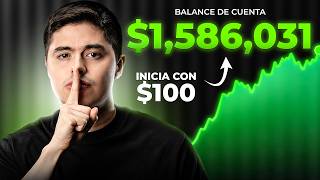

Invest from Anywhere: Step-by-Step Guide
45sImmediately hooks viewers with a clear, actionable promise of learning how to invest from anywhere, appealing to a global audience.
▶ Play Clip"Delivers a thorough, step-by-step guide as promised, with practical details and real examples, though some sections are lengthy."
This video is a comprehensive, step-by-step tutorial on how to start investing in the stock market using Interactive Brokers, a global brokerage platform. The creator, Andrés Garza, walks viewers through the entire process from account opening and verification to depositing funds, buying and selling stocks, and withdrawing money. The tutorial emphasizes the platform's recent improvements, such as instant deposits via SPEI in Mexico, and provides practical tips on security, regulation, and avoiding common pitfalls.
Interactive Brokers is a global brokerage that connects investors directly to stock exchanges, offering access to US stocks and over 170 markets worldwide. It is regulated by the SEC and FINRA, providing investor protection up to $500,000.
To ensure a broker is legitimate, use FINRA's BrokerCheck tool. Search for the broker's name to confirm it is registered with the SEC and FINRA. Also, check SIPC membership for additional protection.
Always access the broker's website via the official link provided in the video description, not through Google search, to avoid phishing sites that impersonate the platform.
The account opening process involves providing personal information, choosing account type (individual, joint, etc.), setting up two-factor authentication, and selecting the base currency (recommended USD).
Two-factor authentication is strongly recommended for account security. The platform will also require identity verification using official ID and proof of address.
For beginners, a cash account is recommended over a margin account. Margin allows borrowing but adds complexity and risk.
For beginners, it's best to start with stocks only, avoiding complex instruments like options and futures until more experience is gained.
Deposits are now instant in many countries, e.g., via SPEI in Mexico. The process involves linking a bank account and following specific instructions for the transfer, including a reference number.
Account approval can take around 14 hours, as seen in the example. Once approved, the account is ready for trading with the deposited funds.
The platform dashboard shows wallet balance, positions, and portfolio news. It automatically converts currencies to the base currency (USD) for display.
To buy a stock, search for the ticker, choose the number of shares (including fractional shares), and select order type: market (buy at current price) or limit (set a maximum price).
Interactive Brokers provides direct access to US markets, offering better liquidity than local systems like the SIC in Mexico, which can be slower for less popular stocks.
ETFs like SPY (S&P 500) can also be purchased. The process is similar to buying stocks, and fractional shares are available.
To sell, go to your position, select 'sell', and choose the quantity. Use 'close' to sell the entire position. The order executes at market or limit price.
Withdrawals can be made to a linked bank account. The process involves selecting the currency, entering bank details, and confirming. There are two free withdrawals per month; additional ones cost a fee.
When you sell a stock, the funds are not available for withdrawal until the next business day (T+1). This is a standard rule for US-regulated brokers. If you withdraw immediately after selling, it may take two days total.
Interactive Brokers is a reliable, globally accessible platform for beginner investors, offering low fees, fractional shares, and fast deposits. The tutorial provides a complete walkthrough from account setup to trading and withdrawals, emphasizing security and practical tips for a smooth experience.
What regulatory bodies oversee Interactive Brokers?
SEC and FINRA
01:24
What is the maximum investor protection amount provided by SIPC?
$500,000
01:37
What is the recommended account type for beginners?
Cash account
09:47
What is the T+1 rule?
When you sell a stock, the funds are available for withdrawal the next business day.
41:32
What is the difference between a market order and a limit order?
A market order buys at the current price; a limit order sets a maximum price you are willing to pay.
22:59
How can you verify a broker's regulation?
Use FINRA BrokerCheck and check SIPC membership.
02:03
What is the minimum amount to buy a fractional share?
You can buy as little as 0.01 shares, equivalent to a few dollars.
22:19
How many free withdrawals are allowed per month?
Two free withdrawals per month; the third costs a fee.
39:19
What is the recommended base currency for the account?
USD
07:30
Why is it important to use the official link to access Interactive Brokers?
To avoid phishing sites that impersonate the platform.
03:35
Regulation and Security
Emphasizes the importance of choosing a regulated broker for safety.
01:24Avoiding Phishing Scams
Highlights a common risk and provides a practical solution.
03:35Instant Deposits via SPEI
Shows a major improvement in deposit speed, making investing more accessible.
14:21Fractional Shares
Allows beginners to invest with small amounts, lowering the barrier to entry.
22:19T+1 Settlement Rule
Explains a key rule that affects withdrawal timing, helping users plan.
41:06[00:01] investing in the stock market for a while, but you're in Europe, Latin America, the United States, or anywhere else in the world, this video is for you. Today I'm going to teach you step-by-step how to make your first investment on
[00:14] platform for investing from anywhere in the world. Interactive Brokers. We'll go from how to open your account from scratch, make your first deposit, buy your first share, sell it, and withdraw your money whenever you want. I had
[00:29] years ago, but I decided to record it again because the platform changed quite a bit. And among the most important changes are the deposits and withdrawals that were greatly expedited for all countries. For example, if you are
[00:42] Interactive Brokers account via Space [music] and the money arrives instantly. This is a big plus because we no longer have to make are usually expensive [music] and very slow. And just for these kinds of changes, it's
[00:56] worth making the video again. But before we begin, let's intermediary that connects you directly to the stock exchange. the largest brokers in the world. You can use it from virtually
[01:09] any country and it gives you access to the US stock market and more than 170 the most important thing about these platforms for me is security and regulation, because we're going to put our money here and it has to be safe. In the case of
[01:24] Interactive Brokers, the platform is regulated by the ECC, which is the Securities and Exchange Commission, and FINRA, two of the most rigorous authorities in the means your money and investments are protected up to
[01:37] $500,000 in case the broker goes bankrupt. Although being super honest it's very unlikely to happen in a company as big as this, well, it's [music] And something I recommend you do with any platform, and I've always
[01:49] done it, is to check out where you're going to put your money solely on someone else's word. I'm going to show you how to check that the broker is regulated and that it is indeed safe. So let's get to it. This process of checking
[02:03] if a platform is regulated by the most rigorous institutions is very simple. We're going to go to Google and type "broker check". And this is a page directly from FINRA. He comes as such an individual and firm.
[02:17] We have to go and sign, and it's very simple. We simply searched for the name. For example, here I'm going to search for Interactive Brokers and here we can see Interactive Brokers LC comes along and it shows that it is regulated by the
[02:30] SEC and, well, by FINRA, right?, which are the institutions I'm telling you about. It's simply so you can check that it's actually regulated and all the information about it is included. If a platform is not listed here, it doesn't
[02:43] simply means it's not regulated by the Securities and Exchange Commission or FINRAP. So, I like that the platforms where I put my money have this regulation, because to be honest, it's one of the
[02:55] the market. So, this is just a quick check to show you how it's review what I told you about SIPC. We also searched for SIPC on Google and this page came up here too. There's a little
[03:09] button that says "list of members" and it shows practically the entire list. actually registered with SIPC, FinRay, and the SCC, and this way you know your money is protected and regulated by practically
[03:23] the biggest jurisdictions. Once this has been reviewed, we can proceed to create the account. Now, something very important that I ask you to please enter the Interactive Brokers platform correctly,
[03:35] you must enter via the link that I will leave in the description of this video. Why this link and not just search for it on Google? Because it's really happened to me with this and other platforms that sometimes when you search for the platform's name,
[03:47] advertisement, but a misleading advertisement. It's not the right platform; it's another platform pretending to be the right one to get you to register your data very careful not only with this one, but with any other platform. Make sure you
[04:01] this time, if you don't want to take any risks, I'm going to leave the link in the simply click it and be on the platform with me. The first thing is platform itself. You'll see that it offers access to markets all over the world. It's
[04:14] favorite platforms, and for investing from anywhere in the world, it's my favorite because it's one of the safest to begin with, one of the oldest, and also highly awarded. And honestly, I couldn't say
[04:29] love it. It did have one negative aspect before , which is why I'm remaking the video: although it's very good and has access to many markets, the previous video, many people told me
[04:41] for me it was difficult to deposit, but now the truth is that deposits are instantaneous. [music] So, that's why it's worth remaking the video, because now it really is very easy to start investing here. So
[04:55] the account. If you already have your account, you can skip the video to this minute, which is where we start using the platform. But if not, join me in doubts and don't know what to put in each section. So, let's go
[05:09] straight to opening an account and starting an application. It asks for your email, your username (you can choose any name you want), a password, confirm that password, and a country. If you look, here are all the
[05:21] available countries. There are quite a few. The reality is that it's very safe to invest wherever you are. So, I really like this platform for that very reason, because it has access from almost anywhere in the
[05:34] world. Okay, let's fill in the rest of the data. It says here that we will confirm it, but we can confirm it at the end of the content. In my case, I already went into my email and confirmed it, and the message that was there at the
[05:47] select the account type, right? So, well, we're retirement account, but that's only for residents of the United States, so if you're in the United States, take a look at that because it's quite useful for tax purposes.
[06:01] And joint means it would be for two people together, but the truth is, if you're watching yourself, then it would be individual. There are many other types of accounts such as Trust the Advisor, that is, if you are a professional financial advisor and want to manage
[06:14] your client's investments, you can even have business accounts and, well, administrative accounts such as hedge and insurance, but the reality is that in this individual accounts. Let's go down a little further and it asks for the language. I'm going to
[06:27] choose Spanish, but you can choose between English or Spanish. We select "start application" and we will begin filling in our identity. So they ask us for very basic things like our name and some personal information, so I
[06:39] official ID and some other information that the platform may be asking for. It something very simple, [music] and it will ask for your address. I also recommend official ID from your country so that it matches when we send the
[06:52] documents. It should be noted that you must be of legal age to fill in your information, just click continue. Then it asks for your simply fill it out and press next. Here are the options.
[07:05] This is super important for security reasons. Each time you log into your account, you can activate two-step authentication and you'll practically be able to recommend that you fill it out because that way you'll be very secure in. It will ask you to
[07:18] verify and will send you a code simply for you to accept so they know it's then it asks you to fill in a type of currency in which your entire account will be placed. You can put dollars, I recommend putting dollars, in fact I
[07:30] matter. In other words, what I'm saying is that you can deposit into your Mexican account in Mexican pesos and it will arrive on the Interactive Brokers platform in Mexican pesos or Colombian pesos, however you want, it doesn't matter , you'll be able to make the
[07:44] conversion there. So I put it in dollars because practically all the shares we buy are in dollars, and I convert it from Mexican pesos to sell, I simply sell and put it back
[07:56] deposit it into my bank in Mexico, or I keep it in dollars if I take it to an next and here I'm going to ask you for a little more information. This is because, by regulation, whether you are employed, retired,
[08:08] etc., you fill in your information and simply click continue. He's going to employer. In this case, I put self-employed, because you basically fill in want to fill in, or if you are working, what company you are working for. Don't
[08:21] worry, this is not practically definitive of anything, they simply brokerage firms require it. Then it asks you some regulatory questions, it tells you if you or someone associated with the account owns
[08:35] 10% of a public company, like Apple just fill it out. It asks you where you're going to get the money from, so you just put income from work or anything, right? Inherited. Or maybe
[08:50] your husband or your spouse or your wife gives you income. You can practically fill all this kind of thing needs to know is where he's going to get the money. Then they ask you to fill in your asks you, "How much do you think your annual income is ?" Look, this also happens without
[09:04] simply an estimate and it's due to regulation. Try to fill it as end of the day, your network asks you, "How much money do you think you have in investment property, any vehicle, how do you add it up, what is your
[09:18] net worth? Again , it doesn't have to be 100% exact, it's just to have it. And finally, it asks for your liquid network, that is, how much tomorrow, right? Liquid money. So, you just put it in and click next.
[09:32] want to open. You have between margin and cash. The truth is, I similar, that is, just because you use margin doesn't mean you have to use portfolio. There are certain benefits to having margin, but honestly, for
[09:47] beginners I recommend cash. Later on, if you progress, you can switch to margin. So we chose cash at this time. Then it asks you for case I'm going to name it growth. The reality is that whichever one you choose will work. I'm
[10:00] regulation. Now it asks you which products you want to have access to. For example, stocks, which are practically shares, options, prediction markets and more futures products are coming, mutual funds, bonds. Look, I personally
[10:14] recommend that you keep it simple. I don't think options and prediction markets start with. I'm happy with just stocks because it's a beginner account, these if you want. So I select stocks and click continue. And
[10:29] experience you have to handle the type of asset you requested. For example, if I had asked for more, it would have also asked for my experience with each of the assets, mainly to know what type of profile is trading,
[10:41] of experience, that he does a certain amount of trading per year and that he has good asset type. I'll click next. This is a special program. In this case, I'm going to put no, but you can put yes. I'll give you more information here. I don't want to go into
[10:55] important to us, but let's say no. And here it asks you for simply choose some security questions, fill it out and asks me how I found out about Interactive Brokers. I mean, in this case, I'm going
[11:09] to tell the truth in this video, since you 're watching it, so I'm going to put it on social media and I'm going to put my name. You can put whatever you want, I repeat, it In this case I put social media Andrés Garza. We continue and now it asks for your
[11:23] tax information, right? Your marital status, your number of dependents, your residence, and your tax identification number. It varies depending on the country. Here your country you'll have your own. So, we just need to fill in this
[11:36] now he's asking me for my identification details. That's why I recommended your official identification document. This could be your passport or your that it makes sense and is easier for Interactive Brokers to verify the information.
[11:50] So, I simply choose the type of verification. In this case I put National ID. Look, it even tells me that then I'll fill that one out and click next. Then it tells me review your
[12:03] confirm that all my information is correct. We click next. is in order. Now he's asking us to check our tax domicile. Below you will find the benefits qualification. There are some countries that have a treaty with the
[12:16] this case, Mexico does have it. So, I'm in Mexico, I put Mexico, and, confirms you're the one filling all this out, etc., etc., right? You click confirm and simply sign with your name. We have some
[12:31] final contracts to accept, terms and conditions. Sign again. our request will now be sent . We selected it and it appears here that it needs more information to create our account. This is very
[12:45] United States, this would probably have been enough, but it's completely continue application button and they ask us for two things to finish. The first one is verify identity and address, and you simply put in verify identity and it
[12:59] In this case, I had entered the CUR, but now it's asking for a passport or National Identity Card, right? Then it asks me for my INE number and asks if it has an expiration date, which it does. Then I'll just fill it up. In
[13:13] exact date, it only has a year, and I'm going to put the first day of January of that year so that it's as close to reality as possible. So, I click continue and it asks me, for example, how to verify
[13:25] tells you stream verification, which is basically if you're there with a selfie, with a GPS, you can do it, or you can do a manual verification, the documents. So, in my case I'm going to do this. I already uploaded it and it asks me
[13:39] two things. It has the front and back of your ID, also serves as proof of address. It does actually serve as you can simply upload a utility bill ( electricity, water, or some other service)
[13:53] should work. In this case, I click upload and the document has already been received. It appears they are reviewing it in real time. We'll see if it works. And So, I just click continue here and that's it. I'm closing this, and if you look,
[14:09] my account should already be approved. And that's it . If you look, I already have proof of address, proof of photograph, and all that remains is to fund my account. I put your account in fond. And here on this page
[14:21] deposit in. I repeat, it doesn't matter what currency you deposit in, you can I put in, for example, Mexican pesos and here's the magic or the reason why I said I was making this video. Deposit methods have changed in
[14:35] all countries; they are more accessible. In Mexico we have Vspay, so payment can be made practically in seconds. I've received payments that are in seconds, but for larger amounts it usually takes a few minutes, but
[14:48] practically the most it can take is one business day or less. We So, you could do it here, and you just need to register your account. So, here I am on the tab to deposit. Tell me which
[15:01] institution is required first, right? So, I put BBVA, which is the bank where it will be, and the account number. Pay attention, this is very important, not the password, not the card, the account number. So, the amount we want to deposit at
[15:14] this moment, I'm just going to put in 1000 Mexican pesos. I select next and pay attention, this is extremely important here, please pay close attention. This is the information needed to ensure the payment is made correctly. As with Spay, the
[15:27] deposit it into another Interactive Brokers account in Mexico, and they will link your account to be able to credit you with the funds. So, you have to put all this information that's happening to you here in the
[15:40] reference. Each time you make a transfer, you can add a reference and you have to enter this number, which will be the one that is being filled. It says "important" here in red. Then you copy it.
[15:54] You can also use the concept as a reference, and in the concept you will put your username and your name. And well, the funds, the beneficiary. Here comes the key account, tells you who the money is being transferred to. The beneficiary will appear, which in this
[16:06] case is this Schabank account, and the amount. It's basically so that all the information matches up and you can get your money credited in seconds. Now , let's make the transfer from the BVA Bank account to these
[16:18] screen. Note, these will be blurred because they are personal data. You're going to see your own data. The important thing is that the data adds up, transfers, I'm going to go to new, I put in the key account that they point out there and I just
[16:33] check that the bank balances. In this case, Scoti Bank and Scoutia Bank. As long as that works out, I'm fine. Destination name, amount. In this case I'm going to put 1,000 pesos. If you look closely, there is a reference in the
[16:45] concept. I'm putting the reference in exactly as it appears on the platform. I'm putting the Here it comes like a slash. That one won't let you put it, but it's okay. Just enter your username, like
[16:57] the digits that come with it, and your full name. That's all you need. And I click confirm. And that's it, I've successfully made the transfer to my Interactive Brokers account via Space. But this is not the final step in making a
[17:09] deposit. What we need to do now is, once we have this deposit order, we put it on finish. Ideally you should but I've already made that mistake, I've done it the other way around , like I just did now
[17:21] the funds are arriving, but that's the correct and desired order. And well, here it tells me that if I already logged into my BBA account, yes. I'm including the reference number and the date I sent it, which is today. The reference is the
[17:35] same as the one I put in the BVA transfer. I confirm the date was today. I'll hit send. While we wait for the funds to arrive, I want to show you this part. The " Fund Your Account" tab is there, and it's the
[17:48] the account. So, I'm going to manage transfers. If you look, it says here that it still needs to be sent, and this is the process I just finished, but when I click "finish" here, it says " pending," right? Then you just have to wait
[18:01] as per the order; how it works is that you deposit into the account and here you have to place the deposit order so that the payments are matched and the funds can be credited to you. So, let's wait for that and I'll
[18:14] tell you how long it takes. And as you'll see on screen, the funds have already been reflected. on screen, the funds have already been reflected. 1,000 Mexicans, $57.77. This took approximately 5 minutes, but in larger quantities.
[18:26] Last time I deposited about $100,000 pesos into my account , it took about $5,000 and took about 20 that, on the issuing bank, etc., but it really is a great advantage. Before we have it in minutes and it really makes
[18:40] everything much easier. So, I already have practically everything: my official ID, my verified address, and my funded account. We simply have to wait for the account to be accepted. And that's it, we'll be back when it's
[18:52] approved. And well, as you can see, the account has already been approved. This email is a bit old 's because we recorded other content during how long it really took for the account to be approved, even though it happened over
[19:05] the weekend. Here, for example, we sent the payment on June 18th at 12:05, which if I remember correctly was a Thursday, and the account was tested at
[19:17] 2 am because Interactive Broker is a company located in London on June 19th, so it took us approximately 14 hours for ready to trade and already funded. So, let's now move on to the
[19:31] tutorial and use the account to see how to buy, how to sell, and how to itself. Okay, so in the email we go to Manage My Account and we have to log back into Interactive Brokers. We enter our username and
[19:44] password and it asks for a security code, which is also highly have the authentication yourself. And then this "Welcome to Interactive Brokers" section appears. And as you can see here, I already have the money here, the
[19:58] I deposited. And well, here it shows, for example, that I already funded my account, I already protected my account, so I can start with all this, right? about the entire Interactive Brokers platform. First, here we can see the
[20:12] wallet, which is the balance we have, which is practically $57.30. We the positions we have. In fact, if you look, it shows that I have 1,000 Mexican pesos, and what this is really doing is kind of converting them
[20:28] at the beginning we stated that the account would be partially measured in dollars, I don't know if you remember that process. Since we stated that the account would be measured in dollars, it automatically calculates the equivalent in dollars for all currencies
[20:41] , but the currency is actually in pesos. dollars, we would put the " convert everything to dollars" button here and do it. We wanted you to understand how everything works. Now we can also go to the
[20:57] able to see practically how much money we have. If you pay attention, something I have a loss or why does my account have a loss if I'm not supposed to be 1,000 pesos?" Well, because it's comparing us to the
[21:12] shows us that the exchange rate [for music] went up a little and now the exchange rate has gone down a little to these dates and that's why we have this decrease, but it would be right? Not so much in the 1000 pesos, 2000 pesos are still the same. You'll be
[21:26] able to see the overall balances, and any portfolio news. This is when you have a position and there's important news; it but we don't have anything like that right now, so it's not very useful to us. Now,
[21:40] overlook: remember that the stock market has opening hours, meaning you can't invest 24 hours a day. You can only invest from Monday to Friday from 8:30 in varies depending on the time zone you're in, right? In some
[21:54] parts of the world, they open at 7:30 and close at 2, etc., it will vary a schedule. Right now we are open for do different types of operations, but we might not be able to do them if
[22:07] we were outside of business hours. Now, to buy a share is very simple, you For example, in this case we selected Apple. The small graph. And something very important
[22:19] buy fractional shares, meaning you don't need to own the whole share, you do n't need to invest $300 to buy one share. Here it automatically is that you can buy whatever you want, right? For example, you can buy 0.1
[22:32] shares, right? And it will be the equivalent of $30 or 0.01 shares and it will be the problem. You can even buy with dollars. You can say, "I want to buy $20." and you'll see the equivalent of shares. Or you can
[22:45] say, I want to buy 0.6 shares, right? Or 0.06 shares. Then you can do whatever you want. In this case we're going to put 0.01 shares. And then comes the type of order. What is the order type? So, how would you like to buy? There are quite a few
[22:59] explain the two simplest ones, which are limit and market. Limit means that you set the maximum price at which you want to buy. For example, right now it's at 300.07 and you know what, I want it to be bought at 307, right? So here you can buy
[23:13] can say, "No, no, I want it to be bought for 300." So, it won't be bought until the stock reaches 300 . And then you have the market price, which if you notice I'm going to remove and it practically appears
[23:25] market price is the price at which you will buy the stock. In other words, for example, right now you would buy at this price, because this is important what? I'm waiting for the stock to drop and I want to buy it at 250."
[23:38] So, you place a limit order, and you know what, 250. And you set the validity period, which can be one day or valid until cancellation. That is, hey, I'm not interested in it right now, but when it reaches 250, buy it. And that's practically
[23:51] a little more analysis. But if not, you simply use a , right? What determines whether it's bought or not? Well, whether there's liquidity or people buying and selling those shares, which in the case of the
[24:05] like most about investing on platforms like Interactive Brokers, because sometimes use the international system of For example, stocks that aren't very well-known have trouble being bought and sold in Mexico because
[24:19] you're using the local volume. The SIC (International Quotation System) essentially operates like another market. You might be buying Apple shares, but it's the Apple shares same shares, but you're literally only in the SIC market.
[24:33] are 10,000 people buying and selling in the United States. There, buying and selling will happen very quickly. In the SIC in Mexico, there might only be 100 can take a little longer, especially for stocks that aren't
[24:45] as popular or are a bit more expensive. That's where the Apple or Nvidia, it doesn't happen, but with stocks that are very expensive, like those on Mercado Libre, you really struggle. Some platforms in
[24:58] invest directly in the US market, but not all of them. investing directly in the US market, and it's super liquid. can, for example, send the order or preview it. Something very
[25:11] important is that you don't need to have the money in dollars. You see, buy one Apple share, it will automatically be converted to in dollars. So, you don't have to convert everything to dollars. You can
[25:25] deposit money and convert it directly to dollars to avoid saw, where it can go up or down. I practically convert it to dollars and that's it. And here I'm going to buy this share, I click "accept," and it
[25:37] seems my order has already been executed. I bought 101 Apple shares, and it appears because I bought it at market price, right? So, I go to the portfolio section, and here it looks like I have 0.02 because I did a small test before... I also decided to do it starting
[25:51] if you could directly buy Apple stock with Mexican pesos. is deposit Mexican pesos, convert everything to dollars, and then But apparently, and this is what I wanted to
[26:05] You can keep your money in Mexican pesos if you want to exchange it for dollars when you're ready to invest. So, for example, buy shares as we saw, and it's really cool, starting from 0.01 shares, practically $3
[26:20] , so there aren't really any minimum amounts. Before, it didn't make much this video, because the platform has changed quite a bit. Before, it was really hard to see the benefit because
[26:33] high fees. I even had to pay up to 1,000 pesos for an international deposit, not on this platform, but on others in the United States. platform, but on others in the United States. amount of money and think, "Well, if I put in 1,000 pesos, I'll only
[26:46] get nothing." It's not worth it. But now that it's with Spay, it's instant, the so it's super convenient because you're investing with market liquidity and the commissions, as you noticed, are 0.03 cents, nothing. So, it's very useful.
[26:59] Now, it's not the only thing we can buy, we can also look for an ETF, for example, the SPY, which is the fund that tracks the 500 largest companies these are just practical examples. The truth is, this isn't
[27:11] I'm simply showing you how to buy things. You can practically do it right here and you because now I can put in dollars, right? So, stocks [music] or dollars. Let's say I put in dollars and I put in $10. Right? They're going to give me the
[27:25] equivalent of 0.0136 [music] shares, market order type. Send. We're back to the same thing. If you notice, I never exchanged dollars. I mean, I able to buy without any problem, right? So, here I
[27:39] have it and it's being deducted, right? But here I practically have the money starting to build a little bit of my portfolio, right? And look, you can go here and there are many other things. There are options, there are futures, options
[27:53] a bit more advanced to me and I don't think it's worth it if you're just starting out to start investing, given the reality of things. So, I would go directly to stocks, which is the initial thing, right? It's really the easiest way
[28:06] buy some more things to fill my portfolio and be able to continue with the video. simply to continue with The content. For example, $100 wouldn't be enough if I put this in, it's going to tell me I only have $40 to
[28:21] invest. So, well, I couldn't. So, let's say, if you want $10, I'll buy a couple more shares and come back, and for example, I'll have 175 pesos left. I'm going to leave it in cash so we can see how
[28:34] So, well, this is practically the portfolio I put together. I repeat, it's not an example so you can see how it works, right? So, buying is easy. Now let's go to the selling part. Also very
[28:48] First, you can go directly to the position as I selected it. For Apple shares, and I can select "sell," right? So, here in "sell," I can enter what I want to sell, the quantity. So, you say, "Hey, you know what?" "I do
[29:01] n't have 100." So, if you don't have, for example, in the to do it, right? I mean, you can enter 0.02, which is equivalent to 599, which have in this case. Or you can click " close." And when you click "close," what they're going to
[29:17] "Hey, well, how much do you have?" It literally calculates my position and same thing, right? There's a profit stop loss option here in case you're doing a going to click "end." So I place a sell order,
[29:31] the order has been executed, right? If you notice, the "close position" option no longer appears because I don't have any. I go back to my portfolio, and here my balance in Mexican pesos and my balance in dollars appear, which is what I sold. It might take
[29:45] show up. It just happened to me. The balance in dollars wasn't showing up, but well, here it is. Your positions are there, which are these four, and the balance in different currencies, right? And well, here are more positions or
[29:58] tell you a little bit about the sectors you have, the industry you have, the because you can kind of see your asset allocation. I mean, hey, I here it's going to tell you, "Hey, you know what?" Your largest percentage is in
[30:11] technology, but you also have some in communications, right? Hey, how much money do cash? Here I have more stocks than cash, like your cash positions and the as a more specific example, right? And obviously the behavior of your portfolio over
[30:25] interesting. [music] The thing about balances in general, which is like how much you have in total and, like, for example, it tells you, "Hey, how much is in positions, how much is in cash?" And well, all the things we've already seen a
[30:38] little bit here. Portfolio news, now I'm going back and if you notice, since I'm envious and have certain things, I get particular news interesting if you want to stay informed. And this is more or less what
[30:50] I go to the bottom and it says, "Hey, well, news, you've already deposited market summary, which is an update on the general market provided by briefing.com. So, well, it's interesting if you want to stay
[31:05] informed. There are also your positions, your portfolio, what you own. This news, in general, is also interesting, especially because I think it has watchlists? Well, simply put, if you want to look at a stock,
[31:18] you say, "Hey, you know what? I want to know a little more about a stock," then you go to add and edit symbols. You list companies that interest me, so to as sectors, right? Technology
[31:32] or things like that. So I'm going to put, for example, "new holdings," right? I'm So I say save and I start making my watchlists and when I go back to my portfolio my main name is Interactive Brokers. In my
[31:45] I can see how they're doing even though I do n't have them in my portfolio. Then it's very interesting. I've now closed the position. If you look, I already sold simple. You go to your portfolio; there are many ways to do it, but the easiest way
[31:57] stock you own, and click "sell." If you want to sell only a portion, you can select how much of that portion it is, and if you want to sell the entire position, you click close. So, we already did this. Now, the
[32:09] platform so that it arrives in my account? Is it really as fast as making a do it. I'm going to go to the main Interactive Brokers section. I'm going to transfer and payments and I'm going to transfer [music] fonts. Now, an
[32:24] transfers tab is that it's deposit/withdraw. We're going to put "withdraw" on it. And the currencies, we have dollars because that's what we sold in and Mexican pesos. you said to me, "Hey, you know what? I sold my Apple stock, and since
[32:40] Apple stock is in dollars, what I actually have in my account is withdrawing the money, let's run the We're going to first convert from Mexican pesos to dollars, so
[32:54] dollars back to pesos. Why am I doing this? It's not very efficient; it's just so I'm going to lose money in commissions; we'll see how much in a moment, but it's done, right? So, what I always do is convert everything to
[33:07] put in the amount I have, which is a small amount, 175 pesos. I'm going to receive 99.98, but they're going to charge me $2 in commission. So it's important. I mean, obviously, if the amount is small, well It's definitely not going to be convenient for you,
[33:20] doing it for the exercise, but it's important that we do it, isn't it? I you can see how it's done. And I refresh the page, and if you look, I already have the $14.60, which is the $2 commission they charged me. All in cash, in
[33:34] necessary for you to do this because, as we saw in the first exercise, you can Mexican pesos. In this case, I'm just doing it so you can see how it's done, right? When is it convenient? When you're going to move large amounts and when you do
[33:47] exchange rates. Because if you look, I left the money for four days, and because of the exchange rate, we Because the exchange rate was [music] weakening. And it can also how the currency is behaving. But
[34:01] anyway, I already have the money here, and if You see, I have 0.05 cents left. This is normal; there's always a small and Interactive Blocks tells you this explicitly because, for some
[34:14] Anyway, I just wanted to let you know . Now, I can't withdraw this money, withdraw it from a US dollar account . So, what I Mexican peso account. Again, this isn't efficient because, ultimately,
[34:28] fees, but it doesn't matter. I mean, what I'm trying to do is show you to the part here. First, the currency I want is Mexican pesos says my balance is 14. I actually have 14.60, but there's always a
[34:42] . So, well, this is something that normally happens on the platform. started noticing it as soon as I tried it. If I do this, for example, if I preview it, it tells me that my order is not accepted because there isn't
[34:56] enough cash, which is like the commission they charge. So, what I amount, for example, $2. I preview it, and the following appears. practically placed. You know what? You currently have 14, after the
[35:09] transaction you'll have $260 left because I'm charging 12. And this is like the is what I'll have left after the transaction, right? And there I know that it includes the commission of $. So, I click send, septum, and that's it. It says,
[35:23] you practically sold $2, and we click done. And now we see what we have left, which is 165.47. Remember that we had 14.60, we left $260 on the platform, and they charged us a commission. So it was 210 minus the A $2 commission
[35:39] is 175.47. Okay, now that you've seen how the quickly. I'm going to sell a couple more shares so I can withdraw a little common is that if you restart the platform too quickly, you might say, "Hey,
[35:53] I mean, in this case, if you look, I've already sold the positions, but you might say, "Hey, why hasn't my money been converted?" If it was there, if it wasn't, I already gave the order." It's very simple, you go to the trading section and place orders
[36:05] and transfers, and then you go to the trades section, and here you'll see everything you've done. So, for example, you say, "Hey, I bought, I sold, I bought, I transaction." Then, here you can see the status of the transaction, field,
[36:18] process, so you might be thinking, "Hey, but I already did it and it's not showing up, you simply check if the transaction was made and if it's being "Ah, well, it's just a matter of waiting." So, with almost 500 pesos in the
[36:32] account, I'm going to deposit this money into my bank account in Mexico. Let's do these 100 Mexican pesos have to be there. Now I'm going to transfers without payments and I'm going to transfer funds. I'm going to go to the section of Withdrawals and the currency I want to
[36:45] want to withdraw Mexican pesos, which is what I have, and it says bank transfer. We go to this part and it asks me for the same information as when I tried to fill it in. The first thing is that if it's a bank, you can also use
[36:58] always done it with a bank. So, that's what I can tell you: the country is Mexico, . Let's put in the account number in this case . It doesn't have to be the same account I used to make important, but it does have to be the same name. I mean, it can't be that it
[37:13] sends it from this account to my aunt or my dad. It has to be to the same the account is registered to. That's super important . Let's fill in the information. And then it Code. Don't worry, you just search for the Swift Big Code and the bank, in
[37:28] this case, BBVA, and this code usually appears here, right? Mexico, I'll enter this here. And how do I know if I 'm doing it right? Easy, when you enter it, it says BVA México SA and all the information appears. If it doesn't
[37:42] 's wrong. If the bank accepts transfers in Mexican pesos, the answer is yes. I enter the account nickname, it can be anything, and I click " confirm my identity. So, I just fill in my information, continue, and it will
[37:55] ask me for an SMS. And well, now comes the success part. Something important, two things. The first is that if you look, it says here, "I only created the bank record." That anything yet. They're just confirming that the bank actually exists, that my
[38:09] can proceed. Now, the next step is to withdraw the funds. Another very let me, I mean, I tried several times and it would I asked in the Interactive Brokers chat, "Hey, what's going on? Why won't it
[38:22] my personal account, and now that we're on this new account, I thought something had happened. They told me, "Just try incognito mode." And I tried So, that might be what's happening. If it won't let you make any
[38:34] incognito mode, because maybe it's the cookies or something in your Interactive Brokers' customer service is incredible. They respond super fast, and I had an answer in less than two minutes. You can also get help by phone.
[38:49] seen this for years that I've been using the platform, and that's definitely something I have else. Okay, so we have this information. Now, if you look down The bank has just registered, and now we're going to do the... transfer. And well,
[39:03] have the amount to withdraw, which is 491 pesos. Another important thing, if you look here it says, "Hey, well, you have balances in multiple currencies." If already did." And another thing about withdrawals, you're entitled to two
[39:19] free withdrawals per month, and the third withdrawal will cost you 100 pesos, which isn't amounts. Two withdrawals per month, honestly, seems like more to me than my job to inform you that this exists, right? It says so here. So, well, this
[39:33] is what I can withdraw. I'm going to withdraw everything. Let's withdraw 491.31 pesos. Let's remember something important: in the end, it's not as convenient to be withdrawing smaller amounts . You had the commissions, both
[39:45] the exchange rate, which were the highest because Interactive but here I think there won't be any commission. Let's check it, and it says, " Hey, you have to confirm this withdrawal." I know that many people are
[39:58] confirming, but let's remember that it's money. So, right now [Music] Even though I'm withdrawing 400 pesos, if it were 400,000 or 4,000 ones, of course I honestly see it as a positive thing on all the platforms I use.
[40:11] This information comes up, you just click accept, continue, and that's it. It says, "Your withdrawal transfer of 491.31 pesos has been sent." Now that transfer to arrive. In fact, here's a little bit of information saying
[40:25] that transfers have to be approved and that if they are, most of the time they will be sent on the same business day. Obviously, done it on Sundays and it arrives first thing Monday morning. But let's see how long it
[40:39] trading hour. And if you look here where I selected to view transactions, you can see what you've done: deposits of 1,000 pesos, it says available, and here it says The withdrawal wire says "pending," right? That means it hasn't
[40:54] arrived yet. It should say "appearable" or " fulfield," although it says it's been received and is being processed. So, let's see how long it takes. Now, regarding withdrawals, I need to mention something. Interactive Brokers' clearing system,
[41:06] or deposit and withdrawal system in short, is very platforms, on this platform you can deposit and withdraw your money immediately, even on the same day if you wish. However, this
[41:19] only applies to money you deposit and don't invest in stocks. If you decide to withdraw it right after selling, it will allow you to do so, as it did for me, but with the condition that the money will be delayed by one
[41:32] more business day. And this isn't specific to Interactive Brokers; it's generally the case for all platforms regulated by the United States under the T+1 rule. When you sell a stock, the money isn't available for withdrawal at that exact moment. It has to
[41:44] settlement process that takes one business day, hence the name T+1, which stands for " trade plus one." In other words, if you sell today, you'll have the money available tomorrow we make the transaction, you'll see something like
[41:59] email from Interactive Brokers says, "The withdrawal request you made for x amount of money in Mexican pesos is being sent to your account and will be sent to your account and will be effective on June 25, 2026. That is,
[42:12] we're on the 23rd. It will normally be delivered in 2 days, and I've done it before. When you make a deposit and withdrawal immediately on the same day, you can do it and it arrives instantly. But since we're
[42:26] making a withdrawal here, as it says below, 'unsold traits,' meaning this T+1 process still needs to go through." It doesn't actually go beyond the 23rd to the 24th. For T+1 it would be from the 23rd to the 25th because we are adding this day for the transaction to be completed.
[42:41] So, even though the money is already available and you could see it in your account, the money to reach you. So, you have to wait one business day for the final amount to arrive. So, in simple terms, if you sell a
[42:54] immediately, you have to wait one more day, that is, 2 days in total, as was the case for me, from the 23rd to the 25th. But if you sell, wait a day or more and withdraw, the money will almost always only take one day. Note that this applies to using the
[43:09] fastest withdrawal method, like the one I used; otherwise, it may obviously people here might say to me, "Hey, Andrés, but I've used other instantly." Well, there are three
[43:21] that you're not buying shares, but CFDs, contracts for difference, which are not making an investment, you're doing trading, which is different. The by the United States and therefore the principle of issues one does not apply. And the third
[43:35] is that the broker provides the liquidity, which is why you receive the money in the video, we made the withdrawal on the 23rd and the email said it would arrive on the 25th, and here it is, on the 25th at 8:55 in the
[43:50] morning, we received exactly the amount we had been waiting for we had been waiting for , 491.31, from the sender Interactive Brokers. So, what was
[44:04] first, when I didn't really understand investments and when I was testing this platform a few years ago, I would say, "Hey, why is it taking so long? Where 's my money?" And I used to spend a lot of time like in chat rooms, but now I have it pretty much under
[44:16] well, so you can see that it's just real. In other words, it went from the 23rd to the 25th, and here are conclude the tutorial for what is, in my opinion, the best platform for investing
[44:28] many other Trader Workstation. and many other things , but that's for another [music] do it, please put it in the comments and we'll gladly do a
[44:41] tell you about today. I also invite you to ask your questions because my team have any questions, please put them below and we will gladly get back to you with an answer in . As always, it's a pleasure to serve you, and we'll see you in the next video. See you
[44:56] serve you, and we'll see you in the next video. See you later. No.



⚡ Saved you 0h 45m reading this? Transcribe any YouTube video for free — no signup needed.