
The #1 Mistake When Hiring a Video Editor
31sHighlights a common painful mistake that resonates with creators and offers a clear solution, driving engagement.
▶ Play Clip"Delivers practical advice but padded with sponsor segment and course pitch. Title is accurate."
This video provides a comprehensive guide on hiring video editors, covering how to find, vet, and work with them effectively. It emphasizes the importance of creating a video brand guide, discusses pricing ranges, and walks through the entire editing workflow from file sharing to revisions.
Hiring a video editor saves time and improves content quality. The common mistake is sending raw footage without direction.
A brand guide includes linked examples, fonts, colors, graphic styles, and assets like sound effects and LUTs. It aligns the editor's vision with yours.
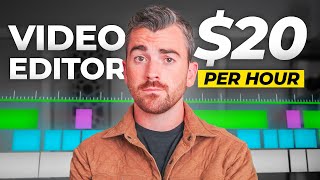
US editors: $30-$50/hour. Overseas: $9-$25/hour. Project times range from 1-40 hours depending on complexity.
Fiverr offers many editors, fair pricing, and buyer protection. Recommended for first-time hires. Sponsored segment.
1) Video files (Google Drive), 2) Brand guide, 3) Project notes. Proper labeling and documentation streamline the process.
Frame.io allows timed comments on videos. Helps organize pre-edit notes and revision feedback for better alignment.
Expect small changes. If off, check preparation first. Quality of footage matters: bad footage cannot be fixed by editing.
Successful video outsourcing requires upfront preparation: a solid brand guide and clear communication. Invest in your shooting skills to maximize editor output.
What are the three things you should send to a video editor?
Video files, brand guide, and project notes.
07:23
What is the typical hourly rate range for US video editors?
$30 to $50 per hour.
03:28
What is the typical hourly rate range for overseas video editors?
$9 to $25 per hour.
03:55
What tool is recommended for leaving timed comments on video drafts?
Frame.io
09:57
Why should you create a brand guide before hiring an editor?
To align the editor's vision with yours and reduce wasted time and money.
00:54
What is the range in hours for editing a long-form YouTube video?
7 to 40 hours.
04:09
What is the first thing you should do if the edited video is not what you expected?
Check what you could have done to provide more direction in preparation.
11:52
Brand Guide Prevents Misalignment
Sets clear expectations and saves money by avoiding re-edits.
00:54Pricing Transparency
Provides concrete numbers for US and overseas editors, helping budget planning.
03:15Blame Preparation, Not the Editor
Encourages self-reflection and better preparation, a key principle for outsourcing.
11:52[00:01] influencer a freelancer a course creator whoever you are hiring a video editor is one of the best moves that you can make to buy back your time and improve the look of the content that you put out but how do you find a good editor how much
[00:14] do you need to do to get the best results possible from the editor that you hire stick around because we're covering all of that and so much more covering all of that and so much more into today's
[00:29] make when hiring an editor is unfortunately what most people do they video file to a random editor that they found online they ask them to turn it into a nice polished product if you do
[00:41] disappointed with the final product no matter how much you pay now before we talk about how much you should expect to pay where to hire an editor or how the process works the first thing that you need to do is build out a brand guide
[00:54] for video and I actually created a full copy and paste template that you can use for free we'll talk about that in just a second now whether you realize it or not you have a relatively specific idea of how you want your video content to look
[01:06] it's likely based on the style of some Creator you aspire to be like or maybe locked up inside your brain now the editor that you hire cannot read your brain and odds are their style preferences are different than yours if
[01:19] you just send them the video file they will do what they want not what you want by building out a video brand guide you're giving very specific and clear should look there is is a lot that goes into a brand guide but fundamentally you
[01:32] need linked examples of the content that you're trying to create whether it's links to your own past content like YouTube videos you've done or links to other creators content who you aspire to be like a brand guide will also very
[01:45] clearly document the fonts colors and graphic styles that you like I typically include actual photos in our brand guide showing examples of what I like and sometimes more important examples of what I don't like for my videos and then
[02:00] finally a brand guide will also include all of the other helpful assets that a video editor could use like video templates sound effects music presets color grading Luts and more combine all of this in one easy to use document or
[02:13] slide deck and your editor will be able to get as close as possible to the vision that you have in your brain it might sound like a lot more work that you have to do but you only need to do this once you're essentially building a
[02:25] system around this process of hiring an editor so in the future as you hire new where you're at in business the system is just going to make that so much easier after hiring many editors for our team at content creator.com I can tell
[02:39] you building out this brand guide is the smartest thing you can possibly do to improve your content creation process and also eliminate wasted money the last thing you want to do is pay someone to edit a video and end up hating the way
[02:51] below I linked a brand guide template that has a training video on how to actually customize it to your liking depending on how in-depth you want to go it shouldn't take more than 10 to 15 minutes to completely build out this
[03:03] brand guide but it will save you hours of headache and frustration and lots of money in the future we have a ton more to cover in this video so hold off on downloading the brand guide just yet save it for after the video okay now up
[03:15] next the burning question that everyone wants to know how much should I expect to pay an editor now this will vary wildly depending on the skill level of the editor you hire but also where they live hiring editors here in the US we
[03:28] live hiring editors here in the US we pay $30 per hour as a starting rate but as we become more efficient and comfortable working together usually bringing us to like a $40 to $50 per hour range now hiring overseas you are
[03:42] work for significantly lower rates due to the fact that the currency exchanges are kind of favorable and also they're just used to having lower working wages in those countries so with overseas
[03:55] editors we tend to see rates in the $9 to $25 per hour range depending on editing skill level and their communication skill because English keep that in mind now putting this together on a per project basis
[04:09] obviously every video is different and will take different amounts of time but on average longer form YouTube videos and course videos take our editors between 7 to 40 hours depending on the project complexity and for reference the
[04:22] video you're watching right now it's not edited at the time of me recording this 15 hours to complete quick quicker social media videos and content for ads take between 1 to 10 hours depending on the complexity so now with the hourly
[04:36] rates and the typical project time you can figure out exactly how much you might be paying for a certain edit that you need done now with that covered up next how do you actually hire an editor this is definitely the most intimidating
[04:48] part of the process now if you have a quick project that you need done or a semi-consistent stream of videos that you need edited from experience I can tell you there is no easier place to go than ferr .c for years this has been the
[05:01] recommend to all of our students at content creator.com who are looking to scale up and Outsource their editing not to mention other services as well because you can find tons of different you know creators and Freelancers on
[05:14] Fiverr now because of how often we use and recommend this platform I actually reached out to Fiverr and they agreed to sponsor this video so we've got a custom link in the description that you can use to get started hiring on Fiverr and save
[05:26] some money in the process now to prove just how much we love FIV I went out and hired a brand new editor that I've never worked with before and they actually and I think it came out great the quality you can get from Fiverr when you
[05:39] use our brand guide system is insane if you want to hire the same exact editor that I hired I've got their information link below now in case you were reasons I recommend Fiverr to most people especially people who are hiring
[05:52] for their first time up first it's the total number of available editors on the and you'll have no issue finding someone who can nail the style that you want second we have the pricing with so many options both in the US and overseas you
[06:07] will not have any issue finding someone who's willing to work for a fair price within your budget and then finally the biggest factor is the protection provided by Fiverr being a huge platform that's been doing this forever you're
[06:20] not just meeting some random stranger in a virtual back alley of the internet you're getting someone vetted by Fiverr who likely has tons of verified customer reviews that you can read through the editor also doesn't get paid until the
[06:32] project is fully done so the incentive is in place for them to do a good job and do it fast now with all this being said you do want to spend some time browsing for editors really look at all of their sample projects in reviews to
[06:45] see how they align with your style and how their budget does as well if you plan on producing a lot of content I'd definitely say it's worth hiring a few editors in these early stages just to find the right one that you want to go
[06:57] video brand guide we talked about earlier this is going to be a much smoother process of getting whoever you hire up to speed on what you actually want now whether you hire an editor through Fiverr or some other way let's
[07:11] walk through the actual process from start to finish what do you say how do you get them the files how much direction should you provide how do you handle revisions all that stuff we'll start with a basic process and then I'll
[07:23] walk you through a few Pro tips that we use here at content creator.com so to do this right you essentially need to send three things to your editor up first we have the actual video files now we typically upload all of these to a
[07:35] Google drive folder you can use dropbox or any other file sharing platform now sometimes our videos is really just one file but more often than not we have a lot of video files we'll have the a-roll which is like the talking head content
[07:48] we always try to make a note to shoot specific b-roll shots for our projects as well this way our videos feel like our own content not like most videos out there now days which are filled with
[08:00] random stock footage or out ofpl AI clips that just kind of cheapen the overall feel of the project I like to label the files as accurately as I can so that a complete stranger could go through it all and have a good idea of
[08:13] what it is the Google drive folder can also be easily shared to an editor using the link sharing tool we just copy and paste that into the message we actually send them now after the video files the second thing that we need to send is
[08:25] about earlier technically you only need to send this one once you know the first time that you work with an editor but I consistently resend this especially if I make updates to it just so our editors always have that brand guide top of mind
[08:39] like we talked about earlier the brand guide includes the content examples the Styles the fonts the graphics all that stuff and it also includes all the editing assets that we'd like our editors to use like the sound effects
[08:51] the graphic templates the color raing LS all that stuff for our own editing process I get all of these from content creator templates.com and I'll include a description below as well you obviously don't need a huge database of these
[09:04] things if you're just getting started your editor will likely have some of building your own database of templates really does help improve your content and it creates a more consistent Style by having a library that you can always
[09:17] you're working with then finally the third thing you need to send is your specific project notes sometimes this is a quick sentence like keep the pacing effects and try to get it to me by Thursday but more often than not I'm
[09:31] leaving a ton of notes to give very specific Direction on this project did you have a specific idea in mind for the hook of your video when you were shooting it write that idea here do you have a very specific b-roll shot that
[09:43] the video got to let them know whatever it may be you can include this list of notes in that actual Google drive folder that we mentioned earlier the one that has all the footage for the project all you need to do is create a Google doc in
[09:57] that same folder and type out all the notes now to give you a behind the- scenes look at my own content process one way that I upgrade this a little more is by using an online tool called frame.io if you've been in the video
[10:09] space a while you've definitely heard of them before in its simplest form this is a site where you can upload your video and then leave timed comments amongst many other things most people use this for working with editors where the
[10:21] editor submits the first draft of the video to you 11 minutes later where you can then go in review it and leave timed comments in the video so that when they do revisions they can see exactly what your comment was in reference to I love
[10:35] frame.io for that purpose but I also use it to organize my thoughts and send notes before the editor has started editing for example with this video that you're watching right now I uploaded this raw arroll to frame.io and then I
[10:48] left time notes for Keith who's our editor outlining what he should do at specific points in the video I can call out to specific b-roll shots I want them to use I can outline any complex idea do in more detail all sorts of things like
[11:01] that for example the shot of Keith waving at the camera was based on a note that I left for him in frame.io doing all of this means that Keith can quickly edit the video and knock out any specific ideas I had ensuring our two
[11:13] visions for the video align perfectly by the end overall it's an unnecessary step but it is very helpful in our workflow but anyways we send these three main elements to our editor we ask them if they have any questions and then we let
[11:25] bought back your time and can now focus on creating more content work on other areas of your business perfect your shooting skills even more whatever you assuming you've done everything I've outlined in this video it should be
[11:40] pretty dang close to perfect this is really where all of that upfront work starts to pay off there will almost always be small changes needed which we can relay to them via a quick message or by using something like frame.io where
[11:52] other hand if you find yourself getting something back that is nowhere near what you expected before before blaming the editor first ask yourself what you could have done in preparation to provide them more Direction 99% of the time this is
[12:07] other than that you have officially outsourced your first video so big congrats now another quick note I'd like to make here keep in mind that a finished video will only be as good as the actual footage you shot allows it to
[12:20] be in other words if the footage you shot stinks no editor will be able to magically make it look amazing there are a lot of things that go into creating amazing content content you have the actual camera gear you use the camera
[12:32] settings the lighting the composition the camera movements storytelling recording high quality audio the list goes on no matter how good you are at those things you can almost always improve even more and for those of you
[12:44] level I highly recommend checking out our full online course 14-day filmmaker over 140,000 students from around the globe have enrolled in this course their content for less money than a dinner date with your grandma we cover
[12:59] every aspect of the shooting and editing process on both Pro cameras and smartphones because yes you can film truly incredible content on smartphones nowadays and that's why this is a course bundle you get a full course dedicated
[13:11] to Pro cameras and a full course dedicated to smartphones we also include training on YouTube social media and tons more you get downloadable templates access to our online community where I personally host a weekly coaching call
[13:23] software that save you more than what this course bundle I really think it's a no-brainer for people looking to learn more but in an extremely efficient way the link to get lifetime access to all
[13:36] of that is in the description below along with that free brand guide from that thank you so much for watching hit subscribe and I will see you in the hit subscribe and I will see you in the next one
⚡ Saved you 0h 13m reading this? Transcribe any YouTube video for free — no signup needed.