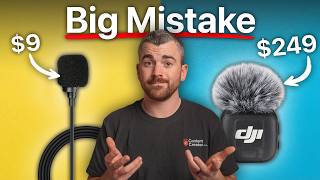

Why Bad Audio Kills Your Video
45sInstantly hooks viewers with a relatable pain point and a bold claim about wasting money on microphones.
▶ Play Clip"Delivers exactly what the title promises—a comprehensive, practical guide with real recommendations, though the '2026' angle is just a date stamp."
This video is a comprehensive guide to buying microphones for content creation, covering types, key factors, and specific recommendations. The presenter emphasizes practical advice based on experience, aiming to help viewers avoid common mistakes and choose the right mic for their needs.
Microphones are complex, but the main types are lavalier, shotgun, and podcast mics. Lavs are small and clip on, solving distance issues; shotguns are directional; podcast mics are for close-up vocals.
Distance is the worst enemy; a mic 12 inches away sounds better than one 6 feet away. Lavs attach directly to the subject, ensuring good quality.
Wired lavs are reliable but require a recorder; wireless lavs transmit audio to the camera, offering freedom of movement.
Shotgun mics are directional, rejecting background noise, and can be mounted on cameras or boom poles.
Podcast mics are for rich vocals, need to be close to the mouth, and can be USB or XLR.
Versatility: some mics are multi-purpose, others are niche. Consider your content types.
Ease of use: simpler setups encourage more content creation. Wireless lavs are easier than wired with recorders.
Reliability: check battery life, wireless range, and build quality. Divide listed range by two for confidence.
Quality: modern mics sound decent; AI tools like Adobe Podcast can enhance bad audio. Best value is $100-200.
Connectivity: 3.5mm (TRS/TRRS), USB-C, Bluetooth, and XLR. Adapters can solve mismatches.
Advanced features: AI noise cancellation can over-process; 32-bit float prevents clipping; safety tracks record backup; auto gain adjusts sensitivity; internal recording saves audio on the mic.
Recommendations: Budget wired lav PopVoice Pro; mid-tier wireless Hollyland Lark M2; pro wireless Hollyland Lark Max 2. Shotgun: Mouvo, Rode VideoMic NTG, Rode NTG3. Podcast: Samsung Q2U, Shure MV7, Shure SM7B.
PopVoice Pro
tool
Hollyland Lark M2
tool
Hollyland Lark Max 2
tool
Shure MV7
tool
Shure SM7B
tool
Rode VideoMic NTG
tool
Rode NTG3
tool
Sennheiser MKE 2
tool
Sennheiser MKH 416
tool
DJI Mic Mini
tool
DJI Mic 3
tool
Rode Wireless Pro
tool
Zoom H1n
tool
Zoom H4n
tool
Adobe Podcast
tool
Filmmaker Course
service
contentcreator.com
link
What are the three main types of microphones?
Lavalier, shotgun, and podcast microphones.
01:11
What is the number one problem in audio recording?
Distance is the worst enemy; a mic 12 inches away sounds better than one 6 feet away.
02:17
What is the polar pattern of most lavalier mics?
Omnidirectional, meaning they record audio in all directions.
02:04
What is the difference between TRS and TRRS 3.5mm plugs?
TRS is for professional cameras/audio devices, while TRRS is for smartphones and computers.
11:46
How does 32-bit float solve audio clipping?
It increases the dynamic range, preventing clipping even if gain is set too high.
14:31
What is safety track recording?
It records a backup track at lower gain to save audio if the main track clips.
16:19
Which wireless mic does the presenter use for 85% of his content?
The Hollyland Lark M2.
20:55
Which podcast mic is used by most major podcasters?
The Shure SM7B.
27:10
Distance is the enemy
Emphasizes that mic placement matters more than price, a core principle for beginners.
02:17Modern mics sound decent
Reassures that even budget mics are good, reducing fear of buying cheap gear.
09:5132-bit float explained
Demystifies a complex feature, showing how it prevents audio clipping.
14:31Hollyland Lark M2 as top pick
Provides a concrete, trusted recommendation for most creators.
20:55Shure MV7 vs SM7B
Highlights a simpler, cheaper alternative to the industry standard, saving money.
26:56[00:02] audio, that's a watchable video. A good camera with bad audio, no one is you could be seconds away from wasting your hard-earned money on a microphone that could destroy your content and make your life way harder than it needs to
[00:16] Microphones are probably the most complex topic in the content creation industry. Shotgun mics, lavalier mics, wireless mics, XLR mics, whatever this thing is. And don't forget about separate recording devices, advanced
[00:29] features like AI noise cancellation. What the heck is 32-bit float? you you should go out right now and buy this microphone. Now, that's a great for the type of content that you film. [music] That's exactly why in this
[00:44] factors you need to understand before specific mic recommendations for different types of content that you budget-friendly, mid-tier, and pro options for all categories. Oh, and
[00:57] we're also going to do a giveaway where you can win some amazing microphones. win. >> I'm Anthony from contentcreator.com. >> I'm Anthony from contentcreator.com. Let's dive in.
[01:11] three primary sections. First, we'll cover the common types of microphones. factors that you need to consider when buying a microphone. And finally, we'll make some specific mic recommendations. To be clear, nothing in this video is
[01:24] Everything you hear us recommend is our true and honest opinion after making thousands of videos, working with brands, and teaching hundreds of contentcreator.com. With each mic we recommend, you can find a direct link in
[01:37] easy. Throughout the video, I'm going to be using a handful of different mics, and to make your life easy, I will have a label somewhere in the corner letting you know what mic I'm using, so you can judge for yourself which sounds better
[01:50] judge for yourself which sounds better to you. microphones. These are basically really small microphones that you can stick, clip, or magnet onto the subject you're recording. If you wanted to hide your
[02:04] microphone completely, normally I get these little Rode stickies. I can put it on my microphone and then stick it underneath my shirt. Most lav mics are omnidirectional, meaning they record audio in all directions. You can see I'm
[02:17] rotating this around, it's pointed at you, but it's still picking up my audio. Lavalier mics are really popular because they solve the number one problem when it comes to audio, distance. I don't care what microphone you buy, distance
[02:29] is always your worst enemy. A microphone that's 12 inches from an audio source is that's 6 feet away from the audio source. So, with lav mics being attached directly to the subject on camera, you can get great audio quality, and
[02:43] oftentimes they're small enough where you can completely hide them. There are two main types of lav mics, wired and wireless. Wired mics are great because they're small, reliable, and affordable, but you need to plug them directly into
[02:56] something to do the actual recording. If you're close to your camera or your phone, you can just plug the lav mic directly in. But, if you're far away or need a separate recording device to plug into, like [music] this Zoom H1n, which
[03:09] challenge here is your video and your audio are being recorded on two separate devices, so you'll need to sync the audio and the video when you're editing. It's not super hard, but it is another step every time you record. Which brings
[03:22] us to wireless lav microphones. Here we clip or magnet the mic transmitter onto the subject that you're recording. Then from there, you would plug the mic receiver into the actual camera, and now your audio is going to get baked
[03:34] directly into the video, and it doesn't matter where you move around. I can turn my back, and it's still going to transmit that audio, assuming I'm within usually a couple hundred feet minimum. Wireless lavs come in all shapes and
[03:47] sizes. You have small ones like the Hollyland Lark M2 and M2S, but then you also have bigger ones with more advanced features and an additional 3.5 mm jack where you can plug a lav mic in and hide it on a subject. After lav mics, we have
[04:02] shotgun mics, which is what I'm using right now. They are long and tube-shaped microphones and the keyword is directionality. Unlike lav mics, which record audio in all directions around the mic, shotgun mics only record in the
[04:15] direction you point them in. So, if I move off to the side of the mic over here, even though I'm still pretty close to the camera, the audio is going to drop a ton. Now, this is actually a good thing because it allows you to focus
[04:27] your audio in on one particular subject, rejecting all of the background reverb, scene. It's more control and typically higher quality audio. Now, you can mount shotgun mics directly on cameras like I'm doing right now. In Hollywood films
[04:42] and commercials, typically they'll be mounted on a boom pole where a person actually holds it just out of frame, but still as close to the subjects as possible. Or if you film talking head videos, you could mount the shotgun mic
[04:54] directly to your desk and have it sit just outside of the frame. Finally, we have podcast microphones. Podcast mics come in all shapes and sizes, not to mention a lot of different price points. They're designed to have the highest
[05:06] quality audio for deep, rich-sounding vocals. They need to be right up next to the speaker's mouth to get clean audio. So, that means they're going to be in the video frame. Some podcast mics work with simple USB plugs, which is great,
[05:19] complicated setups requiring separate recording devices, phantom power, signal boosting. We're going to cover it all in this video, but it can get complex. categories, you might already have an idea of what you should or shouldn't
[05:33] shouldn't make a purchase until you know the six major factors to consider when into right now. Factor number one is versatility. Some mics are really good
[05:45] for a lot of different types of content. While other mics are really designed for just one thing. Let's take podcast mics as an example. [music] This mic is great for filming podcast or when you're just sitting at a desk and never moving. But
[05:57] that's really all it can do. If you're going on vacation and you want to record maybe you got hired to film a commercial with interviews, the podcast mic is going to be a little inconvenient. On the other end of the spectrum, we have
[06:10] versatile. Although it's not the most a podcast with a lav mic by either plugging it directly into your computer's headphone jack or your camera or by using a wireless lav setup. A
[06:23] commercials or weddings where you want to hide the mic, travel videos where you want quick talking segments, and [music] tons of other scenarios. But to play devil's advocate, let's say you're filming an event. You want the crowd
[06:36] reactions, you want quick sound bites from all different people. Even a lav mic here wouldn't be the most versatile option. If you're recording a ton of to, you know, clip it and unclip it from these people. And lav mics are
[06:49] in all directions. If you wanted to focus that sound on one thing like cars cuz it's going to get everything. In this situation, an on-camera shotgun mic
[07:01] because you can literally just point it enough to the camera, you've got good audio. Often times, there won't be one perfect microphone for every scenario, but considering versatility now before
[07:14] you [music] buy is key. Up next, we have ease of use. It's pretty easier to use than others. [music] Back to the shotgun microphone example, they're about as easy as it gets. You point the mic in the direction you want
[07:27] to film, you hit record, and you've got good audio. Lav mics aren't bad either, steps. If you're going the wired route, you need to stick it on you or on your subject. You need to plug in a recording device which will have its own batteries
[07:40] audio to your video while you're editing. Wireless options make things a extra device and no syncing your audio if you're filming talking head videos like this, you need to make sure your
[07:53] >> [music] >> If you always film in one setup, having a podcast mic rigged up ready to go can make your life really simple. [music] You just sit down and hit record. But, as soon as you start moving around and
[08:05] getting different sets, you start having to break down your gear and reset it up, which adds a lot of friction and steps to the filming process. No matter what, creating content takes effort, and I always recommend people try to optimize
[08:17] their content creation setup to be as simple as possible. The easier it is for filming, [music] the more likely you'll actually create the content, which is [music] Factor number three is reliability, and I can tell you from
[08:30] experience, one of the worst feelings ever is recording a long video and losing the audio somehow. It's happened to me twice, two-hour-long videos, both the way through the video, and I was
[08:43] very unhappy. Now, from a build quality perspective, yeah, if you spend $5 on a break on you. The more you spend, the more reliable it will be from that that really sneak up on people when it comes to reliability, and that is
[08:57] batteries and wireless signals. Now, if your mic is directly plugged into power or plugged into your camera like I have right now, reliability's going to be a smaller worry for you. But, if you're using a wireless microphone, you really
[09:10] want to check out what is that total wireless range listed, and then from there, I usually divide that number by two and mark that as my full confidence you want to figure out what's the total battery length, how long am I typically
[09:24] you want to find out, are the batteries integrated, meaning that if they're dead, you have to sit and wait for them to charge, or can you hot-swap the important an and you can't wait to charge it, it's really nice to have at
[09:38] quickly swap the batteries. Factor number four is overall quality. You might think it's odd that we're just now talking [music] about the quality of the microphone that you buy. Well, here's the good news. Basically, all modern
[09:51] microphones are going to sound pretty decent nowadays. What you're listening to right now is the $10 PoP Voice Pro lavalier microphone. You can get these at all. Right now [music] you're listening to my Hollyland Lark M2
[10:05] wireless microphone, which you can get for under $100. Now you're listening to the Shure MV7X. [music] It's a podcast mic that costs a couple hundred dollars. It is XLR, so it's going to require another device. And now you're listening
[10:17] to the Rode NTG3 shotgun microphone. It's just under $1,000 all in and normally I'd have it mounted just outside of the frame where you can't see headphones, you probably couldn't tell that much of a difference between the
[10:31] microphones. And nowadays, there are AI tools like Adobe Podcast that are incredibly good at taking bad audio and making it sound better. For example, here's a clip of me recording outside near a busy road. So this right here
[10:43] would be an example of audio that I wouldn't use in a video. We're outside, it's windy, there's a highway nearby. It's just got a lot of noise pollution and I'm not happy with it. And this is what it sounds like after being enhanced
[10:55] by Adobe Podcast. So this right here would be an example of audio that I wouldn't use in a video. We're outside, it's windy, there's a highway nearby. It's just got a lot of noise pollution and I'm not happy with it. Pretty
[11:07] impressive. And a lot of editing programs nowadays have built-in AI tools for enhancing audio. So yes, audio quality is absolutely important, but get what you pay [music] for. In my opinion, there's a huge diminishing
[11:20] return as you go up and up in price. [music] I honestly think one to $200 is the best price to value range for mics, assuming you buy from a good brand, which we'll cover very soon. Factor five is connectivity. This one actually
[11:34] sneaks up on a lot of people. There are basically four different ways to connect a mic to a recording device. Up first, you have the standard 3.5 [music] mm plug. We've all seen this before. What most people don't realize is
[11:46] there's actually two different types. The first is TRS, which stands for tip ring sleeve, and the second is TRRS, which stands for tip ring ring sleeve. TRS is meant for professional cameras and audio devices, while TRRS is meant
[12:03] for smartphones and computers. If you try to plug a smartphone microphone into broken. The good news is you can buy adapters for like five bucks and it will save the day, but just keep that [music] in mind. After standard 3.5 mm plugs, we
[12:18] have USB-C microphones, which usually applies to smartphones. [music] A lot of wireless microphones nowadays actually have USB-C adapters for their receivers, so you don't need to try to plug it in with a standard 3.5 mm jack.
[12:31] Which brings us to our third connection type, which is direct Bluetooth. This right here is the DJI Mic Mini, and it does have a receiver that you can plug into big cameras and smartphones, [music] but it also can connect to my
[12:44] smartphone directly through Bluetooth, no receiver required. The only issue, as you might be hearing right now, is the audio quality through Bluetooth. It's not quite as good as using the direct receiver. So, for that reason, I
[12:57] recommend using the actual dedicated receivers, and I prefer mics like the Hollyland that have significantly smaller smartphone receivers. And then finally, we have XLR [music] connection. This is a larger jack and plug made for
[13:11] more mid-tier and high-end microphones. If you wanted to connect an XLR microphone to a camera or some other device, you're going to need basically an intermediary. For example, this mic here is an XLR mic, so the XLR cord goes
[13:24] into a device, the Zoom H4N, with an XLR [music] plug, and then I take a standard 3.5 mm plug and I connect the Zoom H4N [music] to the actual camera, so are usually really nice and high quality, but do keep in mind you are
[13:39] device. Last but not least, we can talk about advanced microphone features. Microphone companies are going to try to sell you on all these complicated features. A lot of them don't matter. Let me just distill the ones you really
[13:52] should focus on. Up first, let's touch on AI noise cancellation. It sounds like a nice feature, but often times it will over-process your audio and make it sound almost muffled. On top of that, most editing software nowadays has an AI
[14:06] audio enhancement feature built in. [music] So, rather than turn it on on add [music] it during the edit, where you can control how much of it you actually want. The only time I recommend using this feature is if you're the type
[14:19] content at all, and you just want the easiest mic for making your audio sound background noise. Up next, we have 32-bit float, which is actually one of
[14:31] the most amazing audio features ever. To understand why 32-bit float is amazing, [music] you have to understand what gain is with a microphone. It's really simple, it's basically the sensitivity of your mic to different audio levels.
[14:43] If somebody was whispering, you'd want to turn the gain or the sensitivity up, audio. On the flip side, if somebody's yelling, you'd want to turn the gain down. The number one mistake most people make with audio is forgetting to set
[14:55] their gain, then all of a sudden it's way too loud, somebody's screaming, and they've effectively clipped their audio. This is what clipped audio sounds like, and I'm sorry to your ears. This is basically impossible to fix once it's
[15:08] this. And again, on the flip side, if somebody's whispering and the gain is set too low, you can try to raise the volume when you're editing, but you're noise, the reverb, the echo, the like static hiss, it's going to again ruin
[15:23] your audio. 32-bit float solves this problem by increasing the total dynamic range of your microphone. Meaning that you can forget to set your gain, and even if you record something really loud, it never gets clipped off, and you
[15:35] whispering. This actually really saved me when I proposed to Courtney. We were in Hawaii in front of a waterfall, and we were basically yelling. I didn't [music] anticipate that. Without 32-bit float, the audio sounded LIKE THIS.
[15:52] >> BUT THANKFULLY, because I had 32-bit float on, I was able to save that audio and get it to SOUND LIKE THIS. >> [laughter] FOREVER. For a while, this feature was only available in really expensive mics,
[16:06] but lately it's been introduced in much more affordable mics, which is great. swing a mic that has this feature, look for our next feature, which is known as safety track recording. This is quick and easy. It basically records your
[16:19] normal audio to one channel, but then it records a backup track that is at a lower gain sensitivity. [music] So, if you accidentally set the gain too high and your audio is clipping, the safety track will likely be [music] usable. Up
[16:31] next, we have auto gain, which does exactly what the name sounds like. Rather than set your gain, you set it to auto gain, and it will automatically adjust for however loud or quiet the audio is. It's not quite as good as
[16:44] going to be a slight delay. If someone's talking quiet, and then they scream, that initial scream might clip before the actual auto gain adjust, but it's used to film weddings, and I was trying to capture the vows during the ceremony,
[16:59] I was always afraid of a wireless signal dropping. So, I actually had a lav mic plugged into a dedicated recorder in the pocket [music] of both the groom and the officiant. Because they were both set to auto, it would naturally capture their
[17:12] voices. And then whenever the bride spoke, even even I didn't have a mic on her, the two mics would naturally increase the sensitivity due to auto audio. One last really nice feature is internal recording. If you have a
[17:25] wireless microphone and you're worried about that signal dropping and you internal recording, which saves the audio to the actual mic itself while it's also transmitting that audio to the receiver. So, if the wireless signal
[17:39] drops, it's okay. You can actually plug the mic via USB-C into your computer [music] and download that audio file from the internal recording. Now, there are more audio features we could [music] talk about because honestly, audio is a
[17:51] realistically, these are the features and factors that apply to 99% of people into the last section of this video where I make specific recommendations that we've talked about. I'll do my best to offer a budget, mid-tier, and
[18:07] though, really quick, I want to add that if your goal is not just to buy the right gear, but to also learn how to use it like a pro, you've got to check out Filmmaker. Inside this course, you'll get over 150 streamlined video tutorials
[18:23] just like this that teach you how to shoot and edit videos like a pro without needing to buy tons of expensive gear [music] or master complicated software. specifically for shooting and editing content on smartphones, covering the
[18:36] best gear, how to use it, the best iPhone and Android camera apps, the best >> [music] >> We also cover exactly how to use these editing apps to make incredible videos. You also get a course that is specific
[18:49] to pro, mirrorless, and DSLR [music] cameras. No matter what camera you use, high-quality audio, set up YouTube studios, light scenes professionally, [music] capture smooth and cinematic movements, how to tell powerful stories,
[19:02] pick and plan out video ideas, and of course, a ton of training on how to edit using all of the most popular editing programs, both free and paid [music] want to learn how to make YouTube videos, social media content, [music]
[19:15] commercials, ads, music videos, travel videos, and much more. It's just $48 for lifetime access, and you also get to join our private student community where [music] I personally host a weekly live Q&A call that you can join and ask
[19:27] it's backed [music] by a no questions asked refund policy, so there's no risk. want to join today, I've got a link in the description below where you can the recommendations. And just so you know, again, we have all of these linked
[19:41] start with wired lavs. Technically here, you need both a lav and a device to plug it into that will record your content. That could be the camera or phone you use, but you could also have a dedicated
[19:53] recorder like this [music] Zoom H1n. I am and always will be a huge fan of the PopVoice Pro microphone [music] for under like 15 to 20 dollars, I don't think you can ask for much more. When it comes to mid-tier options for just under
[20:06] Lavalier Go, which is what you're listening to right now. It's not a huge finally, for you pros, we have the Sennheiser MKE 2. [music] I think this
[20:18] is overkill for most people, but hey, it's an option nonetheless. Moving on to I generally think most people watching this video will fall due to the high versatility, ease of use, and overall
[20:30] dang affordable. Up first, we have the PQRQP 3-in-1 professional wireless microphone. dollars, this is a decent wireless [music] lav that works with both
[20:42] smartphones and professional cameras. Moving on to the mid-tier price, we get to the mic that I use for 85% of my own content creation, and what is likely the number one mic that I recommend to most people [music] when they ask, the
[20:55] Hollyland Lark M2. For under 100 dollars, you get two mics that sound incredible, a receiver that easily connects to professional cameras, an incredibly small smartphone receiver that doesn't require batteries, you
[21:07] and it will automatically connect to the mic without the need for that larger receiver. You get super reliable wireless signal that has good range, charging case, but best of all in my eyes is the [music] size of the
[21:21] microphone itself. A lot of wireless microphones like the DJI Mic 3 have bulkier body sizes and when you clip them on or magnet them to a shirt, it visibly drags your shirt down which I just think looks [music] awkward. That
[21:33] can see here, it's on my shirt. It's barely noticeable. I don't feel [music] recommend this mic enough. It is awesome and again, I want to stress they are not sponsoring this video. I just use this all the time. There are really only two
[21:47] understandable considering the price point. It does not have 32-bit float or internal recording. So, you have to make sure you set the gain properly and if the signal did happen to drop, which knock on wood hasn't really ever
[22:01] as a thank you for watching this video, I'm actually going to be giving away three of these Hollyland Lark M2 microphones. To enter the giveaway, you need to do four things. First, like this video. Second, [music] leave a comment.
[22:13] Third, hit the subscribe button. And fourth, in the description below, click email address. Two weeks from the posting date of this video, I will randomly select three people and email you to get a shipping address. To make
[22:26] this even better, whether or not you win or if you're watching this in the future submitting your email address, we'll give you our social media and YouTube some awesome templates inside like color
[22:39] and more. It's basically just a thank you for watching this video. So, go if you want to win this mic. Then finally, for the pro options, we have three very familiar names, but I'm really only going to recommend one of
[22:53] them. We have the Hollyland Lark Max 2, the DJI Mic 3, [music] and the Rode Wireless Pro. Right off the bat, they all sound incredible. So, let's kind of can all do 32-bit float with internal recording. They have good to great
[23:07] good wireless range, AI noise cancellation, auto gain, safety tracks. to see out of a professional wireless mic system. The Rode Wireless Pro does
[23:19] sound really good, and I like the fact that it has a locking 3.5 mm jack. But, the receiver doesn't have a touchscreen. It's pretty dang limited, and it's an older microphone at this point. The DJI Mic 3 improved upon the Mic 2 by really
[23:31] making the transmitters much smaller. So, you actually can clip them on, and it won't drag your shirt down too much. But, by shrinking down that transmitter, they lost the 3.5 mm jack. So, you can't
[23:43] think at the pro level, especially at this price point, kind of checks it off my list. However, if you do own other DJI cameras like the Osmo Pocket or the Osmo Action, the DJI mics are really helpful because it automatically
[23:57] But, either way, we are finally left with the Hollyland Lark Max 2. And again, not sponsored at all, but this is the mic that I'd recommend. It has the best of both worlds. The transmitter, which I'm using right now, is really
[24:11] small, and I love that. By itself, it doesn't have a 3.5 mm jack, but Hollyland listened to their customers, and they made this really cool adapter that you can plug onto the bottom, and it converts the USB-C to 3.5 mm. So, if
[24:24] there was a situation that you wanted to plug a lav mic in, stick that under your shirt, hide the transmitter, you can do that with the Hollyland. Without a recommendation. After that, we have shotgun microphones, and starting at the
[24:37] affordable end, we have this Mouvo shotgun mic. For under $50, this is built-in microphone on your camera or your smartphone, and it's a little bit more directional. However, one thing that you'll notice with these shorter
[24:51] shotgun mics is they aren't quite as focused as the longer shotgun mics, which we'll get to in just a second. The shorter size means they're going to pick up a little bit wider of an audio range meaning more background noise and they
[25:03] definitely suffer the further the mic gets away from the subject speaking. [music] For our mid-tier option we have the Rode VideoMic NTG which is a really quality is slightly better and it is even more directional so you're getting
[25:17] Basically sounds more focused. And then finally we have the Rode NTG3 which is basically an upgraded version of the previous microphone. This is actually the most expensive microphone that I own. I used to use it for basically all
[25:31] of my videos but lately I've just been loving the convenience of the Hollyland Lark M2. The main reason for this comes down to connectivity and ease of use. Most microphones in this category are going to be XLR microphones so you need
[25:44] recording device. This mic actually needs phantom power as well. Thankfully the Zoom H4n can supply that phantom power but then I need to connect that to my camera. It's a process. I like moving around sets a lot and to have to break
[25:58] this down and reset it up every time it's kind of a hassle. The main competitor to the NTG3 is the Sennheiser MKH 416. It's considered by many to be the gold standard in film. However, it is more expensive and after a lot of
[26:13] difference to justify the higher price. microphones and for our budget option we have the Samsung Q2U. Anything more par with your built-in microphone on
[26:27] your camera or your laptop so I'd start here. For mid-tier options I have to recommend the Shure MV7. I really like the way this sounds for deep rich vocals. They make options that are both USB and XLR. I personally chose the XLR
[26:40] one because I already have a device that I can plug my XLR into and then connect about this microphone is it doesn't require extra extra devices to boost the signal or to supply phantom power. In my eyes, it has all of the audio quality of
[26:56] even more expensive podcast microphone, but it has a simpler setup, especially if you choose the USB option. Finally, for high-end, we have the classic mic used by basically every major podcaster online, the Shure SM7B. You simply
[27:10] with how many people online use it. The biggest drawback is just the more complicated and expensive setup compared to the MV7. It does not need phantom power, but it does need a cloudlifter, which basically boost the signal of the
[27:23] mic, and then most people will have a dedicated audio interface as well, like have it, my friends. I hope you found this in-depth guide valuable. Don't out the 14-day filmmaker course if you're ready to seriously [music]
[27:37] Other than that, thanks for watching, hit the subscribe button, and I'll see hit the subscribe button, and I'll see you in the next one.
⚡ Saved you 0h 27m reading this? Transcribe any YouTube video for free — no signup needed.