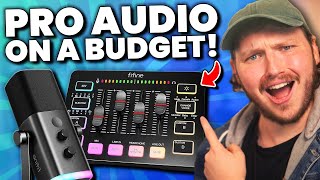

Stop Wasting Money on Expensive Mics!
45sChallenges common advice to buy expensive mics, offering a budget alternative that sparks curiosity.
▶ Play Clip"The title accurately reflects the video's core message: affordable Fifine mics are a great alternative to expensive ones."
The video reviews affordable Fifine microphones (AM8, K688) and the SC3 mixer, highlighting their value for beginner content creators. It demonstrates the AM8's features, including dual USB/XLR output, noise rejection, and ease of use, while comparing it to pricier alternatives.
Influencers recommended costly condenser mics like Elgato Wave or HyperX QuadCast, which are overly sensitive and expensive for beginners.
These products cost around $50 each, a third of the price of recommended mics, and offer great value.
The AM8 has a tap-to-mute button that doesn't click, allowing quiet muting without noise.
Instead of clicky buttons, the AM8 uses sliding knobs to minimize noise when adjusting gain or headphone volume.
The AM8 has a 3.5mm jack for zero-latency voice monitoring.
The stand is heavy and stable, and the mic mount includes both 5/8 and 3/8 threads for easy arm attachment.
The AM8 is a cardioid dynamic mic, less sensitive than condensers, offering good noise rejection and off-axis sound drop-off.
The AM8 is less sensitive than the K688, making it better at rejecting background noise but with less colorful sound.
The AM8 has less midtones and more bass, typical of dynamic mics, and its neutral sound is flexible for EQ adjustment.
The stand is not ideal for streamers/gamers due to keyboard noise; the AM8T version with a mic arm is recommended.
The AM8 and K688 support both USB and XLR, allowing upgrade to XLR without replacing the mic, and can output to both simultaneously.
The SC3 mixer is plug-and-play with no software, works on PC, Mac, and PS5, and sets up in 30 seconds.
Plug headphones into the back for desktop audio, and XLR mic into the XLR port. Adjust gain with the mic slider.
Each slider has a mute button except the headphone slider, which has a mic monitor button for zero-latency monitoring.
No onboard filters or virtual routing, but works with OBS/Discord. Includes line in/out, autotune, voice changer, and sample pads.
The $45 SC3 can power the gain-hungry Shure SM7B, a testament to its capability.
Fifine offers affordable, high-quality microphones and mixers that rival expensive gear, making content creation accessible to beginners without breaking the bank.
What type of microphone is the Fifine AM8?
Cardioid dynamic microphone.
02:20
What is the price range of the Fifine AM8, K688, and SC3?
Around $50 USD each.
00:37
What is the advantage of the AM8's tap-to-mute button?
It doesn't click, allowing quiet muting without noise.
01:18
What thread sizes does the AM8 mic mount include?
5/8 and 3/8 inch threads.
02:11
How does the AM8's sensitivity compare to the K688?
The AM8 is less sensitive than the K688, making it better at rejecting background noise.
02:43
What is dual output on the AM8 and K688?
The ability to use USB and XLR simultaneously, sending audio to two devices.
04:52
How long does it take to set up the SC3 mixer?
About 30 seconds (plug and play).
05:09
Does the SC3 mixer require software?
No, it is plug-and-play with no software required.
05:18
What consoles does the SC3 work with?
PC, Mac, and PlayStation 5.
05:31
What is the function of the mic monitor button on the SC3?
It allows you to hear your own voice with zero latency.
06:35
Can the SC3 power a Shure SM7B?
Yes, it can power the Shure SM7B directly.
09:33
What are the limitations of the SC3 compared to expensive mixers?
No onboard filters (EQ, compressor) and no virtual routing for separate app audio.
07:01
Affordable alternative to expensive mics
Highlights the core value proposition: budget-friendly gear that performs well.
00:28Tap-to-mute without clicking
Demonstrates thoughtful design for quiet environments.
01:18Cardioid dynamic mic noise rejection
Explains why dynamic mics are better for noisy rooms.
02:20Dual USB/XLR output
Key feature that future-proofs the mic for upgrades.
04:13SC3 powers Shure SM7B
Proves the budget mixer can handle a professional, power-hungry mic.
09:11[00:00] When I started content creation, the
[00:01] microphones being recommended to
[00:02] beginners were expensive and not
[00:04] designed for them. Influencers
[00:06] recommended overly sensitive condenser
[00:08] mics that cost way too much, like the
[00:11] Elgato Wave or the HyperX QuadCast. But
[00:13] then it got worse. Eventually, I
[00:15] upgraded to an XLR setup, and that mic
[00:17] that I bought became useless because it
[00:20] was only USB and didn't work with
[00:22] mixers. It became a literal waste of
[00:24] money that I had to replace. Thankfully
[00:26] these days that isn't a problem anymore
[00:28] because of these. This is the Fifine AM8
[00:31] microphone. This is the Fifine K688 and
[00:35] this is the Fifine SC3 mixer. All of
[00:37] these cost around 50 USD each, which is
[00:40] a third of the price of those mics I
[00:42] just mentioned. And today I want to show
[00:44] you why these are an utterly amazing
[00:46] choice for you to start with. And I'm
[00:48] going to be giving away four of these
[00:50] five fine mics. So stick around for
[00:51] that. I'll be cutting between all three
[00:52] of these mics for this entire video. So,
[00:54] you'll be able to hear real world
[00:55] examples of the sound quality as we go,
[00:58] focusing mainly on the AM8 because it's
[01:00] the most value for money. And before we
[01:03] get into that giveaway and explain the
[01:05] SC3 mixer, I want to start with the
[01:07] intentional build of the AM8 because
[01:10] every time I use Fifine products, I find
[01:12] myself realizing that it's a brand that
[01:14] puts an amazing amount of thought into
[01:16] what they do. For example, when using it
[01:18] as a USB microphone, it has a tap to
[01:19] [music] mute button that doesn't click,
[01:21] meaning you don't get a big clicking
[01:23] sound when you want to quietly mute
[01:24] yourself. The same can be said for the
[01:26] RGB controller that's right here as
[01:28] well. You're currently listening to me
[01:29] speak and and now I'm unmuting myself.
[01:32] See, no tapping, no clicking. Works
[01:34] perfectly. The other thing I love is it
[01:35] doesn't use large clicky buttons to
[01:37] change the gain or the volume of the 3.5
[01:39] mm headphone jack. Instead, it uses
[01:41] these lovely slidy knobs to minimize the
[01:44] noise that you can hear while adjusting.
[01:45] Obviously, you can hear my voice
[01:47] changing as I move it, but you can't
[01:48] hear much microphone sound. And yes, as
[01:51] I just said, it has a 3.5 mm headphone
[01:53] jack, which means you can monitor your
[01:55] voice without [music] any kind of delay
[01:57] or latency, which is fantastic. Right
[01:59] now, I am listening back to my voice and
[02:01] my PC sounds through the Fifine AM8. The
[02:04] stand it comes with is solid and heavy
[02:06] as well, so it's not going to fall over
[02:08] at the slightest bump. And when I remove
[02:09] the microphone, it actually has inside
[02:11] the mic mount a 5/8 and 3/8 mic thread.
[02:15] So new creators don't get confused on
[02:17] how to attach this mic to a mic arm or
[02:19] other thread. And of course, it's a
[02:20] cardioidnamic microphone, meaning it's
[02:22] naturally less sensitive than condenser
[02:24] microphones. For example, if you see me
[02:26] moving off to the side right here,
[02:27] you'll slowly hear that my voice is
[02:29] dropping off pretty quickly. And if I
[02:31] move over this side, it'll drop off even
[02:32] more again. And if I wanted to, I could
[02:34] move pretty far away. And you'll hear my
[02:36] voice goes away quite quickly. Meaning,
[02:38] if someone else is in the room, it's
[02:40] going to be great at noise rejection
[02:41] overall with a slight noise gate. One
[02:43] thing I noticed about the AM8 is it's
[02:45] actually less sensitive than the K688,
[02:47] which is another microphone we've looked
[02:48] at and love on this channel. But because
[02:50] it's less sensitive, it actually means
[02:52] it's better at rejecting background
[02:54] noise than the K688. On that note, I
[02:57] will say that the AM8 sounds a lot less
[02:59] colorful. It has a lot less personality
[03:01] by default than the K688. I also noticed
[03:04] it naturally feels like it has less
[03:06] midtones with a bit more of the bass
[03:08] added into it, which now that I say that
[03:09] is pretty common for a lot of dynamic
[03:11] microphones. Now, this lack of
[03:13] personality is technically a really good
[03:14] thing. A lot of people will prefer it as
[03:16] it makes it more flexible to adjust with
[03:18] EQ to match their voice. Now, yes, it is
[03:21] great at noise reduction, but I will
[03:23] say, would I use the stand it comes with
[03:25] as a streamer or gamer? Probably not,
[03:28] because it would be right in front of
[03:30] the keyboard on the stand while I'm
[03:32] typing on my keyboard. I actually have
[03:34] to hunch every bit to get close enough
[03:35] to this because of the way the stand
[03:36] works. Now, that wasn't terrible. that
[03:38] is totally usable with a default
[03:40] expander filter. But if I was a streamer
[03:42] or gamer, I'd get the AM8T version,
[03:45] which is the same microphone, but it
[03:46] comes with a mic arm and is roughly the
[03:49] same price.
[03:51] Hello there. My name is LJ and I am
[03:53] currently typing on my keyboard. You can
[03:55] probably hear it in the background.
[03:56] Podcasters or beginning voice actors or
[03:59] anyone who doesn't need a keyboard or
[04:00] mouse clicking constantly around them,
[04:02] this stand will work great for you. Now,
[04:04] I said two things earlier. first that I
[04:06] had a giveaway coming up, which I do, so
[04:08] stay tuned for that. And second, I said
[04:10] the phrase when using it as a USB mic,
[04:13] and that's because this mic, much like
[04:15] the Fine K688, includes one of the most
[04:18] important features of a value or budget
[04:20] mic. To me, it is both USB and XLR,
[04:22] meaning if you ever want to upgrade to
[04:24] an XLR mixer, such as this beautiful
[04:27] Fifine SC3, which we will cover in a
[04:29] second, you can without needing to
[04:31] replace the microphone. I will say when
[04:33] you run this mic through an XLR
[04:34] interface, you obviously won't be using
[04:36] the buttons [music] on it to mute or
[04:37] change the gain. Instead, you'd
[04:39] obviously use the interface. So, these
[04:41] become inactive and so does the RGB
[04:43] light strip. Except that's where this
[04:45] kind of becomes amazing. Just like the
[04:47] Fifine K688, you can actually use this
[04:49] microphone as a USB mic and an XLR mic
[04:52] at the same time. It's called dual
[04:54] output. So, you can send USB to your PC
[04:56] and send the XLR to an external
[04:58] interface or recorder or a different PC.
[05:01] And with that, let's talk a little about
[05:03] the SC3 because it's pretty much
[05:05] plugandplay. Normally, setting up a
[05:07] mixer and a new mic takes around 20 to
[05:09] 30 minutes of fiddling minimum. This
[05:11] took me 30 seconds because that's how
[05:13] long it takes me to plug a USB in when I
[05:15] can't see the back of my motherboard.
[05:16] Now, unlike other mixers, when you plug
[05:18] this in, you'll notice that there is no
[05:20] software. Your PC will read this mixer
[05:22] as a pair of headphones and a
[05:23] microphone. It will show up in your
[05:25] sound settings as Fifine SC3 for both
[05:27] input and output. And because there is
[05:29] no software required, this instantly
[05:31] plug and plays not just for PC and Mac,
[05:33] but also for a PlayStation 5. You can
[05:35] just plug this into your PlayStation 5
[05:37] and use a professional microphone on
[05:39] that. From here, you'll plug your
[05:40] headphones into the back of the mixer
[05:41] and you'll be able to hear all your
[05:42] desktop audio such as your game, music,
[05:44] Discord, etc., and adjust all of that
[05:46] just from your desktop slider. Now, on
[05:48] the other side, you have your XLR port.
[05:50] This is where you'll plug your XLR cable
[05:52] in that is connected to your XLR
[05:53] microphone. Today I am using Amazon
[05:55] basic XLR cables because if you buy the
[05:57] SD3 by itself, it doesn't come with XLR
[05:59] cables, but there are five bundles that
[06:01] do. So, I'll link those below. Once your
[06:03] microphone is plugged in, you can adjust
[06:04] the gain with your mic slider on the far
[06:06] left. As you can see, I'm boosting my
[06:08] gain right now. I should probably lower
[06:09] it back down so I don't blow your ears
[06:11] out. And as I do that, you're going to
[06:12] see my levels moving up and down on my
[06:15] mixer. And once I've set my levels down,
[06:17] those lights will disappear and I'll
[06:18] just have my reactive voice levels.
[06:20] That'll show where I'm talking at right
[06:21] now. A really important thing to note is
[06:23] underneath your mic slider, there is the
[06:25] mute button, obviously for muting your
[06:27] microphone. It's actually quite tactile
[06:28] [music] and feels really, really nice to
[06:30] press. There is obviously a mute button
[06:32] for every single slider [music] except
[06:33] for the headphone slider, which is
[06:35] instead replaced with a mic monitor
[06:37] button, so you can hear what your own
[06:38] voice sounds like with zero latency,
[06:40] which again is an incredibly helpful
[06:42] tool. And once you've done those three
[06:43] things, plugged your headphones in,
[06:44] plugged your XLR in, and plugged it into
[06:46] the PC, congratulations, your entire
[06:48] interface is set up. You can go to OBS
[06:50] or Discord and select the SC3 as your
[06:52] mic and your headphones and it just
[06:54] works so simply because [music] that's
[06:56] what it's designed for, an entry-level
[06:58] simple interface for you as a gamer and
[07:00] creator. If you want to add filters such
[07:01] as compressor, EQ or anything else, it
[07:03] is true you can't do that inside the
[07:05] device, but you can do that inside
[07:07] either OBS or in post-production
[07:09] software. As for virtual routing, yes,
[07:12] this doesn't handle that. So, you can't
[07:13] tell Chrome or music to go to one slider
[07:16] and your game to go to another slider
[07:18] like you could with, say, a $500 USD Go
[07:20] XLR or a $400 bridgecast. But remember,
[07:24] again, this is a $45 interface. And it
[07:27] does have a lot more to it. So, let's
[07:28] talk about the bells and whistles and
[07:30] explain how to enter that giveaway I
[07:32] talked about. For example, one of my
[07:33] favorite parts is the 3.5 mm line input
[07:35] on the back here, which will let you
[07:37] connect phones, tablets, or even
[07:38] instruments if you want to do that,
[07:40] which means the audio from those devices
[07:42] is coming through the interface as a
[07:44] mixer, so you can hear it and output it.
[07:47] [music]
[08:04] >> [music]
[08:09] >> And then we also have a 3.5 mm line out
[08:12] for sending your audio to external
[08:13] speakers. Or if you wanted, you could
[08:14] output this into a phone so the person
[08:16] on the other end hears your mic and mix.
[08:18] These line in and outs are connected via
[08:20] these other two sliders as you can see
[08:22] right here. And the mute buttons beneath
[08:24] correspond to them. Coming up to the top
[08:25] of the mixer, we can see all those bells
[08:27] and whistles that I talked about, such
[08:28] as 12 tone autotune. And this is how my
[08:31] brain decided to test that. Let it go.
[08:34] It go
[08:36] back anymore.
[08:39] Let it go. Let it go. Can you tell I
[08:42] have a 2-year-old daughter? It's pretty
[08:43] easy to pick which tone. You just tap it
[08:45] each time as it cycles through. And then
[08:47] when you want to stop, you just hold it
[08:48] down for a few seconds, which is also
[08:49] how you use the voice changer, which has
[08:51] all the things you'd expect. a male,
[08:53] female, robot, monster, baby, elder. And
[08:55] then underneath these, we have the four
[08:56] sample pads. Now, to use these, you just
[08:58] hold down the sample pad.
[09:00] >> I turned myself into a pickle, Morty.
[09:01] And then you let it go, and then you're
[09:03] going to press it back. And
[09:05] >> I turned myself into a pickle, Morty.
[09:06] And ta, it plays the voice line that you
[09:08] had recorded. Again, that giveaway is
[09:10] coming up very soon. But first, it's
[09:11] time to plug in the Shure SM7B, one of
[09:13] the most expensive and gain hungry
[09:15] dynamic microphones in the space. This
[09:16] thing requires so much power to sound
[09:18] good. And professional mixers that cost
[09:20] hundreds of dollars use the fact that
[09:21] they can power this Shure SM7B as a
[09:24] baseline. It's a selling point. If a
[09:25] mixer can handle the Sure SM7B, they
[09:28] want to brag about it. So, [music] can a
[09:30] $40 to $50 mixer handle the SH SM7B?
[09:33] Okay, this is the Shure SM7B plugged
[09:35] directly into the SC3.
[09:37] There's no filters or anything on it,
[09:39] obviously, because that's not how this
[09:41] interface works. Uh, yes, it can. And
[09:43] that is nuts. You know, thinking back to
[09:45] when I started, it's hard not to be
[09:46] jealous of you guys. The fact that
[09:48] companies like Fifine are creating not
[09:50] just microphones that sound great on a
[09:52] budget, but also interfaces for [music]
[09:54] you to start your journey with is
[09:57] it's it's amazing. You can spend 90
[10:00] bucks and have everything you need to
[10:02] begin content creation. The
[10:03] accessibility of that makes me really
[10:06] happy [music] because you guys can
[10:09] follow a dream of yours without
[10:11] stressing like I did. I've got way too
[10:13] many microphones lying around. So, if
[10:14] you want to win one of the four Fifine
[10:16] mics I have, comment down below the
[10:18] answer to this question. Is the Fifine
[10:19] K688 and the Fifine AM8 XLR or is it
[10:23] USB? And make sure you include the
[10:25] secret code word accessible. Keep your
[10:27] DMs open. I'll be reaching out to ship
[10:28] them over the next few weeks. And if you
[10:29] want to learn about the K688, click
[10:31] right here. It's it's on screen. One of
[10:33] these places. [music] You'll know where
[10:34] it is. See you next week.
⚡ Saved you 0h 10m reading this? Transcribe any YouTube video for free — no signup needed.