
How I Gained 1,000 Subscribers in 24 Hours
45sThe promise of rapid growth creates immediate curiosity and desire to know the secret.
▶ Play Clip"Delivers on the promise of a growth strategy, but the 'under 24 hours' claim is exaggerated and the video includes a promotional segment for vidIQ."
This video presents a five-step strategy to rapidly grow a YouTube channel and gain over a thousand subscribers in under 24 hours. The steps focus on channel optimization, leveraging AI tools through vidIQ's MCP, analyzing subscriber data, and utilizing YouTube posts. The creator emphasizes practical, actionable techniques backed by examples of successful creators.
Ensure your channel is properly niched down and set up. Use a consistent niche across your channel name, keywords, and description. Add a compelling banner with a subscribe call-to-action to incentivize subscriptions.
Connect your YouTube channel to AI tools like ChatGPT, Gemini, or Claude using vidIQ's MCP. This unlocks automation capabilities for analytics, research, content generation, and competitor tracking.
Use specific prompts with the vidIQ MCP to automate tasks like generating alternative titles, finding content opportunities, and identifying small channels to track. These prompts can be screenshotted and uploaded to AI tools for quick setup.
Analyze which videos are getting the most subscribers by calculating the view-to-subscriber ratio. Use YouTube Analytics and AI tools to identify effective call-to-actions and replicate them in future videos.
Don't ignore YouTube posts. Posting quizzes, updates, and engaging content daily can lead to a 10-20% increase in subscribers. Schedule posts in advance to maintain consistency.
Implementing these five steps—niche focus, AI integration, automation, data analysis, and consistent posting—can significantly accelerate YouTube subscriber growth. The key is to be strategic and consistent in your approach.
What is the first step to optimize a YouTube channel for growth?
Ensure your channel is niched down and set up correctly, including keywords and a banner with a subscribe call-to-action.
00:12
What tool is recommended to connect YouTube to AI apps?
vidIQ's MCP (Model Context Protocol) allows you to connect YouTube to AI tools like ChatGPT, Gemini, and Claude.
02:56
How can you quickly set up automation prompts without typing them?
Screenshot the prompt and upload it to an AI tool like Claude, Gemini, or ChatGPT to get the automation set up in seconds.
05:46
What is the view-to-subscriber ratio used for?
It helps identify which videos have the best call-to-action, allowing you to replicate effective strategies.
07:49
What is the potential subscriber increase from posting regularly on YouTube?
Posting quizzes, updates, and engaging content can lead to a 10-20% increase in subscribers overnight.
09:39
Niche Focus is Critical
Demonstrates that a clear niche is essential for YouTube's algorithm to reward content, as shown by Dr. Jones's success.
00:12AI Integration Unlocks Automation
Connecting YouTube to AI tools via vidIQ MCP enables powerful automations that save time and improve content strategy.
02:56Specific Prompts Drive Results
Using targeted prompts for title generation and content hunting can significantly enhance channel performance.
05:34Data-Driven CTA Optimization
Analyzing subscriber data reveals which calls-to-action work, allowing for continuous improvement.
07:35YouTube Posts Boost Growth
Regular posting on YouTube can lead to a 10-20% subscriber increase, a strategy often overlooked by creators.
09:39[00:00] I just helped this creator, this creator, and this creator gain over a thousand more subscribers on YouTube in less than 24 hours. If you implement the five-step strategy I share with you in this video, you can copy these results.
[00:12] Step number one is you need to make sure that your channel is set up correctly, that you're niched down in the right way, and one other thing that so many small creators are skipping right now. Let me explain. Okay, so the first thing that you need to make sure that you fix is you need to make sure that your niche is on your page.
[00:26] And to show you proof of this, I want to show you a perfect example. So I've helped Dr. Jones right here blow up on YouTube. In fact, he struggled for a long time before we started working together. Now, this has nothing to do with that, but if we scroll down here,
[00:38] I want to show you what his page looked like before we started working together, because he wasn't niched down at all. We see right here, he's posting about PhD, dietitian, bodybuilder. Here, he's talking about obesity and diabetes.
[00:51] Here, he's talking about regaining weight. Here, he's talking about weight loss. Here, he talks about GLP-1s. Here he talks about not losing weight. Here he talks about a weight loss program. So there are tons of different things he's talking about.
[01:04] Now if we scroll up to when things actually start to work, we can see GOP1, Ozempic, Pectide, GOP1, Ozempic, Ozempic. What he did was he moved down this page, started focusing up, and YouTube started to reward him.
[01:18] But that's not the only thing he did. Because you also need to make sure that your page is set up correctly. In order to do this, you're going to want to make sure that you come into your settings right here. You want to come in a general, and you want to make sure that you have all these keywords filled out.
[01:30] You need three things right here. First and foremost, you need your channel name. This is the first keyword. Secondly, you need a bunch of different things that you're going to post about in your niche. This is for my page. So, of course, it has growing on social media, getting TikTok followers, growing on Instagram, growing on YouTube, monetizing those platforms, all those.
[01:47] Then, I have three of my biggest competitors right here. And guess what this does? this gets YouTube to actually show my content to the right people. And it's not only filling stuff in here, because you also need to make sure that if you come over to your channel,
[02:00] you click on customize channel right here, and you scroll down a little bit to description, you want to make sure you have those same keywords here. We see iPod videos about how to grow on TikTok, how to grow on Instagram Reels, how to grow on YouTube. You want to make sure that you
[02:14] have all this filled out, all this filled out, and you're actually niching down. And then that Other thing you want to make sure that you do, which is incredibly important, is that you really want to make sure that you have a good banner right here. I cannot emphasize how important this is.
[02:27] We could see right here, subscribe to grow faster. I have this on this channel, and if we come over to my other channel right here, we could see that I have something very similar. I have subscribe to be smarter with AI. You want to make sure, because this is really, really important real estate,
[02:41] that these things right here are actually going to incentivize people to go through and actually click the subscribe button on your channel because it one of the most important things that somebody can do when they come over to your page Step number two is you need to make sure that you hooking YouTube up
[02:56] to your favorite AI app. It could be Quad, it could be Gemini, it could be Chai Chutee, none of that matters. You just need to make sure you're hooking it up. If you don't know how to do this, here's how you can. Okay, now actually doing this is going to be pretty simple right here.
[03:09] First and foremost, what you need to make sure that you do is you need to have a vidIQ account because you need to be able to access the MCP. You're then going to want to click on the left-hand side right here. You want to click on Account Settings from here. You want to click on MCP, and you're going to be able to see that you could grab this URL right here.
[03:25] Now, what you do with this URL is going to be different depending on which platform you want to hook this up to. If you want to hook this up to Spark right here or Gemini, you're going to want to click on Connected Apps. You're going to want to come down. This is where you're going to paste it, and you'll be able to walk through exactly how to connect.
[03:38] If you're on ChatGPT, you want to click on this right here. You want to come over into Settings. if we come over into apps, what you are going to make sure that you need to do is turn on developer mode right here, which allows you to connect this to any MCP.
[03:51] And then from here, we can click on create app. And again, we go through and we set up a connection right here, which is incredibly easy to do. You're going to be doing this in SysCloud. You're going to click on customize right here.
[04:03] You're going to click on connectors. We're going to click on this plus. You're going to click on add custom connector. And again, this will actually walk you through how to connect to each of these. On top of that, we can also see that right here actually on vidIQ when you're under MCP,
[04:15] you can see exactly how to connect this to quad, how to connect it to chat.t, cursor, VS Code, OpenClaw, or anything else that you are trying to actually get set up with. And this literally is going to take you just a few seconds.
[04:27] And what this is going to unlock is all these different capabilities right here, where you can begin to automate tons of different things when it comes to your channel. For example, once you actually have it hooked up to your AI tool of choice, you could simply
[04:39] come over here and say something like, what is it that IQMCP gives me access to and what automations can I set up with it? Then this literally goes through and tells you everything it gives you access to, like channel and video analytics, research and discovery, gives you actually access to Instagram
[04:52] now also, content generation tools, competitor trackers. And then this goes through a bunch of different automations that you could set up, like finding trends or pre-publishing things or getting a VPH monitor set up or long form to short
[05:07] form pipeline or sponsored script research kit and then you can go through and automate any of these things that you want using this mcp and the best part about vidanque's mcp is that if you go to the pin comment below you can get started with it today for only one dollar this is an exclusive
[05:22] offer that you're not going to find anywhere else if you want to be able to get more subscribers on youtube quicker you need to make sure you're hooking youtube up to your ai tools and this is the only way to do it so now you have that set up i did want to show you three to four different
[05:34] prompts that I use in order to automate these things so that I finding things about my YouTube channel and getting optimizations without having to listen to anger The first automation I would strongly suggest you set up is this right here
[05:46] Using the vidIQ MCP, and by the way, you can screenshot any of these and then literally just upload it in a quad, Gemini, JGPD, and you'll get this automation set up in seconds without even having to type in the prompt. So using the vidIQ MCP, pull my connected channels, five most recent uploads for each,
[06:00] automatically generate 10 alternative titles scored against vidIQ keyword data, avoiding my existing template structures, pick the single best one per video, and add it to the current video. Now we can actually come over here and see this now goes through, gives us the different videos,
[06:16] gives us the current title, the current score, gives us the recommended title, what the new score is, what the score delta is, and the priority on whether or not it should actually be swapped. But that's just one automation. The next thing we could set up is going to be this right here.
[06:29] Using the vidIQ MCP, pull my connected channel, infer my niche, and run an outlier hunt and select the single best content opportunities automatically. And this goes through and actually does a bunch of other things that we can see right here.
[06:41] This then goes through and actually pulls the best optimization for my niche. I replace N8M, Zapier, and Make with this one tool. It goes through and gives me script outlines, gives me an SEO description, goes through and actually ranks all these different keywords that are going to be inside of this.
[06:56] I gave it some different short hooks that I could use, and I could have this go through and actually automate my content creation for me. And then the final one that I wanted to show you is this right here, which is incredibly powerful. What small channels stand out in my niche?
[07:09] Use VividIQ as a VP, and this goes through and actually finds you new channels that are blowing up, like this creator. And we can see all these have small creators right here, and we can see why they're worth tracking and what their 30-day growth is.
[07:21] these channels are blowing up and we want to make sure that we're paying attention to these small channels because it will really unveil what our core audience wants to see so that we can make sure that nobody makes better content than us and surpasses us. Step number four is you also need to
[07:35] make sure that you're going through on a weekly basis and you're analyzing which videos are actually getting you the most subscribers because what this is going to reveal to you is what call to actions are working the best for you. Here's how you can do this. Now here's how you're actually
[07:49] going to be able to figure out what your subscriber ratio is. So we come over here, you want to come in your analytics, you want to click on advanced mode right here. And then from here, what you want to do is you want to click on the download button, you might not be able to see it because my face
[08:02] might be blocking it, but you want to click on Google Sheets. Now what this is going to do is go through and actually create a Google Sheet right here. And then what we are going to want to do is actually copy all this data, come over into chat, you could be called whatever LLM you
[08:15] and you want to use and you want to type in something, like, please tell me what videos are getting me the most subscribers by determining the view to subscriber ratio And then we could paste this data in right here This takes a second to load We click on this and this will actually go through and run the calculation for us
[08:36] And you could do this in ChatGPT. You could do it in Quad. You could do it in Gemini. It doesn't matter. This is actually going to break down your YouTube analytics, your YouTube data, and it is going to tell you exactly what videos have the best call to action in them
[08:49] so that you could better understand them. And we can see right here, this is now going through. So, this goes through how many subscribers we get per 1,000 views on all these different videos. And now what we could do is actually come over here, and we could do this in one of two ways.
[09:03] We could go through and manually look at these videos, see what we actually had as our call to action to be able to reverse engineer that, use that in additional videos, or using the vidIQ MCP,
[09:15] we could say, hey, I want you to analyze these videos right here and determine why these videos got me more subscribers than my average video. And what this is really going to reveal to you is exactly what changes you need to make
[09:27] and what things you need to be optimizing in order to get more subscribers on YouTube way faster. Because what you don't want to do is keep doing what is not getting people to subscribe to your channel. And the final thing you need to make sure you're doing
[09:39] is you need to make sure that you're not ignoring posting just regular post content on YouTube. In fact, it's one of the fastest ways for you to grow right now and can lead to a 10-20% increase in how many subscribers you're getting literally overnight.
[09:51] huge running by that. Now to show you a perfect example of this, I wanted to pull up that IQ right here, because if we come over to their channel, and then we come over into their posts, we could see that they are doing posts like crazy.
[10:03] Look at this. Over a thousand comments over here. If we come to this one, a bunch of different interactions. In fact, 10,000 votes. They have tons of these right here, and they're tapping into everything that's trending on social media. They're quizzing you.
[10:15] They're giving you updates right here, and this is insane. On top of that, They're adding in a bunch of things from X right here. There's so many different things that they're doing right here. And they've actually recently come out and said that this is one of the biggest reasons
[10:28] that they're getting more subscribers on YouTube. So you need to make sure you're implementing a strategy very similar to this, where you're quizzing your audience, you're giving them updates, and you're doing this almost every single day. It takes almost no time.
[10:40] You could actually schedule these out, and these are incredibly easy to make. Simply just going to click on Create Post right here. Again, you could go through, and you could actually schedule all these out. So you can get all of this content made in a day for the next month.
[10:52] And this is going to help you grow faster. It's going to help you get more subscribers. It's going to help you get more views. And ultimately, it's just a new way that other people can engage with your content. And the far majority of people that are going to see this are going to be on a mobile device.
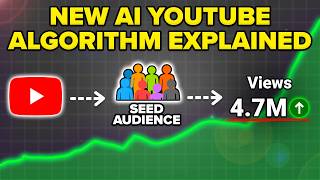
[11:04] So make sure you take that into consideration. Now, if you enjoyed this video and you want to learn exactly how YouTube's new AI algorithm works in 2026, I would strongly suggest you check out this video right here to walk you through their new AI algorithm
[11:16] and exactly how it works. I'll see you over there.
⚡ Saved you 0h 11m reading this? Transcribe any YouTube video for free — no signup needed.