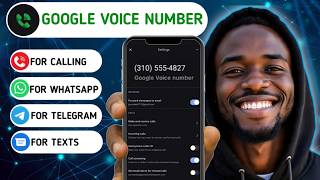

Get a Free US Number Forever!
45sHigh curiosity about getting a free, permanent US number for verification and calls.
▶ Play Clip"Title accurately describes the content: a guide to get a Google Voice number from outside the US for verification."
This video provides a step-by-step guide on how to obtain a Google Voice number for users outside the United States, using the Mega Apply marketplace to purchase a pre-configured account. It explains the benefits of Google Voice (free, permanent) over paid virtual numbers and demonstrates the setup process.
Google Voice works like a real SIM card for calls, texts, WhatsApp, Telegram, and any service requiring a phone number. It lasts forever with no monthly fees.
Apps like Numero or TextNow require monthly payments (up to $15/month) and you lose access if you fail to pay.
Google Voice is only available in the US. The solution is to use a marketplace like Mega Apply to buy a Google Voice account set up by someone in the US.
Mega Apply is a platform where you can buy Google Voice accounts and other digital products. Transactions are handled by the website, reducing scam risk.
Log in, click menu, search 'Google Voice', select a listing, choose quantity (1), confirm purchase, then copy the account details from 'Access Content'.
Add the purchased Gmail account to your phone via Settings > Accounts > Add Account > Google. Then install the Google Voice app and switch to that account.
Open Google Voice app, go to settings to see your number. You can make/receive calls and texts. The number can be used for PayPal, WhatsApp, Telegram, etc.
Change the Gmail password to a strong one to prevent unauthorized access to your Google Voice number.
By purchasing a Google Voice account from Mega Apply and following the setup steps, anyone outside the US can obtain a permanent, free virtual number for verifications and communication.
What is the main advantage of Google Voice over paid virtual numbers?
It is free and lasts forever with no monthly fees.
00:02
Which countries can directly use Google Voice?
Only the United States.
02:47
What platform does the video recommend to buy a Google Voice account from outside the US?
Mega Apply.
03:15
How do you add the purchased Gmail account to your phone?
Go to Settings > Accounts > Add Account > Google and enter the email and password.
07:21
What is the final step to secure your Google Voice account?
Change the Gmail password to a very strong password.
09:18
Google Voice as Permanent Virtual Number
Establishes the core value proposition: a free, permanent US number.
00:02US-Only Restriction
Identifies the key barrier for non-US users.
02:47Mega Apply as a Solution
Introduces a practical marketplace to bypass the restriction.
03:15Security Reminder
Emphasizes the importance of password protection to prevent account theft.
09:18[00:02] I currently use. Google Voice number works exactly like a real SIM card. You can use it for making calls, sending and receiving text messages, use it for WhatsApp, Telegram, anything that requires a phone number.
[00:17] If you are looking for a way to get a USA SIM card that lasts forever, then this is for you. In my last video where I talked about making money from other poll survey app, I promised to show you how to get a USA SIM card that works on
[00:35] all survey platforms and also works for any verification. So, this is the update. If you have been waiting, I'm sorry for the delay because I received a lot of messages from people who are waiting for this update. I was a
[00:51] who are waiting for this update. I was a bit busy with work and other businesses, but today I just have the opportunity to make this video for you. So, without wasting any time, let's begin with today's update. When it comes to getting
[01:06] virtual numbers, you know how expensive it is. If you buy virtual phone numbers it is. If you buy virtual phone numbers from apps like Numero or phone, TextNow and the rest of them, then you know you have to pay every month and the monthly
[01:20] have to pay every month and the monthly bill is up to $15 per month. And if you fail to pay, you will lose access to your virtual number. That is the disadvantage of having virtual phone numbers.
[01:33] But with Google Voice, you are not paying anything and it lasts forever. So, let me show you how to get your Google Voice number. You are welcome to DJ Ends. On this channel, I basically teach people how I
[01:46] make money online from survey websites, earning websites, and I also share online business tips with my viewers. I also share some useful tutorials on digital skills with my viewers. If it sounds like things you like to see, then
[02:02] subscribe to my channel. So, let me give you a little information about Google Voice number. Google allows people to get a second phone number that they can use. And you know Google always give premium
[02:16] things. Many people are using this second number for their businesses or they just want a private number that they use for other things that is not directly related with their public things.
[02:31] And one thing about it is that it lasts forever. Once you get a Google Voice number, you don't have to worry about paying. But, there is a problem. Google Voice only allows people in the United States to use this service.
[02:47] States to use this service. So, people living outside the US don't have direct access to it. But, there is a solution to every problem. So, the solution that most people use is they let someone in the United States do it
[03:01] for them. For example, if you have a friend or family member in the United States, they can help you set up your Google Voice number and then give you the access. But, if you don't have someone in the United States, how can
[03:15] you do it? Let me show you how I get mine. There is this platform called Mega Apply. This is one of the secret websites that most people don't like to share. In
[03:28] fact, some people will not be happy to see me sharing this updates, but I don't care. So, Mega Apply is a marketplace where rates. And the best part of it is that you are
[03:43] not interacting with the seller directly. You are dealing directly with the website. So, there is no way a seller would cheat you. You can see some things that people are buying on this website. First, I need to log in to my
[03:58] own account. So, I will click login. Then, I will enter my credentials and login. As you can see here, I have purchased As you can see here, I have purchased over 43 items from Megaplay. And those
[04:11] people doing gift card arbitrage know what I'm talking about. This is where most of them come to buy cheap gift cards. Then, they go to sell cheap gift cards. Then, they go to sell it for profit.
[04:31] some items that I have bought myself. I have bought some gift cards here and sold for profits, too. So, the website is self-explanatory. Like I said, here are some items that people are buying the most.
[04:47] People are currently buying premium Growr accounts for cheap prices. People Growr accounts for cheap prices. People are also buying cheap ChatGPT accounts and Canva accounts for cheap prices here, and even CapCut.
[05:00] I will make a video about these things soon. So, what you need is a Google Voice number. So, follow these simple steps to get your own Google Voice While you are logged in on Megaplay, just click on the menu icon. Then, click
[05:16] here. This is where you will see a lot of products and accounts that you can of products and accounts that you can get.
[05:34] Google Voice. You will see a lot of options here. You can choose any one you like because they are all the same. After that, you will see the details here. Now, you can select any number of Google Voice you want. As for me, since
[05:49] I am setting up this one for one person, I will leave it as one. Then click here I will leave it as one. Then click here and confirm the action.
[06:04] After that, you'll be taken to this section of your account. Here you will see all the items you have gotten from Megaplay. As for me, I've gotten over 43 items on this website. Some of them have even expired. Now, you need to copy the
[06:21] details of the Google Voice you just got. So, click access content because you need to add the details to your phone so that you can access the Google Voice. If you click on the view details button, you'll be taken to this page.
[06:36] Here are all the details you need to access your Google Voice account. Just copy them one by one and paste them inside a notepad because you will use them later. Aside that, you will also see all the
[06:50] detailed instruction of how to use the Google Voice you just got. That's why Megaplay is good because you get instant access to your account and you also get detailed description of how to use it. If you already have
[07:05] experience on using Google Voice, then it should be easy for you. But as for those people that haven't used Google Voice before, you need to log in with details on your phone, then you will download the Google Voice app. You will
[07:21] need to log in with the email details on your phone, then you will download the Google Voice app. The first thing you need is to add the email to your phone. So, open your settings, then click on accounts. Here, scroll down and click
[07:35] add account, then click Google. This is where you log in. Just enter the email where you log in. Just enter the email address here and click next.
[07:48] next. After adding the Gmail account, you can use it to access your Google Voice. So, this is how to use your Google Voice number for calls, text, and verifications. There are two methods of
[08:02] using your Google Voice number. The first method is to go to uh voice.google.com and log in with the Gmail. But, the second method is better. All you need is to install the Google Voice
[08:18] app. You can install the Google Voice app from Play Store. Here is the app on my phone. Now, open it. Just click switch account. Then here, you can select the Gmail account you just added. After that,
[08:33] account you just added. After that, you'll be logged in with the Gmail. click these three lines, then click settings. You will see your Google Voice
[08:48] number on the top of the page. Now, anytime someone calls your number, you can pick up the call here. You'll also be able to receive text messages and verification codes. So, their websites also work perfectly
[09:04] with this number, and you can also make calls. Anytime you call someone using your Google Voice number, they will see this number instead of your main number. this number instead of your main number. You can use this number to open PayPal,
[09:18] open WhatsApp, Telegram, and so on. And the best part is it never expires. Now, here is the last thing you must do to secure your Google Voice account. You need to set a very strong password to protect your account. Because if
[09:35] anyone have access to this Gmail account, then they can use your Google Voice number. I believe you already know how to change your Gmail password. So, if you follow these steps correctly,
[09:47] then you will now have your own Google Voice number. But, if you encounter any issues, let me know in the comment section, and I will be very glad to help you out. Also,
[10:00] share this video with other people that may find it helpful.

⚡ Saved you 0h 10m reading this? Transcribe any YouTube video for free — no signup needed.