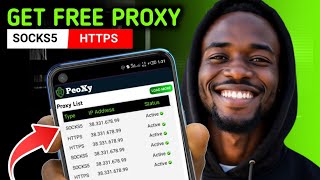

Free Residential Proxies: No Credit Card
45sThe promise of free residential proxies with no credit card needed is highly appealing and controversial, likely driving curiosity and shares.
▶ Play Clip"Title accurately promises free residential proxies without credit card; video delivers exactly that with three working sources."
This video provides a tutorial on obtaining free residential proxies from three websites—Webshare, All Proxy, and ProxyFly—without needing a credit card. The presenter demonstrates how to set up and use these proxies to change your device's location for online activities like accessing geo-restricted content or managing multiple accounts.
The video introduces free residential proxies that are reliable and suitable for various online tasks, emphasizing educational purposes only.
A proxy changes your device's location, allowing you to appear as if browsing from another country, useful for accessing restricted websites or creating multiple accounts.
Webshare offers 10 free proxies without a credit card. Users create an account, navigate to the proxy list, and copy credentials for use.
The Super Proxy app is used to apply the proxy on Android. Steps include adding a proxy profile with server, port, and authentication details.
After starting the proxy, the location changes from Nigeria to Seattle, USA, as verified on whatismyipaddress.net.
All Proxy provides 200 MB of free proxy data after registration. Users can extract multiple proxy profiles with country and protocol selection.
ProxyFly generates free proxies without an account. Users select country, protocol (SOCKS5), and format, then download a text file with proxy details.
The video successfully demonstrates three reliable sources for free residential proxies and provides a step-by-step guide on applying them using the Super Proxy app. Viewers are encouraged to use these proxies for basic tasks and consider paid options for serious use.
What is a proxy used for?
A proxy changes your device's location to make it appear as if you are browsing from another country.
01:00
How many free proxies does Webshare provide?
10 free proxies.
04:01
What app is used in the video to apply proxies on Android?
Super Proxy.
06:08
What protocol is selected when adding a proxy in Super Proxy?
HTTPS.
07:08
How much free proxy data does All Proxy provide after registration?
200 MB.
09:35
Which website allows you to generate free proxies without creating an account?
ProxyFly.
10:31
What is the recommended IP rotation time for All Proxy?
90 minutes.
10:03
Proxy Definition
Clearly explains what a proxy is and its common uses, setting the foundation for the tutorial.
01:00Webshare Free Proxies
Demonstrates a straightforward method to obtain 10 free residential proxies without a credit card.
03:17Super Proxy App Setup
Provides a practical step-by-step guide to applying proxies on Android using a free app.
06:08All Proxy Alternative
Introduces a second source with a different approach (200 MB free data) for obtaining proxies.
08:51ProxyFly No-Account Option
Shows a third source that requires no registration, making it the easiest option for quick proxy access.
10:31[00:02] proxies that you can use for free. I'm talking about residential proxies that are working perfectly fine, have high uptime, and can be used for several online activities. First of all, this video is strictly for educational
[00:16] purposes. I do not encourage any illegal activities. I will show you three websites where you can get free residential proxies from. We will test them out and see if they are working or not. then I will tell you the best one
[00:30] among them. What you need to do is to sit back and watch this video carefully so that you don't end up making mistakes in the end. So the first thing I want you to do is to open your browser and type.net.
[00:45] As you can see here, this website will show you your real IP and your real location. Now you can use proxies to change your location to another location. For those people who don't know what a proxy is, a proxy is what
[01:00] people use to change their device location. You can be living in Nigeria, but you can use a proxy to make it look like you are browsing from the United States. People use proxy to visit websites that are not normally available
[01:15] in their country. And people also use proxy to do multiple accounts set up online with less risk of detection and bams. For example, let's say Mr. A is trying to create an account online. But when he visits the website, he finds out
[01:31] that the website doesn't accept people from his country. So Mr. A gets a proxy and changes his location to another country and successfully created the account. That's how proxies work. And I am about to show you how to get free
[01:47] proxies. But first, let me welcome you to JJ Ends. [clears throat] On this channel, I basically teach people how I make money online through online service, online earning websites, online businesses, and so on. I also
[02:01] share some useful tips and tricks that will help make your life easier and more productive. So, if you want to see more updates from me, simply subscribe to my channel. Also, join my WhatsApp and Telegram community where I share some
[02:15] exclusive updates frequently. All the links to my communities are in the description and pinned comments of this video. So, let's get started with the first website. Like I said, ha.net shows your real actual location. And right
[02:30] now, you can see that I am browsing from Pacot in Nigeria. You can even see my [clears throat] So, whenever I visit a website, the website can know all these things. So if I try to create a USA PayPal account
[02:46] right now, PayPal will ban my account because they will also see all these things, they will know that I am from Nigeria and browsing from protocol and they will ban my account. Or let's say I want to earn money from surveys, then I
[03:01] want to earn money from surveys, then I visit a USA survey website. They will also see these things and tell me that I am not accepted because I am not a USA resident. Now, let me change my device location using a free proxy. There are
[03:17] many proxy providers out there. Some of them charge money and the ones that charge money are the most reliable ones. If you want to do anything serious with proxies, I advise that you buy one. But feel free to use these free ones for
[03:32] some basic online task. The first website where you can get free proxies is called Webshare. The link is displayed on the screen right now and you can also get the link in the pin comment and description of this video.
[03:47] Now when you arrive here you can clearly see what the website is about. It says here fast reliable proxies you can set up yourself. Get 10 free proxies and access flexible plans for residential
[04:01] access flexible plans for residential ISP and so on. No credit card required which is exactly what we are looking for. You can scroll down further to read more about the website yourself such as how to connect the proy and how to use
[04:15] it because doing your own research is also very important when it comes to online things. So take your time and do your own research on this. Now to get free proxies from this simple website. All you need is to create a free
[04:29] account. So click on get 10 free proxies. You will be asked to create your new account. You can either register with your Google account or you can manually register using your email address and password. Just enter your
[04:44] email address here. Then enter your password and click I agree to terms and conditions. You can click to view the terms and conditions yourself. After that, click the sign up button. You may be asked to complete this Google capture
[04:59] to confirm that you are not a robot. After that, your account will be created and you will see this prompt. Under the products category, click free. Then go to proxy list. And just like that, you will receive your 10 free
[05:15] proxies that you can start using. You will see each proxy profile with its credentials. Swipe left to see the country of the proxy profile. You can country of the proxy profile. You can see proxy address, port, username, and
[05:29] password. You will also be able to see the status of each proxy profile in real time. Now what you need is to copy the credentials of the proxy profile you want to use and store it somewhere. Just tap on each result to copy it. Then
[05:45] tap on each result to copy it. Then store it inside a text file. As for me, I want to use a United States proxy. So I will copy this one.
[06:08] proxy. To apply the proxy to your device, you need an app. There are many apps that allow you to apply proxy to your device, but the one I'm going to use for this tutorial is called Super Proxy. You can download it on Play
[06:23] Proxy. You can download it on Play Store. Just search for Super Proxy and you should be able to see it. This is the icon. Just download and install it on your device. Then open it. When you open it, you will see this interface. As
[06:38] you can see, it says there are no proxies available. So you need to add Webshare. Just click the add proxy button. Here you need to name your proxy profile. Just give it a name that you can
[06:54] remember. Let's say you want to change your device location and do affiliate marketing. Then you can give it a name like affiliate marketing proxy or something similar. Then on the protocol, select HTTPS.
[07:08] Then the server is this thing you are seeing here. Make sure you copy the full digit and make sure you are using a single record. For example, if you enter the IP address of this one, you can't use the port of this other one. So I
[07:25] will copy the server address and paste it here. If the server is working, you will see this green check mark. Then copy the port and paste it in the port field. Also make sure it is showing the green check mark. Then click
[07:40] authentication method and choose username and password. Some proxies don't have username and password, but this one does. And the ones with username and password are better than the ones with no username and password.
[07:56] So choose it. After that, click this save icon on the top right of the save icon on the top right of the screen. Then click this back arrow. Here is the proxy I just created. I can start it right now and my location will change
[08:10] it right now and my location will change immediately. To start it, click on the proxy. But first, remember that my current location is in Port Nigeria. Right. So, let me start this proxy. As you can see, if I start it, the timer
[08:25] will show up on top of the screen. Then this stop button will also appear here. Now, let me go back to ha.net net and see if my location has been changed. So,
[08:37] I will just refresh the page and allow it to load. As you can see, my location now shows that I am in Seattle in the United States. That's how it works. Remember, I told you that I will show you three websites where you can get
[08:51] free proxies. Let me show you the remaining two. The second one on my list remaining two. The second one on my list is All Proxy. This website also gives you free proxy profiles that you can use. The link to this website is also
[09:04] going to be in the description and pinned comments of the video. So check it out. When you click it, you will be taken to the homepage. You can either download the app or use the website. Just click try web free and you will be
[09:19] taken to the registration page. On this page, you can register with your email and password. Just enter your email here. Then click get code and a code will be sent to your email address. Copy the code and paste it here. Then enter a
[09:35] password for your account and click the register button. Immediately you are done creating your account. You will see this prompt that says claim free 200 MB of proxy. Click the claim button to claim it. After claiming the free 200
[09:51] mgaby proxy, you can start using it right away. Just select the country proxy you want to use. Then select the route like this. As for the IP rotation,
[10:03] select 90 minutes. Then choose SO 5 for the protocol. You can enter any quantity the protocol. You can enter any quantity you want, but I will choose 10. Then click extract. Just like that, you will receive 10 free proxy profiles you can
[10:18] receive 10 free proxy profiles you can use. You can see them here. Remember, I showed you how to apply the proxy to your device a few minutes ago. Just copy the proxy profiles and store them somewhere so that you can see them
[10:31] anytime you want. And the third website where you can get free proxy profiles is called proxy fly. When you arrive on the homepage of the website, you can see exactly what it says. It says get free HTTPS and S5 proxies from over 100
[10:48] countries. Now, to get free proxies from this website, you don't even need to create an account. Just scroll down a little. Here you can generate free proxies. First select the country of the proxy you want to use. I will choose
[11:03] Australia for this example. Then on the protocol section, choose SOX 5. Then as for the format, I prefer to use text file because it is easier to understand
[11:15] file because it is easier to understand especially for new users. After that, click get proxies button below and proxy profiles will be generated for you. So, let me know how it goes for you. And if you have any questions about this video,
[11:30] feel free to comment down below. And if you are interested in my content, why not subscribe, then join my WhatsApp and Telegram groups for future updates. Have Telegram groups for future updates. Have a nice day.


⚡ Saved you 0h 11m reading this? Transcribe any YouTube video for free — no signup needed.