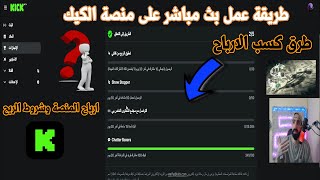

How to Start Live Streaming on Kik
45sClear step-by-step guide to starting a live stream on Kik, appealing to creators seeking monetization.
▶ Play Clip"The title accurately promises a guide on live streaming and earnings, and the video delivers detailed steps and revenue info."
This video provides a detailed guide on how to live stream on the Kik platform, covering the requirements, monetization methods, and earnings potential. The creator explains the steps to set up a channel, activate subscriptions, and meet the conditions for verification and partnership.
Log in to the Kik website on PC, register with a Gmail account, and access 'My Channel' to manage settings.
The panel on PC includes live stream controls, slow mode, follower-only chat, emoji restrictions, and subscriber-only chat.
Link a Visa card to receive subscription payments. For a $5 subscription, the creator receives $4.50 or more, which is higher than other platforms like TikTok.
To get verified, you need 10 subscribers (not gifts), an average of 50 live viewers over 30 days, 15 hours of broadcast, 100 unique commenters, and 250 followers.
1000 views earn $40. Earnings are calculated per hour; only the first 8 hours of a live stream count for revenue.
Partnership requires 25 subscribers, 75 average live viewers, 30 hours of broadcast per month, 100 private messages, and 250 followers. Views from the same IP may be considered fake.
Configure stream settings in the OBS program, copy the stream key and URL from Kik settings, and paste them into OBS to go live.
The Kik platform offers significant earning potential through subscriptions, view revenue, and partnership contracts, but requires consistent effort to meet verification and partnership requirements.
What is the standard subscription price on Kik?
$5
03:20
How much does the creator receive from a $5 subscription?
$4.50 or more
03:20
What are the verification requirements for earning from views?
10 subscribers, average 50 live viewers over 30 days, 15 hours broadcast, 100 unique commenters, 250 followers
04:00
How much do 1000 views earn on Kik?
$40
07:11
How many hours of a live stream count for revenue?
Only the first 8 hours
07:35
What are the partnership requirements?
25 subscribers, 75 average live viewers, 30 hours broadcast per month, 100 private messages, 250 followers
08:48
Why might views from the same house not count?
Because they are on the same router/Wi-Fi and considered fake by the algorithm.
09:02
High Subscription Revenue
Kik offers a higher cut of subscription revenue compared to other platforms like TikTok.
03:20View Earnings Rate
1000 views earn $40, but only the first 8 hours of a live stream count.
07:11IP Address Detection
The platform detects fake views from the same IP, affecting verification and partnership.
09:02[00:02] new video. This is your brother Abdul Rahman Al-Ma'mour from the Harbi Game channel. We begin the video by sending blessings upon the Prophet Muhammad, peace and blessings be upon him. We're back with a new video about the Kik platform, Kik platform earnings, and how to do a live stream on Kik. We'll explain the requirements you need to
[00:18] do a live stream, subscriptions, and so on. As always, our videos are detailed and easy to understand. Show your appreciation with a like,
[00:30] subscribe, and activate the bell icon. Don't forget to like and subscribe! Let's begin, with God's blessings. Look, brothers, you'll first open TikTok/Kik. You
[00:42] 'll find the Kik website like this on your PC. Click here in the corner and log in. You'll register using your Gmail account, for example, the one you have on your PC. Create an account with it. Then go to something called "My Channel." You've entered it, and now it's
[00:58] your channel. This is how it works, you have a method. Look, my channel, God willing, I only worked on it for one week or five days, not a week, and I have 342 followers. I stopped for a while because of the earnings, whether they're halal or haram, a gambling platform, etc., but I'll be back soon after I inquired about some things. Okay,
[01:14] legends, look, my channel is the one you have. You click like this, and the panel you see on the right will appear. Here you see the panel; these are the important settings that we need. They're not available on mobile at all; you'll only find them on PC. So
[01:32] here you have the content management panel. This is what's important to us. This is what's important to us. We go to the content creator control panel, look at the interface. Here's a simple and quick explanation: when you start a live stream, it shows you
[01:48] that the live stream is running, how many people are live, the comments, the moderators, who muted or blocked, and so on. This is the activity summary; who subscribed, who's new, and who subscribed. And here's the thing:
[02:01] here's the slow mode so the comments come in slowly. You have a chat dedicated to followers only, meaning only followers can write comments. Those who aren't following you can't. Here's the chat using emojis—regular pictures, you know. You can't
[02:16] write emojis, you know. Subscribers can only draw emojis. Subscribers who are already subscribed can write comments, but not subscribers can't.
[02:29] So, you activate it here. Okay, restrictions: you impose restrictions on certain accounts and banned words. You can set words you don't want to appear in the live stream. You know, swearing, insults, and so on. We're done with that. Now let's talk about the revenue. Look, I have the
[02:46] subscriptions. When I opened for five days, several people subscribed, so I have the revenue here. When people subscribe or want to subscribe, before you subscribe, how do you activate it? You'll go to the revenue section, and a link will appear. You link your Visa card account, whether you're in Germany,
[03:04] Europe, or France. In Turkey, or any other country, linking your Visa card here will only ask for your Visa card information. You add it and click " OK," and it confirms the transaction. If you're in Germany, it will be in Euros; if you're in Turkey, it will be in Turkish Lira. A unique feature of subscriptions on the Kik platform is that
[03:20] if someone subscribes for $5 (which is the standard subscription price), you'll receive $4.50 or more (I think $4.50 or more, approximately). So, the full subscription amount is available to you. This is a good
[03:32] thing because other platforms are difficult. For example, this month I received a $50 subscription for TikTok, and my subscribers received my subscribers received $10 each, which they then used for $20. So, you feel like the
[03:46] lack of subscriptions on TikTok is a real advantage. Honestly, that's about it. So, we've covered the subscription issue. Here, you just link your Visa card to achievements, which is what you're looking for. I'll explain it to
[04:00] you. Okay, guys, let's quickly see something that's not tiring or difficult. Here's how to make money from my channel. Making money, the path to verification, verification, this is the verification, the profit. The first screen
[04:15] is earnings from views, meaning the people who watch your videos. Earning from views, okay? That's the first section. The section below it is contracts, and contracts are for big subscribers or
[04:27] people with high views and engagement. Let's start with this screen. Reaching a total of 10 subscribers is different. Subscribers are different from gifts. For example, if I go to Kik Live and find someone I can gift a subscription to, they'll get a star next to their name and can
[04:41] star next to their name and can send special emojis that you add. But the subscription is a gift, so the gift doesn't count towards the 10 subscriptions you have here. Okay? This is something I know. So, whoever wants to subscribe has to
[04:55] be a person, not a gift. The person themselves subscribes using their Visa card. Secondly, reaching an average of 50 views in the last 30 days. See, 50 views, not 50 views? You think it's just that
[05:07] 50 people watched your live stream? No, you have to go live every day with 50 people on your live stream every day go live every day with 50 people on your live stream every day for a month until you get the average. Okay, you might say, "Okay, I have a higher number than 50." Okay, if you have a number and you go live
[05:24] today and you have 500 people on your live stream, divide the 500 people by 10 days, 50. So what did you have for divide the 500 people by 10 days, 50. So what did you have for 10 days? You got these, you got these.
[05:36] So if you go live on the first day and you have 500 viewers on the live stream, and the second day 500 viewers, and the third day 500 viewers, you closed it. Why? Because it tells you to reach an average of 50 viewers per Because it tells you to reach an average of 50 viewers per day, so you calculate 50 viewers per day for 10
[05:51] day, so you calculate 50 viewers per day for 10 days, 500 for 20 days, how many do they need? days, 500 for 20 days, how many do they need? 1000 for 20 days, how many do they need? 1500 viewers. Of course, you're probably thinking, "All 1500 viewers, each viewer has to be different from the
[06:05] other?" No, if 50 people are present today and the same ones come tomorrow, they're counted. Okay, the 500 viewers today, if they come the next day after 24 hours, they're also counted.
[06:18] day after 24 hours, they're also counted. So, the idea behind this is to connect with So, the idea behind this is to connect with your content community, not your own. The broadcast is for 15 hours, meaning if you broadcast for three hours a day for five days, you're closed. You have 100 participants in a
[06:32] unique chat. Look, mine is still full. All you have to do is get 100 people from outside to join the All you have to do is get 100 people from outside to join the live stream and write a comment. 100 people, 100 people from outside to join the live stream and write one comment each. 100 people each wrote a
[06:45] one comment each. 100 people each wrote a comment on your profile, and that's it. comment on your profile, and that's it. We're done. You've met the requirements. You'll see an "Application" We're done. You've met the requirements. You'll see an "Application" verification message. You'll send them an
[06:57] email, and they'll activate the verification badge you have. Then you can start earning from your videos. Okay, the earnings from videos and views are as follows: 1000 and views are as follows: 1000 views equals $40. That means you opened for an hour, and in that hour, 1000 people
[07:11] views equals $40. That means you opened for an hour, and in that hour, 1000 people watched you. Of course, that number isn't easy to
[07:23] reach; it requires hard work. You have to work; it's not easy. So, 1000 views earn you easy. So, 1000 views earn you $40. Can I stay online day and night? Look at
[07:35] Kik for eight hours; there are earnings. So, you opened a live stream now, open it for exactly eight hours. Whatever views you get during those eight hours, you earn money. After those eight hours, you're working without earning. This is important information you need to know.
[07:51] Some people say, "I swear, I'll work on Kik." And I'll keep it running 24 hours, not eight hours. In those I'll keep it running 24 hours, not eight hours. In those eight hours, you get eight hours, you get 1000 views. They consider 1000 views as
[08:05] 1000 views. They consider 1000 views as an hour, so you have 1000 views per hour. Okay, not per hour. So, you have five hours and get 1000 views. You divide the 1000 views by five, which gives you 200 views. You take the earnings for those 200 views. They
[08:19] always measure it by the hour. So, you opened a live stream for eight hours, and for those eight hours, let's say you got hours, and for those eight hours, let's say you got 2000 views. You divide that, and you get, for example, 400 views. So, if 1000 views are worth 40, then how much are 2000 views. You divide that, and you get, for example, 400 views. So, if 1000 views are worth 40, then how much are
[08:36] 17 or 18 dollars. Okay, you got the information. That's it for this topic. Let's move on to the next one. Let's be quick here. topic. Let's move on to the next one. Let's be quick here. The conditions are the same; there's no problem. The total reach is
[08:48] The conditions are the same; there's no problem. The total reach is 25 subscribers. 25 different people subscribing to your channel. Of course, you can get your friends to subscribe, and one person per month you receive the payment and then give them their money back. That's it. month you receive the payment and then give them their money back. That's it. But 25 phones subscribing from the same house is
[09:02] difficult because there's an algorithm within the Kik platform. We can say it's similar to YouTube; all views from the same house are considered fake because they're on the same router and the same Wi-Fi, so they don't count. Why? Because some people told me they had
[09:19] four or five phones subscribed from the same house, meaning on the same router, or they opened the phones with views from 20 phones. So, the average number of phones viewed on the same Wi-Fi didn't count at all. The idea here is that we're using the same Wi-Fi.
[09:35] The idea here is that we're using the same Wi-Fi. Then, to increase the channel's community, instead of 50 people on live streams, you need 75 people on live streams. You interact with the community by being online for 30 hours a month. So, if you're online for one hour a day for a month, you're done.
[09:50] If you're online for eight hours a day for four or five days, you're done. This is what the messages, as you can see, tell you before. 100 people write a message. I have 100 private
[10:03] messages. 250 people here have written messages. The last one is about increasing the number of followers to 250 people. last one is about increasing the number of followers to 250 people. I have 342. Okay, and we closed it here. After you finish this, contact them by email and tell them that you have met the requirements
[10:18] tell them that you have met the requirements for a day. They might check your live stream directly and activate it. It could be six hours, a day, two days, five, or ten. But be sure that they five, or ten. But be sure that they wrote here that they might not accept you, and they might accept you, so it's
[10:33] not a guarantee that if you meet the requirements they will accept you. Okay, but honestly, most of the people I saw were approved, and the views were good, not completely fake. Of course, there are good, not completely fake. Of course, there are fake views, guys. There are platforms that
[10:47] offer this service. A service that allows you to put 500 or 400 viewers on the live stream, and even bypass YouTube algorithms, or Kik, or anything else, and you make 100% profit on it. Okay, so
[11:00] they use it until they activate it or leave it for a whole month. Until they document and prepare everything, and then they hold competitions from other platforms and bring in people and stop all this support. Okay, we're bring in people and stop all this support. Okay, we're done. That's all there is to it. Of course,
[11:13] I finished the video and came back and cut this part for you because when I explained the way to become a partner, I didn't specify the earnings. Earnings from views are an specify the earnings. Earnings from views are an external matter, but I activated the option above the
[11:27] way to become a partner. This is considered an employment contract with the company itself. Based on your views, based on your interaction, they will give you. I mean, some people get $ 3,000, some people get $5,000, some people get $30,000. Of course, these are unimaginable numbers. I know you know them. I mean, unimaginable numbers. There are
[11:43] people on the platform who get $100,000 a month, by the way, and $700,000. Yes, don't be surprised. There are people who have unimaginable numbers on their live streams. They get $50, $60, and $7,000 for
[11:55] streams. They get $50, $60, and $7,000 for what? Just by being present, you get a monthly salary. You'll receive a monthly salary even though you need views. The views generate their own revenue, and the contract is separate. The contract provides your official salary, and the views are separate. I think you understand the whole idea now. Okay, so I
[12:11] want to do a live stream on the platform. How do I do a stream? Let's go to the studio; you don't need to go to that. Now let's go to the channel. After you click on the channel, you have four important options to configure. Here, you can choose which words to hide ( for example, if someone
[12:28] for example, if someone writes "dog," God forbid), they won't appear. You can also choose whether to let them appear or not. You can specify these things here. Here are the roles: the moderators you've assigned to the channel, and the community. Here, you can
[12:42] add emojis or thumbnails that you put here, and they can send them in the chat. Here's the link and key for the live stream. You access the OPS program, as you can see. Go to settings, then to something called "stream," and then you'll find it here. You set it to "custom,"
[12:59] something called "stream," and then you'll find it here. You set it to "custom," meaning you customize something specific. After doing that, you copy the first code and paste it here above. Then you copy the
[13:11] second code and paste it here above. Immediately after that, you give it a live stream. You'll find the interface give it a live stream. You'll find the interface working here, and the stream is running here, showing the number of viewers, followers, and so on. I think I've explained it to you in detail. If
[13:27] anyone has another question related to the Kik platform or any information they didn't receive, they can write it in a comment, and I'll answer it. If it needs a video explanation, a second part will be released in four or
[13:40] five days for the Kik platform. The video will cover how to create a rebot, how to create a store, how to create an automatic rebot that responds to points (for example, if you write your points, it will reply with how many points
[13:52] you have), and how to find out who is watching your live stream. For example, if you're not going to live stream. For example, if you're not going to open a store but you're going to hold a competition every month, the first 10 people watching your live stream will each receive 325 UC (Unknown Cash). 660 UC. You're not involved in the store or its operations, so you
[14:07] know the ranking of your customers each month. This means you can create events based on this perspective and performance. That's all. I think you've received the information in detail. If you liked the video, don't forget to like, subscribe, and activate the
[14:20] bell icon. This was your brother, Abdul Rahman Al- Ma'mounat, Harbi Gaming.
⚡ Saved you 0h 14m reading this? Transcribe any YouTube video for free — no signup needed.