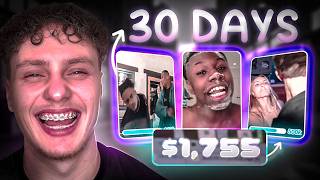
How Streamer Clipping Made Me $1,000 in 30 Days
60sReal income proof and a simple RPM breakdown make viewers believe they can replicate the exact money-making method.
▶ Play Clip"Delivers real earnings proof and a working method, but the $1,000 figure is only partially backed by the clips shown."
The creator explains how to make money by clipping streamer moments and posting them on TikTok and Instagram. Using real earnings proof, a single-niche strategy, and a simple CapCut workflow, he shows a repeatable process for generating income without showing your face or selling products.
Created a TikTok account without selling products or showing his face; made $61 in the first 3 days and $257 from one video shortly after.
Sign up for a streamer's clipping program (e.g., Kai Cenat), post clips on TikTok/Instagram, and get paid per 1,000 views. With an RPM of $1, 100,000 views would earn $100.
For the Rampage Jackson niche page, the payout was $0.50 per 1,000 views. Early clips only got about 2,000 views, earning roughly $1 each.
A clip of someone asking ChatGPT how to make rice hit 150,000 views and earned $75. It took about 5 minutes to make: cut, add subtitles, and post in CapCut.
A compilation of Rampage's best moments hit 500,000 views and earned $250. The creator just kept posting funny stream moments and compilations.
Be the first to post a funny clip from a stream, or use volume by posting many clips. Auto-clipping tools like Opus Clips can help streamline the process.
After 2-4 weeks of daily posting as warm-up, ramp up to around 5 posts per day. Some streamer-moment pages post 5-20 clips daily.
Shows the full editing workflow: import clip, crop out unrelated content, add sound, generate captions, censor curse words, isolate voice, compound clips, color grade, resize to 9:16, and export.
Making money from streamer clipping is achievable with speed, volume, and a hyper-niche focus; even basic edits with subtitles can generate significant payouts once a clip goes viral.
What does RPM stand for in streamer clipping?
Revenue per 1,000 views — the amount paid for every 1,000 views a clip receives.
00:43
With an RPM of $1 and 100,000 views, how much money do you make?
$100.
00:57
What was the payout per 1,000 views on the Rampage Jackson clips?
50 cents ($0.50 RPM).
01:44
Which video earned $75 and how many views did it get?
A clip asking ChatGPT how to make rice; it got 150,000 views.
02:53
What is the recommended posting cadence after 2-4 weeks of daily posting?
Ramp up to around 5 posts per day.
04:48
What does the 'isolate voice' function in CapCut do?
It isolates the voices and makes the audio and voices sound clean.
06:40
What aspect ratio is recommended for Reels and TikToks?
9:16.
07:23
Zero-Startup Earnings
Shows that real money can be made quickly without products, face reveal, or special skills.
00:03Niche Beats Random Content
Focusing on a single streamer made the page easier to grow and more attractive for consistent payouts.
01:445-Minute Content Workflow
A basic cut-and-subtitle clip generated $75, proving production value matters less than speed and relevance.
02:53Speed and Volume Win
The golden rule is to be first on a clip or post at high volume until something sticks.
04:04[00:03] TikTok account and no, I didn't have to sell any products. I didn't need a didn't even have to show my face. In the first 3 days of creating the account, I made $61 from this single video and $257
[00:15] stop there. So, I'm not going to gatekeep anything. I'll show you the exact account name, exactly what I did to make this money and exactly how I created the videos, which is actually really simple. Oh, and by the way, I'm
[00:27] special skills. Literally, anybody can learn this in just a few days, even Indians or girls. Let me show you how. monetized YouTube account? It's actually pretty [music] simple. It's called
[00:43] get paid certain amount of dollars for every 1,000 views that you get. Let's say I sign up for Kai Cenat clipping and I post a clip of him doing something example. And let's say the clip [music] kind of blows up, gets 100,000 views on
[00:57] TikTok or Instagram and the payment rate, aka RPM, is $1 per 1,000 views, I would make $100 from those 100k views. Simple as that. Clipping [music] is amount of views that you get, the amount of money you get paid. No percentages,
[01:11] pyramid schemes or any type of voodoo [ __ ] like that. Now, let me show you exactly what I [music] did make $1,000 in 30 days without needing any money or I show you how you can find opportunities like this yourself and
[01:24] and not miss out and make the most amount of money, let me quickly show you the videos that went viral from myself so you can just recreate [music] them we only clipped Rampage Jackson's streamer moments on this page.
[01:44] ain't hating, but he's scamming you. How is he so cheap? Y'ALL [ __ ] CAN'T PHOTOSHOP ME NO MORE. THE PAYOUTS for 1k views was 50 cents.
[01:58] This is a very super niche page. This isn't a page where I post a bunch of random viral streamer moments. It's basically just one [music] guy, Rampage Jackson, for the time being. But, later on, I can also post any streamer moments
[02:10] niche. Although, when you're watching this, we don't run Rampage Jackson on streamers right now you can check out in Clip It's opportunities. So, the first clip we posted on December 10th, Cristiano Ronaldo just tipped $1.
[02:25] It didn't do nothing crazy, just 2k views, but still that's $1 in our pocket. The next clip, Jon Jones just tipped $1. I want to oil you up. >> [music]
[02:38] because it's more engaging where Rampage [music] Jackson's being rage baited by his text-to-speech donations. I noticed that this trend seems to be working, so thing. I bought just tipped $1.
[02:53] This guy is asking ChatGPT how to make rice. And [music] boom, first semi-viral video. We hit 150k views and that's 75 bucks in our pocket. This video took me about 5 minutes to make and all I needed
[03:06] to do is just cut up the clip, add subtitles, and post. Oh, and I also CapCut. I already was kind of happy, I kept posting next two videos, nothing crazy, then kaboom. Kaboom. And we hit another viral video. Rampage looks like
[03:21] another viral video. Rampage looks like he sold six Toyotas today. Rampage looking like a hog rider. >> 500k views and that's $250. In this video, I just made a compilation of Rampage's best moments. All of those
[03:37] that's it. It's really simple. I just kept rolling like that, just funny stream moments or best moments from the stream as compilation videos. If you also going to reveal the username of this page so you can just check all the
[03:50] them. And now, I'm going to show you a quick tutorial, specifically how to clip streamers and my golden advice of how you can go viral almost every time. The clipping streamer moments is that the editing [music] basically doesn't
[04:04] timing. You simply want to be the first one to post a funny clip in a stream you're not a geek and you don't want to watch every single stream, all you can do is just simply do volume and post a lot of clips and they're eventually
[04:18] you can even use auto clipping tools like Opus Clips or something similar and do is just cut off the video and add subtitles.
[04:33] want to be one of the first people who is going to jump on a clip when something cool or funny or explicit happens on a stream or simply just spam post the clips and some streamer moments pages even post five to 20 clips a day
[04:48] you have done enough warm-up on the account. After like two, three, four weeks of constantly posting daily, you can ramp up to like five posts a day, no in-depth knowledge about clipping various opportunities and get coached by
[05:02] servios.com and you can apply for my one-on-one mentorship where we're going So, check it out if you're interested. All right, so let's jump into my computer and let's go to CapCut. I'm going to show you in under a minute how
[05:14] you can simply edit these viral streamer moment clips. So, let's go. moment clips. So, let's go. Wait a minute.
[05:31] the timeline. Then, let's go ahead and crop it. People don't need to see the screen recording of the gambling website. Let's just put their reactions. silence and maybe some boring parts as
[05:43] Die coke with no [ __ ] can't make this up. We can't We can't have a Coke Zero and just chill with the homies, like what? I can't [laughter] DRINK >> WHY AM I OFFENDED
[06:02] coke with no [ __ ] can't make this up. All right, here let's drag in a sound 12. make this up. We can't We can't have a Coke Zero and just chill with the homies, like what?
[06:14] >> I CAN'T DRINK >> WHY AM I offended by that? else [laughter] anyone has said? Now, let's generate [music] captions cuz we always need captions on the screen these days.
[06:27] the screen these days. I'm using this template. And I'm going to select all of the captions and place them in the middle. [ __ ] in Miami sipping And make sure to censor out the curse words.
[06:40] [ __ ] in Miami sipping on diet coke with no [ __ ] can't And in CapCut, you can actually select this function, isolate voice, which is going to isolate the voices and just make the audio and the voices sound clean.
[06:52] Let's select all the clips and compound them together so it's one big clip. >> For the color settings, I'm going to turn down the exposure, always looks cleaner and then more, you know, higher quality. Turn up brilliance,
[07:07] >> sharpen it a little bit, clarity a little bit, particles down, and a little Obviously, it doesn't matter. You don't have to copy the exact number, just play with the slider and see what looks good for you.
[07:23] little bottom on the bottom right to make it 9 by 16 so it's perfect for reels and TikToks. [ __ ] in Miami sipping on diet coke with no [ __ ] can't make this up. We can't We can't have a Coke Zero and
[07:36] >> [laughter] >> I CAN'T DRINK >> WHY AM I OFFENDED by that? WHY DID THAT HIT harder than anything has said? And now, you're ready to export. Literally that easy to make a
[07:48] streamer clip. Just basically don't have to do any editing [music] at all. Simple to do any editing [music] at all. Simple as What, boy?
⚡ Saved you 0h 07m reading this? Transcribe any YouTube video for free — no signup needed.