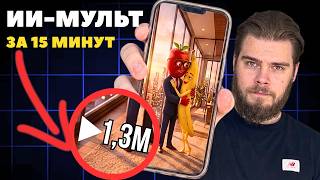

3 Ways to Create AI Videos (And the Best One)
60sPresents a clear comparison of three AI video creation methods with a recommendation, appealing to the audience's desire for efficient, cost-effective solutions.
▶ Play Clip"Delivers a practical step-by-step guide, though it includes some promotional segments for the creator's club and store."
This video provides a step-by-step guide on creating animated videos (cartoons) using neural networks. The creator demonstrates how to identify trending video formats in a niche, generate character images, animate them into short clips, and assemble them into a final video with subtitles and voiceover, all using AI tools.
The creator explains that they use two to three neural networks with several prompts to generate a stream of content, and this video will show the step-by-step process.
Search for your niche on social media (e.g., Instagram) to find videos that have already gathered millions or hundreds of thousands of views. If no such videos exist, the niche may not be interesting.
Copy the nicknames of popular videos and load them into a scraper to get a table of the most popular videos from competitors, showing what content is already performing well.
Examples of trends include TV series formats and characters like animated fruits or organs coming to life. These formats can be used to promote your own account.
Watch videos in your niche to get ideas for similar videos. You can reshoot with the same text and script, or create something similar if you see a popular format.
1) Text to video, 2) Image to video (animating an image), 3) Video to video (replacing a character). The creator chooses image to video for more accurate generation and cost efficiency.
Create two types of images: character sheets (characters separately) and footage (characters in different rooms/moods). This is necessary for more complex videos.
Prompts can be found in open sources, such as the Telegram channel 'Traffic Chief'. The creator uses the Syntax service for image generation.
For a series, indicate characters in prompts and then tell the neural network what each character does in different scenes.
The Telegram channel provides a set of tools for video editing, including prompts for various characters and scenes, music, and other resources.
If you like a generation but don't have a prompt, take a screenshot and use a text neural network (like GPT) to generate a prompt for that character.
Use the video section in Syntax, select a neural network like VO3, set image-to-video mode, add the generated image and a prompt describing the action. Each video lasts up to 8 seconds.
For videos without speech, choose a cheaper model like Image 10 (5 credits) instead of VO3 (more expensive).
Use a video editor like CapCut to glue episodes together, add subtitles for vertical videos, and add background music.
Use Eleven Labs or CapCut's text-to-audio to generate voiceovers. Eleven Labs offers more realistic voices but costs more.
Publish content across multiple accounts on Instagram, TikTok, etc., to increase traffic. Purchase accounts from FB1 store to avoid blocking.
The skeleton is: create a script, generate images, animate them, and optionally add sound. Neural networks may change, but the process remains similar.
The video provides a comprehensive, step-by-step guide to creating AI-generated animated videos, from trend research to final editing, emphasizing the importance of using trending formats and efficient tools.
What are the three ways to create a neurovideo?
1) Text to video, 2) Image to video, 3) Video to video.
03:55
Why does the creator prefer image-to-video over text-to-video?
It provides more accurate generation and is cheaper because images cost fewer credits than videos.
04:23
What are the two types of images needed for a complex video?
Character sheets (characters separately) and footage (characters in different rooms/moods).
04:38
What is the maximum duration of a video generated by VO3?
8 seconds.
11:35
Which neural network is recommended for image generation?
Nanoban.
07:47
How can you create a prompt for a character you like but don't have a prompt for?
Take a screenshot of the character and use a text neural network (like GPT) to generate a prompt.
08:42
What is the cost difference between VO3 and Image 10 for video generation?
Image 10 costs 5 credits, which is almost three times cheaper than VO3.
12:04
What is the general workflow for creating a neurovideo?
Create a script, generate images, animate them, and optionally add sound.
14:38
Finding trending formats
Emphasizes the importance of validating a niche by checking for existing viral content.
00:33Three methods of neurovideo
Clearly outlines the three main approaches to AI video generation, providing a framework for creators.
03:55Cost efficiency of image-to-video
Highlights a practical advantage of using image-to-video over text-to-video: lower cost and better accuracy.
04:23Custom prompt generation
Shows a clever workaround for creating prompts for desired characters using a text AI.
08:42General workflow
Summarizes the entire process into a simple four-step skeleton, making it easy to remember and replicate.
14:38[00:02] posting videos. I take two, maximum three neural networks, load several promts into them and get a stream of content. In this video I will show you step by step how to create long and videos. Just repeat after me and you will succeed. Enjoy
[00:17] is provided for informational and educational purposes only. actions shown in the video. We begin our journey with the question: what kind of videos should we shoot? On what topic? What kind of video is this and so on. We go to any
[00:33] social network, for me it’s Instagram, and enter the name of our niche in the search. We entered it and the name of our niche in the search. We entered it and received videos in the search results that have already collected millions or at least hundreds of thousands of views. And every niche should have
[00:50] such videos, because [music] if there are n’t any, then most likely the niche is simply not n’t any, then most likely the niche is simply not particularly interesting to people and it’s simply not worth being in. And in my case, these are neural networks. I see
[01:05] videos that have garnered hundreds of thousands and millions of views. Then we copy their nicknames and load them into the scraper. And we get a table like this. These are the most popular videos from our competitors. And, accordingly, we see what content is
[01:21] already flying into our topic. Let's look at some. For example, this one has collected 960,000 views. We load it and see that this is a
[01:33] views. We load it and see that this is a TV series, which is currently a trend in niches, in the neural network niche. Let's see again. And this is the same see again. And this is the same series, by the way. Just the second episode.
[01:47] Let's find something else. Here is the video collected. Yes. And these characters are also a popular trend. This is exactly the format I used to promote my
[02:00] exactly the format I used to promote my Instagram account. Yes, it will improve your Instagram account. Yes, it will improve your health. And here, diseases or human organs at the intersection of health and world networks came to life. Let's
[02:14] world networks came to life. Let's watch something else. The same goes for the series. Yes. watch something else. The same goes for the series. Yes.
[02:28] that made it into this table. And these videos are your scripts. Watch videos in your niche, and you'll have a ton of ideas for similar videos you can make have a ton of ideas for similar videos you can make . Like, just reshoot it. If
[02:43] we see that a regular video has been uploaded, we can create a video with exactly the same text and the same script. If we see Iiliki, then we can very well
[02:56] create something similar. I teach how to create tables like these, professionally analyze competitors, and work with data in my private club, Triffic Club. This is a closed community of creators where I share connections,
[03:12] developments, and market observations. There you can find information on how to analyze competitors in order to catch trends as they emerge. You can also find ready-made bundles there. I have more than ten pieces on
[03:28] bundles there. I have more than ten pieces on goods, gambling, and so on. Just take it and apply it. There I can also answer your questions if you don’t understand anything. I'll give you a hint. In general, the link to Trffic Lab is in the description.
[03:41] Move, study and move forward with traffic together - it's more effective than moving solo. Let's move on to creating images that we will later bring to life. Let's get this straight right away. There are three ways to create a neurovideo.
[03:55] The first is from the text in the video. That is, we give the text to the neural network, and it immediately creates a video based on it. The second one is from the picture in the video. That is, we animate
[04:07] the image, or animate it, as you prefer. And the third is from video to video. That is, we need to replace the character in the video. I will choose the second method from the images in the video, because this is the
[04:23] most accurate generation. And secondly, we can already tell from the pictures whether the neural seeding rules are relevant to the task or not, because in terms of credits, an image is much cheaper than a video. And when we create an image, we need to
[04:38] create two types of images. The first is the character system. That is, we create characters separately, which will then be used in our video.
[04:50] And the second one is footage from the future video. That is, these characters are in different rooms, with different moods, and so on. This is already more cool for such videos.
[05:04] If we make a simpler video, then this is not necessary. But let's still take it into account. And to create an image, we need a prompt. It can be found in open sources. This is what it looks like. By the way, I work for the
[05:20] Syntax service. You see, [music] my chats. That is, I use this service, chats. That is, I use this service, and you can check it out. And here is my chat in the design section. Here is my [music] prompt. And this is the generation I
[05:37] got. That is, it is a character system. I created That is, it is a character system. I created my character based on the Adalisia template. my character based on the Adalisia template. Well, here we see him. Alize.
[05:51] My second pomt is already like this. That is, I add a picture of the character and in the prompt I indicate what he is doing. Here we see the second generation. Here my
[06:03] character is already in a different pose, in a different situation. That is, we only created it once situation. That is, we only created it once , and then we just change the poses and everything else. And, accordingly, here is another such prompt, that is, the
[06:18] another such prompt, that is, the same character. the room is different, the pose is different. I indicated that the character is in such and such a pose. And, in fact, we get this result.
[06:33] Let me show you something more complicated. This is already a generation of my and [music] series. already a generation of my and [music] series. And here, as it were, I also indicate the characters in the prompt, actually. Here.
[06:48] actually. Here. And then, in other prompts, I tell the neural network who does what. Here, for example, are strawberries in different poses. for example, are strawberries in different poses. M, these same characters are already in different
[07:02] situations. And I just add their generations and tell the neural network where they are. Where can I get these prompts? This can be Telegram channel, Traffic Chief. Let's
[07:17] go in. and we find this set of tools for video editing. Next, go to this folder and select the prompts section. And we, accordingly, see these generations and the prompts
[07:32] they are made according to. For example, you can make a generation like this with a character make a generation like this with a character from the movie Cars. Well, uh, this one needs no introduction. TV series with animated fruits, vegetables, berries, and so on.
[07:47] Next, we copy this prompt and paste it into any neural network that generates an image. I recommend nanoban. an image. I recommend nanoban. You may have something else.
[08:02] Further in this same folder you can find, for example, music for video editing. for example, music for video editing. And here she is. And the neural networks that I use, other tools and files for editing. For
[08:18] tools and files for editing. For example, backgrounds, emojis and everything else. Overall, this is a must have if you edit your own videos. Link to
[08:30] my open Telegram channel, as well as to this pack, in the description. Go ahead and explore. So what if you liked the generation ? But I didn't find any prom in my pack
[08:42] . There is a solution here too. We are looking for our generation that we like. For example, I liked this. It's a GPT chat room come to life, but it's not a Pixar character either GPT chat room come to life, but it's not a Pixar character either . And then I take a screenshot of this
[08:56] character, and then I go to any text [music] neural network. I'll do it again through syntax. Ah, I'll choose the GPT chat GPT chat and, ah, well, let's choose
[09:10] GPT 5.4 Pro, yes, five credits will be written off. And then we add our screenshot, which we just made, with the character for whom we want to
[09:25] receive prompts, we add it. Write a prompt for nanoban prompt for nanoban to create
[09:39] image. Okay, let me change it to Okay, let me change it to chat GPT 5. So, Chat GPT web. chat GPT 5. So, Chat GPT web. Ah, Chat GPT5, yes, it will be free.
[10:05] in English. In English the prompt would be more accurate, but [music] now the prompt would be more accurate, but [music] now for clarity I will copy the Russian. Next we move on to design in syntax. Select a new chat.
[10:20] Oh, and we add this promt. Yes, I have, but bananas aren't much cheaper. Nan banana Pro, the ratio
[10:35] got the same character as in the original. Yes, in the original it is more fierce, more aggressive, but we can work with this generation and make it like that on others.
[10:50] Let's move on to creating the video. Accordingly, we move on to the video section. Here it is. And here in the settings we select. There are a lot of neural networks here. I we select. There are a lot of neural networks here. I choose VO3. Almost all my videos are made
[11:04] through it. Here is the VO3 fast version. The image-to-video mode is image-to-video mode is 9K, and the resolution is 720p. So, we add the generated image, add a
[11:18] generated image, add a prompt, and see that VO3 brings it to life. In the prompt we indicate what this or that character does, that character does, and, accordingly, we get the result.
[11:35] And each video lasts a maximum of 8 seconds. Here we see that [music] the characters are in different locations, and action is happening. The video lasts up to 8
[11:48] seconds, and therefore we cannot do everything in one generation. [music] And here I can also choose the player. When I don't need speech from the characters, I do it this way. I choose,
[12:04] do it this way. I choose, and here is imagм 10, I choose six. And here it's only five credits. This is almost three times
[12:17] cheaper than EO3. And then we go to any video editor, I use CapCAD, any video editor, I use CapCAD, and, uh, we connect and glue together all of our resulting episodes. Actually, here they are, I have them .
[12:33] These are different frames from the same cartoon. Next, we add subtitles if we're making vertical videos, and we add background music, because the neural network itself is n't yet capable of this. And if we need a
[12:49] voice-over, then go to the sound section. And here we see, ah, two neural networks. We select 11 Labs and, accordingly, speech. And here
[13:03] we enter the text and, accordingly, it is converted into audio. And here, accordingly, we select a voice. We can upload our own or
[13:15] choose from the existing ones. And the majority of votes here support the Russian language. Or the same can be done in Kapkat. Go to the done in Kapkat. Go to the text section and select text to audio.
[13:29] text section and select text to audio. Here we enter the text we need, and then select the voiceover. The voices here are simpler than in 11 Labs, but
[13:42] The voices here are simpler than in 11 Labs, but we also pay less for it. The library is quite large. We can try different ones and choose the most suitable one. and we can publish our content. By the way, we can do this with
[13:56] multi-accounting. That is, we have many accounts on Instagram, TikTok, and so on. And we publish single-title content to increase traffic volumes. If you have multiple accounts, I recommend purchasing
[14:10] Instagram and TikTok accounts from the FB1 store. Go to the website and select the appropriate section. Ours is either Instagram or TikTok. We select and see the products available to us. We choose the most suitable one, purchase it and don’t have any
[14:25] problems with [music] blocking and everything else. Link to FB Store in the description. Go ahead and explore. I showed only one connection, how you can showed only one connection, how you can generate video. However, the skeleton is
[14:38] more or less the same everywhere. First we create a script, then we generate images, then we animate them and optionally add sound separately. Neural networks for creating and editing images can also change. And
[14:54] this is worth keeping an eye on, because video is the only trend for 2026 so far. By the way, regarding trends and getting into them. I recently discussed five sources of conditionally free traffic, their pros and cons, how to get
[15:08] recommended, and so on. To do this, watch this video, and you will have no questions about which format to use and which one is most suitable for to use and which one is most suitable for your project.
⚡ Saved you 0h 15m reading this? Transcribe any YouTube video for free — no signup needed.