200K Views in 4 Videos! Secret Revealed
45sHigh engagement from showcasing rapid channel growth and earnings potential, triggering curiosity and desire for easy money.
▶ Play Clip"Title accurately promises a method to earn using ChatGPT and YouTube without showing face, and the video delivers a detailed tutorial."
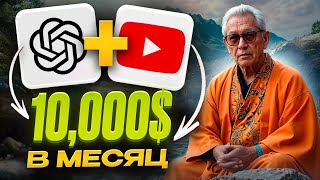
This video provides a step-by-step guide on how to create faceless YouTube videos using AI tools like ChatGPT and Leonardo AI, targeting the American market to earn significant income. The author claims to earn $5,000–$10,000 monthly by publishing daily videos in the philosophical/psychological niche, with the entire process taking about an hour per video.
A new channel on American YouTube has gained 200,000 views by its fourth video and now earns $5,000–$10,000 monthly by publishing daily videos.
All steps can be completed from a phone, and the video promises a full instruction on creating such content.
The author demonstrates a five-step prompt for ChatGPT to generate an ideal plot for a psychological/philosophical channel in Buddhist style.
The author asks ChatGPT to write a specific plot with triggers, clickbait, and numbered paragraphs for easy editing.
ChatGPT generates 20 unique prompts for image generation, each featuring a monk in different poses and locations.
Register multiple accounts using temporary emails to get free daily coins (150 per account) for image generation.
Use Concept Art preset, cinematic Concept style, 16:9 aspect ratio, and Albedo Base model for generating images.
Generate 80 images in about 5 minutes by copying prompts sequentially into Leonardo AI.
Register free accounts using temporary emails, choose a male voice with old age for a deeper sound, and generate voiceover.
Use Pixabay to find free meditation/spiritual music without Content ID; avoid tracks with Content ID icon.
Add music and voice, adjust volumes (music -1, voice -3), split music to match voice length, and add images.
Add pumping effect (size 35, speed 2), magnifying lens (range 2, speed 1), and firefly effect (atmosphere 30, speed 20).
Add overlay transitions and auto-generate English subtitles using CapCut's subtitle feature.
Upload video with catchy title, keyword-rich description, and hashtags from competitors. Create an attractive thumbnail.
Share video on social networks and forums, then analyze performance to optimize future videos.
The video outlines a complete workflow for creating faceless YouTube content using AI tools, emphasizing speed and scalability. The author claims this method can generate substantial income on American YouTube with daily effort of about one hour.
How many views did the channel get by its fourth video?
200,000 views.
00:01
What is the monthly earnings range mentioned for the channel?
$5,000 to $10,000 monthly.
00:15
What is the recommended aspect ratio for images in Leonardo AI?
16:9.
02:21
Which model should be used for generation in Leonardo AI?
Albedo Base.
02:34
How many images can be generated in about 5 minutes using the method?
80 images.
02:59
What age setting is recommended for the voice in ElevenLabs?
Old age, to make the voice sound more impressive and deeper.
03:11
What type of music should be avoided on Pixabay?
Tracks with the Content ID icon.
04:04
What volume settings are recommended for music and voice in CapCut?
Music at -1, voice at -3.
04:31
What are the settings for the pumping effect?
Size 35, speed 2.
05:08
What resolution and frame rate are recommended for export?
1080p at 60 frames per second.
06:00
Rapid Channel Growth
Demonstrates the potential of the method with concrete metrics: 200,000 views by fourth video.
00:01ChatGPT Prompt Engineering
Reveals a structured approach to generating clickbait-optimized video scripts using AI.
00:40Free Image Generation via Multiple Accounts
Exploits free tiers of Leonardo AI by creating multiple accounts with temporary emails.
01:54Quick Video Effects in CapCut
Shows how to add professional-looking animations in minutes using built-in effects.
04:56YouTube Optimization Strategy
Emphasizes the importance of title, description, and hashtags for discoverability.
06:14[00:01] collects millions of views on American YouTube. This channel was created recently and already on the fourth video it has accumulated about 200,000 views. Now the author collects a total of about 3 million views and
[00:15] earns from 5 to 10,000 dollars monthly. Moreover, he manages to publish these videos every day and all because the process of creating such content is very simple and takes only an hour of your time. All the steps can be
[00:27] completed even from a phone. And right now I will show you a complete instruction on how to create such videos and earn big money on American YouTube networks. Tony Ostrovsky is in touch. Let 's go first, let's go to the PTI chat where I will
[00:40] demonstrate a secret five- step prompt to get from him the most ideal plot as possible in principle. In the first step, I explain that I am running a channel on psychological and philosophical topics in the Buddhist style and
[00:52] ask him to come up with 10 names for my audience. All mty for gpt chat and all the links from this video will be in my Telegram channel description link meanwhile gpt chat has compiled 10 topics for videos for us I really liked
[01:04] the fourth and I ask him to write me this plot also I describe in detail In what style I need this plot and in what volume the most important thing I explain In what format it is necessary to write the correct plot for the video As a result I
[01:16] get a very good text with triggers and clickbait which is ideal for YouTube a correctly written introduction and ending Moreover, I asked him to number each paragraph of the plot and this is very useful for editing the text
[01:28] him to shorten the ending or vice versa to detail I can ask him to remove the twenty-first paragraph and so on When can ask to translate it into English after a few more seconds
[01:42] our plot is completely ready But that's not all cha G 5C can save us a lot of time if we just ask him to come up with 20 prompts for the image generation service each of these Prompt will be completely unique and in
[01:54] each picture there will be a monk in different poses and locations, just great, let's move on, we use Leonardo AI and register a bunch of accounts for all your emails, for example, the Temp mail site and first register emails there and then
[02:08] each such account will bring us 150 coins per day for generation, several such accounts, we can use this service completely free of charge, then go to the Image Generation section and be sure to insert the
[02:21] demonstrate to you, they will help you create colorful and spectacular pictures, first of all, open the presets window and select Concept Art, then in the preset Style window, select cinematic Concept, aspect ratio 16x9, open
[02:34] advanced settings, check that the generation model is albedo Base, leave the rest alone, now go back to the gpt chat, copy the first prompt and paste it into Leonardo, don't change anything, just click generate and In order not to
[02:46] end Generation immediately copy the Second, third and all Leonardo, so with each generation of one generation of one mtatiu, this is 80 pieces in just
[02:59] some 5 minutes, detailed and effective, we only have to download them and use them in editing, the next step is creating a voice using Eleven laps, we also register through all your emails plus Temp mail, we get a free
[03:11] account and 10,000 characters, open the window with the choice of voice and click on the Find the Voice button, now click on the plus sign and create a new voice, gender, choose male and age, I recommend taking the old one, so the voice will sound much
[03:23] more impressive and deeper, the accent and strength of the accent can be left as is Next, we insert the introduction of our plot into the window so that 11 laps understands the context and selects click generate and if you don’t like the voice, you can generate a new one
[03:38] we find a suitable voice, click use, write a name for it and click on the create button. Now we have our own voice that is We insert the plot of the videos into this window, generate a
[03:51] step will be to find copyright-free music, so we go to the pix byy website and click on the music icon, then click on the magnifying glass icon to genre tab, find the meditation and
[04:04] spiritual item, which goes well with this niche. I'll take the first track, free and copyright-free. There is also music with the Content ID icon, I don't recommend using them. There are tons of free tracks without hassle. The
[04:17] free program Kapkut, I'll say right away that literally takes 5 minutes of your time. We add all the files that music and voice to something longer than the voice. Therefore, we hover the mouse
[04:31] over the end of the track, set a vertical line and click on the split button. Now we can simply delete the excess part of the music. And in the upper window, make the volume -1, and for the voice, I'll set the value -3. Excellent. Now
[04:44] set the value -3. Excellent. Now we select all the pictures. and add them to the this, select all the pictures and drag one of them to the right side, while all
[04:56] the duration of each is the same. Next, you can leave the arrangement of the pictures as is, but I recommend mixing them so that the video add some light animation to our
[05:08] effects section in the left menu, select the nightclub tab and add the pumping effect to the timeline, give the correct settings, size 35, speed two, then open the lens tab and drag the magnifying
[05:21] lens effect and in the right window, set the settings, range 2, speed one. Well, the last effect is in the nature tab, drag the firefly to the mline, atmosphere 30, speed 20, Excellent. Now just select all three effects and
[05:34] stretch them to the entire length of the video. Let's now add the main transitions between frames. To do this, open the transition, overlay tab, and drag now just click on the apply to all button in the right window and this
[05:47] last step we have left to do is add subtitles. And to do this, we go to the text section, select the subtitles tab, language, select English and click create. Next, the section sha template opens in the upper right menu. We
[06:00] choose any one we like and in the main section we can choose the font, ready, click export and select a resolution of 1080 and 60 frames per second. When Kapkut finishes rendering our video, we begin uploading it to
[06:14] YouTube and this is our last step: uploading the video to YouTube and optimizing it. First, go to YouTube and click on the video upload icon. Select our platform. Come up with a catchy title for the video. This is a key point
[06:26] since the title plays an important role in attracting viewers. Add a description containing keywords and phrases related to the topic of this video. And will help users find your video. There are sites for copying
[06:39] competitors' hashtags. I will leave them in my Telegram channel. Just paste the link to a popular competitor and get a list of its tags, copy and upload your should be attractive, catch the eye and make you want to click on this
[06:52] video, we can do it in Convenience. And you can see my personal examples here, upload this preview and check that it is displayed correctly on all immediately share it on your social networks, forums and other communities. Where your
[07:05] target audience can find this video and become interested in it. And of course, as the views on the video grow, we look at its analytics and understand what we did well, what we did badly, and in the next videos we optimize this worst.
[07:17] So, you are completely ready to create your content on YouTube. In American YouTube, it will bring in big money. If you enter it correctly, as I showed in this video, I myself flew into it not so long ago, but the results
[07:30] showed in this video can be mastered in an hour and the next video can be done, I questions, ask them in I'll read and answer everything in the comments. But if I do n't have time to do this within 24 hours, I'll transfer 5,000 rubles to the author. And of course,
[07:45] subscribe to my Telegram channel. Sharper is where all the MTYs and links from the video are. And most importantly, training in traffic arbitrage. How to start making money online without risks and investments. Like, subscribe, and ring the bell. Tony
[07:58] subscribe, and ring the bell. Tony Ostrovsky is in touch. See you soon. F




⚡ Saved you 0h 08m reading this? Transcribe any YouTube video for free — no signup needed.