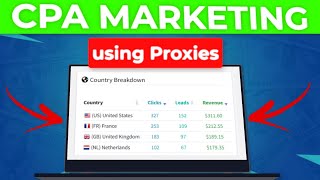

Easiest Way to Make Money Online in 2025
51sHigh curiosity about making money online without selling products, perfect for hooking viewers.
▶ Play Clip"Delivers exactly what the title promises — a clear, step-by-step CPA marketing tutorial with proxy setup."
This video provides a step-by-step guide to making money online through CPA marketing, focusing on using proxies to manage multiple accounts safely. It covers the basics of CPA, how to choose offers, traffic sources, and a practical setup with U Proxy and AdsPower, including examples of successful YouTube accounts.
CPA marketing pays you when someone completes actions like submitting emails, entering giveaways, or installing apps. It requires no product or service to sell and works worldwide.
Beginner-friendly networks include Maxbounty, Ojads, Clickdiller, and Cpaggra. Registration is simple, and payments can be made via bank, PayPal, Payoneer, or crypto.
Use platforms like Cpagrip to select offers by target country and device compatibility. Example: an Amazon gift card offer pays $257 per email submission.
Two main traffic types: paid (Facebook ads, Google ads, push, native) and free (TikTok, Instagram Reels, Reddit, YouTube Shorts, Facebook groups).
Risks include losing personal accounts, geo-restrictions limiting traffic to your local country, and platforms linking multiple accounts from the same IP, leading to bans.
Proxies assign a unique IP to each account, keeping them separate and safe, allowing you to scale earnings without getting banned.
U Proxy offers IPv4, IPv6, ISP, and mobile proxies. For CPA marketing, ISP or mobile proxies are recommended for quality and reliability.
Use promo code 'XB marketing' to get 15% off any purchase on U Proxy.
Use an anti-detect browser like AdsPower to manage multiple accounts. Add the proxy, check it, and create a new profile with the saved proxy.
Create simple videos showing the CPA offer landing page or a screenshot with a link. Examples show new accounts with 30k+ views and minimal subscribers.
Upload a maximum of three videos per YouTube account to prolong account life. Create multiple profiles with unique IPs to scale earnings.
CPA marketing combined with proxies is a practical, beginner-friendly way to earn money online. By following the steps—choosing offers, using proxies, and creating simple YouTube videos—you can drive traffic and generate commissions without prior experience.
What is CPA marketing?
CPA marketing pays you when someone completes actions like submitting emails, entering giveaways, or installing apps.
00:36
Name four CPA networks mentioned in the video.
Maxbounty, Ojads, Clickdiller, and Cpaggra.
00:51
What are the two main types of traffic for CPA offers?
Paid traffic (Facebook ads, Google ads) and free traffic (TikTok, YouTube Shorts).
03:01
What problems does free traffic have?
Risk of losing personal accounts, geo-restrictions, and IP linking leading to bans.
03:18
How does a proxy help in CPA marketing?
It assigns a unique IP to each account, keeping them separate and safe from bans.
04:13
What proxy types does U Proxy offer?
IPv4, IPv6, ISP, and mobile proxies.
04:41
What promo code gives 15% off on U Proxy?
XB marketing
06:10
What anti-detect browser is used in the video?
AdsPower
07:04
How many videos per YouTube account is recommended?
Maximum of three videos per account.
12:57
What is the purpose of using proxies in CPA marketing?
To assign unique IPs to each account, preventing bans and allowing scaling.
04:28
CPA Marketing Definition
Clearly explains the core concept that makes CPA marketing accessible to beginners.
00:36Proxy Solves Account Linking
Highlights the key technical solution for scaling multiple accounts without bans.
04:13Example of Successful Account
Shows real-world proof that a new account with 46 subscribers can get 30k+ views.
09:39Upload Max 3 Videos Per Account
Provides a practical rule to prolong account life and sustain traffic over months.
12:57[00:03] way to make money online in 2025 as this doesn't require you to sell a product or offer a service. And that is why in today's video, I'm going to show you how CPA marketing works and how to make money using proxies the right way. After
[00:20] watching this video, you'll be well on your way to making your first $1,000 with CPA marketing as a complete beginner. And so, you know, this doesn't require you to have prior experience. And this method works worldwide. So, for
[00:36] those who don't know, CPA marketing in a nutshell simply pays you when someone completes actions they normally do anyways, like submitting their emails, entering a giveaway, or installing an app. But this time we are going to be
[00:51] getting paid for it. So CPA marketing is literally the easiest way you can start making money online. And some of the networks where you can find such CPA offers to promote is maxbounty.com or you can simply go over to ojads.com
[01:07] as well. You can also go over to clickdiller.com. And finally you can go over to cpaggra.com. These are some of the most popular and some of the most common CPA networks
[01:19] some of the most common CPA networks where you can find CPA offers. And also these networks right here are beginner friendly. All you just simply need to do is to click on the register button and you'll be able to create an account
[01:32] right away on any of these CPA networks. And the best part is most of the CPA network will pay you directly to your bank account or through PayPal, Payonia or crypto. So now that you know how CPA marketing works and where to find CPA
[01:48] offers to promote, that takes us to the next step where you then want to pick an offer. And to pick an offer, you can basically sign up to any of the CPA networks I mentioned earlier or you can simply come over to cpaggrid.com. All
[02:02] you just need to do is to click on my offers. Okay. And the next thing you want to then do here is to select a target country of your choice where you from. So I'm going to be taking United States as an example. And once you do
[02:17] that, you're going to see all the various offers available in the US. Okay. So I highly recommend to pick offers that available on all devices like this one right here. Okay. So now I'm going to scroll down here. I'm going
[02:32] I'm going to scroll down here. I'm going to take this offer as an example. which says, "Enter a chance at a $750 Amazon gift card." Okay, as you can see, this gift card." Okay, as you can see, this offer here is going to pay us $257
[02:45] when someone submit their email. So, now that we've chosen an offer to promote, the next step is driving traffic. And there are two main types of traffic you can drive to CPA offers. The first one is paid traffic, while the second is
[03:01] free traffic. So for paid traffic you can go with Facebook ads, Google ads, push notifications or you can even use native ads. And for free traffic on the other hand you can go with Tik Tok, Instagram res, Reddit, YouTube shots or
[03:18] you can go with Facebook groups. Now many people will want to quickly go with a free traffic route and that is because of its appeal. It's free traffic. However, you should know it does come with some downsides since you are not
[03:33] some of the problems you're going to face using free traffic. The first one is you risk losing your personal account if you try promoting any CPA or
[03:45] affiliate offers on your account. And the second problem is geo restriction, which means most of the traffic you're going to be getting on your account is going to be from your local country. So for instance, if you want to promote
[03:59] offers in United States and you are not in the US, most of the traffic you're going to be getting is going to be from your country. Third problem you're going to face is if you try accessing multiple accounts from the same IP over and over
[04:13] again. These platforms can easily detect and link all these accounts together and they can ban all these accounts right away which leads to loss of money, time and effort. And this is where a proxy comes in. And the purpose of a proxy
[04:28] comes in. And the purpose of a proxy here is to let you assign a unique IP to each account, keeping all of them separate from each other, which keeps them safe and lets you scale your earnings easily. And so, you know, there
[04:41] are so many proxy providers out there, but the one I personally use and I highly recommend is U Proxy. They offer premium proxies at affordable prices. And as you can see they have various proxy type here from IPv4, IPv6, ISP and
[04:57] mobile proxy. I've personally used up proxy myself to promote CPA offers and affiliate offers and I've seen tremendous results using their proxies. This is because their proxies are of high quality, super fast and very
[05:13] reliable. So once you come over to the website, you can select any of this proxy type, but I highly recommend to go with either the ISP or the mobile proxy for the CPA marketing purpose. Okay. Then the next thing you want to then do
[05:27] is to select a country of choice. All right. So since the offer we chose on CPA grip is in the United States, all you just simply need to do is to scroll down and look for that country and select it. Okay. So once you do that,
[05:41] you want to then select a rental period. And this is another reason why I like you proxy. You are not paying for bandwidth. You are simply paying for a rental period. You can rent a proxy from 1 week up to 12 months. Okay? And here
[05:56] you want to select the number of proxies you want. So this is going to depend on be running. All right? So if you're running multiple accounts, then you want to make sure to get a unique IP for each of those accounts. So, all you need to
[06:10] do is to click on buy and it's going to bring you to this page and I highly recommend to come over to where it says got a promo code and here you want to type in XB marketing and just like that
[06:22] you are going to get 15% off any purchase you're making. Okay, so once you do that you want to come over to the payment method option. As you can see they accept many payment method right here. All you just need to do is to
[06:36] select whichever one works best for you. So once you make a purchase, it's going to let you create your account right away. And once you're logged into your orders section. And here you want to then select the proxies you purchase. So
[06:50] I'm going to select the ISP proxy. And here you're going to see the list of here you're going to see the list of proxies you purchased from. So now that you're going to be needing is an anti detect browser. And there are so many
[07:04] ones out there you can use. However, we are going to be taking ads power as an example in this video. So once you come over to ad power, you want to go over to the proxy section. And once you do that, it's going to bring you to this page.
[07:17] add proxy. So you want to go back to your new proxy account. And this is where you then want to check the proxies you want to export to power or whatever anti browser you're using. You want to come over to the export section here.
[07:32] And I highly recommend to select the second option right here. So once you select this, all you just need to do is to click on download. And just like that, you're going to see the proxy right here. And you want to click on it.
[07:45] You will be able to copy your proxy. And the next thing you then want to do is to go back to your ads power account and you want to paste in the proxy right here. And you want to then click on check proxy. So once you do that, as you
[07:57] can see right here, everything looks good. Next thing you want to do is to click on okay. So once you click on new profile, it's going to bring you to this the profile and you want to then come
[08:10] over to where it says proxy. Okay. So once you come over to proxies, all you then need to do is to select the saved proxy option. And here you're going to see the list of proxies you've added to your ads power account. And all you just
[08:25] need to do is to select the proxy. So once you select the proxy all you just need to do is to click on okay. And now once you've added the proxy all you then want to do is to click on open. So once your profile open up you can start
[08:40] running and managing multiple accounts using this proxy. Okay. You can manage multiple YouTube accounts, multiple Facebook accounts. You can also manage multiple Tik Tok accounts as well. You can also do the same for Instagram. So,
[08:56] for this video, I'm going to show you specifically how to promote CPA offers on YouTube. All you just simply need to do is to come over to YouTube.com and you want to click on this sign in right here to create an account. So, if you
[09:10] also create a Facebook account right here. You can create your own Tik Tok account right here. And some of the major benefits of using proxy is that your content is going to get seen by your target audience. And also this
[09:26] prevents your personal accounts from getting banned as you can use this account specifically for promotion purposes. I hope this makes sense. I'm now going to show you examples of the type of videos you want to publish on
[09:39] your YouTube channel. So here's an example of someone doing the strategy right here. And as you can see, this is literally a brand new account. Even though it has 46 subscribers, you can see it has amassed over 30,000 views as
[09:54] a brand new account. And keep in mind, the purpose of this account is not to get subscribers, rather to get views to our videos, which people are then going to be going over to the CPA offer page and once they take action, we make
[10:09] money. So, as you can see, this account has only two videos on the channel. So, you can see in the beginning of the video, they added a clip that is related to what this video is all about, which is the Xbox gift card. And right here,
[10:25] as you can see, they just showed people the landing page right here. And then they added their link at the bottom right here. So, once people type in the link on their browser, as you can see, it's going to then bring people to their
[10:38] it's going to then bring people to their website like this. They've gotten 32,000 screen. So now I'm going to show you another example right here. As you can see, this one is also another account with 81 subscribers. And if you come
[10:51] over here, you can see it's literally a brand new account created in the US. As you can see right here, 70,000 views on this video. And now, as you can see, this is just a 4 to 5 seconds video basically telling people they can get
[11:04] free gift card on their website right here. All you just need to do is to take a screenshot of the CPA offer you're promoting and you can make a very simple video like this using Cap Cot or you can use Canva and just simply upload it and
[11:18] you can see over 600 likes on this video. It is a very simple video you can create in just less than 5 minutes and you can upload it to your YouTube the last example I'm going to show you here is also another small account. You
[11:34] can see this one with 23 subscribers and over 22,000 views. So, if I click on this video, as you can see, this person basically just typed in their URL in the
[11:46] search bar, which is then going to take people to their landing page. And just like that, people go over to the landing page, they complete the offer, you make money. However, if you don't want to use a custom domain name, you can go over to
[12:01] platforms like Linkree. And this is where you can basically host these CPA offers on Linkree. So here's an example of what the linkree looks like. All you just need to do is to share the link in the video just like the examples I
[12:17] showed you earlier. And once people come over here, they are going to see the offer which if they complete the offer, you make money. Add a link to the offer you're promoting like this. Okay. Okay. So, you can click on this add link
[12:29] button and here you can even add as many offers as you want. And something I highly recommend is to add an image of that offer which you can get from Google. You can come over here where it says thumbnail. And here you can see I
[12:43] have added this Amazon image. So, you can do the same thing by adding an image that relates to the offer. But as you can see, this is how easy it is to create CPA videos which you can then promote on YouTube and start getting a
[12:57] lot of traffic. And I highly recommend to upload maximum of three videos per YouTube account. So this way your account is going to last longer and you can keep getting traffic from many many months from now. So, you want to create
[13:11] multiple profiles and assign a unique IP to each of these profiles. And that way you'll be keeping your account safe and you can scale your affiliate earnings you can scale your affiliate earnings easily.
⚡ Saved you 0h 13m reading this? Transcribe any YouTube video for free — no signup needed.