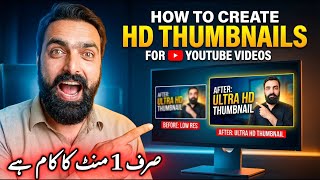

Never Pay $5 for Thumbnails Again!
50sChallenges a common paid service, offering a free alternative that saves money and time, which sparks curiosity and shares a valuable hack.
▶ Play Clip"Delivers on the promise of a free, fast thumbnail method, but the tool name is unclear and the script is not fully explained."
This video demonstrates a free, quick method for creating professional YouTube thumbnails using an AI tool called 'Nano Banana' (referred to as 'VO3' or 'V3' in the transcript). The presenter shows how to generate multiple HD thumbnails in under a minute by uploading a photo and using a provided script.
People typically pay $5 per thumbnail on platforms like Fiverr, but this method is free.
Go to 'VO3' (or 'V3') to access the AI thumbnail generator.
You can upload your own photo or anyone else's to use in the thumbnail.
Copy the script from the video description and paste it into the tool. Replace the placeholder text with your video title.
The tool creates four free HD thumbnails simultaneously. You can choose the best one and download it.
The process takes less than a minute and produces 4K quality thumbnails.
You can download the selected thumbnail in 1K, 2K, or 4K resolution with a single click.
This tutorial offers a simple, free alternative to paid thumbnail services, enabling creators to produce high-quality thumbnails quickly using AI.
What is the typical cost of a thumbnail on Fiverr?
$5 per thumbnail.
00:04
What tool is used to generate thumbnails in this tutorial?
An AI tool called 'Nano Banana' (referred to as VO3 or V3).
00:18
How many thumbnails are generated at once?
Four.
01:15
What resolutions are available for download?
1K, 2K, and 4K.
02:13
What must be changed in the script?
The placeholder text must be replaced with the video title.
00:59
Free Alternative to Paid Services
Highlights a cost-saving method for creators who typically pay for thumbnails.
00:04Speed and Quality
Demonstrates that high-quality thumbnails can be produced in under a minute, challenging the need for professional designers.
01:44Multiple Resolution Options
Offers flexibility for different platform requirements, a practical detail for creators.
02:13[00:04] ? For this, people are paying dollars on Fiverr etc. Meaning, for $5, each thumbnail is created. But today I will tell you such an easy method that within just 1 minute you will automatically get such full HD thumbnails.
[00:18] So how will you do it? Let's see. First of all you guys have to come to VO3. Ok you guys have to come to VO3. Ok ? You guys have to come to V3 and as of now this is my V3. Ok? So this is how I just made these. They are made exactly as accurate as
[00:33] I want them to be. You can also put your photos in it. Ok? You can put anyone's photo. So how will you do it ? You guys have it absolutely free on View Three. Ok? So what do you guys have to do? First of all, I will
[00:45] put a photo of myself here. Ok? After this, I have a script and I will give that script to you guys, this one. Ok? So you guys will copy this and paste it here. But whatever is there in this, you people will put the title of your choice here. This is the
[00:59] video title, after this you guys have to change this text. So here, suppose you guys have to change this text. So here, suppose I write about how to create HD thumbnails. Ok?
[01:15] just have to change this text. Do n't make any other changes in it. So you guys have to copy this and come simply. I have pasted the photo here and will paste it here. Ok? But before that, this is the setting here. I
[01:29] will do four things here on this. Meaning it will create four free HD thumbnails for us. So out of these four, we can download whichever one we like. Ok ? And there is no time for this at all. Meaning it takes less than 1 minute. You
[01:44] can see that what is there now means it is being created. 50% of it has already happened. This is from four thumbnails and in this we will decide which one we want. Then we can also download it with one click. I will show you guys right now. Ok? You guys
[01:59] see how incredibly accurate it is and this is in 4K quality. Ok? So now I will tell you guys which one is the best. Which of these two is correct and which of these two is correct. I will have to decide between these two
[02:13] and I think this one is right. Ok? So how to create HD thumbnails. So here I will click on this arrow and you can also download it in 1K, 2K, 4K. This is also a very interesting thing. Ok? So, that's it,
[02:29] download. Where do you guys get this script now? You can see it in the description below the video. From here you can copy it and create thumbnails of your choice. Hope you guys liked this video.
[02:42] in the next video. Until then, Allah Hafiz.



⚡ Saved you 0h 02m reading this? Transcribe any YouTube video for free — no signup needed.