

AI Thumbnail Gets 2M Views
60sThe creator shows a text prompt turning into a thumbnail with 2 million views, immediately proving the tool's viral potential.
▶ Play Clip"The title promises a tool that replaces Photoshop and Canva, and the video delivers on that with a solid demo, though it's essentially a sponsored ad with some fluff."
This video demonstrates how to use Pixels, an AI-powered thumbnail generator designed specifically for YouTube, to create high-performing thumbnails without needing design skills or expensive designers. The creator showcases both prompt-based generation and a 'recreate' feature that adapts proven thumbnail formats from viral videos, along with tips for crafting effective prompts and using the face swap and text addition features.
The video opens by noting that many viral thumbnails are made with an AI generator, not expensive designers, and can be created in just 2 minutes.
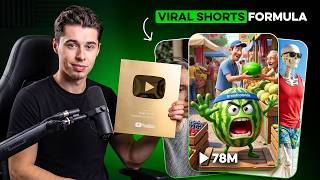
A text prompt generated a thumbnail that got 2 million views, proving the tool's effectiveness.
The platform Pixels is introduced as the best AI thumbnail generator for YouTube, offering two creation options: prompt-to-thumbnail and recreate from a YouTube link.
The creator demonstrates making a shark diving thumbnail from a text prompt, showing the AI accurately generates the scene with a scared diver and approaching shark.
The 'redo' button regenerates the thumbnail with the same prompt, often yielding better results. The 'edit' feature allows specific changes, like making the person look happier, while keeping the rest the same.
Text is a key element for curiosity and clicks. Pixels can accurately add text like 'SHARK DIVING' in a bold yellow font, a feature unique among AI thumbnail generators.
The creator notes that text generation may require a few attempts, but the tool generally works well, as shown with examples in the car and van life niches.
Top channels use Pixels to generate the main image and then add text in tools like Canva for full control, as demonstrated with an Elon Musk Tesla tiny house thumbnail.
The creator attempts a thumbnail of himself shark diving with Cristiano Ronaldo, showing that specific prompts yield impressive results.
Effective prompts are very specific, set the scene, describe characters, match the tone, and are short but clear. Avoid vague prompts, overloading with conflicting elements, and skipping important details.
The face swap feature allows replacing a person's face with your own, but works best when the original face resembles yours. The result was an accurate swap of the creator's face onto the diver.
Pixels offers a premium plan for $1 for the first 30 days with code 'yvh', allowing 150 thumbnails in the first month.
The recreate feature lets you paste a YouTube link to adapt a proven thumbnail format. The inspiration weight (low, medium, high) controls how much inspiration is taken, with high giving the best results for format replication.
The creator argues that recreating thumbnail formats is common practice among top YouTubers, citing examples like Ryan Trahan's 'I tried one-star hotels' being replicated by others with success.
After generation, you can change the inspiration weight to see variations, with low weight allowing more customization and high weight sticking closer to the original format.
Pixels provides a competitive edge for creators who lack design skills, enabling high-quality thumbnails without hiring expensive designers.
Pixels is a powerful AI tool that democratizes thumbnail creation, allowing any YouTuber to produce professional, high-CTR thumbnails quickly and affordably. By using specific prompts and the recreate feature, creators can leverage proven formats to boost their video performance.
What are the two main options for creating a thumbnail in Pixels?
Prompt to Thumbnail (text-based) and Recreate (from a YouTube link).
00:40
What is the 'inspiration weight' in Pixels' recreate feature?
It controls how much inspiration is taken from the original thumbnail: low, medium, or high.
12:06
What are the four key elements of a good prompt for Pixels?
Be very specific, set the scene, describe characters, and match the tone.
07:30
What is the limitation of the face swap feature?
It only works well when swapping your face onto someone who looks similar to you, not on a completely different face like a female face.
10:12
What is the cost of Pixels Premium for the first 30 days with code 'yvh'?
$1, allowing 150 thumbnails in the first month.
11:09
Why is text important in thumbnails?
Text serves as a hook to get viewers to click, driving curiosity.
04:39
What is the 'redo' button in Pixels?
It regenerates the thumbnail with the same prompt, often yielding better results.
02:41
What is the 'edit' feature in Pixels?
It allows you to make specific changes to the thumbnail via a text prompt, like changing the emotion of a person.
03:20
What is the recommended approach for using the recreate feature?
Stick to the format itself and recreate it at the high inspiration weight for best results.
14:30
What is the main benefit of using Pixels for thumbnails?
It allows creators to make high-quality thumbnails without design skills or hiring expensive designers.
14:59
AI Thumbnail Success
Demonstrates the tool's effectiveness with a real example of a thumbnail that got 2 million views.
00:14Prompt Engineering Best Practices
Provides actionable, specific advice on crafting prompts that yield accurate results, a key skill for using AI tools.
07:30Ethics of Thumbnail Replication
Addresses a common concern and shows that top YouTubers routinely use proven formats, making it a standard practice.
12:48Democratizing Thumbnail Design
Highlights the competitive advantage for creators without design skills, leveling the playing field.
14:59[00:01] millions of views and surprisingly their thumbnails were not made by an expensive thumbnail designer but by a cheap and easy to use AI thumbnail generator that allows you to make thumbnails like this this or this in Just 2 minutes for
[00:14] example submitting this text to the AI generated this thumbnail right here which got 2 million views on this video and let me tell you that is not a Lucky like this so if you want to start making better YouTube thumbnails to get more
[00:28] views in a fast and easier way this video is going to be for you with this tool you can make action based thumbnails perspective thumbnails free panel thumbnails face and object thumbnails object only thumbnails
[00:40] basically you can make every single one of the 12 best performing YouTube generate our thumbnails we're going to be using this platform which is called pixels this is the best AI thumbnail generator for YouTube specifically and
[00:53] two different options to create a thumbnail you can do promp to thumbnail which basically is you submitting a text right here telling it what you would like to create or you've got a recreate option which is where you can paste in a
[01:07] YouTube link click generate and it's then going to recreate the existing thumbnail that you gave it allowing you to use proven formats from videos that already have millions of views for your own videos however I'll show you how to
[01:19] do that later on let's actually start by making a thumbnail from scratch with the prompt feature and so in order to submit a text right here first of all we need a video topic so actually spent some time doing research figuring out which videos
[01:33] perform well and I noticed that the top YouTubers a lot of them have videos with sharks what I want to create is a thumbnail for a video where I went shark diving which Mr Beast and Mark Rober did themselves as well with these thumbnails
[01:47] and they got over 100 million views on their videos so I want to create a similar thumbnail with me who's swimming who's shark diving underwater in the that's approaching me so that creates something like that here's what I could
[02:01] say me swimming under water looking scared into the camera while a shark is would like to create you can click on generate right here and this AI generate it for you and here's what it then generated which looks absolutely
[02:15] make it show up a little bit bigger so you can see that it clearly made what we asked it to do we are in the ocean we are in the diving we've got the goggles on our face we've got a big shark behind us who is approaching us and this is
[02:29] thumbnail formats that you can generate using pixels so any YouTuber can benefit you create and so here's a ton more thumbnails that were generated by me
[02:41] using this software I was able to generate whatever I wanted pretty much pretty well now if you don't like the thumbnail that I created you can actually click on redo which will redo the thumbnail with the same prompt so
[02:54] [Music] [Applause] result damn that that is ridiculously better that's insane take a look at the difference between this and then this one the color schemes are a lot brighter
[03:07] bunch of other fish we've got this shark on the screen right here that person looks a lot better he's actually diving he got all the equipment like thumbnail wise this is already a very very good thumbnail so that's the redo button now
[03:20] if you want to change something else on the thumbnail you can click on the edit button right here and then tell it what you want to change with a prompt so for example right now the person is looking quite scared if we want this person to
[03:32] look more happy I could click on the edit icon and I could say make the person happy instead of scared keep the rest the same adding this part right here is actually very important to ensure that the rest stays the same but
[03:44] guide section coming up later in this video so don't worry about that then click generate and there we go first take it did that very very accurately this person is now looking a lot happier and way less scared than right here so
[03:57] you can see that this AI thumbnail generator is actually very very accurate now these results are already great however what is currently missing is text text to amplify is another one of the 12 best performing thumbnail formats
[04:10] similar thumbnail like this where it says shark diving in a bright bolt yellow font that's exactly what I need to include in the prompt and so a prompt I could use for that is basically the same beginning but then adding add the
[04:25] text shark diving in a Boldt bright yellow font at the top you click listen to you and here's what it then generated so once again it creates very very accurately what you tell it to do now this feature is great for thumbnails
[04:39] ready text serves as a hook to get the viewer to click basically Drive curiosity like this thumbnail for example with a million views the text I saw him call her makes the viewer extra curious and that's exactly what you want
[04:52] now a few great examples of me generating thumbnails with text RDS first of all I tried to thumbnail in the car nich where we create a future istic Ferrari car and plays the text Ferrari 2070 in a yellow aesthetic font above
[05:05] the car and another thumbnail right here the van life Niche which is actually a niche where most creators don't have the best thumbnails where I asked it to generate a thumbnail of a women sitting on a van in the mountains of Switzerland
[05:18] and add the text Van life truth in a yellow font at the top which as you can see is exactly what it did so it's one of the first and only AI thumbnail generators specifically made for YouTube that can actually add text on your
[05:31] thumbnails accurately now I do like to be totally transparent so I do want to let you know that this Ferrari thumbnail for example it took two generations to get done as the first result was not that great and I found that in general
[05:43] sometimes it does take a few extra prompts or generations to get exactly what you want so don't expect it to work accurately with the text 10 out of 10 what other top channels do as well to get millions of views per video is
[05:58] generate their main thumbnail asset with pixels for example this channel right here is owned by a friend of mine who used pixels to generate the main photo and then later on they added text and this video got millions of views so to
[06:12] thumbnail with the following prompt create a thumbnail where Elon Musk takes a selfie with his new Tesla tiny house this is the thumbnail that it generated which looks absolutely stunning the thumbnail is visually very pleasing and
[06:26] there's a Tesla tiny house which in real life does not exist but with pixels just like that you can generate it so I can then download this and then add text later on in a tool like canva for example to stay 100% in control of how I
[06:39] would like the text to appear so keep in mind that that is possible too and used by a lot of thumbnail designers and just imagine the CTR on this thumbnail right here Tesla fans are going to be clicking on this video that's for sure all right
[06:52] so all of that was looking good but let's push the boundaries a bit more actually a lot more so since Cristiano Ronaldo just started his YouTube channel and we know that videos about shark diving go absolutely crazy I thought
[07:04] Cristiano just do a quick collab I'm sure it'll be up for that so here's the idea I went shark diving with Cristiano Ronaldo now creating a thumbnail for this in my first attempt led to this right here which doesn't look that good
[07:18] but by using the right prompt this is what I was able to make which is absolutely insane that looks great people are going to click that for sure so when giving prompts on pixels after using it for for countless hours here's
[07:30] what I found works best and let's actually go through this together while we make the prompt for our Ronaldo thumbnail so what you should do first of all is be very very specific you want to describe the key elements of your
[07:43] thumbnail very very clearly here's an example that I could use for the thumbnail with Ronaldo create a thumbnail for a video titled shark diving with Cristiano Ronaldo the scene shows two men underwater in the ocean
[07:56] looking directly into the camera with fear on their face es while a big shark is right behind them one man is me the other is Cristiano Ronaldo that right there is a good prompt because it's very specific then next up what I did in this
[08:10] prompt is set the scene first of all I mentioned the location which was under water in the ocean so the AI then knows that that is the location to use then I showed characters which were two men one of which is me one of which is Cristiano
[08:24] Ronaldo then next up I matched the tone so I mentioned in the prompt which emotions the thumbnail should include so in my prompt I mentioned that we have fear on our faces and then finally what I found that you should do is keep it
[08:38] short but clear now here's quickly what you should not do first of all don't use any vague prompts if you just say make a thumbnail for a shark diving video that will give a much too General result number two don't overload the prompt you
[08:52] want to avoid mentioning too many conflicting elements for example if I say create a funil with two men on water a UFO a shark and a treasure chest the men are terrified the shark is Happy the UFO is crying that literally makes zero
[09:05] sense but there's a lot of contrasting Elements which will make the AI confused and give you a less accurate result and then finally don't skip the important details if the fumel that you want to create includes a certain format a
[09:19] certain action-based moment you have to mention it otherwise the AI does not sum that up here's an example of a bat prompt make a thumbnail for a shark diving video why well that's way too vague and it doesn't specify what you
[09:33] would like to include and with that said let's actually use the good example promp that I gave you earlier to generate our thumbnail so here we go and then here's what it generated which it's absolutely insane that definitely looks
[09:45] that is Cristiano Ronaldo we are diving together but not yet I mean it's not me men indeed diving right next to Cristiano Ronaldo and there is a shark behind them while they're in the ocean which is insane however we do have one
[09:59] problem that man right there does not look like me I think you'll agree and so to fix this problem I'm going to use the face swap feature on pixels so you can click on face swap right here then upload an image of your own face and
[10:12] going to find a picture and submit it all right there we go and then I'm going generating it is good to mention that the face swap feature only works when you swap your own face on someone that kind of looks like you I cannot swap my
[10:26] face on a female face for example that's not going to work so this only works very well if the person kind of looks like you which right here is not particularly the case but it is a mill just like me and so I'm confident that
[10:40] the AI generator will be able to do this and then this is the result which looks insanely accurate take a look at my face right there that is indeed me I think right that that definitely is me that looks like me and I'm now diving under
[10:53] water with Cristiano Ronaldo himself while there's a shark behind us that's seeing you can try out pixels for just $1 for the first 30 days by clicking the link in the description down below and applying the code yvh at checkout this
[11:09] will unlock the Premium plan for just $1 allowing you to make 150 thumbnails for just $1 in the first month which is a crazy deal so link for that in the are thumbnails from videos that have millions of views and they have one
[11:24] thing in common they were made by expensive thumbnail designers that per thumbnail now like I showed you in the intro pixels has a recreate option allowing you to use proven thumbnail formats for your own videos and all you
[11:38] works so first of all what you would have to do is find a thumbnail that you would like to take inspiration from and recreate it for your own video so I'm going to use this video right here from Preston with 1.8 million views in 2
[11:52] professional designer that charges him hundreds of dollars now to recreate this thumbnail or any thumbnail you first of want to copy the link of that YouTube video then open up pixels go to recreate and then paste the link right here once
[12:06] done you've got an important decision to make pixels will ask you for the inspiration weight you can choose between low medium and high now these weights refer to how much inspiration you want to take from the thumbnail that
[12:20] you submitted now for this I will click on high and then click on generate so that you can see how accurately it can recreate a proven thumbnail and there we go so it very accurately recreated Preston's thumbnail however just to
[12:33] Preston's thumbnail however just to clarify this is a 100% unique thumbnail it recreates the entire format as you can see but if we put them side to side details are unique and not directly copied and the best part this was done
[12:48] without me having any Photoshop or designing skills or me having to hire a very expensive designer but I feel like there's something that I need to address first because you might wonder is replicating other people's thumbnails
[13:00] even allowed you might feel like copying someone else's thumbnail like this is crossing a line I completely understand but let me show you why in my opinion this is not the case and how the top YouTubers have been doing this for years
[13:13] to get millions and millions of views one of many examples for this is this video IA right here I tried onestar hotels Ryan Tran was the first to upload this idea with this thumbnail right here it got 28 million views now the top
[13:28] YouTubers noticed this and here's what they did to gain in on this trend the royalty family with 27 million subscribers that made this video the thumbnail exactly the same and it got 11 million views for them Tyler with 1.8
[13:41] million subscribers made his own version using Ryan's thumbnail format and as you can see you got 500,000 plus views here's a few more of my favorite Recreations I was able to generate using pixels recreate feature you can see that
[13:54] all of these look extremely visually pleasing there's text up on the screen there's spes there's design changes but all of them are modeled after something that's already been proving to work now once your thunbnail is been created
[14:06] using the recreate option you actually still have the opportunity to change the inspiration weight so I can now also click on medium and then once again it will regenerate that thumbnail on a different weight scale so that it will
[14:18] copy it a bit less but still take from it so here's what it made on high medium and low inspiration so you can know the differences between all of them now something important to know when recreating a thumb that I found is that
[14:30] the amount of things that you can customize using the edit feature heavily depends on the weight of inspiration that you're using when recreating at the least amount of things at medium a bit more and then at low you can change
[14:44] the most however in general I got the best results when sticking to the format itself and just recreating it at the high inspiration weight looking at all clear that pixels gives you a competitive Advantage compared to to
[14:59] make a great thumbnail but don't have the expert level designer skills and that so if you've been struggling to create thumbnails that people actually click on this will help you to create high quality thumbnails and the best
[15:14] part you can do so without any designing skills or spending hundreds of dollars on these thumbnails like the top YouTubers do so remember for just $1 you can make 150 thumbnails on the Premium plan in the first month of you using it
[15:30] if you click the link in the description down below and apply the code yvh at checkout allowing you to bring your ideas to life create sketches and just overall make thumbnails that stand out and get you more views because your next
[15:43] and get you more views because your next viral video is just one thumbnail away



⚡ Saved you 0h 15m reading this? Transcribe any YouTube video for free — no signup needed.