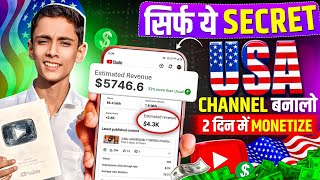

USA Channel Idea: AI Music
45sPromises a lucrative, untapped niche with high earning potential, sparking curiosity.
▶ Play Clip"The title promises a USA-based channel idea, and the video delivers exactly that with a step-by-step guide, though it's more of a tutorial than a deep analysis."
This video presents a step-by-step guide to starting a faceless YouTube channel in the USA by creating AI-generated music. It showcases successful examples, explains the process from lyrics generation to video editing, and emphasizes the earning potential in the US market.
RB AI Music has 16,000 subscribers from 25 videos, with some videos getting 1.6 million views.
Techno Mus has over 25,000 subscribers from 62 videos, also getting millions of views.
Use ChatGPT to generate lyrics by prompting 'write me a USA song like the one heard in USA'.
Go to Suno AI, log in with Gmail, paste the lyrics and style, and click create to generate four songs.
Download the free version of the song by clicking the download option.
Use ChatGPT to get a prompt for thumbnail, then generate it with Gemini.
Edit the video by adding the thumbnail and music in an editing app, then upload to YouTube.
Which channels were shown as examples of successful AI music channels?
RB AI Music and Techno Mus
00:14
How many videos did RB AI Music upload to get 16,000 subscribers?
25 videos
00:26
Which tool is used to generate the song lyrics?
ChatGPT
02:41
Which website is used to create the AI music?
Suno AI
03:09
Which tool is used to create the thumbnail?
Gemini
04:58
Channel growth example
RB AI Music gained 16,000 subscribers with only 25 videos, showing the potential of AI music channels.
00:26Lyrics generation
Using ChatGPT to generate song lyrics is the first step in the process.
02:41Music creation
Suno AI is the platform used to turn lyrics into music, offering free versions with limited length.
03:09Thumbnail creation
Gemini is used to generate thumbnails for the videos, enhancing click-through rates.
04:58[00:02] well, having fun and being healthy. Guys, if you are thinking of making USA videos and have not been able to start your USA channel yet just because you are wondering what content should we upload on it. So brother, you all should watch today's video
[00:14] completely. 100% your tension will end. Because today I am going to give you such a channel idea which is very popular at this time and till now not a single channel is
[00:26] doing such work in USA. But if you guys start working quickly then brother, your channel will also grow soon. Right now that work is happening in India. You must have seen AI music. Brother, songs are
[00:40] heard everywhere, in every country, be it India or USA or any other country, they are heard everywhere and when you people make AI music and upload it there, then brother, people there will watch it and then you know
[00:55] how much more earning happens in USA as compared to India. Ok? So let me show you the channel first. That is only to motivate you and to show proof that if we make such videos, such song
[01:08] videos, then we will be able to grow. With that we will be able to monetize our channel. Ok? See how to do it. I will tell you everything from A to Z, that is, the entire process. I will tell you the complete course. So brother, first of all watch this thing and like the video and
[01:21] subscribe to the channel. So guys, here you can see that the name of the channel is RB AI Music and by uploading just 25 videos on this channel, that too music made with AI, by uploading 25 videos, we have got 16000 subscribers and now you guys
[01:37] look at the views below, brother, you might be finding 16000 subscribers in just 25 videos less but this is Okay, I have selected Popular below. This video was uploaded 1 month ago and has got 16 lakh views. You
[01:50] can see in the video below that this was also uploaded 1 month ago. It has received 10 lakh views. can see that it was uploaded 3 weeks ago and has received 7400 views. Right now this is the first channel. Now let me show you another channel whose name you can see here is
[02:04] whose name you can see here is Techno Mus and on this also more than 25,000 subscribers have been collected in 62 videos. And brother, this too is getting millions of views. Uploaded 1 month ago with 14 lakh views. Uploaded 1 month ago with
[02:16] 10 lakh views. I mean, brother, how many people are watching such videos. Ok? They do n't even realize that this is an AI song. Brother, I ca n't understand even a little bit. And let me show you another channel on which you
[02:28] here a video has been uploaded three weeks ago. That's AI music and it has 4 million views. Ok? Meaning how many views it is getting. So what's the first thing you need to do now? You have to come to chat GPT and write here,
[02:41] write me a USA song like the one heard in USA. Ok? You have to write like this and after writing only this you have to send it. As soon as you send it, he will So here when you get the music, you have to write the style below. So it will
[02:57] write it to you like this. But here again you have to write prtpt. Then how will you design the style i.e. the song? How will everything happen? So he will write a form and give it to me. What do you do now? You have to copy this song completely from A to Z. Do
[03:09] n't copy the style. Just copy the song. And here you have to come to Chrome browser. Have to search it. Listen AI okay? After searching this much, the first website will appear here. You have to click on this. After clicking, you will see an
[03:22] interface like this. Here you have to login to your account with Gmail. you will see an interface like this. Now you will see a What do you have to do in between? You have to click on this. As soon as you click, it will be
[03:38] written Simple Advanced above. You have to click on Advanced next to Simple. Ok? As soon as you click, you will get the lyrics here and the styles below. So you just paste the music that he has written in the lyrics here.
[03:51] paste the format which is the style format and paste it here. Below that, the music name will appear here. Ok? So you have to write the name of the music or ask it from Chat EPT and write it. After writing this much, the
[04:05] option to create will appear below. You just have to simply click on it. As soon as you click, it will take you 2 to 3 minutes and will create four songs for you. You can see below here that it is of 1 minute each, when you upgrade and take its subscription then it will
[04:18] give you the full amount. But brother, this upgraded music is very powerful and it will create two music for you for free which you can create every time and you can also download it. Ok? So look, now you can listen to it from here and if you want to download this free
[04:31] music, then you can see next to it, there is a small three a download option will appear here, if you click on it, then again another download option will appear, click on the one below, then it will get downloaded in your gallery, that is,
[04:44] in your phone, so look, now our music is ready, now we have to edit it properly and make a thumbnail and also learn how to upload it, okay, so see come to Chat GPT and write it here, now I have to make a thumbnail of this song
[04:58] with AI, so give me its prop. Ok? Like if you write it and send it, brother, it will give you a good prop. You copy it from here and come to Zamini and paste it here. Ok? Select the music that is created and the one with the photo and then send it. It will
[05:12] take two seconds and your thumbnail will be created. What do you do now? Have to come in any editing app. And after coming to the editing app, first select your thumbnail. Drag its layer to the last position. Then click on the music icon and
[05:24] add your music. And here, add a little bit of transaction by cutting the thumbnail. Then save this music and upload it on YouTube. Your channel will be monetized and your channel will grow. Ok? That was all the work that had to be done. Go and
[05:36] make it yourself and brother, listen to this, the one above is AI, you all can use it freely. There is no problem in taking subscription. Ok? Go use it. I will also meet you in the next video. Till then Jai Hind Vande Mataram. Bye-bye.
⚡ Saved you 0h 05m reading this? Transcribe any YouTube video for free — no signup needed.