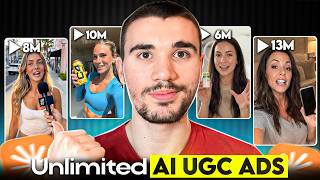

AI UGC Ads in 5 Minutes
40sIt promises a dramatic cost and time reduction for creating high-quality ads, which is highly appealing to marketers and content creators.
▶ Play Clip"Title accurately describes the tools and outcome; video delivers a step-by-step guide as promised."
This video demonstrates a 5-minute workflow for creating ultra-realistic AI UGC (User Generated Content) ads using Claude Code, GPT-2 image, and Seedance 2.0. The creator walks through generating prompts, creating consistent character scenes, and editing them into a viral-style video for TikTok Shop brands.
The process uses Claude Code for prompting and Max Fusion AI (with GPT-2 image and Seedance 2.0) for generation, enabling 5-minute creation of high-quality AI UGC ads.
Claude Code is fed a viral AI UGC example and generates a detailed script and prompt for the desired video style, including scene-by-scene instructions.
In Max Fusion, select GPT-2 image model, high quality, 9:16 aspect ratio, and paste the prompt to generate the first scene's image.
Switch to Seedance 2.0 model, paste the scene prompt, set dimensions and duration as per Claude Code, and use the generated image as reference frame to create up to 15-second clips.
Extract the final frame of each video and use it as the starting frame for the next scene to maintain character consistency across multiple clips.
Download all scenes, import into CapCut, arrange chronologically, trim pauses, and export the final video.
This workflow enables rapid creation of realistic AI UGC ads, reducing time and cost compared to traditional influencer production.
What two tools are used to create AI UGC videos in this workflow?
Claude Code for prompting and Max Fusion AI (GPT-2 image + Seedance 2.0) for generation.
00:42
Why use Max Fusion instead of separate ChatGPT image and Seedance?
Max Fusion allows creating multiple scenes in order with character consistency, human face references, and voice replication under one subscription.
01:57
What is the maximum clip length for Seedance 2.0?
15 seconds.
03:13
How do you maintain character consistency across scenes?
Extract the final frame of each video and use it as the starting frame for the next scene.
03:50
What aspect ratio is recommended for short-form video?
9:16.
02:49
Cost and Time Reduction
Highlights dramatic reduction from thousands and weeks to 5 minutes.
00:15Prompt Importance
Emphasizes that the prompt is half the battle in AI UGC.
01:07Max Fusion Advantage
Explains why an all-in-one tool is superior for consistency.
01:57Frame Chaining Technique
Key technique to overcome Seedance 2.0's 15-second limit.
03:50[00:02] minutes using Claude Code GPT-2 image and Seedance 2.0. In fact, take a look >> Okay, quick one. What kind of guys give you the ick? >> Oh my god, where do I even start? >> Before this workflow, videos of this
[00:15] quality would have cost thousands in influencer fees, 2 weeks minimum of preparation, and hours of back and forth. Now, it's just 5 minutes of work in this video, I'm going to walk through the entire free step process I used to
[00:28] create ultra-realistic AI UGC ads from scratch for the clients of my digital marketing agency. And stay right until the end because I'll even show you how you can steal my prompts for free. Okay, so to make these style of viral AI UGC
[00:42] videos, you need two tools. One is Claude AI and specifically Claude Code for the prompting, and the other is Max Fusion AI for the generation part Seedance 2.0 for the videos. Both of these tools will be linked down below in
[00:55] comment with exclusive deals if I can source them for you so you can get started right away signing up and follow along with me. Let's start with the prompts for the video because with AI UGC, the prompt is half the battle. You
[01:07] can't say generate me a man holding a cup expecting to get an amazing result. Claude AI can come in. I'm going to make a video for a popular TikTok Shop brand Dr. Dent and make an interview-style street video to get views and
[01:20] importantly sales. On X the other day, I found this super viral tweet of this with AI UGC. I'm going to feed this example into Claude Code and ask it to generate me a similar-style script and prompt. The goal is to feed the
[01:33] instructions Claude Code generates into Max Fusion to create the best possible that's exactly what Claude Code did. It gave me the full prompt and scene-by-scene instructions of what to generate. So, that is Claude Code doing
[01:45] its magic creating the prompt. Now comes the fun part, generating the UGC videos with Max Fusion AI. Now, the curious ones watching are probably thinking, "Dennis, why even use Max Fusion? Why don't you just use ChatGPT image two and
[01:57] seed on separately? Where Max Fusion stands out is you can create multiple scenes in order using character consistency and it's one of the only tools that allows human face references and voice replication. If you just go
[02:09] seed on, you'll be able to create each them together and that is how you don't get the benefits of top quality AI UGC videos. So instead with Max Fusion under one subscription price, you get all of
[02:22] the best AI UGC models that you could need all in one place with character as mentioned, I'll link down below Max Fusion in the description and the pin so you have literally no reason not to sign up. So when you sign up to Max
[02:36] is create a new project and then at the top select image and then GPT-2 for the model. That's because right now it is the best model on the market and it's not even really close. Make sure you select high for the image quality as we
[02:49] want the best possible and 9 by 16 so it's perfect for short form video and then paste in the prompt from Claude code into Max Fusion. This will generate which we will use to create the first scene. So as you can see, we've got a
[03:01] super high quality image generated for us with the main lady in the interview clip front and center. Now the goal is turning that image into the first frame for our first scene of the video. So what I did is along the top head over to
[03:13] where it says videos and then under the video tab select C Dance 2.0 for our model. That's because right now C Dance 2.0 not only enables you to create clips up to 15 seconds long, it is one of the best on the market. Then I head back
[03:25] over to Claude code and copy the prompt for the first video and paste into C Dance 2.0 making sure the parameters at the bottom like the dimension size and the duration matches what Claude code suggests. Then I also select the GPT-2
[03:37] image [music] that we just created as the reference frame and hit generate. video was created. This will be the hook of our video. Now here comes the fun part. We aren't just going to create one scene. We're going to chain together
[03:50] consistency throughout. So on that video, we're going to click extract frames and then scroll right to the end of the video and extract the final frame become the starting frame of our new scene to ensure character consistency
[04:03] throughout. This is because right now, C Dance 2.0 is capped at 15 seconds per character consistency, you can make videos that are 30 seconds, a minute, 5, head back over to Claude Code and copy the prompt for the video in scene two
[04:19] and then paste it back into Max Fusion and then also selecting that frame as the starting image. And once again, hit generate to create the second scene in again to make the third scene and on and on if you want to make an even longer
[04:32] video. So, within 4 minutes, I created all three scenes for the complete AI UGC going to download all three of these scenes and then head over to an editing software like CapCut to stitch it all together. So, on CapCut, I imported all
[04:45] three scenes into the workspace and drag them one by one into the timeline ensuring they are in chronological order. I took a minute or two to edit people aren't speaking or there's pauses, so I've got a full complete
[04:57] video and then exported it. Let's check out exactly what we created. you the ick? >> Oh my god, where do I even start? Guys instant ick. >> Okay, brutal. What else?
[05:11] And guys who text hey with no >> Oh no, babe. I haven't even gotten to the worst one yet. Okay, the real ick? >> Like yellow? >> Like haven't touched a whitening strip
[05:25] >> Damn, so what's your secret? >> Let's just say >> So, in literally 5 minutes with a combination of Claude Code, GPT2 image, and C Dance 2.0, we've created a complete viral ultra-realistic AI UGC
[05:42] remember, at the start of the video, I promised to give away my entire prompts I used in this vid. So, DM me on Instagram the word UGC prompt and I'll send that over to you free of charge. As mentioned before, both Max Fusion and
[05:56] the description and in the pin comment with exclusive deals so you can sign up and get started right away. And if you want to see how I also use Claude Code to find viral drop shipping products to make AI UGC videos about, you've got to
[06:08] check out the video right beside me. I'll see you right there.
⚡ Saved you 0h 06m reading this? Transcribe any YouTube video for free — no signup needed.