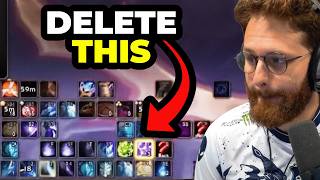

UI Doesn't Matter for Top Players
45sControversial take that minimal UIs aren't the only good ones, citing top players with messy UIs, sparks debate.
▶ Play Clip"The title accurately reflects the video's focus on UI improvement, though it leans more on practical advice than a comprehensive guide."
This video discusses the philosophy of UI design in World of Warcraft, emphasizing that personal preference and functionality matter more than minimalism. The speaker critiques common mistakes like flooding the screen with unnecessary WeakAuras and provides a practical method for improving UI by recording and reviewing gameplay.
The speaker addresses critiques about UI, noting that minimal UIs are often praised but top players like Yips use cluttered setups. UI effectiveness is subjective; what matters is removing irrelevant information.
A major mistake is downloading WeakAuras packs (e.g., Liquid or Northern Sky) and enabling all settings without disabling unnecessary ones, leading to screen clutter.
On Lura, DPS players who hid raid frames were disadvantaged because peripheral vision of glaives was critical. This shows that UI choices can impact performance on specific bosses.
The speaker analyzes a UI, noting that buttons not needed in combat should be hidden. UI settings can hide these elements during combat for a cleaner experience.
The speaker recommends recording one pull of a boss, watching it, and identifying UI elements not being used. Remove those, then test again to improve focus.
After removing unused elements, focus on hard mechanics. Use timeline reminders for mechanics you struggle with, and ensure reminders target actual dangers, not trivial ones.
Reducing mental bandwidth by removing unnecessary UI elements allows better gameplay. This is a key skill for top players, though harder now without WeakAuras.
Timeline reminders (e.g., MRT Reminders) help with mechanics. The speaker notes that Bart's Patreon tool offers customization, but MRT is free. Personal preference in reminder types (text, icons, bars, circles) is crucial.
The speaker discusses four reminder types (text, icons, circles, bars) and color-coding bars by mechanic type (e.g., red for raid damage, yellow for healing absorb, orange for silence, blue for dodge). This aids subconscious recognition.
What is the common mistake with WeakAuras packs?
Downloading packs like Liquid or Northern Sky and enabling all settings without disabling unnecessary ones, leading to screen clutter.
1:13
Why did DPS players hide raid frames on Lura?
Because peripheral vision of glaives was critical, and hiding frames improved awareness.
1:44
What is the recommended method for improving UI?
Record one pull of a boss, watch it, identify unused UI elements, remove them, and test again.
2:45
What are the four types of timeline reminders mentioned?
Text, icons, circles, and bars.
5:14
How should bars be color-coded for mechanics?
Red for raid damage, yellow for healing absorb, orange for silence, blue for dodge.
6:18
What is the benefit of reducing mental bandwidth?
It allows better gameplay by freeing up attention for critical mechanics.
3:52
UI Subjectivity
Highlights that even top players use cluttered UIs, emphasizing personal preference over minimalism.
WeakAuras Pitfall
Identifies a common mistake that can degrade performance by flooding the screen with irrelevant data.
1:13VOD Review Method
Provides a practical, actionable method for UI optimization that is often overlooked.
2:45Mental Bandwidth
Explains a core principle of high-level play: reducing cognitive load through UI customization.
3:52Color-Coding System
Offers a creative way to use color for subconscious recognition of mechanics, improving reaction time.
6:18[00:00] One big critique, by the way, I've been
[00:01] getting on my videos is that my UI is
[00:02] [ __ ]
[00:03] >> Dude, almost everyone's UI is [ __ ]
[00:05] Also, everyone's UI is [ __ ] from the
[00:07] perspective of it's not their UI because
[00:09] like they're used to something else. And
[00:11] the only UIs people say are really good
[00:13] are ones that are like super minimal.
[00:15] That's like the edgy cool thing to have.
[00:17] But like bro, some of the best players
[00:18] I've ever seen play this game have like
[00:20] the most dog [ __ ] Dude, Yips play Yips
[00:23] is the goat
[00:26] and plays windowed World of Warcraft not
[00:30] full screen and because of that
[00:32] everything's like really bunched
[00:34] together and looks terrible. Like uh Ben
[00:36] played with like his And when he tanked,
[00:38] like had his health bar as like most of
[00:40] his screen. Like bro, it it just doesn't
[00:42] matter.
[00:43] >> [laughter]
[00:43] >> You know? So, uh different things work
[00:45] for different people and usually it's
[00:47] like the only way people say your UI is
[00:48] good is if it's just like really
[00:50] minimal, but that just like doesn't
[00:51] matter. I mean, you definitely don't
[00:52] want to have like information on your
[00:54] screen that doesn't matter. That is a
[00:56] universally bad thing. Like things that
[00:58] are just plugging up your screen space,
[01:00] but you're not actually paying attention
[01:03] to, objectively bad. And any player that
[01:05] has those that is great would be better
[01:07] or slightly better without it. But I
[01:08] would say, and I hope he's going to go
[01:10] into this in this video talking about
[01:11] UI, but like also number one biggest
[01:13] mistake, bro, just downloading what used
[01:15] to be like the Liquid WeakAuras pack or
[01:18] the Northern Sky WeakAuras pack and
[01:19] turning on every single setting or not
[01:21] disabling things you don't pay attention
[01:22] to and just flooding your screen with
[01:25] nonsense that you never actually see
[01:27] just to like say you have a WeakAuras
[01:28] pack. So, I mean, he's a he's a mage
[01:31] with healer frames. So, that right away
[01:33] most DPS players are going to be like
[01:35] this kind of stinks. There are some
[01:37] practical examples of this actually
[01:40] being bad other than like DPS players
[01:42] feeling like they don't need to see
[01:43] their raid frames.
[01:44] And one of the only bosses where this
[01:46] actually matters is this tier on Lura. A
[01:48] lot of our DPS players that didn't have
[01:50] Battle Rises actually hid their raid
[01:52] frames or made them extremely small
[01:53] because anything on on screen where you
[01:55] could have possibly seen a glaive in
[01:57] your peripheral vision was important.
[01:59] So, that made people really rethink
[02:01] their UIs. As a DPS player, having a UI
[02:03] having frames like this will objectively
[02:05] hurt you on Lurra. But, it's one of the
[02:07] only bosses where that's true. But,
[02:08] let's see. I mean, this thing in the
[02:10] front in the middle here is chilling.
[02:11] The stuff on top of his frames makes
[02:13] sense. All the stuff that could keep you
[02:14] alive is like right here. It's this
[02:16] [ __ ] right? Like, the only critique I
[02:18] have about his UI as far as it being
[02:20] clean is he has like a bunch of buttons
[02:22] here for no reason. Where like you could
[02:24] Like, this the the point of this
[02:27] Let me actually use my handy dandy
[02:28] little pen here. So, this.
[02:31] The reason this is good
[02:33] is that you don't need this.
[02:35] This irrelevant.
[02:37] All of these are things you do not need
[02:38] to see in combat. You can even have UI
[02:40] settings that hide this specifically in
[02:42] combat. Goated fix your UI tech.
[02:45] Watch a
[02:46] locally record one pull of one boss you
[02:48] do. I know VOD review for a lot of you
[02:50] is a little extra work and it's cringe,
[02:52] but if you do care about making your UI
[02:53] better, this is the goat.
[02:55] Look, if you don't stream, just record
[02:56] yourself. Watch one pull
[02:58] and do one thing exactly. Try to find
[03:01] something on your UI that you're not
[03:03] paying attention to at all. Whether it's
[03:05] an announcement, a reminder, some
[03:07] buttons over here on the side of your
[03:08] screen you're never looking at.
[03:10] And then, try removing that thing and
[03:13] then pull again. And then, see if you
[03:14] can do without those things that were
[03:16] gone. Okay, you can? Sweet. Now, do step
[03:18] number two. Look at stuff on the fight
[03:20] that you feel like is hard for you.
[03:21] Like, what is the mechanic that is the
[03:22] hardest for you? Is there something on
[03:24] your UI helping you with that? Oh, this
[03:25] mechanic is happening and I always
[03:27] forget to use a defensive here or
[03:28] something. That's where timeline
[03:29] reminder will help. Like, there's two
[03:31] things. Often times, people have
[03:32] reminders for mechanics that are not
[03:34] actually dangerous to them, which is
[03:36] wasting your brain bandwidth, and then
[03:38] you also don't have enough things to
[03:39] help you on things that are actually
[03:40] hard. This is a
[03:42] It's an unfortunate step,
[03:44] but it is a real step to becoming a
[03:46] better player is learning how you can
[03:49] have all of the things in this game that
[03:51] can help you help you.
[03:52] The more you reduce your mental
[03:54] bandwidth of things you have to pay
[03:55] attention to via tech or whatever, the
[03:57] more you can play better. This is an
[03:59] important skill of anyone who's great at
[04:00] this game. It's also a lot harder to do
[04:01] now because weak auras don't exist, so
[04:03] good luck. When I was looking through
[04:04] timeline reminders, I noticed a few
[04:06] things. So, if you guys don't have
[04:07] timeline reminders, this is the this is
[04:09] a Patreon walled thing that um this used
[04:11] to be ran by Liquid, I think, or it was
[04:13] part of like Liquid's uh subscription or
[04:15] Bart's subscription. Now, it's
[04:17] Is there not a publicly non-Patreon
[04:19] version of this available? Don't other
[04:21] add-ons have this?
[04:23] I'm I'm unfamiliar because our guild has
[04:25] our own personal one that is not this.
[04:27] Northern Sky Tools doesn't let you set
[04:29] custom ones. MRT Reminders is free and
[04:32] works fine. Okay, so MRT has this, but
[04:34] I'm assuming if people are spending
[04:37] money on Patreon to get access to this
[04:39] one, it is I'm assuming this one's
[04:41] better.
[04:42] Cuz Bart is supporting it. He's the
[04:44] developer for it, I believe. Um and I
[04:45] can link his Patreon down
[04:46] >> Dude, dude, yeah, you can link his
[04:47] Patreon. By the way, this is
[04:48] confirmation that Bart is still alive.
[04:51] Now, it sounds insane that I have to say
[04:53] that, but you all keep saying that he's
[04:55] dead. But clearly he can't be if he
[04:57] >> Hello, and you can get access to this.
[04:59] I'm going to get guild access, too, so
[05:00] that you can like link it to your your
[05:02] guild and stuff, which is pretty cool.
[05:03] Basically, this is just like a form of
[05:05] reminders, and you can probably do some
[05:07] of this in Wild Utils, but I find that
[05:08] it's really nice to have it in game
[05:09] because then you can customize it a lot
[05:11] easier.
[05:12] And I noticed that when I clicked on the
[05:13] anchors, there's four different types of
[05:14] things that you can do. You can do text,
[05:16] you can do icons, you can do circles,
[05:17] and you can do bars.
[05:19] Um and I found like when I was looking
[05:21] at the circle Before he even says
[05:22] anything else, definitely play around
[05:24] with this because there are certain
[05:25] things that certain players this is
[05:27] where personal preference comes into
[05:29] play. I love bars. Bars are great for
[05:31] me. Text is great for me. I often watch
[05:34] Fire Dep's POV.
[05:35] Everything has to be text because bars
[05:37] do not work in his brain. Just straight
[05:39] up. Like him seeing a bar, completely
[05:42] his brain can't process it. It's bad.
[05:44] So, there are no bars on his UI. But for
[05:46] some people, bars are goated. I love
[05:48] bars, right? Same thing with icons. I
[05:50] can't do icons. Icons for me are just a
[05:52] complete waste of space. Text goated,
[05:54] icons bad, bars good. Text good, circles
[05:56] fine. For some people, it's completely
[05:58] flipped, right? This is like actually
[06:00] the most personal preference thing of
[06:02] all time. It is very good for you to
[06:03] acknowledge which one of these you
[06:04] actually like. Oh, yeah, mystical. I'm
[06:06] big on color-coded bars. Every bar is a
[06:08] different color. I visualize ability by
[06:10] color, not name. Exactly. The best way
[06:12] to do this is like look at his timers
[06:14] here. So, these are all blue, right?
[06:15] But, like a good thing I like to do is
[06:18] color the bars based on the type of
[06:20] mechanic it is. If one of these things
[06:22] is like big raid damage, I'm just going
[06:24] to make this up. That's going to be a
[06:26] red bar. It's going to be a red
[06:27] background instead of a blue. If it's a
[06:30] healing absorb, we'll always make sure
[06:33] it's yellow.
[06:34] If it's a silence, it'll always be
[06:37] orange. If it's a dodge mechanic,
[06:40] it'll always be blue.
[06:43] So, when you're doing a fight,
[06:44] subconsciously, you're seeing a timer,
[06:46] but even though you're do you don't have
[06:48] to like fully parse the ability name,
[06:50] just now that you've created a color
[06:52] system in your brain with what certain
[06:54] things are, you may not remember exactly
[06:57] what tornadoes do exactly, especially
[06:59] early on on a boss pull, but you know
[07:01] that it's something you have to watch
[07:02] out for because of the color you've
[07:03] assigned to it. Wait, THT said that's
[07:05] the colors I used on Vanguard. Is this
[07:06] going to be a meme where everything is
[07:08] like a holy-looking shield? Oh, yeah.
[07:12] Yeah, exactly. So, green always means
[07:13] raid damage, blue always means
[07:16] what? Swap to add because there's a
[07:18] shield or a dodge?
[07:20] Probably swap to add because there's a
[07:21] shield. Or, maybe you just made it
[07:23] Uh yeah, that makes sense.
⚡ Saved you 0h 07m reading this? Transcribe any YouTube video for free — no signup needed.