
Free Traffic Strategy: Pinterest Without Followers
44sHigh-value promise of free traffic without followers appeals to small business owners and side hustlers.
▶ Play Clip"Delivers a solid, actionable strategy for Pinterest and email marketing, though it's more about general e-commerce than specifically print-on-demand."
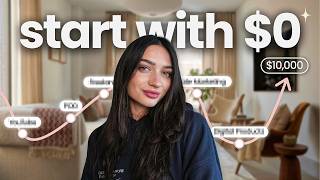
This video presents a free traffic strategy for e-commerce sellers, focusing on using Pinterest to drive traffic and a pop-up with email marketing to convert visitors into buyers. The creator, Mac, explains how to create effective pins, set up a pop-up with an incentive, and build a welcome email series to retarget interested customers.
Mac introduces a free traffic strategy for online stores that avoids paid ads and full social media management, emphasizing testing free methods before investing money.
Pinterest pins have long-term visibility, continuing to generate traffic years later, and provide direct links to products, unlike social media where users must navigate to bios.
Use visually appealing mockup photos or videos showing products in use, fill out SEO with tools like ChatGPT, include relevant tags, and schedule multiple pins daily.
Pop-ups offer incentives like discounts or freebies to capture email addresses, enabling retargeting of visitors who may not purchase immediately.
Use Omnisend to create pop-ups, ensuring mobile optimization, large incentive display, and including product photos to improve conversion rates.
Set up a three-email welcome series: first with incentive and welcome, second as a reminder, and third as a last-chance offer to create urgency.
Create an abandoned cart workflow to remind customers who left items in their cart, capitalizing on their purchase intent.
Email marketing builds an owned audience of interested customers, unlike paid ads, enabling ongoing retargeting and campaign opportunities.
The strategy combines Pinterest's free traffic with pop-up email capture and automated email sequences to convert visitors into customers, building a valuable owned audience for long-term sales.
Why does Pinterest generate long-term traffic?
Pins continue to generate traffic years after posting, unlike social media posts that disappear.
01:24
What are the two reasons Mac promotes Pinterest?
Long-term traffic generation and direct links to products.
01:11
What is the purpose of a pop-up in this strategy?
To capture email addresses by offering an incentive, enabling retargeting of visitors.
03:24
What are the three emails in the welcome series?
1. Incentive and welcome, 2. Reminder, 3. Last-chance offer.
05:59
What is the discount code mentioned for Omnisend?
MONEYWITHMAC30 for 30% off any paid plan.
10:22
Pinterest's long-term traffic
Highlights a key advantage of Pinterest over social media for sustained traffic.
01:24Pop-up as conversion tool
Explains how pop-ups capture emails to enable retargeting, a proven e-commerce tactic.
03:24Welcome email series structure
Provides a concrete email sequence that creates urgency and drives conversions.
05:59Owned audience importance
Emphasizes building an owned audience for long-term marketing, contrasting with paid ads.
08:55[00:01] with you a free traffic strategy that I use to bring people to my online store and to convert them into buyers. And this is a perfect strategy for anyone, but especially if you're somebody that doesn't want to focus on paid ads or a
[00:16] full social media strategy. This works really well and actually does convert later. And if you're new to my channel, hi, I'm Mac. I post videos talking about e-commerce, passive income, and different ways to make money online. And
[00:30] community here on YouTube. A lot of people will overlook the idea of free marketing. They want to maybe go right to paid advertisements or think that's good strategy, I personally really like to test out free traffic and really get
[00:44] my products out there and see what works before I put a ton of money towards it. And free traffic is actually really great. There's a ton of ways to do it, including SEO and just posting photos of your products around the internet. And
[00:57] one of my favorite ways to do that is using Pinterest. And so, in this structure today, we are going to be using Pinterest and then using a pop-up method to get our buyers information so we can retarget them even if they don't
[01:11] make a purchase. And there's two reasons why I promote Pinterest all in all. The one being that your post that you create, your pins I should say, they don't just disappear and stop bringing traffic after a few weeks. Pinterest
[01:24] actually works in the long run. A pin that you post years down the line can still keep generating traffic to your online store. The second reason why I absolutely love Pinterest is for the reason of a direct link. When you post
[01:37] something on social media, someone will click on it and have to go maybe to your bio or have to comment in order to get a link to that product. Versus Pinterest, it works kind of like an ad or a paid ad where when someone clicks on it, they
[01:50] automatically see the link or they click the pin and get redirected automatically to your online store. Now, the keys to creating a good Pinterest pin are one to use your mockup photos or mockup videos that you have, which are essentially
[02:02] your product photos. I would suggest creating mock-ups that are visually appealing and fun to look at. For an example, maybe somebody wearing your you're selling or the phone case, whatever it is, the product that you're
[02:14] products, you know, showcasing that digital product being used. So, if it's a downloadable ebook, show it being used on an iPad or a cell phone. These are things that are more relatable rather than just using a mockup photo with a
[02:28] blank background as your Pinterest pin. To create a pin, all you have to do is hit the create button, then select Pinterest pin. You can drag in your mockup photo and then fill out the SEO for your pin. You can use Chat GPT to do
[02:41] this. You can even upload the photo that you're using into ChatGpt and ask it to create a Pinterest pin title and description that will convert for your to leave, of course, the link to your business so that people can go click on
[02:54] this and get redirected to the actual product or homepage of your site to make a purchase. You'll also want to include relevant Pinterest tags in your pin. And also schedule out multiple posts on Pinterest, but you could really take 20
[03:09] minutes out of your day, create 10 to 15 posts, schedule them out for every day, marketing strategy that again is free. Now once we have the idea and we pin, what we need to do next is we actually need to create the incentive or
[03:24] offer so that we can convert this traffic. Now Pinterest can be cold your store and click off right away. So to have a popup. If you're not familiar with a pop-up, it is essentially when
[03:36] you go to a website and you offered something. This can be a few seconds into your scroll, you'll see something pop up and say, "Hey, would you like join our newsletter?" I'm sure you've seen these before. They're on many
[03:48] successful websites and websites you shop on and they're there for a reason. And people really underestimate that is if you go to your favorite store online that popup comes up and you enter your email, why are you not using that
[04:01] that these big companies are using this strategy because it works and it involves email marketing which is [music] one of the best and most amazing ways to market to customers. So, with your popup, what you're going to do is
[04:14] offer an incentive. And creating a pop-up for your website is actually very userfriendly. I'm going to show you the process that I use, which I do use Omnisend. So, Omnisend is an email marketing platform. And like I said, a
[04:26] popup is the gateway to an email sequence where we can retarget customers. When creating a pop-up, we want to be very specific because the customer only sees this for a few seconds. So, what I like to do, as I
[04:39] keep mentioning, is offer an incentive. We want to give the customer a reason to they're not maybe intentionally going to make a purchase that day. Once we capture that email list, we have the power to keep retargeting them. So, what
[04:52] I recommend doing for the reason is offering a discount or free shipping or even a free freebie for their first order. So, to create your popup on Omnisend, you can go to forms, add form, and select popup. You'll see a lot of
[05:06] different options here. And I like using Omnisend for this reason because their userfriendly. Now, things to keep in mind when you're creating your pop-up. mobile. So, we want to make sure that our pop-up looks good on mobile. Number
[05:20] two is that we want to make sure that our incentive is really large and shows again exactly what it is that we are going to be selling. Also, keep in mind that popups that include photos can be very helpful. Whether it's a photo of
[05:32] the product that the customer maybe came and clicked on or a few products you offer or a model wearing your product or someone using it included in a popup, these do tend to convert better. You can also select the timing or what indicates
[05:45] the popup to show up, whether you want that to be a 15 to 30 second popup or maybe a 25% scroll of the page. Now, once someone enters the email in your popup, the next thing that we need to set up is our welcome series. And if
[05:59] series, it's essentially a series of emails that are sent automatically to a new subscriber from your business. So, how I suggest to set it up is with email plus the incentive that you just offered. This will either include the
[06:14] discount code for their purchase or if you offered a freebie and welcoming them and including a direct link to your store. Email two is what I call the reminder. This is basically reinforcing the value of your online store and the
[06:28] really important because sometimes someone will enter their email and they busy. But then getting that second email, it reminds them. And it's great interest in your product. And the third email in the sequence can be a last
[06:43] chance offer. So a last chance is meaning, hey, this is your last chance to sign up and get this discount offer that we provided for you. And this creates urgency. It could be like expires tonight or till the end of the
[06:55] day. And urgency is really great when converting, especially when someone's interested in your product. And this is a super common and successful email flow sequence that many online sellers use because it's so proven to work. And like
[07:08] I said before, you've probably been in the situation or been marketed to in this exact way and haven't realized it. And with email marketing, what I think is so important to remember is when I first got started, I was like, I don't
[07:20] don't want to be spammy, but you're wrong. People that sign up to your email were interested in your product. It's not like you are cold calling or just people that are interested. That's why
[07:34] incentive in the first place. So, they want to hear from you. They're not annoyed to hear from you. And sure, having sequences, you'll get people that It's very similar to posting on, you know, an app or social media. But what's
[07:47] person was interested. So, don't feel silly at all about reminding them of all this time, you know, listing and creating. And to set this up on Omnisend, you can go to automations, select workflow, and then choose the
[08:02] with X three. This says that it has the my experience, works really well. And then you can go through and set up this flow completely customizable, but while user friendly, so you still understand
[08:15] customizing it to your actual brand. You can add in logos or photos, color schemes, however you'd like to do it. Once you've done this, there is the also the option that works really well to add in your abandoned cart. It's done the
[08:29] same way through creating a workflow, but just creating an abandoned cart cart, you'll know about it and can send them a reminder of, hey, you forgot something or hey, come back and make a purchase. Because obviously, if it was
[08:42] in the cart, there was a pretty secure intent of that purchase being made. And once you do all of these steps, you then have a free flowing list that will help you to start converting. And what's great and what I keep mentioning is that
[08:55] these customers had an interest. And we have our email. And this is part of building an owned audience. This is different than if we were to be, you know, buying an email list or just throwing paid ads out there. These are
[09:07] people that are interested and that we can continue to retarget. And not only just from a welcome series, you can then set up campaigns to market for sales, new products, holiday discounts, and so much more. And even if you do start
[09:19] let these email subscribers know about that. And that's really where it comes something being a side hustle to having it as a full-time income. So, quick recap. Pinterest is bringing in free traffic. Our popup is grabbing our
[09:33] customers email. And our welcome series is reinforcing and reminding the customer to make a purchase so it converts. And if you have yet to sign up to Omnisend, I do have a link in the description for you. They do have a free
[09:45] plan that gives you up to 250 contacts and then 500 emails that you can send per month. And this is a great option if you're getting started or maybe you're not sure about email marketing so you can really see the benefits of it. But
[09:57] and go allin with your email marketing strategy, which I do recommend, I would say to get the standard plan. This is because it's not going to limit you on and it will remove the omnisend watermark from any emails, which can be
[10:10] leave a link, like I said, in the description below. These email marketing strategies really do pay for themselves. They're on autopilot and really do convert. That's why it's a strategy that so many companies use. And Omnisim was
[10:22] so great to give me a discount code for my audience. It is money with Mac 30 and it gives you 30% off on any paid plan. So, if you do want to go ahead with that standard plan, you can get 30% off on that with the link in the description.
[10:34] And if you're wanting to switch email platforms, Omnis makes migration very easy. For larger accounts, they'll fully migrate your automations, forms, and templates, so you're completely set up from day one. And for smaller accounts,
[10:46] there's a simple one-click migration that syncs your contacts, tags, and up If you want to see more videos like this, make sure you subscribe to the future uploads. Now, if you found it helpful, please let me know. Leave any
[11:00] try out this strategy or if you're brand new to this or if you really want to store. Thank you so so much for watching and I hope to see you in the next
⚡ Saved you 0h 11m reading this? Transcribe any YouTube video for free — no signup needed.