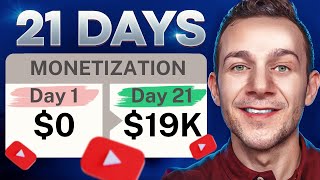

I Earned $199K on YouTube—Here's How
41sThe massive income jump from $270 to $199,000 in months instantly grabs viewers looking for money-making proof.
▶ Play Clip"Delivers real beginner advice, but the heavy InVideo AI and VidIQ product pitches dilute it into a soft commercial."
This video is a beginner-friendly walkthrough of how to start and monetize a YouTube channel fast. It covers choosing high-CPM niches, using YouTube Shorts to hit the 1,000-subscriber goal, finding low-competition keywords with VidIQ, and generating polished Shorts with InVideo AI. The creator backs the strategy with his own revenue results and real view data, showing that a mix of smart keyword targeting and AI production can compress months of growth into weeks.
The creator says his channel got 1,000 subscribers in just over a week, earned $270 in the first month after monetization, and grew to nearly $199,000 a few months later.
YouTube requires 1,000 subscribers and 4,000 hours of watch time to place ads and earn a share of ad revenue.
CPM is what advertisers pay per 1,000 views. Health & fitness pays up to $15, personal finance up to $25, and educational content also pays well.
YouTube pushes Shorts heavily. Channels like Bestie Health use Shorts such as "top 10 calcium-rich foods" to get hundreds of thousands of views and reach 1,000 subscribers fast.
On big channels in your niche, use VidIQ's "view trending videos" feature to see which videos are trending and getting the most views per hour.
Instead of high-competition terms like "digestive superfoods", sort by competition and use "very low" competition keywords like "how to cook spinach superfoods" (about 1,400 monthly searches) so your video can rank.
Enter a text prompt such as "create a 30-second food recipe video about how to cook the tastiest spinach superfood dish for maximum nutrition", select generative media, pick an audience and subtitle style, then choose YouTube Shorts.
InVideo AI lets you change language, move subtitles, swap media, or generate custom scenes (e.g., a cyclist holding spinach) and even clone your voice for the voiceover.
Download at 1080p without watermark, use the low-competition keyword in the title, generate a description with VidIQ, and select "Yes" under altered content before publishing.
Reach 4,000 watch hours with longer-form videos, and use affiliate marketing to earn before monetization; a free niche/product list is offered.
What are the two requirements to get monetized on YouTube?
1,000 subscribers and 4,000 hours of watch time.
00:17
What does CPM stand for and what does it measure?
Cost per mille — the amount advertisers pay per 1,000 views on your videos.
00:30
How much can health & fitness advertisers pay per 1,000 views?
Up to $15 per 1,000 views.
00:44
Which three niches are highlighted as having some of the highest CPMs?
Health & fitness, personal finance, and educational content.
00:44
What strategy does the video recommend to reach 1,000 subscribers fast?
Posting YouTube Shorts, because YouTube pushes Shorts heavily.
01:13
In the example, how many monthly searches does "what are the three digestive superfoods" have, and what is the competition level?
Over 2,600 searches per month; the competition is high.
04:07
How many monthly searches does the keyword "how to cook spinach superfood" have?
About 1,400 monthly searches (1,426 shown in VidIQ).
04:36
What percentage of views came from YouTube search for the video the creator optimized using this method?
32% of views came from YouTube search, even almost two years after upload.
05:02
What is the pricing and included credits for InVideo AI's generative plan?
$96 per month for 15 minutes of generative credits, enough to upload a YouTube Short every day.
11:23
What disclosure do you need to select when uploading AI-generated content to YouTube?
Select "Yes" under altered content for full disclosure.
13:13
Proof the strategy works
The creator's own numbers — from $270 in the first month to nearly $199k — show the potential upside of the method.
00:02CPM is the real money lever
Choosing a high-CPM niche can multiply your earnings even if your view count stays the same.
00:30Shorts are a subscriber growth hack
YouTube's algorithm actively pushes Shorts, making them one of the fastest routes to monetization.
01:13Low-competition keywords beat big-volume keywords
Targeting "very low" competition searches lets a new channel rank quickly and gain algorithm traction.
04:22AI closes the production gap
A single text prompt generates a complete, high-quality Short, removing the animation and editing barriers for beginners.
05:56[00:02] subscribers in just over one week shortly after that channel got monetized I earned $270 in my first month and that very quickly grew to almost $199,000 only a few months later you see by creating a YouTube channel that gets
[00:17] 1,000 subscribers and 4,000 hours of watch time YouTube allows you to then Place ads onto your videos and you in turn earn a share of that ad revenue and in this video I'm going to show you how to start a YouTube channel using method
[00:30] to get monetized fast in a high paying YouTube Niche step one is to pick a niche with a high CPM CPM is the amount that advertisers pay for every 1,000 views on your videos and three niches with some of the highest cpms are health
[00:44] and fitness paying up to $15 for every 1,000 views personal finance paying up 1,000 views personal finance paying up to $25 and educational content paying up channel for example medas they've got over 600,000 subscribers and many of
[00:58] their videos getting hundred of thousands if not millions of views and according to Social Blade with a CPM of $15 they're earning around $35,000 every single month in YouTube ad Revenue that's over $1,000 per day and
[01:13] they're also getting over 1,000 subscribers every few days so how are they growing so fast it's not just from their regular videos these guys are also utilizing YouTube shorts these simple quick engaging YouTube shorts videos
[01:27] such as top 10 calcium rich foods get get hundreds of thousands of views in a short space of time and why you may ask well YouTube pushes YouTube shorts massively making them one of the fastest ways to reach 1,000 subscribers to get
[01:41] monetized fast and by far the easiest way to create these YouTube shorts is by using a tool called invid Ai and I'll leave a link in the description of this video Once you click onto that link you simply want to enter in a few simple
[01:54] details to get signed up to Nvidia AI absolutely for free once you are signed up you will be taking into this dashboard and here is where we're going before I show you exactly how to do that we're going to be coming back to this so
[02:07] make sure that you leave this tab open I first want to show you method two for getting monetized fast and that's making sure that we create our YouTube shorts videos around highly trending topics so let's say that you did want to monetize
[02:19] a YouTube channel in the highly profitable health and fitness Niche just like this channel right here Medina or like this one right here called bestie Health with almost 5 million subscribers for the second step in getting monetized
[02:31] fast what you want to do is identify these larger channels in your Niche and you want to click onto the link in the description of this video for vid IQ going to be talking more about that platform in a second you will see this
[02:47] sort of feature over here on any channel that you go to allowing you to click onto where it says view trending videos now this part is super important because it allows you to see which of these videos on these channels that YouTube is
[02:59] pushing out the most which are currently trending and getting the most views so for example this video right here on six basic nutrients is getting over 40 views every single hour and you want to take a look at a few of these different
[03:12] channels in your Niche such as this one for example Med today another health and fitness channel if I click onto this icon right here go over to view trending videos we can see the highest trending video on their channel is this one most
[03:27] nutrient dense foods Super Foods getting over 34 views every single hour and you want to identify keywords in these trending videos such as superfoods right IQ again guys I got a link in the
[03:41] description of this video Once you click onto that link and you get signed up to clicked onto where it says keywords right here and you want to type in that trending keyword that you would have identified such as superfoods and simply
[03:53] it says questions to see what people are searching for on YouTube related to that trending topic so for example what are the three digestive superfoods are being the three digestive superfoods are being searched for over 2,600 times on YouTube
[04:07] every single month however the competition is high that means if we did create a YouTube shorts or a YouTube video around this exact topic with these keywords in its title we're unlikely to get a high number of views if any
[04:22] instead what you want to do you want to Target low competition or very low competition keywords so I'm going to sort by the competition column right these YouTube searches with a competition score of very low so for
[04:36] example how to cook spinach superfood which is perfect cuz with a very low competition this means that when those 1,400 searches are occurring on YouTube every single month our video can appear near the top of the YouTube search
[04:50] for when people search for these particular keywords my video appears near the top that's because I optimized this video for YouTube search using this
[05:02] method and as you can see even to this day over 32% of views that I get to that video uploaded almost 2 years ago come from YouTube search and what you'll find
[05:14] even though you know 1,426 doesn't sound like a high number if your video starts getting engagement starts getting likes comments YouTube will pick that up and the algorithm will recommend it to a much wider audience
[05:28] which is how your YouTube shorts your videos can get a huge number of views and just for some added context guys on that video as you can see since it's been uploaded overall only 5% of those views came from YouTube search the
[05:42] remainder of those views overwhelmingly came from YouTube pushing that content via its algorithm due to the engagement that initial engagement that it was getting and I'm going to show you how to create a video around this topic right
[05:56] here how to cook spinach superfoods a YouTube shorts that can massively Drive engagement due to the quality of the video using a new update that invid AI has just released so going back to our open invid AI tab we can now very easily
[06:12] create an incredible highly engaging YouTube shorts and by drawing inspiration from these other highly successful channels in the niche that we'll be creating our videos in looking at this trending videos feature I'm
[06:25] going to Simply head back over to Nvidia Ai and type in a single line of text or prompt such as create a 30second food recipe video about how to cook the tastiest spinach superfood dish for maximum nutrition and I can then
[06:39] describe how I want the video to appear in terms of the effects and background music and so on I've simply said make it fast-paced cinematic use Dynamic camera angles and camera movements use upbeat music and with literally one click of a
[06:54] button I can click onto where it says generate a video right here and for maximum quality make sure that you've got generative media selected you can then select the audience that you want your video to appeal to either food
[07:07] enthusiasts people who are health conscious home Cooks I'm going to pick home Cooks in this particular example you can then select the subtitle style bold popping standard or outline I'll keep it as standard for now and of
[07:20] course the platform that we'll be selecting will be YouTube shorts which tool to get monetized fast as part of strategy you can then click onto where it says continue right here and in only
[07:33] a few minutes our YouTube shorts video is ready let's give it a play need to supercharge your health in just 30 seconds behold the power of spinach Sizzle garlic add spinach watch it transform a squeeze of lemon a Sprinkle
[07:46] of pine nuts voila your iron rich vitamin packed Masterpiece is ready spinach the superhero of your plate boost Vitality strength and wellness as you can see the quality of that YouTube short especially with that new
[08:01] generative media option selected was absolutely incredible everything from the sort of opening scene that man jogging while carrying a bag of spinach to the background music it gave us exactly what we asked it to and more now
[08:15] if you did want to edit the video you can do so in a variety of different ways change the language of the video I can simply click onto this command box right here and type in change the language to Spanish before clicking onto where it
[08:29] Spanish before clicking onto where it says generate and it's done exactly that now for the sake of this video I'm going to hit undo right here to change it back to English and you can also change the
[08:43] voice over of this video for your own voice and to do that you want to click onto this hamburger menu right here click onto where it says voices and you can simply click onto where it says add voice to upload a 30second recording of
[08:56] your own voice which I've done right here to clone your voice so going back over to our video I can then simply type in change the voice over to my cloned voice and again click onto where it says generate ready to supercharge your
[09:08] health in just 30 seconds behold the power of spinach Sizzle garlic add voice and you can literally make any changes via this command prompt box something such as move the subtitles over to the bottom click onto where it
[09:23] says generate and if you wanted to swap out any of this generated media what you can do is Click onto where it says edit right here make sure you've got media selected and you can click onto where it says stock media to browse a wide range
[09:36] of this different stock media footage that you can replace any one of these scenes with you can also use the search bar right here to search for different spinach related scenes for example but what I recommend you do guys is keep it
[09:49] at the generated media for that added quality so if I click onto where it says generated media right here and have any of these different scenes selected it will give us all of this alternative generative media that we can replace
[10:04] that first scene with alternatively if you click onto this plus symbol right here what you can do rather than selecting any one of these is you can literally describe the exact scene that you want that particular generated media
[10:19] scene to be replaced with so rather than someone running holding a bag of spinach I can say something like a smiling and happy cyclist riding his bike while holding a bag of spinach and then click on to where it says generate a clip
[10:32] right here and it's given us exactly that allowing us to include these really personalized and engaging unique video clips as part of our YouTube shorts by using this generative media option so I'm going to click onto where it says
[10:45] replace right here to replace that first video and I'm then going to click onto where it says apply and finally if you wanted to edit any of these script for your YouTube shorts video again click onto where it says edit click onto where
[10:57] it says script right here and you can very easily edit out any of this script which I absolutely am before we download it what I will say is you can try nid AI
[11:09] absolutely for free but if you do want to use their generative capabilities I generative plan which is the one that I use as you can see right here now it does start at $96 per month but it's by far the best bang for your buck and the
[11:23] reason for that is you get 15 minutes of generative credits which is enough to upload a YouTube shorts every single day and by uploading these high quality the more engagement you'll get the faster you'll reach those 1,000
[11:38] subscribers and the faster you'll get monetized and this can actually help you you otherwise would have spent on animation editing and other production costs as well now if you're already an inv video AI user what you can do is
[11:53] add-ons right here and this is where you can also purchase generative seconds and to actually upload our video to YouTube I'm simply going to click onto where it says download video right here no watermarks and no invid AI branding
[12:06] selected along with download resolution of 1080p click onto where it says continue and when you upload your video to YouTube remember to insert the title that we identified on vid IQ which was how to cook spinage superfoods we know
[12:20] this is a highly searched for yet low competition keyword that we can include within our title so that our video can Rank and actually start getting those views so I've included that title right here Plus for maximum nutrition now this
[12:34] is also with vid IQ guys this AI description generator it helps to generate your video description what I'm going to do is simply copy over this title insert it into this description generator and I'm also going to say
[12:48] something like subscribe right here before clicking onto where it says generate and it will give us a suggested video description I'm simply going to click onto where it says insert right here it says learn how to cook spinach
[13:00] superfoods for maximum nutrition in this easy tutorial and very importantly don't forget to subscribe for more healthy recipes now ai generated videos on YouTube are fine guys just make sure before you upload it that you do select
[13:13] yes under altered content for full disclosure and to remain compliant so by channel as part of your monetization strategy and by optimizing your YouTube video titles for YouTube search so that your videos can actually rank on YouTube
[13:29] that you're doing this for both YouTube shorts and your longer form videos as great for maximizing and getting a high number of subscribers very quickly and
[13:41] those longer form videos which will also create in invid AI a great for amassing those watch hours remember you do need 4,000 hours of watch time in addition to those 1,000 subscribers to get monetized on YouTube and that can happen
[13:56] incredibly quickly in literally a matter of of weeks I'm speaking from firsthand here guys we've done everything that we need to do to absolutely speed up that are a ton of other ways that you can make money with YouTube too not just
[14:11] from ad Revenue in fact even before you get monetized you can start making money with affiliate marketing and if you want access to a list of different niches and products that you can promote within
[14:24] those niches I've actually put together a document which you can access for free by clicking onto the Link in the description of this video and if you marketing in general you can watch a complete affiliate marketing tutorial
[14:37] that I put together right here and if you got value from this video please button subscribe to the channel and hit that Bell notification so that you get notified every single time that I release a new online money making video
[14:50] release a new online money making video take care
⚡ Saved you 0h 14m reading this? Transcribe any YouTube video for free — no signup needed.