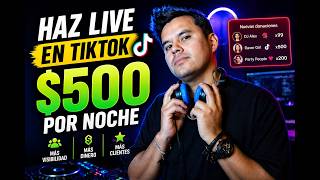

Earn $500 Streaming on TikTok?
40sHigh earning potential hook grabs attention and sparks curiosity about making money.
▶ Play Clip"Title promises step-by-step streaming guide; video delivers multiple methods from basic to advanced, though some steps are brief."
This video provides a comprehensive guide to streaming on TikTok as a DJ, covering everything from basic setups using just a phone to advanced multi-computer configurations. It also introduces Freebit, an AI tool for generating music and video content without appearing on screen.
The video promises to show how to achieve incredible broadcasts with any setup, from a cell phone to a complete studio, and highlights the potential to earn money and gain clients.
Freebit offers 500 free credits to create music using Suno version 5 and generate dance videos. Users can create looping videos for streaming without appearing on screen.
Viewers forgive poor video but not bad audio. Basic setups using a DJ app on a phone with an iRing 2 can send high-quality audio to a second phone for streaming.
Using an RCA to 3.5mm converter or iRing, connect controller to phone. For monitoring, configure Virtual DJ to output to computer speakers. Note: microphone not supported with this method.
In Recordbox, set audio to get sound from the controller (e.g., DDJ400) and output to speakers for monitoring.
Broadcast directly from computer showing DJ software, or use a looping video created with Freebit. TikTok Live Studio allows screen sharing.
Install VB Cable (free on Windows, paid on Mac) to create a virtual sound card. Route DJ software output to VB Cable, and set TikTok Live Studio microphone to VB Cable for high-quality audio.
Streamlabs allows simultaneous streaming to YouTube, Instagram, and TikTok, but TikTok may block or crash due to exclusivity preferences.
Use a controller with built-in mic (not recommended) or an external sound card like Maonocaster or Behringer Xenyx USB to connect microphone and controller audio.
Dedicate one computer for streaming (TikTok Live Studio/Streamlabs) and another for DJ software to avoid overload. Example of a German DJ with six cameras and a switcher.
1) Algorithm rewards live streams by promoting existing content. 2) Sales content attracts clients. 3) Practice improves performance. 4) Direct income from donations.
Streaming on TikTok offers DJs a powerful platform to gain exposure, practice, and earn money. Starting simple and being consistent can lead to significant growth, as demonstrated by successful DJs who built their studios over time.
What is the most important aspect of a live stream according to the video?
Sound quality; viewers forgive poor video but not bad audio.
03:16
What tool does the video recommend for creating music and videos without appearing on screen?
Freebit, which uses Suno version 5 for music and can generate dance videos.
01:13
How can you achieve monitoring when streaming with a controller connected directly to a phone?
In Virtual DJ, create a new sound card assigned to the booth output and route it to computer speakers or the 3.5mm connector.
06:14
What is VB Cable used for in TikTok streaming?
It creates a virtual sound card to route internal audio from DJ software to TikTok Live Studio.
08:15
What is a drawback of using Streamlabs for multi-platform streaming?
TikTok may crash or block the account for 7 days because TikTok prefers exclusivity.
09:32
What is the recommended setup for professional streaming with microphone support?
Use an external sound card like Maonocaster or Behringer Xenyx USB to connect controller and microphone.
10:52
What are the four reasons to stream on TikTok mentioned in the video?
1) Algorithm rewards live streams by promoting content. 2) Sales content attracts clients. 3) Practice improves performance. 4) Direct income from donations.
13:53
How does the TikTok algorithm benefit DJs when they go live?
It starts showing their existing content (mixes, tutorials) to a wider audience, increasing virality.
14:05
Sound Quality Over Video
Emphasizes that audio is the most critical factor for viewer retention, more than video quality.
03:16Freebit for Content Creation
Introduces a free AI tool that allows DJs to create music and videos without appearing on screen.
01:13Algorithm Rewards Live Streams
Explains a key insight: going live boosts visibility of all your previous content, not just the live stream.
13:53Two-Computer Setup for Professionals
Describes a high-end setup used by successful streamers to avoid system overload and ensure quality.
11:16[00:01] stream on TikTok like a pro. a pro. [music] Can ending the night with new clients, viral videos, and up to $500 in your
[00:16] account? This is not a myth, it's what's happening right now on TikTok. And in this video I want to show you step by step how you can achieve incredible broadcasts, whether you only have a cell phone or
[00:29] a complete setup. I'm going to show you the simplest way to transmit, and I'm professional ways to do it. So stay until the end because I'm going to show you step by step throughout this video. I'm Luis Martinez, this is The
[00:43] video. I'm Luis Martinez, this is The Art of Being a DJ, and let's begin. going to say to me, "Luis, but if I can't even make a one-minute video, I'm certainly not going to be
[00:58] able to do an hour-long live stream. What am I going to do talking? I stumble over my words, I can't find the right words, I repeat myself, I say things that aren't true . In fact, later I'm going to show you how you can do it live without
[01:13] even being present or without having to say a single word. But appearing on screen, I have the solution for you. Go to this page right now, it's called freebit. When you register, you'll get 500 credits to
[01:28] start exploring and creating content. If you go here to music generator apps, you'll be able to create your own songs with just two clicks. Freebit uses different technologies. In this case we are going to
[01:41] use Suno version 5 and I am going to ask it to create a Minimal Techno song. I'll be able to do this with the 500 credits I'll have for free. I'm credits I'll have for free. I'm only going to use 38 here.
[01:54] created, I can download it completely free. We'll save it. And now with this same application I can create a video for my song. Let's go to apps, dance video, and here I'm going to upload the song I just created.
[02:08] created is uploaded, I can select the entire song, just a fragment, and tell it to create a music video for me. He's going to put an image here by default, but I can go to custom, I can choose the template
[02:22] to create the music video and with the help of GPT chat I created this prompt. I automatically create the video as I want it, but in this case I want it to be a loop so that it can be repeated. I also want this video to have a
[02:36] story and for me to be able to use it later on giant screens when I'm later on giant screens when I'm playing. We tell it to generate and this is the final result. If you want to see the full video, go to my TikTok or my
[02:48] Instagram and there you can see the one-minute video that I easily created using this application. You too can generate content completely free without needing to appear on screen using this application. There are
[03:01] using the link I've left in the description and you'll get a 20% plans. Remember that you get 500 credits completely free when you register so you can start generating content with Freebit. Now,
[03:16] let's look at the different step-by-step instructions for creating a live stream on TikTok. One of the aspects you must take great care of in a broadcast is the sound. People will forgive you for not having good equipment,
[03:28] for not having a good phone to stream video in 4K, but they won't forgive you for having bad sound. In fact, you practically don't need a
[03:40] basic transmissions. As you can see in this video, they are simply streaming through a DJ app on their cell phone. How can they achieve this transmission? Very simple, they open the mobile application, connect
[03:53] a cable that sends the sound to another device, in this case another mobile phone, another cell phone. And with the help of another device called, in this case we can see it there in white, that's the Iring 2, it will
[04:07] allow them to send the sound in high quality to the TikTok application on phone number two, which is the one they are recording with. This device also allows you to send the sound to an amplifier, so they can
[04:20] hear what's playing and at the same time send high-quality audio to the streaming with. Something really curious that happens on this platform is that many times when people see a setup that's so
[04:34] basic—I mean, they only have a cell phone, but they're really enthusiastic and don't care that they only have a cheap phone and a DJ app—people donate a lot of money to them. And when
[04:49] these people have a huge audience and actually earn thousands and thousands of dollars streaming. very simple. Now, if you have your computer and your controller, but you don't
[05:02] to show you how you can do it very easily. And if you don't have the IR either, audio converter which will be very useful at first , but as I just explained, the better the audio quality, the better
[05:18] forgive you for bad audio. The problem with these connectors is that they won't always I would recommend that you look for the iRing or buy a sound card have very affordable products that will blow your mind with the
[05:34] show you how you can make a simple transmission with this connector. The first thing you need is DJ software, then a tripod or something where you can place your mobile phone. You open the TikTok app and
[05:49] start setting up the broadcast. It's really very simple. Then you connect the RCA cable from your controller to the audio converter. I recommend that you first try using the
[06:01] recorder app on your mobile phone. If the signal is recorded in high quality, it worked. Otherwise, you would have to try another type of connector. But here another question arises for DJs. How do I get monitoring? How do I
[06:14] hear myself? because I'm sending the sound directly to the phone. To have monitoring, if you are doing it from Virtual DJ, what you should do is create a new card, assign it the boot output and you will configure this boot or monitoring
[06:27] to come out through the computer speakers or through the 3.5 connector that you have on it. That's where the sound for any monitoring comes from. The only problem with this connection, whether you make it with
[06:39] the iRing or with the 3.5 to 5 converter to the cell phone, is that you won't be able to talk or people won't be able to hear what you say. [music] Record Box, it's easier because you just have to press this
[06:53] button that has a computer logo or go directly to the settings. You go to the audio section, you say that you're going to get the sound from the equipment, in my case the DDJ400, and that the sound is emitted through the audio of
[07:07] the speakers and from there I can get monitoring to any monitor. Another way to broadcast is to do it directly from the computer and not showing your face, but showing the software. You'll be surprised by the number of
[07:20] people who just stare at the DJ software moving on its own while music is being streamed and mixes are being made. Another solution you can use to broadcast without your face is by using the video we created with Freeit. Remember
[07:33] that you can go to Freeit, create any type of content, and use it for looping playback in your TikTok, Instagram, Facebook, and YouTube broadcasts. It's impressive. The link is in the
[07:46] ideal broadcast for those who don't like to show their face. To do this, we can do it directly through TikTok Life Studio. This is a directly from the TikTok Live Studio page, either for Mac or
[08:02] Windows, and it will allow us to create amazing TikTok broadcasts. To transmit high- quality audio, we will configure the sound in Virtual DJ or Recordbox to output internally
[08:15] from our computer. To be able to extract this sound internally, we have to do it with an application called BB Cable. This is a plugin that will allow us to create a virtual card. Since we have a
[08:27] virtual sound card, what we're going to do in Virtual DJ is recreate our boot process, but in the output we're going to configure it so that the sound comes out through the BB card. And in TikTok, in the microphone section, we're going to tell it to
[08:40] microphone section, we're going to tell it to receive the microphone from the BB card. Windows and costs $ for Mac users. Keep in mind that
[08:52] using this method from TikTok Life Studio, you can also use an external camera or your computer's camera to stream your performance, but with speak. The sound will come out in very high quality
[09:06] because it will come out exactly as you are playing it, but people won't hear everything you say. In this case, I recommend that you stream your computer screen. People will be very entertained watching
[09:18] songs. Another application very similar to TikTok Life Studio, but which will allow us to broadcast on YouTube, Instagram and TikTok, is Streamlabs. Streamlabs is a free application that allows you to link the three
[09:32] simultaneous broadcasts. The only drawback, and something you need to keep simultaneous broadcasts, TikTok and Instagram aren't exactly friends, and neither is TikTok and YouTube. So it will happen to you many times that when you
[09:46] are doing a broadcast, TikTok will most likely crash or you will probably get blocked for 7 days. As I just explained, TikTok prefers to be exclusive, which is why it created its own app, TikTok Life
[09:59] Studio. But if you want to record sets, if you want to stream on Instagram and YouTube, you can do it directly through Streamlabs. I've also included the link in the description. At this point you might be wondering, then, how do
[10:11] heard? Because of all the options I'm giving you, none of them include the microphone. The number one option is that you have a device that microphone directly. If you have a controller like this, I don't recommend it. He has a
[10:26] this, I don't recommend it. He has a microphone, but it's not the best quality, it sounds weird. [music] So, this equipment, this microphone, cannot be used. But if you have a larger device like an FLX10, a
[10:39] Prime, or whatever device you have that allows you to connect a microphone and has a dedicated sound card for the microphone, you can speak do something much more professional, I recommend having an external sound card
[10:52] like the one I'm using right now , which is a Maonocaster, or a mixer like this one, which is a Behringer Xenix USB. I can connect this directly to the computer and it recognizes it as a sound card.
[11:04] Here I can directly connect the sound that is coming from the controller. I can also connect the sound that will go out to the monitors so I can hear myself, and I can connect different microphones.
[11:16] professional, I recommend that you broadcast with two computers. One will be exclusively dedicated to the transmission; that is, that's where I'll microphones, everything I need to connect. And on one computer I'll have TikTok Live
[11:31] Studio or Streamlabs, and on the other computer I'll have the DJ software. This way the two computers will work much more relaxed, we won't stress them out, we won't overload them with DJ software,
[11:43] streaming software, audio connections, video connections, camera connections, but we will have one computer designated to have cameras, [music] audio and absolutely everything connected. And the other one
[11:55] you want is a Germany, I'm going to show you a video taken from her own account where she explains how she does it. What you see at first glance is that it has different
[12:08] screens to be able to monitor absolutely everything that is happening on stage. We also see that it has studio monitors so we can listen to how the transmission is, how it's sounding, and as far as I can see, all the sound is
[12:20] reaching this Pioneer mixer. On the actual broadcast set, we'll see different lighting scenes. We see sound monitoring and the person broadcasting also has screens to monitor everything
[12:32] that is being said to them on the different social networks and see how the broadcast is going. As for cameras, it has six cameras. Five are fixed, taking it from different angles: left, right, center, above, from
[12:47] behind. And there's one that's moving from right to left all the time. Next to the DJ there is also a switcher where you can make different camera changes so that the scene doesn't look so monotonous. The transmission method will
[13:00] most likely be through either Streamlabs or directly from the TikTok Life Studio. [music] There are also applications like OBS, but OBS would no longer fit into this space because either Streamlabs or TikTok Life Studio perform
[13:14] her streams with over 3,000 people donating to her at the same time. So it's a studio that has received a generates money. You might be thinking , "I wasn't born
[13:27] in Germany, I don't have the budget to have that whole studio all at once," but believe me, she didn't start out like this either . This studio is five years old and started during the pandemic. She began in her garage and little by little built it up
[13:41] . This work of streaming on social media or creating content isn't going to give you results overnight, but if you're consistent, you'll realize it's the best platform you have to launch yourself onto bigger stages. In fact, I'm
[13:53] going to give you some reasons why you're losing money if you 're not streaming on TikTok right now. The number one reason is that the algorithm rewards you. If you're a DJ—and I'm sure you are—you're probably losing
[14:05] money because you're offering a service. You might be your DJ, you want to play at clubs, events, different places, and probably nobody calls you, nobody hires you because nobody knows you. TikTok is
[14:18] going to help you make all that content you've previously uploaded go viral. If you're uploading mixes, if you're uploading... Whatever it is, if you're teaching DJing, for example, TikTok starts sharing all of that when you
[14:31] go live. If you've been paying attention to other DJs' streams, you'll see a lot of their content before they appear live. You 're swiping, and suddenly a video of that DJ pops up. When you
[14:44] swipe again, you see that DJ live. This happens because every time you go live, TikTok starts showing your content. If you upload content, for example, about equipment, if you upload content from weddings you attend, where you
[14:57] [music], then TikTok will start to make all that content go viral. That's why, if you go live, all the content you already have stored, TikTok starts rotating it with the community that will start watching you.
[15:11] The second reason is because we as DJs need to start creating sales content. What is sales content? If I offer my equipment for rent, for example, I should upload a video showing my equipment, the equipment I
[15:24] 'm renting. Renting, uh how much do I charge or at least tell the public, "Hey, if you want more information, if you want to bring all this sound to your party, if you want to have these lights at your party, write to me privately. With just that
[15:38] word, you'll start getting clients, and if the TikTok algorithm starts showing you to more people, I assure you and guarantee that same applies if what you are looking for is to make a name for yourselves as DJs.
[15:53] When we started to become known as DJs, what we did was start recording videos, recording sets, and when we started to go viral, the audience was the same one that would be looking for us for different events. And
[16:07] start broadcasting is basically because you're going to practice here. Not only will they practice the music they already have, they can start trying out new songs, start trying out new sessions. but they will also
[16:20] start to perform much better in front of the camera. And a fourth reason is that they're going to make money from live streams. TikTok is a platform that has done something very well, and that is that it has managed to educate the community. When people see
[16:34] someone live and I want that person to pay attention to me, to greet me or say, "Hey, hi Luis, thanks for connecting." I'm sending her a little rose, I'm sending her a heart. When we have many roses, many hearts, all of this
[16:48] generates money. If you liked this video and found it helpful, let me know in the comments. If you have any questions or would like us to delve deeper into any today, please leave a comment and we'll gladly make another video
[17:01] exploring these topics in more detail. Remember, I'm Luis Martinez, this is different social media accounts and don't miss this video that I'm sure you'll love and learn a lot from.
⚡ Saved you 0h 17m reading this? Transcribe any YouTube video for free — no signup needed.