
Free Trading Course vs. Scammers
45sReveals the promise of free education, contrasting with expensive scams, which hooks viewers seeking value.
▶ Play Clip"Title accurately promises a beginner's guide to Binance trading, and the video delivers step-by-step instructions."
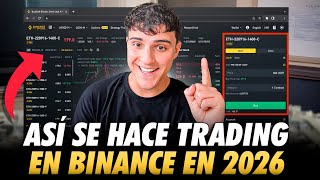
This video provides a step-by-step tutorial for beginners on how to trade on Binance, covering spot and futures markets, depositing funds, and using tools. The creator emphasizes free education, avoiding scammers, and introduces Binance X as a preferred exchange for futures trading.
The video aims to teach beginners how to trade on Binance, including spot and futures markets, depositing funds, and making money. The creator promises free education without charging for mentoring.
Two exchanges are used: Binance for spot and futures, and Binance X (BinX) for futures trading, which offers lower fees and bonus trading options.
To deposit money, use the P2P trading sector to buy USDT (a stablecoin pegged to USD) using local currency. Ensure both accounts are in your name to avoid issues.
After P2P purchase, money goes to the funds wallet. Transfer to spot wallet for spot trading or to futures wallet for futures trading.
In spot trading, use market orders to buy at current price or limit orders to set a specific price. Example: buying Bitcoin when it reaches $85,000.
Futures allow leverage, going long or short, and using stop-loss/take-profit. Always use isolated margin to limit losses to the trade amount.
Leverage multiplies the trading volume. Example: $50 with 10x leverage trades $500. Profits/losses are based on the total volume. High leverage increases risk of liquidation.
BinX offers a simpler futures interface with isolated margin, leverage settings, and percentage-based take-profit/stop-loss. It's beginner-friendly.
To deposit, get the USDT deposit address on BinX (BEP20 network), then withdraw from Binance spot wallet to that address. Transfer funds from funds account to futures account.
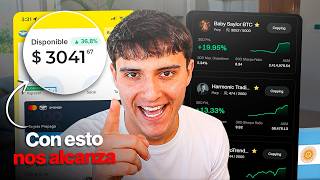
BinX supports copy trading to follow profitable traders. Binance spot bots allow automated recurring purchases, e.g., buying Bitcoin daily.
The video equips beginners with the essential steps to start trading on Binance and Binance X, emphasizing risk management and the use of leverage. The creator encourages further learning through additional tutorials and copy trading.
What is the purpose of using P2P trading on Binance?
To deposit money by buying USDT from other users using local currency.
01:46
What is the difference between isolated and cross margin in futures trading?
Isolated margin limits loss to the trade amount; cross margin can lose 100% of the account.
06:46
If you use 10x leverage with $50, what is the total trading volume?
$500.
07:30
What happens if Bitcoin falls 10% when using 10x leverage with $50?
You lose 10% of $500 = $50, and the trade is liquidated.
08:11
What is the recommended leverage range for reasonable risk?
1x to 5x, or up to 10x or 20x.
09:09
What network should you use to deposit USDT to BinX for low fees?
BEP20 (Binance Smart Chain).
12:43
What is the liquidation price?
The price at which the trade is automatically closed due to losses exceeding the margin.
12:16
Free Education Mission
The creator emphasizes providing free trading education without charging for mentoring, contrasting with scammers.
00:28Leverage Explanation
Clear explanation of how leverage multiplies trading volume and impacts profits/losses.
07:30BinX Simplicity
BinX is highlighted as beginner-friendly with a simpler interface for futures trading.
09:48Copy Trading and Bots
Introduces copy trading and automated bots as tools for beginners to follow profitable traders or automate purchases.
14:04[00:01] channel. Yes, today we're going to talk about and do a specific, step-by-step tutorial on how to trade on Binance, including the spot market, futures, how to use the tools, how to deposit funds, and obviously how to make money
[00:16] , there are people who trade, who have operations in the market and so on, but there are a lot of charlatans, snake oil salesmen and even scammers who sell you courses for thousands and thousands of dollars. The idea behind this channel is to
[00:28] never charge for any kind of mentoring or anything like that, and to give everything away for free. So in this video I'm going to explain the first steps, the fundamental things you need to learn, and then, obviously, I'm going to give you an
[00:40] learn a profitable strategy and make money in the market. So if you're interested, stay tuned to the video. For this we will use two exchanges. leave a link to Binance, which is the world's largest exchange, and where I'll
[00:53] deposit, how to open a spot trade, and how to open a futures trade. But for me and many others, the best exchange for trading futures is Binance X. I've also included a link in the description for Binance X, which will give you a
[01:06] fees and bonus trading options. So, with this, even if they don't have withdraw their profits without any problem. And also this month, when you 're watching this video, we're going to be putting together a competition for $1,000, a
[01:21] is called 500, the second 300, the third 200, and so on. So I'll leave the link in the description, and in this case, unlike Binance, in the easy to use for beginners. Obviously I'll be showing them to you
[01:34] in the video. So if you're just starting out, for me BinX is a better option, but you choose whichever one you want. Now, let's get started with the video. Once we have created an account and filled
[01:46] have to do is deposit money. If we are just starting out, we money in any other exchange, virtual wallet or anything like that. So what we need to do is go in and deposit money. For this we go to the
[02:00] trading and P2P sector, which would be P2P commerce, person-to- are going to do is transfer money to him. They can be Argentine pesos, Colombian pesos, Chilean pesos, Peruvian sol, a bunch of coins from
[02:15] watching from, you'll be able to buy without any problem. We come here to our country's currency. And what we're going to buy is USDT, which is a stablecoin that is equivalent one-to-one with the value of the dollar. To put it simply, it's
[02:30] So we click on buy, we select Argentine pesos, we click on how much money we want to buy in UST, for example, some, I don't know, 200,000 pesos, for example, and we choose
[02:44] ? Whether it's the advertised one or not, because the exchange rate is always has a good number of orders and a high completion rate. We can choose, for example, this one over here. Luis, we click on buy UST and
[02:57] we say that we want to buy 200,000. In this way we will be receiving 130 in my case would be Mercado Pago, but you can use whichever one you want. We fact, we simply select the payment markets, the payment methods we want to
[03:11] use, right here and that's it. And we clicked buy UST. Once we do this, the bank details will appear, the alias, deposit, so that we can transfer this money to you. However, we need to have
[03:24] both accounts in our name, both the Mercado Pago or bank account we use and the Binance account, to avoid any problems, third-party accounts, only account holders." So keep that in mind because otherwise you might run into
[03:37] some problems. I've been in crypto for about 4 or 5 years now and I've never . So we click on buy UST, we transfer the money and it will release these $130 for us. Now that we have this money released to us, and we already have
[03:51] money in Binance, how do we trade? There are different ways. We can trade in spot or futures markets. Once the capital is released, we go and wallet section and we can go to overview, spot. Let's go to the
[04:05] overview. Because? When we do P2P trading, that money arrives in this wallet, the funds wallet. But if we want to trade on the spot market, for example, on the spot market it would be to buy Bitcoin, buy
[04:18] Ethereum, buy some cryptocurrency and hold onto that cryptocurrency, we should transfer this money to the spot account. If we want to trade futures, use leverage to our advantage, open a short position, for
[04:31] example, we should transfer this money to the futures account. We're going to options would look like. So first we should have this money in this when we do P2P trading and so on. So we click on the transfer button
[04:45] and put funds, we turn it around, from funds to Fiat Spot. So we put USS and we put, for example, $10. Let's click on confirm and in this way we will transfer $10 to the spot wallet. Now, to buy bit with Ethereum or
[05:00] whatever, we go to the spot trading sector. In this case we can any problem, but if we want to trade, we will use the futures sector. Here we come to the spot sector and to buy
[05:13] we use the market option. We enter the amount of dollars we want to buy, for example, $30, and it is bought automatically, or we can use the limit option if we want or think that Bitcoin is going to fall to $85,000 and that's where
[05:27] we want to buy. So, we set the price at $85,000, which is like an activation price. When Bitcoin reaches that price, the operation will be activated and we want to buy $30. So we click buy and in this way the
[05:39] We analyze downwards to see the order and we can see that when Bitcoin reaches $85,000 per unit, in that case we would be opening the $30. So right now I don't want to buy this, so I'm closing the
[05:53] the most basic way to use the limit and the market in spot trading. But the most important thing isn't limit orders; the most important thing is futures, where we can use leverage, go long, go short, apply
[06:07] stop-loss and take-profit orders, and even use bonuses if we're trading at minimum X. So let's go to the futures sector and USD futures. And coins. If you have Bitcoin and want to sell with that Bitcoin, I recommend
[06:21] using these USD futures, dollar futures. For that, we have to go to the transfer button and instead of transferring funds to, I don't know, spot, we transfer funds to USD futures. So let's talk about futures and
[06:34] dollar futures. In this case, in futures, we will be able to open both we think the market is going to go up, we open a long position. If we think the market is going to fall, we open a short position. In this case it may be a little more
[06:46] explain it as simply as possible. At the very top we have the isolated or crossed sector. I'll explain it to you very easily. In isolation, you can lose at most 100% of the trade you are opening. If you cross-trade, you could lose 100%
[07:00] of your account. So always open the transaction separately from the rest of your Then we have the same thing I just explained to you, which is limit and market. If we want to open the market at the current price of 90,631
[07:16] an activation price that, if it reaches that price, opens the operation both up and to apply with market. Here we put the amount of dollars, but this will be the amount of dollars, including the leverage. This is very important.
[07:30] leverage, guys, which will multiply by this amount the money we put in. If we put $50 in our pocket and with leverage of 10, we are trading with a train volume of $500. And the profits, both
[07:44] gains and losses, will be accounted for on these dollars. In other words, if we put $ here, and we go and zoom down, the cost, the margin will be approximately $50. What does this mean? If
[07:57] we make money, it will be counted on these $500, but we only contribute $50 from our own pocket. Now, what should you keep in mind? If Bitcoin here goes up 10%, we earn 10% of these dollars. We're earning $50,
[08:11] we made 100% of the money we put in. But if Bitcoin falls by 10%, we will be losing 10% on these dollars. In that case, it settles the transaction. all of that money, all of those $50. So, at the highest
[08:27] leverage, for example, I don't know, times 100, for example, let's put a times 100, we put times 100, which is an outrageous amount. If we put $5,000 here, we have the same cost out of our own pocket, around
[08:40] $50. So, in that case, we are operating with $5,000. If Bitcoin goes up 1%, we earn 1% of $5,000, that is, just 50. If Bitcoin goes up 1%, we'll double our capital,
[08:54] had 50 in our own pocket. But if Bitcoin falls 1%, we lose 1% of $5,000, which is $50. Then in that case, it settles the transaction. Higher leverage means greater potential gains with little capital, but also a greater
[09:09] risk of loss. if the operation goes against you. So using leverage of 1 to 5, 1 to 10, or 20 to 1 might be acceptable or reasonable in some way. And then we have the option to enable
[09:24] take profit and stop loss, which in this case allows us to set the price at which we want to stop making profits. For example, if we open a long position, we set the operation to close when it reaches $95,000 and we are in profit. Or if
[09:36] Bitcoin falls below $87,000, we should close the trade and lose up to that amount of amount of money, and that's it. You can also deactivate it and close the operation
[09:48] whenever you want. Now, why do I tell you that Bing X is the best exchange for trading futures? Look, within Bing X we're going to have two futures options. The perpetual futures with dollar margin, which is very similar to the one we
[10:02] just saw on Binance, is for professionals and such, only on so you'll earn more money, but it has the standard futures sector which it This is the simplest thing in the world, guys. Once you start
[10:15] shopping here, you'll say, "Hey, this is really easy, and it's even easier from your cell phone ." First, isolated margin, boys. Isolated margin and crossed margin. Always isolated, as I just explained to you. Here we have the margin
[10:27] put in from our own pocket. Let's put, for example, the same example, 50 in our pocket. And now here we have leverage, which as I already told you, if we have $50 of our own margin with leverage
[10:41] by 10, we have a total train volume of $500 and the profits and losses are higher the leverage, the more money we will be trading with. As you can see, it's going accounted for on this money. Imagine, with $50 you can trade with $
[10:55] 7500 and if Bitcoin goes up 10% you earned 10% of this, that is, $750. What's happening? It falls , you lost $50, the trade was wiped out . And then you have the option of,
[11:08] exceed, and the option of take profit and stop loss, which gives you two options. You can do it as a percentage of the operation, that is, when we are earning 150% I want the operation to close and
[11:22] And the stop loss option can also be by percentage, when we are 30% down, for example, 15 US, because it would be 30% of $50, the operation is closed and we hold the losses up to that point, or we
[11:34] directly change the percentage to US dollars and set a price, for example, right? In this case, we opened the operation at 90,617, we are opening a Long. If Bitcoin reaches 88,000, for example, the operation should be closed at that point
[11:50] . In this case, the same applies to the take profit. We put cents, I don't know, we do n't put $97,000 so that the operation closes and we win, in this case 70%, which
[12:02] is $5, and in this case we were losing 28.93, which is 14.14. It just wouldn't let me put the stop loss because, think about it, if we use very large leverage, for example 100x, we can't put them at 88,000. Because? Because the
[12:16] clearance price is this, 90,170. What does this mean? If Bitcoin trade. due to having a lot of leverage. If we use we can obviously set a stop loss without any problem. These are things we have to take
[12:29] into account, like the liquidation price and things like that, because of the leverage we 're using. Now, how do we make a deposit into BinX? asset sector. Well, in this case you don't see it through the camera, we come to the
[12:43] assets sector and the blue deposit button. In this case, we select the currency we want to deposit, for example, USDT. We select the network, which we will choose as B20, which will charge us practically zero commission, and
[12:56] we copy this address. Now we go to Binance, where we deposited our money or to the Excon where we have it, and we go to look for a withdrawal. In this case, to the general Binance section, not Binance Future. Let's go to the
[13:09] spot wallet section and obviously click on withdraw. We'll click the USDT. We selected the currency, obviously USDT. We select UST, paste the address we just copied, and obviously select the network,
[13:24] which would be Web 20. In this case, we put in, for example, $100, which would only charge us one cent in commission, so we can enter comma 01 and click on to your email and then you receive the money. Once we have the money inside Bing
[13:39] X, we go to the assets section, total assets, and we have to transfer the funds account. This is the same as pods. We have the money in the funds account. We click on transfer from funds account to
[13:52] standard futures or perpetual futures with margin if you already have the knack for it and want to be a little more professional and for example we transfer, I don't know, $5, we click on transfer and we transfer these $ to the standard futures account.
[14:04] afterwards we can use copy trading to copy futures traders or copy anything, just choose the traders to copy. On the other hand, in the spot sector we can go to spot bots, in this case frequent purchase, I use it a
[14:19] lot, where we can preselect to buy Bitcoin $ every day am currently buying Bitcoin every day , I already have $14 invested and I am , I already have $14 invested and I am up 1.55%. It's a very
[14:33] interesting way to use a bot like this to weekly purchase in Bitcoin. If Bitcoin continues to fall, I'm going to open more accounts like this to buy more heavily on a daily basis. I hope you liked it.
[14:46] However, if you don't know how to trade or don't know a strategy, I'll show you a video on my YouTube channel. You go and search for how to do Lubru trading and you'll find several 3-hour video tutorials where I'll be explaining,
[14:58] trading. I paid some guys who are geniuses, who know how to operate and know how to make money and be profitable. You go there, you see it, and you training. I hope you liked it. Like, subscribe, and we'll see you in the
[15:12] Like, subscribe, and we'll see you in the next video.
⚡ Saved you 0h 15m reading this? Transcribe any YouTube video for free — no signup needed.