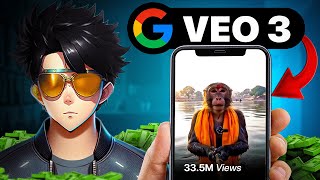

AI Video in 3 Minutes? Mind-Blowing!
42sThe 3-minute creation of a realistic video sparks immediate curiosity and awe, showcasing the tool's power.
▶ Play Clip"Delivers a solid step-by-step tutorial as promised, but the workaround is region-specific and may not work for all."
This video is a step-by-step tutorial on how to access and use Google VEO 3, a cutting-edge AI video generation tool, even if it's not officially available in your region. The creator demonstrates a workaround involving a Google One AI Pro subscription and a VPN, then provides a detailed prompt structure for generating high-quality, character-consistent videos. The tutorial also covers troubleshooting common issues and offers tips for monetizing the tool.
The video opens with a demonstration of VEO 3's capabilities, highlighting that it can create realistic clips in minutes, trained on YouTube videos.
To access VEO 3, you need to subscribe to the Google AI Pro plan (₹1950/month) through Google One, which offers a free first month.
Use a new email address that doesn't have an active Pro plan to avoid the 'ineligible' error.
Select the monthly plan, choose UPI as payment, and enable auto-pay via PhonePe. Only ₹2 is deducted temporarily and refunded within an hour.
A VPN must be turned on and connected to a western country (e.g., USA) to access VEO 3; otherwise, Gemini will use VEO 2.
Go to Google Gemini, ensure you're logged in with the Pro plan ID, select the 2.5 Flash model, and click on the video option to see VEO 3.
The 'Account isn't eligible' error occurs if you try to upgrade an ID that already has a Pro plan; create a new account instead.
After accessing VEO 3, cancel auto-pay in your Google account settings to avoid being charged ₹1950 after the free month.
If your video has no audio, ensure you're using VEO 3 (not VEO 2) by keeping VPN on, and regenerate the video if it's a technical glitch.
A detailed prompt structure includes: video type, character description, scene, camera, framing, action/emotions, dialogues, ambient sound, and video quality.
VEO 3 generates only 8-second clips and allows 3 videos per day per ID. Use multiple IDs to generate more videos.
To keep characters consistent across clips, keep the character description identical in each prompt.
The creator suggests using VEO 3 to create unique content for monetization and mentions other AI tools that are cheaper and available in India.
The video provides a practical, albeit workaround-heavy, method to access Google VEO 3 and create AI-generated videos. It emphasizes the importance of a detailed prompt structure for quality results and offers tips for monetization, while cautioning about limitations and alternative tools.
What is the monthly cost of the Google AI Pro plan in India?
₹1950 per month.
01:33
Why do you need a VPN to access VEO 3?
VEO 3 is not available in India, so a VPN to a western country is required.
02:52
What error occurs if you try to upgrade an ID that already has a Pro plan?
The 'Account isn't eligible for Google AI plan' error.
04:19
How can you avoid being charged after the free month?
Cancel auto-pay in your Google account settings.
04:46
What is the maximum length of a video clip generated by VEO 3?
8 seconds.
08:41
How many videos can you generate per day with one ID?
Three videos per day.
08:56
What is the key to maintaining character consistency across clips?
Keep the character description identical in each prompt.
09:23
What are the components of the recommended prompt structure?
Video type, character description, scene, camera, framing, action/emotions, dialogues, ambient sound, and video quality.
06:15
VEO 3's Realism
Demonstrates the tool's capability to generate realistic clips in minutes, trained on YouTube videos.
00:15Free First Month
The Google AI Pro plan offers a free first month, making it accessible for testing.
01:33VPN Workaround
A VPN is essential to access VEO 3 in regions where it's not officially available.
02:52Avoiding Charges
Canceling auto-pay prevents unexpected charges after the free month.
04:46Prompt Structure
A detailed prompt structure is crucial for generating high-quality, consistent videos.
06:15[00:02] But I don't know where in the forest I have reached. This tube sense is exactly what AI tools are looking for.
[00:15] What you just saw, you can also create it with Google Way 3. So how did you like the intro? You guys have no idea that it took me only 3 minutes to make this. And it is okay that by making such videos, all these channels are
[00:30] also publishing it in thousands. If you guys don't know then let me tell you that Google Vivo 3 is a video creation tool which is the most advanced and realistic clip generating tool till date because this AI has been trained from all the videos of YouTube. What I
[00:42] showed you guys was a very basic use of Google VO3. But you very basic use of Google VO3. But you Google Vivo 3 is not available in India. But don't worry, in today's video I am going to
[00:55] access Google Vio 3. That too without credit card, without paying any money with Google V 3 and how you can also print money by creating this monkey or other
[01:07] video is going to be a full tutorial. So make sure that you do not skip any part of the video. So make sure that you do not skip any part of the video. open your browser and search for Google One here. And click on this website.
[01:21] After which you will be redirected here. Now you have to click on Upgrade here. After which you have to click on See All Plans. The plan you will need to use Google VO3 is the Google AI Pro plan,
[01:33] which has a monthly charge of ₹1950. But it will be available totally free in the first month. Now you have to take care of one thing. Before proceeding further, you need to click here and make sure which is already part of any Pro plan.
[01:46] This is very easy to find out. If such a circle is appearing on the side of your DP, that means you have a pro plan active on that email. And you do n't have to use that email. Instead, you can log in with a new email address that doesn't have a Pro plan.
[01:58] Once you log in, you have to come back to the same plan and then click on it, a popup will appear in front of you. Here you have to make sure that you have selected the monthly plan only and that too when it is written here
[02:12] ₹ per month. After this, when you click on Continue, you will see payment options. You don't need to be afraid. Your money is not going to be deducted anywhere. At this moment I would prefer that you select UPI. After this it will ask you for some
[02:25] basic information which you have to fill. And then finally it will be in front of you. And then a QR code will appear in front of you which you have to scan and turn on auto pay on your PhonePe. For doing this, only ₹2 will be deducted from your account
[02:39] but that too will be returned within 1 hour. You don't need to be afraid. No money will be deducted from your account at any moment. When your auto pay is turned on, And at this moment, if you look at your profile, a
[02:52] circle would have been formed on your new ID also. That means you are now part of the Pro plan. Now we can finally access Google VO3. But before that you have to download a VPN and turn it on. You can connect VPA to any western country.
[03:05] connect it to the USA for now. Make sure you turn on VPN because if you don't, you won't get access to VO3. Doesn't matter if you have a your VPA work is done. After that you have to go to any browser and this time
[03:20] search Google Gemini and open the first website. Make sure that the ID with which you just bought the Pro Plan. If you have any other ID then switch the ID now and then come back here. As soon as you do this, you will see an
[03:34] interface like this. Now here you have to install some things. First of all, you should have selected 2.5 flash here. And secondly, when you are clicking on the video, you should see VO3 written here. If this is not happening then that means you have made a
[03:48] repeat the video once and do everything again. Now finally you guys have access to Vio3. You just have to click on the video and give your copy, after which it will take 1 minute and finally give a result like this. Dude, I went out to
[04:02] find Google VO 3 for Tube Sense. But who knows, this AI tool is hiding in every corner. turned out to be so good because I have done the preparation well. Now before I teach you writing, let me
[04:19] first problem is that you might see this problem when you are trying to access Vio3. Account isn't eligible for Google AI plan. You will see this problem if you try to get a Google AI plan with the same ID on
[04:32] which some other Pro plan was already running. Basically here Google wants to write that the plan will not be upgraded but they have written ineligible. That's why itself to create a new account or
[04:46] second problem is that you guys have turned on your auto pay to access Google Vio3. So what you have to do is
[04:58] From there you have to turn off auto pay. For this you just have to click on your profile pic. Here you have to go to Auto Pay and then confirm by clicking on Cancel here. If you do not do this, then after 1 month ₹1950 will be deducted from your account.
[05:10] So make sure you do this on the first day or as early as possible. The problem is that many people are generating videos but they are not getting audio with the video. Now there can be two reasons for this. First of all,
[05:22] you are unknowingly using Vivo 2 instead of Vivo 3. If you don't turn on VPN, Gemini will automatically create your video using Vivo 2. Which will not have audio. Therefore, you have to make sure here
[05:34] Another reason could be a technical glitch due to which you may not get audio. If you have done everything else correctly and it means that the audio is not coming due to a technical glitch and the
[05:47] regenerate that video and the audio will come in it. Now finally you have Now let us see what needs to be done inside the PRPP to get good results. what needs to be done inside the PRPP to get good results.
[06:15] you will get some such result. Come save the dragon. You will not survive today.
[06:27] follow this structure and fill in your details accordingly. Your work will be done very easily. First of all, you have to tell what type of video you want, realistic, animated or any other style. After that
[06:39] you have to give description of your character. That too in detail. Like how the character looks, what is he wearing, how is his hair, what are his accessories, everything. If you want, you can first go to Chat GPT and upload your character. And then you
[06:52] can ask him for the image print of the character and upload that thing here. After this you have to tell how is the scene of the video ? That is, what is atmosphere, better results you will be
[07:04] able to generate. After doing this, you have to tell about the camera, from what distance the camera is taking the shot, what kind of shot is it taking, what are the things inside the shot, how is the movement of the camera or is the camera stable, etc. Once you explained the camera's
[07:17] function. After that you also have to tell the framing. That means, where are the characters in your frame and how are they? Like for this image I and the rest of the characters are in the background along with the environment. Once you have
[07:30] filled in the framing details, you finally have to explain the action and emotions. That is, what is each character doing and what emotions is he expressing. These are very job. After this you have to
[07:44] can write it in English or Hindi, there is no problem. It will generate a cool voice. no problem. It will generate a cool voice. executed very well. After the dialogue comes the second character. Obviously, there is
[07:59] not going to be a single character in your video. There must be two or three people. So you can explain them very well here. About his looks, about his actions and even about his dialogues. Once you do this, then comes ambient sound. That means you can tell everything here about
[08:13] background music you want. If this is not done then the video will not look as realistic. And after all this, finally you have to describe the quality of the video as to how you want the final video. You can write here whether you want
[08:27] , more saturation or what feeling you want in the video. If you follow this pattern, your app, which looked like this earlier, will now look like this. And after running it you may get some such
[08:41] results. People do watch the video. But they are so lazy that they don't subscribe. Now there are some things I want to tell you guys. First of all, you can generate only 8-second clips from Vivo 3.
[08:56] Therefore, do not write very long dialogues. Secondly, you can generate only three videos in a day from one ID. So now there is only one way to tackle this thing. You follow the same procedure with different IDs and you will
[09:09] get a lot of videos within a single day. But there is still a problem that is, if only an 8 second clip is being generated then how to keep the characters consistent in the long video ? Well, the prop structure I've given you is
[09:23] too very easily. You don't have to do anything to keep the character consistent across different clips. But the description of your character which was there earlier has to remain the same. If you do this, your work will be done. It is a simple logic. Whatever you want to be
[09:37] consistent about, just do n't mess with it. The VO3 will do the rest on its own. Now I hope after watching this video you guys will use your creativity and start earning from Vio3. You
[09:56] sooner than others. It totally depends on your creativity as to how much you are able to earn. vlog of Yeti, so you should make a vlog of Chipzy. The audience literally sees anything. They just want something unique. But can
[10:08] only Google Vio3 do this job? It's not like that. Recently, many such AI tools have come into the market which are competing with Vio3. And even it is available in India and is much cheaper than Vivo3. So if you guys want
[10:20] me to make a video where I compare more than 10 video creation AI tools. If I more than 10 video creation AI tools. If I write a video in the comment section. If I get 5000 such comments then I will
[10:32] definitely make a video on this topic which will not be sponsored at all. It will be so that you people do not waste your money on useless places. Till then, n't know, then let me tell you that there is a similar I tool in the market with which you
[10:45] can literally make your own web series, that too while keeping the characters consistent. So if watch it now. See you in the next video




⚡ Saved you 0h 10m reading this? Transcribe any YouTube video for free — no signup needed.