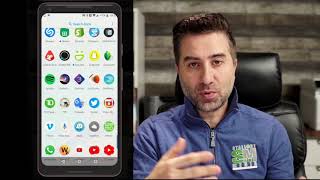

Why Buying Instagram Followers is a Trap
45sWarns against common growth hacks, triggering curiosity and saving viewers from wasting money.
▶ Play Clip"The title promises a growth hack, and the video delivers a specific, actionable tip, but it's padded with personal anecdotes and a slow demo, making it average."
The video presents a practical method for using hashtags to grow an Instagram account organically. The creator shares their personal workflow, which involves using a hashtag discovery app and keyboard shortcuts to efficiently add relevant hashtags to posts, emphasizing the importance of authentic engagement over shortcuts like buying followers.
The creator doubled their Instagram followers from 20,000 to 40,000 in a year by using hashtags strategically, highlighting the effectiveness of this organic method.
Using apps or buying followers results in 'ghost followers' who don't engage, and Instagram may penalize accounts by lowering their ranking, so it's best to avoid these practices.
The key metric to monitor is impressions, as they indicate how many people are seeing your content, which is a sign of good reach.
The creator uses an app called 'Lead Tags' (on Apple) to find relevant hashtags. You search for a keyword related to your post, and the app generates a list of hashtags to copy.
The core tip is to create keyboard shortcuts for frequently used hashtag sets. By typing a keyword like 'beach', all associated hashtags automatically appear, saving time and ensuring consistency.
Keep the post description short and avoid putting hashtags there. Instead, add hashtags in the first comment after posting, which keeps the caption clean and user-friendly.
After posting, type the shortcut keyword in the comment section, and the hashtags appear automatically, allowing for quick pasting and posting.
Hashtags are one of the best ways to grow organically and get content noticed. Using shortcuts makes the process more efficient and consistent.
The video concludes that using hashtags strategically, combined with keyboard shortcuts, is an efficient way to grow an Instagram account organically. The method saves time and ensures consistent, relevant hashtag use, which can lead to increased visibility and follower growth.
What is the main risk of buying followers or using follow-for-follow apps?
You get 'ghost followers' who don't engage, and Instagram may lower your ranking.
00:46
What metric should you focus on to measure Instagram reach?
Impressions, as they indicate how many people are seeing your content.
01:14
What app does the creator use to find relevant hashtags?
Lead Tags (on Apple devices).
01:39
Where should you place hashtags for best results according to the video?
In the first comment after posting, not in the description.
05:00
How do keyboard shortcuts speed up hashtag posting?
By typing a keyword, all associated hashtags automatically appear, saving time and ensuring consistency.
02:40
Doubled followers with hashtags
Demonstrates the tangible impact of strategic hashtag use on organic growth.
00:30Avoid fake engagement
Warns against common but ineffective growth tactics that can harm account health.
00:46Keyboard shortcuts for efficiency
Introduces a practical, time-saving technique that can be applied to any niche.
02:40Hashtags in comments, not description
Provides a specific posting strategy that improves user experience and engagement.
05:00[00:00] Thank you for watching.
[00:30] to take this time to share with you guys a little tips on how I use hashtags to increase my Instagram last year I have about 20,000 followers and this year I've doubled to at the end of the year sorry at 40,000 followers so I did a lot of these hashtags so one of the things guys I don't
[00:46] recommend is using any of those follow for follow me apps or buying followers because you're not going to get true authentic followers that are going to interact with you they're called ghost followers they're just you're going to look like you have a lot of people on your account but in
[00:59] the end you're not going to have a lot of comments you're not going to have a lot of feedback and they're basically ghost followers they're just going to follow you let's say and then they're going to unfollow back so I wouldn't recommend any of that stuff Instagram also kind of gets down on that stuff and you know kind of blacklists you or they kind of show your ranking as being a lot
[01:14] lower so try to stay away from that stuff the biggest thing you want to look after is impression you want to make sure that you're getting a lot of good impressions on your on your Instagram that's giving you a sign a lot of people are seeing you so what uh what I do what I use the
[01:27] apps that I use I'm going to share it with you guys I know there's a lot of information out there on YouTube you can get all kinds of different ways of doing it I'm just going to show you my method if it works for you great so first thing you want to do guys I'm going to share my screen
[01:39] with you and what you're going to want to do here is you're going to want to there's a program called lead tags and there's different hack tag programs that are so that you can use this is the one that I happen to use it called lead tags on Apple there a different one as well but again whatever you feel free whatever you feel comfortable with using by all means go ahead and use it So that being said on the Leetags what you want to do is on search
[02:03] you're going to type in what it is that's relevant to what you're about to post. So let's just say, for example, I'm going to post something regarding my landscape photography. So I'm going to post a picture of a beach.
[02:16] and I want to find something that is relevant to the word beach in a hashtag so that everybody can find it. So I'm going to go ahead and go in here and I'm going to type in beach and I'm going to press search.
[02:28] And there you can see I got three hashtags, which is the maximum that's allowed on Instagram, is all of beach, life, summer. I mean, they're all out there, so you want to kind of take a look at the different ones and follow and pick and choose which ones you want.
[02:40] But these are the ones that it came up with, so I'm going to go ahead and copy that. Press OK. Now here's the next key thing that you want to do. I use something called the keyboard. Now all the keyboards have this setting on Android, Apple, whatever
[02:55] it is. I just happen to use the keyboard so I'm going to go into my typing and then you're going to clipboard and there you can see the beach beach life. It already copied it from my clipboard so I'm going to click on that. Now this is
[03:07] the key thing that you want to look after. Shortcuts. They're awesome. They you you know, speed up your day. They don't take forever to try to type this all out. You don't want to make it so that it's always changing. If you're posting something about a beach or sunset or whatever the case is,
[03:20] you want to be relevant in that hashtag. So I typed in beach. I got all this stuff. I'm going to create a shortcut, and that shortcut is going to basically be beach. So when I type in the word beach, all these hashtags are automatically going to come up.
[03:33] I don't have to type them all out again. I don't have to copy and paste it from my notes. It's going to automatically come up just by me typing the word beach. Click save. So now it saved and that done So now what I going to do is I going to go over to my Instagram and change this to my personal
[03:58] all right so there's my personal account so I'm going to go ahead and post that beach picture so on that one there I'm going to go ahead and click next and
[04:14] then going to click next I don't want to change anything I mean this is all personal right this is all relevant to what you want to filter with my case it's already been done inside so I don't want to do any more than that and click next and then
[04:26] basically here I'm going to type in wishing I could go back and enjoy this sunny weather and again feel free you can go ahead and type in pretty much
[04:44] whatever you want you definitely want to add location so this case it was Panama Panama Beach okay and then you want to Facebook that definitely and if there's
[05:00] any way that you want to tag you can go ahead and tag that so under the description. This is where you don't want to put your hashtags. You want to try to avoid that as much as you can. You want to try to also keep those comments very short. A lot of people don't
[05:13] like reading a big long list of stuff, so you want to try to keep that short. I could put a little bit more, but just for purposes of demonstration, I'm just going to leave it short. And then what's going to happen is under the comment section, that's where you're going to see me go in and
[05:25] actually paste all the Beach Life stuff in there. So I'm going to go ahead and press share. and then what you're going to notice here is as soon as that pops up, I'm going to click on comment and watch this.
[05:38] As soon as I type in beach there you can see all the hashtags automatically popped up here on my shortcuts I click on it and all those shortcuts automatically come up
[05:51] I can go ahead and press paste, and voila, it's done. Okay. So you can see there underneath the comment section all the hashtags that are relevant to that post. Now, I already posted this, so I'm just going to go back and delete it.
[06:06] And delete. That's the other one. Okay, so. And that's it, guys. It's very quick. It's very simple. The shortcuts is what I like to use a lot. I already have stuff that I do for interior photography already preset.
[06:19] But if you have anything that you do that's relevant to your business, you want to make sure you use that word of what you find. You can also use shortcuts as, like, the number. Number one, number two, number three, and so on. Whatever it is that you want. And have those automatically preset.
[06:31] So that's a little short, quick tip. I hope that helps. hashtags are probably one of the best ways that you can grow organically and get your stuff noticed if you want to try to take advantage of the hashtag program that's out there to help you
[06:43] and then you can obviously copy and paste a lot of that stuff but i thought the shortcut is a really cool way that will get you a lot more efficient and getting your stuff out there a lot more consistently and which has relevance to what you're posting all right guys so that was
[06:56] sunday's tip just a short little quick video it's uh geared more towards my clients that have asked me how do I do this how do I do that what programs do I use so I want to make a little short video really quick to kind of demonstrate what it is that I do if you have an apple device you can do
[07:09] the same thing you just gotta look up your keyboard shortcuts um and again android or any other phone may have the keyboard shortcuts and it's a really quick way that you can take advantage of using that so I hope that helps guys if you have any comments please leave them down below go ahead
[07:24] and smash that like button subscribe and I hope to be able to share more relevant information and that's going to help you guys. Thanks, take care, and have a great weekend.
⚡ Saved you 0h 07m reading this? Transcribe any YouTube video for free — no signup needed.