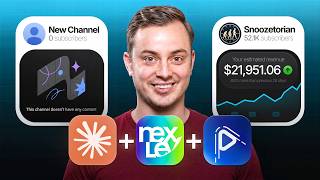

NextLab: The Overpowered Tool for Viral Channels
45sThe creator's bold claim and the promise of revealing a 'super tool' hooks viewers interested in YouTube automation.
▶ Play Clip"The title promises a review of NextLab, but the video is a 24-minute sales pitch for the creator's coaching program, with the tool review serving as a lengthy demo."
This video is a comprehensive review of NextLab, a YouTube analytics tool, and demonstrates how to use it in combination with Claude and VidRush to find and replicate successful faceless YouTube channels. The creator, Warner Academy, walks through the process of building a custom dashboard to identify viral channels, verifying their use of specific AI tools, and scaling the strategy to find new niches. The video also heavily promotes the creator's coaching program and VidRush, an AI video generation tool.
The video is a review of NextLab, a tool for finding viral YouTube channels. The creator is an affiliate and promotes it as the number one tool for YouTube automation.
The process involves downloading the NextLab MCP to give Claude access to millions of channels. The creator recommends the pro version at $50/month.
The creator uses a custom prompt to build an HTML dashboard with three sections: VidRush (18-40 min videos, 500k+ views), Sleep Channels (60+ min videos), and Viral Channels (under 90 days old, 1M+ views).
NextLab is inaccurate with RPM estimates. The creator notes that RPM can be higher for certain niches, like those with a heavy American audience.
The dashboard is created, but it lacks clickable buttons and logos. The creator decides to fix this by creating a new dashboard with a revised prompt.
The updated dashboard now includes logos and 'visit channel' buttons, making it easier to navigate and review channels.
The creator shows a VidRush-generated video as an example of the type of content these channels produce. The video is fully AI-generated from a script.
The creator manually reviews channels to see if they use VidRush by looking for recognizable fonts, animations, and transitions. He shows examples of channels that do and don't use VidRush.
The 'similar channel' function in NextLab is used to find related channels, allowing for niche expansion and discovery of new opportunities.
The creator discusses sleep channels with very long videos and high RPMs, estimating that a channel with 1.4 million views could earn $40,000 a month.
The creator shows his own channel's earnings, with an RPM of $35 and growing income over the last 90 days.
The creator emphasizes the importance of playing into trends, even for faceless channels, and shows an example of a channel that did well by covering a trending topic.
The creator shows student results, including a student earning $1,500 in a single day and another building a $14,000/month business in four months.
What are the three main tools mentioned in the video for finding viral YouTube channels?
NextLab, Claude (via MCP), and VidRush.
00:27
What is the purpose of downloading the NextLab MCP?
To give Claude access to tens of millions of channels for data analysis.
01:06
What criteria define a 'viral channel' in the custom dashboard?
Channels that started within the last 90 days and have at least a million views in the last 30 days.
02:50
What does RPM stand for and what does it measure?
RPM stands for Revenue Per Mille, which is the amount of money earned per 1,000 views.
04:06
What is the one thing NextLab is completely inaccurate about?
It is inaccurate with providing RPM estimates.
03:53
How can you manually verify if a channel is using VidRush?
By looking for recognizable fonts, text animations, and transition styles that are unique to VidRush.
07:49
What is the benefit of using the 'similar channel' function in NextLab?
It allows you to find related channels with a similarity score, helping you discover new niches and channels you wouldn't find manually.
12:41
What RPM does the creator's channel 'East News Autorion' achieve?
Around $35.
16:05
What result did the student Eric achieve?
A student named Eric made $52,000 in 5 months after monetizing.
21:37
Custom Dashboard Creation
Shows a practical, repeatable method for using AI to filter and find profitable channels based on specific criteria.
01:31RPM Inaccuracy in NextLab
Highlights a critical limitation of the tool, reminding users to verify data with their own knowledge.
03:53Manual Verification of VidRush Channels
Provides a concrete method for identifying if a channel uses a specific AI tool, which is crucial for replication.
07:49Similar Channel Function for Niche Expansion
Demonstrates a powerful feature for discovering new channels and niches, saving hours of manual research.
12:41Potential Earnings from a Single Channel
Provides a concrete example of the revenue potential, with a channel earning an estimated $40,000 a month.
15:39[00:00] Hey, welcome to a new video. In the video, I want to go ahead and review and showcase to you the new updated version of NextLab and how overpowered this tool really is. I do have to clarify that,
[00:15] yes, I am an affiliate of NextLab. Why? Because I happily promote good tools that actually help YouTube. This is by far the number one tool out there right now, and I want to show you the
[00:27] combination of using Clogged and NextLabs to go and find viral YouTube videos. This is the most important thing and skill you can learn to build a business around YouTube
[00:40] automation. Not only that, I want to show you how you can keep finding channels like this and come up with new topics. Very simple stuff once you understand it. First of all, once we are logged into NextLabs, you can purchase with the link down below.
[00:54] I recommend the pro version. It's about $50 a month. It's not super cheap, but it's going to make your work so ridiculously easy. And the first thing that we need to do is we need to download the NextLab MCP, and we can go ahead and click to the document,
[01:06] and it will pretty much explain to you exactly how you can connect Cloud to the NextLab MCP. And pretty much what you're doing is you're giving Cloud access to tens of millions of channels,
[01:18] and you just need to follow this. This link to QuickStart will also be linked down below in the description, so you can go ahead and find it. you need to make sure that every single one of the tools permission is set to allow.
[01:31] Then we want to go ahead and create a custom dashboard. Here it says like very simple prompts you can do. Find 20 long format channels related to the Minecraft niche. This is also how you can do competitor research.
[01:45] But I like to do it a specific way and I'm going to show you that now. So I opened up a new cloud chat and pretty much what I'm going to be using, I'm going to be using Whisperflow. I find it a little bit easier than the built-in one old cloud.
[01:58] It's also really easy to send messages. And what I will do is I will say the following. Hey, Cloud and NextLive. I want you to go ahead and build a custom HTML dashboard of the most profitable YouTube automation channels.
[02:10] We are going to divide this into three sections. Section number one is going to be called ZipRush. and we want to find channels that have the average video length between 18 minutes and 40 minutes
[02:24] that got over 500,000 views in the last 30 days. Then, section number two, I want you to find at least 10 channels that have a longer average video length than 60 minutes.
[02:38] This one you can go ahead and label sleep channels. Then, I want you to go ahead and make a third section called viral channels, And here I want you to pretty much label any channel that started within the last 90 days.
[02:50] This, by the way, goes for every single one of these boxes. And then go ahead and it needs to have at least a million views in the last 30 days. But make sure there's no duplicate channels. This is very important.
[03:02] So once again, every single one of these three boxes, the channels cannot be older than 90 days. We only want recent viable channels under these labels. Good luck. So what this is going to do is the following.
[03:15] It will go ahead and create a custom HTML dashboard. It will find the most viable channels. And because I divided it into three sections, we're going to have both covered VidRush, which is an automatic AI tool to, you know,
[03:28] build faces, YouTube animation videos. It is the most overpowered tool. So this stack of cloth, neck-left, VidRush, is pretty much like money, money, money, money, money. It's that fast.
[03:40] So it's a super good tool. and that's the reason I highly promote this, and you will see the result in a second as well. It will go ahead and start finding this and it makes all the sections, and it will create a custom dashboard for us. Then, the sleep channels, of course,
[03:53] have very juicy RPMs. The only thing in which NextLab is completely inaccurate, it is with providing the RPM, so how much money you get paid for 1,000 views, revenue per mila, mila is the French word for 1,000,
[04:06] so how much advertiser's money you will receive after you just cut, that's pretty much RPM. So in this case, the RPM is a lot higher. We'll say for certain niches, it's like, oh, it's a $5 RPM, but it's a heavy American audience,
[04:18] focused on TV, 40 plus minute videos, then it's definitely going to be an RPM of $10 plus. Also, I have my own YouTube CMS, so I create a lot of scalability for a lot of people. And I have, with all respect and transparency, I have my own coaching company.
[04:33] So I have access to probably over 1,000 plus channels in over 250 different niches. So I understand this data and I know very well when the options are accurate and not accurate.
[04:45] Here it also says we want to focus a little bit on ASMR style, not specifically what I'm looking for. That's why still, after this dashboard is created, we need to do manual research through all of this. And that's going to be super important. Let's wait for this to finish and I'll get back to you when the dashboard is completely done.
[04:59] Okay, and as you can see right now, it's finished. And it created an entire dashboard for us. We have the address label here. It doesn't have like the clickable buttons unfortunately, which is sometimes just for the other ones.
[05:11] And it pretty much listed all of the channels here. In here we can't open it. What we need to do is we need to click on opening Chrome and it will show. Okay and as you can see right here it has the paid-per-view labels and here it's 18-40
[05:23] minute videos and everything went viral. Only thing that I feel like it's missing is missing the logos and it's missing the clickable buttons which I had on one of my previous versions. So this is something I could go ahead and ask but still most of the research stuff stays the same.
[05:35] have the URLs or the things that it has. Here it has the outlier score and how well it's performing. It doesn't have any clickable way currently to go to the channel, so let's go ahead and fix that and create a new dashboard. Okay, so it's finally updated. It took about
[05:49] 20 minutes of waiting time so feel free to do something in between when you adjust these prompts And as you can see right now it grabs all of the logos so this way it becomes easier and more recognizable about what it is going to be Not only that it also will go ahead and say visit
[06:03] channel which means we can now open up these buttons instead of copy pasting everything. So I will go ahead and create one master prompt you can use and it will be in the description down below together with some other information. Now
[06:15] as you can see it will also go ahead and close this and open up to the different section as you can see in here it has some variable channels so we can open up every single channel individually so why do we call VidRush is of course an
[06:28] automated tool let me go ahead and show you how that looks like as you can see I just opened up one of my personal testing playgrounds of a VidRush and it can create these amazing videos let me show you they were precise responses to
[06:40] a country where coal was rationed gas was expensive electricity was for lighting and central heating was something rich people had read about before we begin hit subscribe because what you are about to remember might
[06:53] just send you up to the loft to look for the ida down your nan used to lay over your bed let us count down 20 British winter habits and this little animation mistake that it makes that it doesn't show 20 and it shows 4 it doesn't have
[07:05] any effect on the AVD it is an amazing tool and this video by the way is just generated purely from the script that we made the stone as everyone called it even though it was actually fired it doesn't wear a glaze to a smooth beige you've finished. Head-free. Properly heavy. You filled it from the kettle and screwed the stopper down.
[07:21] And that's what we know, and the title of this is 24-gathering bridges winter habits that actually work, to fix central heating. So, it can make these entire videos. So that's the reason why, in this case specifically, we are looking for Vicar-style content. And most of these videos are between 18 and 40 minutes, and that's the reason
[07:36] I decided to craft a prompt to work this. And then also on higher OPM. So we can open channels such as the Zephyr timeline. And what we need to do is we need to go ahead and open these videos and see if we see any of the recognizable
[07:49] fonts that VidRush is using. As you can see here, 25,000 views in two days, it has 27 videos, it is literally a month old, and it's already getting over a million views. With 27 videos, they got 1.5 million views. With about a, let's say, $7 RPM, that's going to
[08:05] be about $9,000. Of course, that doesn't include the time to get monetized. If we click on here as an example and we go through the video I'm just going to mute it and what I'm going to do is I'm going to use my finger and just tap five seconds forward
[08:17] because I'm just looking from certain like text animation but it seems like these are AI stories which of course have a higher risk of demotivation for inauthentic content since nothing special happens the only thing it is is
[08:31] this AI images and it's zooming out so this one we want to go ahead and skip then we can go to a Redfile channel and we can keep repeating the same process Here you can see one day ago it got zero views pretty much in the other two videos, but it
[08:46] got 955,000 views and 446,000. In this case I do have to say once again that bodycam footage, as what this niche is referred to, actually isn't done with VidRush, so we can go ahead and skip this.
[08:59] These are normal YouTube animation channels that just fit the criteria that a VidRush channel has. Here we have Ancient Ancestry, 1.4 million views. And this thumbnail style here is very high risk for termination.
[09:14] It is the DNA niche, very viral niche. We have some students also going viral in this. In this case, they're really trying as hard as possible to go ahead and get views. This is the saver style, but they've used it.
[09:27] And there's another style where the people are in the eyes and, like, getting unfrozen. But, yeah, this is amazing. But of course these channels are high risk for termination because they interpretate news channels So we want to be careful with that. Here we have Vikings life a history based channel
[09:42] And let's see if this is going to be Vidrush. So here it looks once again that these are AI animations And images so let's go ahead and see if this is true or not or if there's any other sort of text formats
[09:55] Otherwise, I'm going to pick out an image that I know that has this. So this seems more like VO3 animations with some images. Yeah, this was the three a little bit here and there in between. The subscribe notification looks a little bit like VidRush,
[10:08] but not completely. So this is not what VidRush actually makes of this base content. So we can go ahead and skip this. Let me go ahead and find one that I know for sure is VidRush. Here we go. For a Captain American survival, 1.9 million views,
[10:21] $10,000 in ad revenue. But once again, this is very heavily focused American audience. And now we will see the first sort of templated content that VidRush uses here, 51,000 views in one day.
[10:33] It's a crazy viral video. So let's go ahead and watch this through, and you'll recognize some of the animations are actually going to be the same. Here it has a normal basic font. It has some images, and then it uses dark British, and you see this little glitch thing?
[10:46] This one is one of the classic VidRush animations. If we go back to the VidRush video that I have right here, you'll see somewhere that it will go ahead and make such a transition. You see also this text font,
[10:58] which is what we want to go ahead and recognize. And then we can keep going further. Here's some type variables. We're even meant to pass, sorry, I didn't click on it. Type variable loader case. And here you see once again the font.
[11:10] So that's what we want to pay attention to. There's also some transition animations, but once you try this out for the first time, you'll see that it works. Also, by the way, we have, because Noah and I are very good friends,
[11:22] he's the owner of Vidbrush and NextLab, we actually have an exclusive code in which you can skip the 20,000 people waiting list to join Vidvash. The link for that will be down below in the description as well, so you can sign up and skip the waiting list to go.
[11:36] It is absolutely fantastic. So you see the typewriting animations. Let's focus on that with this video. Here you can see this is still a different typewriter that they're using, maybe because it become too recognizable This split screen normally with a white line down the middle is also known as a Vidvash animation animation Here we get the same sort of animation that they doing in a sense it slightly different This is a big mistake that needs to be checked
[12:01] I do actually know the owner of this channel, so I will go ahead and send this to them, as it's a mistake. But you see, even with such a mistake, it still went viral with 51,000 views. Then you see the text animations are actually not the same, but it uses some writing down
[12:14] below, then some images, and then you see this little flip animation again. Let's wait for it. And then after this image it will go ahead and show, and you see another flip animation, which once again is a Vidrush style animation. We can skip through it with five seconds, and just see that here this one is one
[12:29] of the classic Vidrush comparison stuff. Image on the left side, text on the right side, so we know for a fact that this is a Vidrush channel. Now with NexLab, and the reason that I'm such a big fan of promoting it, is that we can also use
[12:41] the similar channel function. Then we simply click on search, we'll open up the search thing, and as you will see it will go ahead and find a bunch of related channels. Here we have Forgotten American Survival, it has a 100% similarity rate, which means that this is its own channel.
[12:55] Here we have Lost American Memories, which is another channel. Here we have, here, five and a half thousand views, 11 days started, Forgotten American Skills. And you can see once again, this is a HeyGen video, and here you can see it actually performed ridiculously
[13:08] well, already three videos, or here, two videos over 100,000 views, and almost 300,000 views as well, which of course is a great result, and we would have not found this by manually searching through YouTube, and that's why we use a similar channel function, so we only
[13:22] need to find one channel, one niche, and then go ahead and play from there, and now it's talking about a school that has an American skill, that has an American money-making trick, that has an American food, that has an American native food, that has an American kitchen
[13:35] guys, because of American tradition, because of American nostalgia. You see how many different kinds of channels I can come up with? That's the goal here. That is why we built this dashboard. So we have this channel here, we have root dotting, which is another sort of channel.
[13:49] I'm not 100% sure if this is good for us, it's just basic AI images talking about plants and it's going crazy viral with almost 100,000 views a day with around a $7 RPM that's going to be close to $600 a day. That is a crazy result. Here we have Hidden Planet Darks, which I think is
[14:06] actually a, oh no, this is a VO, not VO, this is cling animations with very clickbait thumbnails, of course. But once again, near the top 10 deepest place on earth, even scientists are afraid to
[14:18] explore. And this looks like a very good clickbait thumbnail. I will press the click on something like this as well, in which you know that this works. Over 100,000 views a day. So this is the easiest way to find these channels here you get lots of American memories
[14:30] actually with this channel we just found and if you want to go ahead and find the sleep channels we just go ahead and go over to the sleep channels and here we have the Skylab, Wild Realm Studio, Interstellar Dreams, 1.4 million views
[14:42] and the average video length is two hours which means that these people are absolutely printing money. For the space HD the AVD is a little bit lower than as an example my channel called The Slusitorian in which we have an average
[14:54] AVD over an hour and five minutes, they have an average AVD most likely between 35 minutes and 45 minutes on average, and a little bit higher TV viewers, but lower mobile phone users. And as you can see right here, 70,005 days is very good results for such long videos.
[15:10] And in this case, I would guess the RPM is too close to be to $20. We also have a student in this niche that has an RPM of 17 pounds, so that should be about $25. dollars so with let's say a 1.4 million views if you multiply that by 25 it's going to be about
[15:25] 40 000 view with dollars for just one faceless channel and that shows you how powerful this business model is and that's why having clubs plus next lab plus building the custom dashboard and then using bit rush and understanding how each automation works so you can start these channels
[15:39] safely and securely do not get hit with reused content inauthentic content that is the goal Then you can make a lot of money, space is $40,000 a month from a single channel. Let me show you one of my channels.
[15:51] And as you can see right here, I'm logged into my channel called East News Autorion, which still, by the way, is getting 600,000 views per month, and it's getting $21,951. If we head over to the revenue tab, you can see that for these long videos,
[16:05] the RPM is actually around $35, which of course is a crazy number to get. Something we're very happy with, and as you can see over the last 90 days, this income is just growing and growing and growing and also we also experience some issues
[16:18] but of course we resolve those issues as well that is the goal that's how you make real money here 57 000 that's real money real results and that's why i want to build these custom dashboards understand what is going most viral right now like this channel i didn't see earlier here 52 minutes
[16:33] average view length a little bit below but here every view length of three hours these are phenomenal channel. So, we can go ahead and check what these channels are about, how they work, and of course, how to monetize them. So, then it's the question of
[16:46] like, let's go through the video, animating, are they only due in the beginning? It seems like here, there's a little bit of advanced editing going on early on, but later on it's getting more complicated. This is not specifically Fit Rush, and it's just about
[16:58] channels. It's like, nicely made, probably a little bit more expansive documentaries, and that's not something Fit Rush would do right now. It is a pretty cool animation, so I'll send it to Noah as well. But you see pretty much everything that it's doing.
[17:10] It's talking about oil. The trade-off of moose is the most important oil rod in the world. So it's a little bit of a documentary video, but what really is important in the world right now? So it's playing into trends, and that's often a thing people forget as well,
[17:22] is that even if you're faceless, it doesn't mean you can't play into these trends. Like here, it's very smart done. Trade-off of moose, trade-off of moose. And it did a little bit better than the recent videos. Why? Well, it's very much talked about in the world.
[17:34] That's why I'm talking about, in this case you can't really talk about the Russian orla Because YouTube doesn't allow monetization on Russian based content But it still something you could keep into account like how and what I actually had a dinner last I pull up a photo with a lot of people that also do YouTube automation And one of these guys also made like 400 500K about talking about the Ukraine war
[17:58] So that was also a very good thing. And that's really how you want to go ahead and focus on this. You want to spit through all these channels. Look where your skills are. Maybe your skills are in viral YouTube automation. Maybe it is in niche vending. Maybe you want to go ahead and visit a channel such as this one where it's talking about
[18:12] dogs. Here, 2.1 million views in three weeks, 1.4 million views. How can we go ahead and apply niche spending to this? Can we make this a black dog? Can we go ahead and talk about cats, babies, elderly people?
[18:24] That is how we can specifically change this stuff. Is this stuff already being made in Spanish? Spanish is a very large audience, lower RPMs, but a very large audience. Here, you could also easily go look for extra brand deals. Seems like this is more 2D images, which is slightly more risky,
[18:39] instead of actually being animated. So you could actually go in, come up with good topics, and improve the animation. Where these people are using AI software to mass produce these videos, you can go ahead and hire a real animator, spend between $5 to $10,
[18:53] because these days you can animate using AI as well, and come up with cheaper videos. That is how you do the spending. You change this to the concept, and once again, for that we can also use Bitrush. Sorry, Bitrush and NextLive.
[19:05] So if you just click on search, it'll find similar channels like this. Maybe it'll find something else as well. Here we have Tokanini, here we have Tenant Mike, 100,000 views average, started 46 days ago. Looks really good.
[19:17] And this is another channel in Disney, for the Golden Retriever. So it's about generating viral topics. You see, the recent three videos did almost nothing. And then here is 93,000 views in seven days. And it's more colorful AI images, which once again is different from basic white AI images.
[19:35] So you see, it consistently changes stuff a little bit here. 40,000 views, probably used in each channel. Let's go ahead and have a look on this channel. Here you can see once again the thumbnails have changed. We're using a little bit of AI images, stock footage, a little
[19:47] bit of stories and you can see the recent videos did absolutely nothing. But there's only one or two videos that did very well. Here are three videos and that means you can already make money. Of course I do not recommend making three minute videos but it shows you how easy it is to find these kind of channels. And
[20:00] once again with the pro version you can request more channels from the next of MCP using cloud. I highly recommend only using cloud. MCP is a little bit outdated, but that's how you find these channels.
[20:12] Also making sure there's zero overlaps. Everything needs to be faceless. Why? Well, you don't want to show our business building all of this stuff. So that's the goal. That's how we can make real money. And let me go ahead and show you
[20:24] some of the recent student results that we got. And as you can see, recently by people using the system, here we have Lucky, who is getting over 300,000 views a day. Also, he just showed a screenshot of how much he got paid for it.
[20:36] Let me go ahead and show you that. And here you can see how such a result looks like, $1,500 in a single day. Let me go ahead and show you some more results in our description unit. Here, as an example, we have Alicia. And within four months of the one-on-one coaching,
[20:50] she managed to build a $14,000 a month YouTube animation business. Why? Because our systems work. We get a bunch of crazy results. Here we have Isabella, €1,100 in a single day.
[21:02] Then if we scroll up further, here we have Paul, and also over 300 pounds in a single day, about $500, with a brand new channel, third channel monetized, and the first one in MyCMS as well.
[21:15] Here we got Vuck, who managed to earn over $100,000 within one year of joining our coaching program. Then here Danilius, $1,000 in pretty much four days. Once again, a phenomenal result. Here, Eric monetized at the start of December, is now the 1st of May, which pretty much means that December, January, February, March, April, and end of May, 5 months time, he made $52,000.
[21:37] That is what we teach here. It is absolutely amazing. There's a lot of great new systems. And so, yeah, if you want to go ahead and discuss your current strategy, how you're doing with your channels, build a YouTube animation business from scratch, then I highly recommend using the link in the description and Google's free discovery call.
[21:54] in this call we will go ahead and explain to you and pretty much talk with you about your current situation how much money you have able to invest into youtube automation because of course you need to invest into these videos video is about a dollar 90 a minute so if you make 20 minute
[22:08] videos it's about 40 a piece uh next left uh of course is around uh 50 a month so of course you have some cost to go ahead and build this up cloud subscription is probably going to be 20
[22:20] maybe $90 if you use it a lot. And those costs we need to, of course, tell you about so that you can be prepared. So YouTube is nothing else than investing time and money into building digital assets.
[22:32] The more digital assets you have, the more money you're going to be making from that. That's the goal. That's why with a basic $490 a month subscription on VidRush, you can go ahead and build 36 videos of around 20 minutes each.
[22:44] And this allows you to pretty much run three channels using this exact same system I've just shown you right here. Of course, you need to understand how to write the scripts. You need to understand how to hire the script writer to go ahead and make this for you,
[22:56] depending if you want to do this yourself or if you want to go ahead and outsource this. These things we will go ahead and discuss on this call. But as you can see, we're getting phenomenal results. We are almost full, and I'm not even kidding about it. I'm not saying that from a marketing perspective.
[23:08] I'm saying that because we really are. We need more coaches to go ahead and help you people. Why? Because we get so many results. People often also extend, which means we're quite often fully booked. That's it, pretty much. if you're interested.
[23:20] All of the links will be down below. The master prompts, the NextLab sign-up, the Vitra sign-up, the NextLab MCP installer, and then also the booking link to go ahead and book your free discovery call.
[23:33] Am I missing anything else? I think that's it. If you enjoyed this video, subscribe to my YouTube channel, Warner Academy. I drop the crazy amount of value. And if this was valuable to you, make sure you leave a like and leave a comment down below so I can go ahead and answer you.
[23:45] That's it. Have a lovely day.
⚡ Saved you 0h 23m reading this? Transcribe any YouTube video for free — no signup needed.