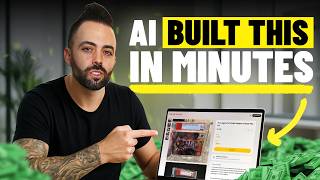

AI Builds a $10k/Month Business?
45sHigh curiosity and controversy around AI replacing human effort in online business, with a promise of revealing real results.
▶ Play Clip"The title promises a $10k/mo business, but the video only shows setup, not actual earnings—slightly exaggerated."
The video tests how far AI can go in building a real online business from scratch, using a single photo and the platform Nows.com. The creator demonstrates creating a website, product listings, marketing materials, and ads in about 10 minutes, evaluating the viability of AI-driven e-commerce in 2026.
The creator aims to test how far AI can take a business from nothing to a working online business, using AI to do almost everything.
The tool Nows.com is used to build a website and business from a single photo input, generating product pages, marketing content, and ads.
Issues include choosing a niche, setting up a website, creating content, managing multiple tools, marketing, and platform fees (e.g., Shopify, Viator).
The creator uploads a photo of minimalist ski cabin artwork to Nows.com, which generates a business identity, product page, and marketing materials.
Nows.com automatically names the business 'Ski Cabin Wall Moments' and creates product variations, pricing ($39), and delivery options.
The tool generates multiple images and a video from the photo, including close-ups and panning shots, suitable for ads.
Nows.com offers email marketing, automated messages, and an AI content creator for high-converting ads, simplifying ad creation.
After publishing the product, the creator runs an ad campaign with a $200 budget for 5 days, targeting the US, directly from the platform.
The creator receives $5 for signing up, and the platform offers zero-fee payment links, discount codes, and easy payout methods.
The generated website includes a logo, images, community feed, and options for memberships, linking to Discord, Telegram, etc.
The platinum plan allows setting up affiliate programs with customizable commissions, plus analytics for visits and member growth.
The entire business setup—product, website, marketing, ads—took about 10 minutes, eliminating the need for multiple tools and reducing fees.
AI can rapidly build a functional online business from a single image, but success still requires real marketing effort. Nows.com simplifies the process by integrating product creation, website, marketing, and payments in one platform.
What is the name of the AI tool used to build the business?
Nows.com
01:59
What was the product created in the video?
Minimalist ski cabin artwork (home decor).
02:28
How much did the AI set the product price at?
$39
04:10
What is the transaction fee for physical products on the Pro plan?
0% (passed on to customers).
11:38
How long did it take to set up the entire business?
About 10 minutes.
13:57
What is the 'zero link' feature?
A payment link with zero transaction fees.
10:53
What platforms can the ads be run on?
Meta ads (Instagram, Facebook).
09:01
What is the affiliate commission range mentioned?
10% for physical products, up to 40% for high-ticket coaching.
13:28
What is the initial sign-up bonus mentioned?
$5
10:26
What are the common problems with starting an online business according to the video?
Choosing a niche, setting up a website, creating content, managing multiple tools, marketing, and platform fees.
00:41
AI Business Challenge
Sets up the core experiment: using AI to build a business from scratch.
00:02Platform Fees Problem
Highlights a key pain point for online sellers: high transaction fees on platforms like Viator (23%).
01:45AI-Generated Business Name
Demonstrates AI's ability to create a brand identity automatically.
03:41Automated Marketing Assets
Shows AI generating multiple images and a video from a single photo, saving significant time.
04:4010-Minute Business Setup
Emphasizes the speed of AI-driven business creation, a key value proposition.
13:57[00:02] to make money online. So, I wanted to test how far could you actually take nothing to a real working online business using AI to do almost everything [music] for you? So, that's why in this video I'm going to use AI
[00:15] build a real website and a real online business as fast as possible. Just one simple input and a new tool that builds the entire business around it. So, I'm I'll show you exactly what happens, [music]
[00:28] what works, what doesn't, and whether this is actually a viable way to make money online in 2026. Let's get it to it. So, first there's some problems with YouTube is telling you to do a certain thing. Buy my course, do this version,
[00:41] do that, start an AI agency, do drop shipping, start a YouTube channel, start things. When really, there's more people online than ever and then there's a lot going. You have to choose a niche, what am I going to get into? You have to
[00:54] actually set up a traditional website, creating content, managing multiple tools, and then once you actually set up this business, you have a website, then to market this website. You actually have to get people to it. So, there's a
[01:07] even get that far or once they get that far, they kind of set it up and then they just quit because they realize it takes real work to actually get people to their online business. Another problem is platform friction. So, every
[01:19] platform that you're on typically has fees. So, for example, like if you're transaction fees. If you're selling on Shopify, there's the monthly subscription costs, additional apps and transaction fees and things like that.
[01:32] For example, I have a bike rental business. We do bike tours on Viator and Trip Advisor, but that's like a 23% fee right there. The truth is, and no one starting an online is not the easiest thing in the world. There's no such
[01:45] real work to make money. But, in order to do that, we can use AI as a speed today. I'm going to test a new tool to actually create a real business from a creating a website to doing the
[01:59] marketing to doing everything with the help of AI. This video is sponsored by nast.com and you can get started for free with a 7-day trial using the link below. Comes fully recommended by me. So, I've gone to nast.com where I can
[02:13] start selling from a single photo. So, I have a photo. I have a product in mind things that you can sell. So, you can sell everything from like challenges, sell on here, fitness classes, networking, or like physical products.
[02:28] Shopify replacement, right? So, jewelry, apparel, home decor, which I'm going to go in this category. I created an image and I created a product, a physical product, and it's going to be a deck home decor. So, decoration for like a a
[02:42] ski cabin. So, I'm going to say, I want to sell my ski cabin artwork, minimalist artwork. And I'm going to hit start for free.
[03:00] upload. So, I'm uploading my artwork now. and I'm going to click start my business.
[03:13] what you'll get, you're going to get your business identity, content to sell it, everything you need to run a business. Continue. And you can start your 7-day free trial and there's the basic plan
[03:28] and if you want to go to compare plans, you can see the difference. I like the products, especially if and it has a much lower transaction fee. Right? So, that I would pick. So, I'm going to do a pro plan. So, I'm going to hit start the
[03:41] free trial and then I'll put in my information success. So, it's already given me a name, ski cabin wall moments, which would be really good for my wall art. And then it's just adding you can add
[03:54] phone number, so I'm going to do that and then we'll get into it. showed me everything here. Love this idea, revenue potential, what we
[04:10] prepared for you. So product ads and leads. Generating the ads already. brought up this physical product already based on this single image. And it has $39 as the price, which I think is good and then different size
[04:25] variations automatically, different finishes and frames. delivery. So I'm just going to click create this product in the top right. It has everything pretty much done. Yeah, that looks good. I'm going to hit
[04:40] Yeah, that looks good. I'm going to hit continue. created of what it is, it's now creating more images and assets from the photo. So it's created a bunch of different images which look really good, uh
[04:55] this. Especially when you're buying like home close-up of what the frame would look like, what the actual uh picture is here is really nice. So you can see uh it's also creating a
[05:09] video from the photo. So I'll show you that once that is done. We have a lot of good marketing photos here that we can use. So now we can see kind of nast.com on the left-hand side bar here. There's home, there's products, marketing,
[05:23] getting paid, the website, and a lot more. So I'm home and we can see here. So it has a really easy getting started guide here. business with just one photo. Very simple. Um so we have different AI
[05:38] action center. I'm going to you can see when I go to products, you can see I could create more products. So you can add a lot of different Say you're doing have your own website like this through nows.com. So, you have a lot of
[05:51] with the product. I'm going to go to marketing. So, in marketing I'm going to like email marketing. You can send messages and automated messages when people join your community and you can send things about your products. I
[06:04] and show you this. So, this is pretty cool. So, I'm going to create content. create an image and I want it to be a high-converting ad because I need to
[06:16] make money. So, that's a lot of people kind of struggle with that part, right? set up a website, they have the products, but then it's like, who's run ads or do marketing or SEO or other things that we would do. So, I'm saying
[06:29] image high-converting ad. I'm going to add the product. create concepts. So, what this is is it creates a prompt
[06:43] better prompt than something I could just try to type in and say, "Hey, I want this picture of a minimalist artwork in a cab." It actually has uh you know, five or six seven eight paragraphs here. A bold surreal but
[06:57] ski cabin showing a blah blah blah. So, this is really good. Um I could even can add different things to it. But, this is a really good way to prompt
[07:09] from content, creating content, prompting it to create images for your product to market it and sell it through ads. So, I'm going to hit generate image See how that goes. So, this looks really good. It's why not
[07:23] calmer ski cabin wall art for quiet rooms. It has kind of that quiet vibe. Like, if you have a ski cabin and you want it to look nice and be minimalist, created a really good image here from that. It's got a chair with a blanket,
[07:37] snow outside slightly. But, it's a good image. So, I can click on this ad, but I product yet. So I have to go back and do that. So I'm going to go to product. that. So I'm going to go to product. Ski cabin artwork. And then publish it.
[07:52] published first. It's published. Boom, I can notify everybody. Uh on the team or members of the community. Not going to do that. There's So it has its own product and checkout link. So if I check that out, you can
[08:07] high converting product page. Here's the video right here. Let's watch the video and see how it is.
[08:21] That looks really good. It's zooming around the picture. image and then creates complete panning shot
[08:33] and then creates complete panning shot zoom frame of the video itself. It looks really good. It looks really realistic.
[08:46] All right. So that's the product photo, which is the product page, which looks really nice. So it's published. So now that it's published, I'm going to go on my art and then I'm going to say run as an ad.
[09:01] you can see right here. This is perfectly ready for Meta ads, Instagram, anywhere you want to put it. capture capture cozy memories of the ski cabin
[09:13] and charm to your space. So great again, decor, jewelry, accessories, anything that you have, you take a picture of, you instantly have
[09:25] a product page, a website, videos, images, and now ads that you can run. So looks good. I'm going to click next step. And then again, instead of getting into the complicated Meta Ads Manager and
[09:37] having to tweak and worry about every single setting. It's just right here. $200, set the ad for 5 days, that's $40 a day. You can edit the location, United States. You could add like
[09:49] Canada if you wanted to. Right? I'm just going to keep it United States for now. Number of ads, you can add more like we could go back and add more variations of the ad. As you saw, you can press this
[10:01] and then we can, you know, create more ads in the ad account with and create more content. So, I could go back to the magic content. I could say, let's create an another ad for this product based on something else. You
[10:13] variations of these ads. But just for this example, I'm going to show you this. This is really good. Um this one. So, we change the schedule. I'm going to say 5 days. You connect your Facebook here and
[10:26] then you click launch campaign and now you have these ads running right to your product page. When I click on the money tab, which is cool, Naz gave me my first money. Thank you. So, I've already made $5 from just signing up and getting a
[10:40] And then you can kind of edit your things here. So, you'll see in money you you've made, your transactions, your link, zero link, uh payment links with zero fees, which is really cool. So, you
[10:53] generate your payment link in seconds. You send that link out. People can pay transaction fees. So, zero link is really nice. And then when you're ready to get paid out, $5, you just connect your payout method right here via
[11:06] account to that and then it'll automatically pay every 10, you know, You can see a lot of different things here. You can create discounts, where you could add a discount code. I could say that Black Friday 30
[11:22] and that's 30% off. Right? I could set a limit to that. 100 of them or not. lidity. I could say that ends a certain very simple promo codes that you can give people as
[11:38] And then you see fees. So, physical product, 0% fees passed on to customers as part of the Pro plan, which is really cool. And then if I click on website, business page. So, you can become a trusted verified business from nast.com,
[11:53] but it looks really nice. Like what I like about it is if I copy this and then see what the actual page looks like, it's a really just nice website layout. which I can change. It's got a logo. It's got images.
[12:07] community that people can There's a feed. So, it's like it's actually looks perspective. There's popular products, home decor items or personal items. If
[12:21] different classes here, different coaching if you're a business coach, all start joining, you add you add through social media people will start joining, then they join the community. Where are you based? What
[12:34] and then they can see the community, you know, people will start commenting. So, it's like it's a very simple but there's the home page, there's your products, and there's your community all
[12:46] in one place with your specific website link. You can also add memberships if paid tier for memberships. Everything is free right now. And then you can link Discord, Telegram, Facebook groups, Slack for other types
[13:00] you have analytics, so different visits, your member growth, all of that what's cool is if you go to the more tab, there's like your plans and billing, different stuff, your face your pixel and whatnot for conversion
[13:13] choose the platinum plan, you can actually have affiliates sign up, promote your actual products. So, you can set up your own affiliate products it's, you know, affiliates get If it's a physical product, maybe they get 10%. If
[13:28] it's a high ticket coaching program that you're charging $1,000 or $2,000 for, then maybe they get 40%. Right? It just depends on the type of affiliate uh invite people to become affiliates of you, track affiliate sales, it pays
[13:43] again, if I go back to the home page and I look at I've done everything on the get started tab, I watched the tutorial video before, set up the page, created a made my first I've done all this in about 10 minutes, which is pretty crazy,
[13:57] right? So how far can AI take you? Well, I created a product, a home decor item for based on one single image. I uploaded that image, I have a product, I have a website, I have marketing materials, I have ads, I have a whole
[14:11] around this. And it's a really simple thing, co-founder helps you, you know, you can continue to get business advice and help build things for you. you need to do. Your products are right here, you can create more, it's very
[14:24] with your content and the ads that you get paid, manage your website, and we're all in one place. So it's pretty crazy, it eliminates the need for all these different tools or a bunch of Shopify
[14:37] of transaction fees like Etsy and Shopify both have. It actually to me it was surprising cuz I hadn't used it before and after using it it's so easy more than I thought I would, to be honest. So again, it's all in one
[14:50] can collect payment, adding all your products in with a single image, adding your ads, it's got content, so you can create video content, images, ads, a full CRM is involved with the leads manager. So it eliminates the need for
[15:03] multiple tools and it's actually been really easy to use. I just created this minutes or so. I could come back here, add some more products in, do some more ads on Facebook, create more content for it in a really simple way. If you want
[15:17] click the link in the description and pinned comment below, you'll get a 7-day put your products in there, create some video ads, get your first $5 from almost like to me that it's almost like if Shopify was created today as a new
[15:34] agile business, what would they have created it as, rather than being a bloated older business. It's a new AI-based tool that you can create AI. So, I really liked it. I think you
[15:47] sell anything from physical products digital products, courses, classes, platform for that. So, again, great tool. I like it a lot. You can get a the description below. This video is a
[16:00] it useful and interesting. Please like the video, subscribe to the channel, and the video, subscribe to the channel, and I will see you in the next video.

⚡ Saved you 0h 16m reading this? Transcribe any YouTube video for free — no signup needed.