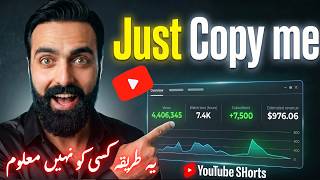

The Credit Hack to Reupload Others' Videos
45sReveals a little-known method to find content safe to repost by looking for credit tags.
▶ Play Clip"The title promises a full course and $2,000 in 30 days, but the video only outlines the method without proof or monetization details."
This video reveals a method for YouTube automation where users can repurpose others' viral Shorts by downloading them, rewriting the transcript via ChatGPT, generating new AI voiceover with ElevenLabs, and re-editing with CapCut to avoid copyright claims. The creator claims this can generate income without original content creation.
The video promises a method to earn money by uploading ready-made videos from other creators, expanding the channel and generating dollars.
Identify channels that give credit (e.g., 'Credit @username') in their videos, indicating the content is taken from TikTok or Instagram.
Copy the link of the target video, paste it into YouTube Transcript website to get the transcript in English.
Paste the transcript into ChatGPT with a prompt to rewrite it in its own words to avoid duplication.
Use ElevenLabs text-to-speech with a voice like 'Alex' to convert the rewritten transcript into audio, then download the audio clip.
Search for the original video on TikTok or Instagram using the credit username, then download it using an app like Snapube.
Import the downloaded video into CapCut, add the AI voiceover, zoom, add stickers (circles, arrows), animations, sound effects, background music (volume ~25%), and auto-generated captions.
When uploading, include credit to the original creator (e.g., 'Credit @Robot') to avoid copyright strikes.
The method involves repurposing viral Shorts by replacing the audio with AI-generated voiceover and adding visual edits, then uploading with credit to avoid copyright issues. The creator claims this can generate income without creating original content.
What is the first step in the YouTube automation method?
Find YouTube Shorts channels that give credit to original creators (e.g., 'Credit @username').
00:31
Which website is used to get the transcript of a YouTube video?
YouTube Transcript.
02:15
What is the purpose of using ChatGPT in this method?
To rewrite the transcript in its own words to avoid duplication.
02:58
Which tool is used to generate AI voiceover?
ElevenLabs.
03:30
What voice does the creator recommend using in ElevenLabs?
Alex.
03:46
How do you download the audio from ElevenLabs?
Go to history, click the three dots, then 'Save Audio Clip'.
04:30
What app is used to download the original video from TikTok?
Snapube.
05:56
What editing software is used to combine video, audio, and effects?
CapCut.
06:13
What volume level is recommended for background music?
25%.
10:22
What must be included in the video description to avoid copyright?
Credit to the original creator (e.g., 'Credit @Robot').
11:29
Secret Formula for YouTube Automation
Promises a method to earn money by repurposing others' videos without creating original content.
00:01Rewriting Transcript with ChatGPT
Key step to avoid copyright by paraphrasing the original content.
02:58AI Voiceover Generation
Replaces original audio with AI-generated voice to further differentiate the video.
03:30Proper Credit to Avoid Copyright
Emphasizes giving credit to original creators to prevent strikes.
11:29[00:01] guys, today I will tell you such a secret formula of YouTube automation through which you can earn money on anyone's videos. Meaning, you guys can upload ready-made videos here and the channel will keep expanding and dollars will keep coming. Many people know this secret method
[00:17] and today I am sharing it with you all. You have to watch the video till the end because it has such steps, such things that if you miss them then brother, you will get copyright charges. Ok? So to avoid that, it is necessary to watch the entire video.
[00:31] What to do? The first thing you have to do is come to YouTube. Channels with such shs have to be spanned. For example, this is a channel. Ok? You guys mean whatever Shhh is viral which has millions of views. Ok? I have to go inside that body.
[00:46] For example, ah, for example, this is a video. Ok? Ah, or this is a video. Whatever it is you will go in shorts. What do you guys have to do? You have to click on the title of this video. Ok ? One thing has to be seen in this. This credit which
[01:00] is written, credit and then @ some username TTIG what is this? You guys have to find such channels which share such credits in their videos. This is TT means TikTok. IG means Instagram. This means that this
[01:16] video has been taken from here by this YouTube guy. Ok? From this TikTok account. So what do you guys have to do? In this way, we have to find out one or two channels which are getting millions of views and are giving such things in their videos.
[01:32] Ok? What do you call this? You are giving credit. Ok? Now I will watch the rest of his videos. Look what he has done is that Look at this, taken from Instagram from this account. Now I
[01:47] watch other videos of it. Look at this. Ok? is not in. is not in. Ok? is not in. is not in. Let me see another one. Look at this. Look, this is taken from Instagram account. Meaning, he has taken out videos of people and
[02:02] put them on his channels and is also making money and YouTube does not even say anything to him. Why? Let me teach you why and how we will do this. Ok ? So like this, find one or two channels which do this in their videos.
[02:15] Ok? For example, this video was video was okay, first of all, this is the video, the first step we have to do is copy the link of this video,
[02:30] okay, and come to a website called YouTube Transcript, paste that link in the empty space here, click on Good Free paste that link in the empty space here, click on Good Free Transcript, okay,
[02:42] now what will this link do, it is writing whatever has been said in this video in English for us, okay? So he wrote this and we will copy it below. Ok? We will copy this. And what is the next step? To look very carefully. Have to
[02:58] come to Chajibti. Ok? I have to come to Chajibati, sir. What to say to Chajibti? I have to write. sir. What to say to Chajibti? I have to write. Ok? This has to be written from Semlin to here. Then you have to enter. And from here you have to copy this transcript.
[03:14] Ok? Whatever he has written, it has to be copied and whatever is here has to be entered and this has to be entered. So what will this Chat GBT do ? He prepared the transcript of that video in his own words and gave it to me. Now we will not face any issue.
[03:30] Now how will we use this? With this we will make video sorry first then we will make audio with this. Ok? What we have for creating audio is 11 Labs, an app. Ok? Have to come into this. There is a point here also. To look very carefully. Ok? You have to
[03:46] look carefully sir. We have to click on Create New. Click on text to speech. Whatever is here, you have to paste the transcript. Ok? And the speaker is Brine, so I will click on Brine. Here we have a voice Alex this one.
[04:02] Ok? Alex Upbit, we have to click on this. Ok? You have to use Alexa and generate whatever is in its voice. Ok? So whatever he
[04:15] says, it will generate the transcript in audio and give it to us. Look at this. Ok? This transcript was generated for us. And we will download this. Correct? How to download? I have to come home.
[04:30] Ok? And we will click on these three dots. Ok? You have to go to history and here you will get an option on the corner. There is a small arrow below it. Ok? As soon as you click on this, it will show 'Save Audio Clip'. Ok
[04:46] ? I saved this and this audio will be saved in my mobile with the name 11 Labs. Ok? So we will put this on our video later. Coming back
[04:58] to YouTube. Ok? I go to YouTube. Where did he take this video from? It has written credit Robert on the title and this one which is with @, this TT
[05:10] means it has been taken from TikTok, from this account, so we will find its original video from here, okay sir, I will write here in the search, ah, in the search, ah, okay Robert, see, it has come, right,
[05:26] now which video was that in it, this is the basketball one, okay, it is the basketball video sir and I think this is the one. Ok? This is exactly the video. Ok? So this video is original. We have to download this.
[05:43] Ok? I download this. You can download it on any app you have.
[05:56] Correct. I download it from Snapube. Ok. We downloaded the video. Now let us come back to the main work. So brother, what to do next? Look, we have got the video too. Audio also came. Ok ? What do we do now? A has to
[06:13] come. We should have a cap cut. We will come to the cap cut. Ok? The main work will start from here. Correct? We will click on New Video and first of all I will
[06:25] bring that video here. Ok? Aa [nasal sound] gone, right? Now, whatever is there first, let's
[06:37] we will zoom it a little like this. Ok? What to do now? There is no commentary in this, right? Look, right ? What do we do now? We have to
[06:51] put one audio on this. Ok? In audio we will go to sounds. Ok? A and and we will go to sounds. Ok? A and and and suppose I see that in it. Consider this to be that audio. Ok? Here we have to do one more thing. Now the main
[07:07] thing that needs to be done here is that we have to add some animations and some stickers etc. on it. Ok? Or you can go back and watch this video as well. The one that was on YouTube. Ok? Look at YouTube and how they edited it.
[07:32] [nasal sound] ? We will put a circle around this wall. For example, this is the place. Ok? What do you guys have to do? Stackers have to come in. Ok? Here are the stackers. Ok? Here we will choose the
[07:46] stackers. Ok? Here we will choose the red circle. Ok? Look at red circle. Ok? Look at this. Correct? For example, this X, yes look, but whatever is there with this, it will
[08:02] yes look, but whatever is there with this, it will not move. What do you guys have to do? Let me do whatever it is here. Ok? So right now this is the keyframe.
[08:17] What happens with keyframes is that you have to do it like this. Ok? Okay, let's see what happens with the frame,
[08:34] put a red circle like this, and after this, what you have to do is put arrows, okay, put arrows, okay, how are the arrows, these red colored arrows,
[08:46] how are the arrows, these red colored arrows, okay, so you have to okay, so you have to put them at such places which look good there put them at such places which look good there or that thing which is there, like this, it
[08:58] or that thing which is there, like this, it means to show it to the viewers, right? means to show it to the viewers, right? Now, this arrow is enough till here, Now, this arrow is enough till here, okay, you have to put circles like this at two-three places,
[09:11] etc., and you have to put commentary, you have to give animation to the arrow, okay, sounds etc. have to be put on it, okay, that means this is the ting put on it, okay, that means this is the ting sound of your arrow, tt tong, this is
[09:26] how we will come back to the audio, okay, here is the audio and sounds, okay, the sounds have come, so in this we come to the sound FX,
[09:38] so in this we come to the sound FX, okay, there are a lot of them here, okay, there are a lot of them here, see,
[09:54] Like this with the arrow, you guys have to make a tongue sound or something like that [nasal sound]. Ok ? Then what to do? You guys have to put some music in the background. Ok? I need to put some background music.
[10:08] Ok? I need to put some background music. You guys have to take some two-three non-copyright music. Background music and you guys have to reduce the volume of the background music. Ok ? For example, this is what happened. What
[10:22] volume should you keep for this? 25 ok? 25 is correct. Caption: The most important thing is the caption. That community, you guys
[10:35] need captions for it. So here in the caption, you will get an option. If we leave from here, we have to come back here. This is the caption. Ok? The caption is this, you have to
[10:48] do this, this one. Ok? And as soon as you click on generate, whatever commentary etc. has been done in the audio, its world will be written here in English.
[11:00] Ok? So you guys have to put a little bit of this here. Is it okay here? Yes. Just have to put it here. Look at this. Correct? This is how you guys have to edit the video.
[11:12] Captions etc. have to be added on this and whatever is there at the end has to be cut a little. Ok? And after this, you will export it and upload it, but what do you have to do at the time of uploading? You have to do the same thing as
[11:29] this guy did because you should know from where I took this video. So see, below you have to write Credit @ Robot like this, that is, the text of the account from which you took the video has to be
[11:42] written like this. Ok? This is credited to his account on TikTok. So you people will not face any problem and this will be absolutely original content on your channel. So you can also earn from this and you will not face any copyright or strike
[11:54] it. See you in the next video. Till then it. See you in the next video. Till then Allah Hafiz.


⚡ Saved you 0h 11m reading this? Transcribe any YouTube video for free — no signup needed.