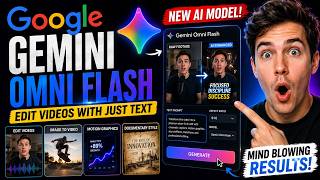

AI Edits Videos Automatically!
45sShows a revolutionary AI capability that saves hours of manual editing, sparking curiosity and debate.
▶ Play Clip"The title accurately reflects the video's content: Gemini Omni Flash is shown to significantly streamline AI video creation, though 'changes AI video forever' is slightly hyperbolic."
This video tests Google's new Gemini Omni Flash AI model, which goes beyond video generation to perform AI-powered video editing, image-to-video animation, motion graphics creation, and cinematic documentary production. The host demonstrates four distinct use cases using the Higgsfield platform, showing how a single prompt can transform raw footage or still images into polished, professional content.
A new AI model that can edit videos, animate images, create motion graphics, and produce documentary visuals from a single prompt.
Higgsfield is a workspace that integrates multiple AI image and video models, allowing users to create, edit, and animate content without switching tools.
Upload a raw talking head clip, provide a detailed prompt, and Gemini Omni Flash adds cinematic captions, motion graphics, sound effects, and transitions.
Upload a still image and a prompt to animate it into a realistic scene with cinematic camera movement and believable physics.
Generate clean, professional UI animations, kinetic typography, and micro-interactions from a text prompt without a reference image.
Produce documentary-style visuals with archival documents, historical maps, animated infographics, and dramatic typography from a detailed prompt.
Gemini Omni Flash is a genuinely capable AI video model that handles a wide range of creative tasks surprisingly well.
Gemini Omni Flash proves to be a versatile AI video model capable of enhancing talking head videos, animating images, generating motion graphics, and producing cinematic documentaries. It offers a powerful all-in-one solution for content creators.
What is Gemini Omni Flash?
A new AI model that can edit videos, animate images, create motion graphics, and produce documentary visuals from a single prompt.
00:02
What platform is used to access Gemini Omni Flash?
Higgsfield, a workspace that integrates multiple AI image and video models.
01:08
What aspect ratio is recommended for short-form content?
9:16
02:01
What aspect ratio is recommended for widescreen cinematic results?
16:9
03:09
What are the four use cases demonstrated for Gemini Omni Flash?
Talking head video enhancement, image-to-video generation, motion graphics creation, and cinematic documentary production.
00:02
How does Gemini Omni Flash handle talking head videos?
It adds cinematic captions, motion graphics, sound effects, smooth transitions, and other premium editing elements without changing the original footage or voice.
01:34
What does the image-to-video generation produce?
A realistic animated scene from a still image with cinematic camera movement, believable physics, and a coherent ending.
02:42
What kind of motion graphics can Gemini Omni Flash generate?
Modern glassmorphism interfaces, cinematic UI animations, kinetic typography, premium micro-interactions, and smooth product transitions.
04:04
What elements are included in the cinematic documentary style?
Archival documents, historical maps, animated infographics, dramatic typography, and slow cinematic camera movements.
05:10
Versatile AI Model
Gemini Omni Flash goes beyond video generation to perform editing, animation, and motion graphics from a single prompt.
00:02Higgsfield Platform
Higgsfield integrates multiple AI models into one workspace, simplifying the creative workflow.
01:08No Manual Editing Needed
The AI produces dynamic captions, motion graphics, and transitions without altering original footage or voice.
02:27Coherent Image Animation
The generated animation maintains fluid movement, cinematic camera work, and consistent lighting and shadows.
03:37Impressive Documentary Style
The model convincingly recreates a documentary atmosphere with paper textures, layered elements, and smooth camera motion.
05:51[00:02] Flash, a new AI model that's designed to do much more than generate videos. editing software, you can simply describe the changes you want and it understands your footage well enough to make those edits automatically.
[00:16] That means you can take a basic talking head video and turn it into a polished short-form edit, animate a single image into a cinematic sequence, create sleek motion graphics, or even produce documentary-style visuals, all from a
[00:29] single prompt. Here's what I mean. It can transform a simple video into something that looks professionally edited. It can also bring a still image to life with realistic cinematic motion.
[00:42] generate those as well. It even handles cinematic documentary It even handles cinematic documentary visuals surprisingly well. Gemini Omni Flash works from start to finish.
[00:54] examples, experiment with different prompts, and see what kind of results you can realistically expect. If you want to follow the exact description so you can try everything yourself. The platform we'll be using is
[01:08] Higgsfield. It brings together a wide range of leading AI image and video models into a single workspace, making it easy to create, edit, and animate content without constantly switching between different tools. For today's
[01:21] Omni Flash. Let's jump into the workflow. Once you open Gemini Omni Flash, this is the interface you'll be working with. simple talking head video recorded straight to camera.
[01:34] I'll upload the clip into Higgsfield, then provide Gemini Omni Flash with a detailed prompt asking it to convert the raw footage into a polished short-form video by adding cinematic captions, motion graphics, sound effects, smooth
[01:47] transitions, and other premium editing elements. exact same prompt. If you're working on a different type of content, you can always ask Chat GPT to generate one that's tailored to your own project.
[02:01] Before generating, make sure Gemini Omni Flash is selected. Since this is intended for short-form content, I'll switch the aspect ratio to content, I'll switch the aspect ratio to 9:16, then click generate.
[02:13] is ready. >> I haven't edited a video manually in now. This entire video was edited by Google's new AI Omni using just one no hours of editing. >> And I think it did a great job. It
[02:27] dynamic captions, polished motion graphics, clean transitions, subtle sound design, and natural camera movement. What's even better is that it without changing the original footage or my voice. For the next example, let's
[02:42] see how Gemini Omni Flash handles image-to-video generation. the reference. Then I'll enter a prompt describing the animation I want, asking the model to turn this still image into a realistic
[02:55] skateboarding scene with cinematic camera movement, believable physics, and end. And just like the previous example, if you ever get stuck writing prompts, Chat GPT is a great way to quickly generate
[03:09] trying to create. Since I want a widescreen cinematic result this time, I'll switch the aspect ratio over to 16:9. same, so I'll go ahead and click generate.
[03:23] A few moments later, the generation is complete.
[03:37] The movement feels fluid, the camera work gives it a cinematic look, and the the sequence. Even the lighting, shadows, and environmental details stay coherent, making the animation feel much more
[03:49] convincing than you'd normally expect from a single reference image. Now, use case. Instead of creating a realistic scene, I Instead of creating a realistic scene, I want to find out how well Gemini
[04:04] reference image, I'll remove it and start from scratch. Next, I'll enter a detailed prompt describing the sequence I want, including a modern glassmorphism interface, cinematic UI animations,
[04:16] kinetic typography, premium micro interactions, and smooth product I'll keep the rest of the settings exactly the same and click generate.
[04:28] exactly the same and click generate. After a short wait, the result is ready.
[04:44] The animation feels clean and professionally designed with polished UI elements, fluid transitions, and refined motion throughout. product launch or modern tech presentation, making it a strong choice
[04:58] for explainer videos, software demos, and other visually driven content. For the last example, I wanted to push Gemini Omni Flash in a completely different direction. Rather than creating social media
[05:10] content or motion graphics, I'm going to test its ability to produce cinematic documentary visuals inspired by premium business and history productions. I'll write a detailed prompt covering every part of the scene, including
[05:23] archival documents, historical maps, animated infographics, dramatic typography, and slow cinematic camera movements to create an authentic documentary atmosphere.
[05:35] the settings unchanged and click generate. >> At the turn of the 20th century, one man controlled the flow of American >> [music] >> And this is easily one of my favorite
[05:51] It does an excellent job of recreating the cinematic documentary style with convincing paper textures, layered historical elements, elegant typography, and smooth camera motion. Everything comes together in a way that
[06:06] feels immersive and professionally produced, making it a great fit for documentaries, and narrative storytelling. After testing all of these different workflows, I'd say Gemini Omni Flash is
[06:19] a genuinely capable AI video model. From enhancing talking head videos and animating still images to generating motion graphics and cinematic it handles a wide range of creative tasks surprisingly well.
[06:34] yourself, you'll find a link to Higgsfield Gemini Omni Flash in the description below. You can follow the same process I used in this video and see what you can create with your own prompts.
[06:47] to leave a like, subscribe for more AI tutorials and reviews, and I'll catch tutorials and reviews, and I'll catch you in the next video.


⚡ Saved you 0h 06m reading this? Transcribe any YouTube video for free — no signup needed.