
Free AI Summarizes YouTube Videos Instantly
50sShows a free, practical AI tool that saves time, appealing to creators and students.
▶ Play Clip"Title promises a revolutionary AI, but the video only shows a simple walkthrough of a free tool with minimal depth."
This video introduces an AI-powered tool that automatically summarizes YouTube videos. It demonstrates a simple, step-by-step process using the free version, highlighting its ability to transcribe and condense video content. The presenter also mentions potential applications, such as creating content for social media.
Introduces a free AI application that summarizes YouTube videos, with a paid version considered worthwhile.
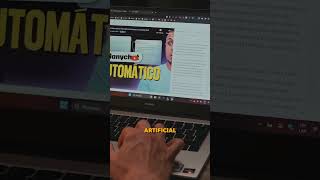
Steps: go to Google, type 'utldr', click the first link, paste the video URL, select language, and click the red button.
Within seconds, the AI transcribes the entire video and generates a summary of the content taught.
Suggests using summaries to create content for platforms like Instagram from long videos.
What is the main tool presented in the video?
A free application with a paid version that uses AI to summarize YouTube videos.
00:02
What are the steps to summarize a YouTube video with this tool?
Go to Google, type 'utldr', click the first link, paste the video URL, select the language, and click the red button.
00:15
What does the AI do after you submit a video link?
It transcribes the video and provides a summary of what is taught.
00:30
What is one practical use case mentioned for the summaries?
To extract summaries from long videos to create content for platforms like Instagram.
00:43
AI Summarization Tool is Free with Paid Options
Highlights the accessibility of the tool, making it appealing to a broad audience.
00:02Simple Steps to Use the Tool
Provides a clear, actionable process for users to follow, enhancing usability.
00:15Application for Content Creation
Shows a real-world use case, helping viewers understand the practical value beyond just watching videos.
00:43[00:02] artificial intelligence that summarizes YouTube videos. This application is free, but it has a paid version that, in my opinion, is somewhat worthwhile. Let's go to Google and type "
[00:15] utldr" and click search. We'll go to the first link. For this example, I'm going to go to my YouTube channel and copy the link of a video. I'll paste it, select the language, and click the red button. In
[00:30] just a few seconds, the artificial intelligence will transcribe the entire video and add a summary of what's taught. You can even ask it questions, but that's a feature of the
[00:43] use a video summary for? We can go to YouTube, find a specific topic, and extract a summary from a long video to create content, for example, for Instagram. Hey, and don't forget to follow me
[00:57] for Instagram. Hey, and don't forget to follow me because I'm posting a lot of content.



⚡ Saved you 0h 01m reading this? Transcribe any YouTube video for free — no signup needed.