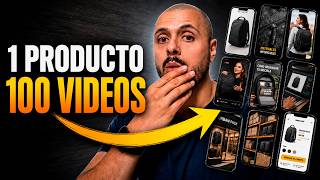

AI Creates Full Ad Campaign in Minutes
45sThe promise of creating a complete content factory with AI in under 10 minutes is highly appealing to entrepreneurs and marketers.
▶ Play Clip"The title promises a new way to create content with AI, and the video delivers a practical, step-by-step demonstration, though it's essentially a tool tutorial."
This video demonstrates how to use the AI tool Topview to create a complete content factory for product promotion. The creator shows a step-by-step process of generating UGC-style videos, AI influencers, and multiple ad variations in under 10 minutes, aiming to help entrepreneurs and marketers monetize AI content creation.
The creator's goal is to show how to create a complete content factory using AI, including UGC videos, AI influencers, and multiple versions for social media, all in under 10 minutes.
The tool used is called Topview, which allows users to create videos with organized ideas, generate scenes, and create UGC content. The paid plan is recommended for best results.
The creator logs into Topview and clicks on the 'Canvas' feature, which is a dynamic workspace for creating content. They then upload around 10 product photos.
The AI agent provides content recommendations, such as a daily routine, a challenge test for magnetic stability, and recommendations among friends. The creator selects a UGC creator style.
The AI generates a script, a keyframe, and a model with consistency. The creator can re-edit the image, adjust the phone's position, and change the model's voice.
The creator selects 1080p quality and generates a 12-second video, which costs 37 credits. The result is a realistic UGC-style video.
The creator creates another video with a voiceover using the same model, generating more images and scripts for a 'day at the gym' theme.
The creator shows examples with a Colombian national team jersey and a viral travel backpack, demonstrating the versatility of the tool for different products.
The video concludes by emphasizing the potential to make money by creating videos for brands, dropshippers, or for your own products. A free trial is offered in the description.
What is the name of the AI tool used in the video?
Topview
00:40
What is the name of the feature in Topview that allows for dynamic content creation?
Canvas
01:21
What was the creator's initial prompt to the AI agent?
To create UGC-style content to promote a product on social media.
02:00
What are three content ideas the AI agent suggested for the water bottle?
A daily routine, a challenge test for magnetic stability, and recommendations among friends.
02:26
What video quality did the creator select for the final render?
1080p
05:49
How many credits did it cost to generate the video?
37 credits
06:01
What was the length of the generated video?
12 seconds
06:13
What tool is suggested for further editing, like adding music and subtitles?
CapCut
08:17
Using Canvas for Dynamic Content Creation
This is the core feature that allows for a flexible, visual workflow, making it easy to arrange and manage multiple content assets.
01:21AI-Generated Content Ideas
The AI agent provides specific, actionable content suggestions, which is a huge time-saver and helps overcome creative blocks.
02:26Maintaining Character Consistency
The ability to create a consistent model across scenes is crucial for professional-looking UGC content, a key challenge in AI video generation.
04:13Cost of Generation
Knowing the credit cost (37 credits) gives a concrete idea of the resource expenditure, which is important for budgeting.
06:01Monetization Potential
The video's core promise is that this workflow can be used to make money by creating videos for brands or for your own products, which is a powerful motivator.
09:27[00:01] choose any product, and create all the advertising for it using artificial intelligence. I'm practically going to create a complete content factory . I intend to make UGC videos to promote a product,
[00:15] AI influencers, Story Wars, scenes, ads, and that there will be several versions for social media. My goal with this video is to show you how you can make money artificial intelligence. In this specific case [music], it is by creating this type of
[00:27] entrepreneurs, marketers, online store, can use it to take advantage of less than 10 minutes, and for that I'm going to use an artificial intelligence tool
[00:40] called Topview that allows us to create videos with organize ideas, [music], generate scenes, and create UGC content to of content factory. I want to tell you that Top View is a tool that
[00:54] works best on its paid plan. However, below in the description of you can create your free account and start doing your first like this content, subscribe to the channel and like this video, because
[01:07] new video about making money online, artificial intelligence, and how to earn money online. I'm already here on Top, in fact I already have other give them to you up here on the cards below in the description. This
[01:21] is for you to create as many videos as you want, or rather , whatever you want. But new canvas feature, which will allow us to create content in a very dynamic way. The first thing I'm going to do is log in with my account. Then I'm going
[01:34] to click here on canvas, which is the function we're going to use here some interesting projects here, I'll show them to you at the end of this video and I'll click where it says start creation. I'm already here inside the
[01:46] a number of things, but for that I I going to do? I'm going to click here. I'm going to upload all the photos I several, about 10 or so. Look, I wrote to him, I want to create some
[02:00] UGC-style content to promote this product on social media. A Click on send. Furthermore, since this works like a canvas, I can move all these images here and arrange them to improve the space. I
[02:14] some options here on the left. If I wanted to move it, for example, I would select the hand here to select. Select here, upload if you want to upload something, if you want to add text, an image, or even create a video with
[02:26] our agent is already working here and is already giving me recommendations So, look, here it tells me that number 25 US creator, uh, it fits how he uses gin in his day-to-day life gets likes. A daily routine, a
[02:41] challenger test for magnetic stability, and recommendations among friends. I like this UGC creator. I'm going to put it here. I want us to start with this one . And another thing I hadn't mentioned is that here in the skills, I
[02:53] have a skill within Top View and I have a skill to specifically make a video of something like this. So, for example, here's a quick product demo, here's a master of on-camera direction, whether it's e-commerce, whether it's a
[03:06] comparison, whether it's a kind of interview style. So, I mean, the Even the last tutorial I recorded for Top is about making a movie with artificial intelligence (link here on the cards). And here we have
[03:19] all the models. I'm leaving it on automatic here and I'm going to click already started working on everything. He tells me that TikTok re 916 Spanish, a 22-second content, product reference, point of sale. This is important. I
[03:33] can give you different perspectives here. So this is wonderful. He gives me the script, he tells me the section. I'll look into this quickly. Look, I really liked the whole script. In fact, she is a woman, a creator. Here he tells me, "Dim, okay."
[03:45] following to you. Here he basically replies, "Okay, the script is great." Just keep to emphasize that, and that the preferred Latin voice, from Colombia , will click on send. Okay, here it has already generated the first keyframe
[03:59] to check the creator's composition , to make sure everything is okay. I think everything is perfect. So, here I'm going to say, "Okay, that's perfect." scenes. So, first we established the character's image to confirm that
[04:13] then we created the rest of the content. Look, he's finished taking some shots here, and look how interesting this is. She created the model with consistency. This is being recorded. This shows that it's 360 and look, there's a little
[04:25] iPhone. I can do several things here. I can re-edit the image. So I click here and I can tell you to keep the phone's camera tell you to keep the phone's camera in the correct position because it
[04:39] in the correct position because it looks like it's in the middle, so it looks looks like it's in the middle, so it looks like an iPhone 15 Pro Max. Here I can select Chaj Nanobanana, Nanobanana Pro. The images are in 1K, they might
[04:51] when I render them the aspect ratio will look great and I can In addition to that, I can take this from here, I can add it to the chat, then I referencing this." Sun, we'll see it later. I can transform this image
[05:07] into 2K or 4K. I can also download it. In fact, look, I'm going to click on this and download it. And here in this part it already tells me that it has generated the master kinframe. We're going to review all of this and when it's appropriate
[05:21] "Okay, let's continue." So look, here we go with the canvas. Ready. Here it tells me that it has already generated the scripts, that is , the script. So, here he got the hook, he got the development. This is a video that will last 15 seconds.
[05:34] Here he took another 7-second shot. Basically, I could modify it here; I script, I could ask it for an hgpt, etc. But what I'm going to do here is I can also edit it here, as I said, create a history here, and generate a
[05:49] standard references. What I do want is for the quality to be 1080p, I can even go up to 2K and obviously we're going to use Sidans 2.0, which is the best
[06:01] click where it says generate. It will consume 37 credits and we will generate here where it says generate video. I'm just going to click here to select 1080p and make it
[06:13] 12 seconds long, and then I'm going to click where it says "generate". The two videos have now finished. So, I'm going to show you the result. Just look at that This bottle has a Max Safes magnet in the cap. There
[06:26] SLAR, so I forgot to correct that, but literally you plug in the phone and it stays there. It doesn't matter . whether the bottle is full or the second one. And it's also a thermos, it keeps ice for 24 hours, so you
[06:42] record your routine and drink the cold water afterwards. Catrunamoy el machones fridas yinas corroenta. Look, it's super good. I honestly find it impressive. So I could
[06:57] , man, add this to the timeline here. I could talk about the iPhone thing, but look, I want to create some other content here. So for that I'm going to say I want to create another video with a voiceover using the same model. And
[07:11] in this case, I'm going to select the model, which would be this one where it says "add to chat" so that she knows what that model is. So I told him I time it should be like a day at the gin bar, filming herself doing a leg workout and pouring water into her
[07:26] send. Look, here we generate more images of our influencer UGC filling the water thermos than using it while doing squats. And from these images I have generated some scripts here and here I show you the result.
[07:52] a canvas here with the Colombian national team's jersey for this World Cup. I created an influencer with artificial intelligence named Mateo and also uploaded some reference images. Here he created me like the clip and just look at
[08:05] Here he created me like the clip and just look at the result. I want you to see it. the result. I want you to see it. Embroidered crest,
[08:17] Look, and we can also edit this in Capcom, maybe add some different music, some subtitles, supporting images, and believe me, it's going to look spectacular. I also used the example here with a backpack that has
[08:29] become very viral on Amazon, which is suitable for travel and has the perfect dimensions for airplane hand luggage. So, I uploaded the images from Amazon, generated some
[08:42] extra product images here, and then created some content. So, look, I'm some content. So, look, I'm going to show you this one here
[08:59] Look, very good content. Here I also created the same one again, making a few small adjustments, and I also wanted to create an influencer, a woman who also started generating some videos about this, here are
[09:13] some videos about this, here are some of them. Look, I'll show you this one here. a little more chill. Look, and here's another one too. n't have it physically here to make those videos. So, here I'm
[09:28] for you to start making money by making videos for brands, people who are dropshippers, or for yourself if you want a source of income and you already sell physical products from Amazon, Temo, or
[09:42] below in the description so you can take your free trial. I free, and if it really interests you for making these kinds of videos, I've listed some of the pro plans which I think are
[09:57] to the channel and like this video. And if you'd like me to make a detailed video make a video about any other artificial intelligence tool, leave it here in the comments and I'll see you in the next one.




⚡ Saved you 0h 10m reading this? Transcribe any YouTube video for free — no signup needed.