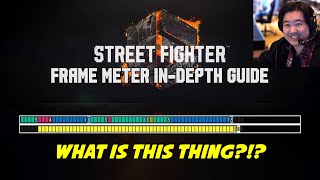

What is the Frame Meter?
45sExplains a brand-new training tool in Street Fighter 6 that has never been seen before, grabbing attention of fighting game fans.
▶ Play Clip"Title accurately describes the video's content: an in-depth explanation of the frame meter."
This video provides a detailed explanation of the frame meter in Street Fighter 6's training mode, covering how to interpret its colors, numbers, and bars to understand frame data, including startup, active, and recovery frames, as well as hitstun, blockstun, and frame advantage.
The frame meter is a powerful new tool in Street Fighter 6's training mode that visualizes frame data.
A frame is 1/60th of a second. The game processes at 60 frames per second regardless of monitor refresh rate.
Every move has startup (green), active (red), and recovery (blue) frames. Startup is before the move can hit, active frames can hit, recovery is follow-through.
In-game legend calls startup 'counter state' and recovery 'punish counter state' because hitting during startup gives counter hit, during recovery gives punish counter.
Numbers count frames: e.g., 11 startup frames shown as 11 on the bar. A light blue bracket marks the end of a move.
The startup number above the bar is one more than the bar count because it includes the first active frame. This is community convention.
Total frames is the full duration. The 'recovery' label shows frame advantage (how plus or minus you are after the move).
Top bar is player 1 (you), bottom bar is player 2 (dummy). Boxes directly above/below each other represent the same moment in time.
Yellow boxes represent hitstun or blockstun. Hitstun is longer than blockstun. Comparing recovery vs stun gives frame advantage.
If Ryu finishes his move before Luke's hitstun ends, Ryu is plus (can act first). If blockstun ends earlier, Ryu is minus.
The 'recovery' label directly shows how plus or minus you are. For example, after heavy punch Ryu is -2, Luke is +2.
Hit stop freezes the game clock for impact feel; it doesn't count as frames. Extra recovery animations after the bracket are cancelable.
The frame meter can display multiple moves in sequence. Cancels overwrite the normal's data. Long sequences wrap around.
Light blue = committed action (dash/jump), purple = armor, striped gray/white = full invincibility, striped red/white = strike invincible, striped orange/white = projectile invincible, orange = projectile.
Orange boxes indicate projectile active frames. Some physical moves count as projectiles (e.g., Ryu's palm strike).
The frame meter is a comprehensive tool for understanding frame data, including startup, active, recovery, hitstun, blockstun, and frame advantage. Mastering it helps players improve their punishes, combos, and overall game sense.
What is a frame in fighting games?
1/60th of a second.
0:24
What are the three parts of a move?
Startup, active, recovery.
1:24
What color represents startup frames in the frame meter?
Green.
1:54
What color represents active frames?
Red.
2:03
What color represents recovery frames?
Blue.
2:05
Why is the startup number above the bar one more than the bar count?
It includes the first active frame, following community convention.
4:50
What do yellow boxes represent?
Hitstun or blockstun.
8:51
What does the 'recovery' label show?
Frame advantage (how plus or minus you are after the move).
10:36
What do purple boxes indicate?
Armor frames that can absorb hits.
15:25
What do striped gray and white boxes represent?
Full invincibility (cannot be hit).
16:41
What do striped red and white boxes represent?
Strike invincibility (invincible to strikes but not projectiles).
17:03
What do orange boxes represent?
Projectile active frames.
18:43
Frame Definition
Establishes the fundamental unit of time in fighting games.
0:24Three Parts of a Move
Core concept for understanding frame data.
1:24Two Bars Represent Same Time
Key insight for comparing actions between characters.
6:27Frame Advantage Example
Practical demonstration of how plus/minus works.
9:32Special States Colors
Comprehensive overview of armor, invincibility, and projectile indicators.
14:44[00:00] the frame meter in Street Fighter 6 is
[00:03] an extremely powerful tool that has
[00:06] never been seen before in a fighting
[00:07] games training mode this video will help
[00:10] you understand what you are seeing and
[00:12] the information you can get from it in
[00:14] great detail if you want a quicker
[00:17] summary of what the frame meter is there
[00:19] is a shorter video on this channel that
[00:21] you can search for as well
[00:24] to begin we have to understand that a
[00:26] frame is simply a measurement of time
[00:29] literally you can think of frames in the
[00:32] same way as animation frames fighting
[00:35] games such as Street Fighter 6 process
[00:37] all of its information at a rate of 60
[00:40] frames per second regardless of the
[00:43] refresh rate of your monitor so a frame
[00:46] is essentially just a unit of time
[00:48] equaling 1 60th of a second
[00:51] each box in the frame meter represents
[00:55] that 1 60th of a second AKA a single
[01:00] frame if we slow this down you can see
[01:04] how the animations of Ryu change at each
[01:07] frame so what this Frame meter is
[01:10] showing us is essentially just how long
[01:13] a move lasts when performed
[01:16] one of the most important pieces of
[01:17] information we can get from the frame
[01:19] meters comes from what each of the
[01:21] different colors in the boxes represent
[01:24] in almost every fighting game a move is
[01:27] comprised of three parts one the startup
[01:30] frames which is all of the frames of a
[01:33] move before the move can actually hit an
[01:35] opponent two the active frames which are
[01:39] the frames of a move that can actually
[01:41] contact and hit the opponent M3 recovery
[01:45] frames the follow-through of an attack
[01:48] that has to be completed before the
[01:50] character is free to perform another
[01:52] action
[01:54] it's pretty clear now that the colors
[01:56] shown in the frame meter represent these
[01:58] three states the green boxes are the
[02:00] startup frames the red ones are the
[02:03] active frames and the blue boxes are the
[02:05] recovery frames now if we look at the
[02:08] frame meter Legend provided in the game
[02:10] itself they list these colors more
[02:13] specifically as counter State hitbox
[02:16] appearance period and punish counter
[02:19] State this is because traditionally in
[02:22] many modern fighting games when you are
[02:25] hit during a startup frame the opponent
[02:28] is typically rewarded with a counter hit
[02:31] and this holds true for Street Fighter
[02:33] 6. however when struck during your
[02:36] recovery frames this is referred to as a
[02:39] punish and Street Fighter 6 has turned
[02:42] this into a full-fledged mechanic called
[02:45] punish counters thus in the in-game
[02:48] frame meter Legend startup frames are
[02:51] referred to as counter State and
[02:53] Recovery frames are listed as punish
[02:56] counter state
[02:58] uh as an aside uh getting hit out of
[03:00] active frames also registers as counter
[03:03] hits in Street Fighter 6. uh this
[03:06] actually wasn't the case in streets in
[03:08] in previous Street Fighter games like
[03:09] Street Fighter 5 and Street Fighter 4.
[03:12] now obviously some moves can hit more
[03:15] than one time this is also represented
[03:17] on the frame bar as you can see in this
[03:20] example reuse heavy spin kick AKA The
[03:23] Heavy Tatsu can hit three times so
[03:26] you'll see during the progress of the
[03:28] frame meter filling up three separate
[03:31] chunks of red boxes this is for each
[03:33] time the move can hit reuse medium Tatsu
[03:36] can only hit twice and the light Tatsu
[03:38] can only hit once and you can see that
[03:41] easily here you'll notice that the areas
[03:43] in between each hit are considered
[03:46] punish frames by their blue color so if
[03:50] you do get hit out of those the opponent
[03:52] is rewarded with a punish counter this
[03:55] won't always be the case uh it'll be a
[03:57] move by move basis but this will be true
[04:00] of the majority of multi-hitting moves
[04:04] so now that you know what the three main
[04:06] colors are this also explains what most
[04:09] of the numbers you see are on the frame
[04:12] meter itself they're counting the frames
[04:15] for you for this particular attack there
[04:18] are 11 startup frames so you see 11
[04:21] written on the frame meter at the end of
[04:23] the green startup frames
[04:25] on the other side there are 20 recovery
[04:28] frames for this move so 20 is written at
[04:31] the end of the blue recovery frames also
[04:34] when a move ends the game draws a light
[04:36] blue end bracket on the last frame so
[04:39] you could more easily see when a move
[04:41] ends and we'll see what this is for in a
[04:44] bit
[04:45] however above the frame meter you'll see
[04:48] more data
[04:50] startups should seem obvious but you'll
[04:53] notice that the startup always seems to
[04:56] be one larger than the number written on
[04:58] the frame meter itself
[05:00] in this case the frame meter reads 11
[05:02] and the startup is listed as 12 frames
[05:05] that's because when describing a move
[05:07] startup it has become convention in the
[05:10] fighting game Community to list the time
[05:12] it takes to get to the first active
[05:15] frame as a move startup so it's always
[05:18] the total number of startup frames plus
[05:21] one for the first active frame the
[05:24] reason for this is easier calculations
[05:26] for Combos and punishes but you don't
[05:28] need to know the reason for now just
[05:30] keep in mind that startup listed up here
[05:33] will always be one larger than the total
[05:36] number of actual startup frames
[05:39] it's confusing yes uh but it's too late
[05:42] to go back 15 years and change history
[05:45] uh when the community decided to go this
[05:47] route it's now convention and thankfully
[05:50] Capcom went with our community's
[05:53] convention the more you play fighting
[05:55] games the more you'll learn that knowing
[05:57] the startup of moves is super important
[05:59] so it being listed here is very helpful
[06:04] total frames is just that how many
[06:06] frames your move takes from start to
[06:08] finish nothing crazy to explain here
[06:10] however recovery data that you see here
[06:13] is not the count of recovery frames uh
[06:17] like the number that you see written on
[06:18] the frame meter for now just keep this
[06:22] label in mind uh it will be explained
[06:24] later on in this video
[06:27] so obviously up to this point I've been
[06:30] ignoring the fact that there are
[06:31] actually two bars on the screen well the
[06:35] top bar represents the first player the
[06:37] character you are typically controlling
[06:39] in training mode the Bottom bar
[06:41] represents the second player typically
[06:44] the training dummy
[06:46] okay
[06:47] this is very important so listen
[06:51] carefully
[06:52] literally the boxes directly above and
[06:56] below each other represent the exact
[07:00] same moment in time so if both
[07:04] characters are performing something you
[07:06] can see exactly what state both
[07:09] characters were in at any given specific
[07:13] frame which again is just a moment in
[07:18] time
[07:19] in this example here you can see that
[07:22] Luke starts his move four frames before
[07:24] Ryu does
[07:26] so that's why you'll see four empty
[07:28] boxes in reusebar representing that he
[07:31] wasn't performing any move for those
[07:34] four frames his bar starts to fill up
[07:37] with information part way through the
[07:39] bar once he actually starts his move and
[07:43] you can see the exact moment Ryu starts
[07:45] in comparison to Luke thanks to these
[07:48] Frame data bars again when two actions
[07:51] are occurring at the same time each
[07:53] column of boxes match the exact moment
[07:57] in time
[07:59] so understanding that each column is a
[08:01] moment in time is even more important
[08:04] when it comes to the concepts of hitstun
[08:07] and block stun
[08:09] every move when contacting the opponent
[08:12] causes a predetermined fixed amount of
[08:16] hits done which is the amount of time a
[08:19] character reels when struck and a fixed
[08:22] amount of blocks done which is the
[08:25] amount of time a character is stuck in
[08:27] guarding state after blocking an attack
[08:30] a single attack in Street Fighter 6 well
[08:33] 99 of the time have different lengths of
[08:36] hit stun and block stun with blocks done
[08:39] being shorter than hitstun but both mean
[08:43] that the opponent is stuck in that state
[08:46] until the hits done or block stun ends
[08:51] this is what the Yellow Boxes represent
[08:55] periods of time a character is stuck in
[08:59] either hit stun or block stun as you can
[09:02] see here as soon as Ryu reaches his
[09:05] first active frame AKA a red box and
[09:09] hits Luke Luke's frame meter now starts
[09:13] to fill up with yellow boxes starting at
[09:16] the same time as that first Red Box
[09:18] indicating that he is now beginning his
[09:21] period of hit stun
[09:23] then Ryu completes his move afterwards
[09:25] and Luke goes through the predetermined
[09:28] length of hit stun but you'll notice
[09:31] something
[09:32] Ryu finishes his move
[09:35] before Luke finishes his period of hits
[09:37] done
[09:38] this means Ryu can act for four frames
[09:43] before Luke can this is what we refer to
[09:47] as being Plus in this situation on hit
[09:51] Ryu is plus four
[09:55] but let's see what happens when Luke
[09:58] blocks the same move the block stun is
[10:01] shorter than the hit stun so Luke
[10:04] actually recovers much quicker four
[10:06] frames before Ryu in fact so this time
[10:10] Luke can act for four frames before Ryu
[10:14] this is what we refer to as being minus
[10:17] in this situation Ryu is minus four
[10:22] keep in mind whatever we call the
[10:24] situation for one character it's the
[10:26] exact opposite for the other character
[10:28] Ryu being plus four means Luke is minus
[10:31] four were you being minus four means
[10:33] Luke is plus four
[10:36] so remember the recovery label I told
[10:39] you to remember
[10:40] that's the information this label gives
[10:43] you how plus or minus you are after your
[10:46] action completes as you can see here
[10:49] after heavy punch Ryu is -2 but at the
[10:53] bottom Luke is listed as plus two this
[10:56] is because Luke can act for two frames
[10:58] before Ryu however after heavy kick Ryu
[11:02] is plus one and Luke is minus one so in
[11:06] this instance Ryu can act one frame
[11:08] before Luke
[11:10] so the game counts the advantage for you
[11:12] and displays it here very conveniently
[11:15] under recovery
[11:18] now before we keep going uh there's a
[11:20] couple of clarifications here because
[11:22] I'm sure these questions will come up
[11:24] um one when a move connects there are
[11:27] some frames of Animation where the frame
[11:29] meter doesn't fill up at all uh these
[11:32] are referred to as hit stop uh or block
[11:35] stop even though the game animates a few
[11:38] frames at the point of impact the game's
[11:42] internal clock has technically Frozen
[11:44] time you can see this because the frame
[11:47] meter doesn't change during this period
[11:49] these periods of freeze are there to
[11:53] create a more impactful feel for the
[11:56] moves uh for just visual appeal as well
[11:59] as giving players more time to react to
[12:02] hits for confirms as cancels but they do
[12:05] not count for Frame data at all and uh
[12:09] the second clarification is that at
[12:11] times the frame meter clearly shows that
[12:14] a move has completed but you can still
[12:16] see the character animating before
[12:18] returning to their Idol animation why
[12:21] don't those frames count as recovery
[12:24] well many moves in Street Fighter 6 have
[12:26] extra recovery animation frames that are
[12:29] simply for style or to make sure the
[12:32] moves look natural animation wise when
[12:35] they complete however if you press a
[12:37] button or hold a direction on any of
[12:40] these extra recovery frames you will
[12:42] immediately cancel the animation and do
[12:44] whatever you want but until the frame
[12:47] meter puts that little end bracket on
[12:50] the bars those recovery frames are very
[12:53] real and cannot be interrupted
[12:56] now the frame meter doesn't have to
[12:58] represent only a single action in fact
[13:01] you can stitch moves in succession and
[13:04] they'll be properly displayed on the
[13:06] frame meter one after another here you
[13:09] see Ryu do two standing medium punches
[13:11] and both are displayed in the bar back
[13:13] to back
[13:14] remember the light blue closed bracket I
[13:17] mentioned earlier well this is why they
[13:20] have it so you can more easily see when
[13:22] one move ends and the next one starts
[13:24] however since you can cancel some normal
[13:27] attacks into special moves the normal
[13:30] attack technically never ends and you'll
[13:33] literally see these special moves data
[13:35] overwrite the normal moves data in the
[13:37] frame meter at the moment of the cancel
[13:40] also if a sequence happens to last
[13:43] longer then the frame meter can display
[13:45] it simply wraps around and draws on top
[13:48] of the previous information
[13:51] this isn't for any reason other than
[13:53] there's really no other way they could
[13:55] have displayed this in the limited
[13:57] amount of screen space they had without
[13:59] inundating the screen with bars
[14:02] everywhere uh there's already enough
[14:05] information on the screen as it is
[14:09] and speaking of already enough
[14:11] information as it is the intention of
[14:14] this video was also to show how the
[14:16] frame meter can clearly illustrate the
[14:19] concept of turns in fighting games as
[14:22] well as showing you how to use the frame
[14:24] meter to come up with new combos or to
[14:27] figure out how combos work
[14:29] however I'll potentially be saving this
[14:32] for a part two of this video that I
[14:35] might produce in the future please let
[14:37] me know in the comments if this is
[14:39] something you'd love to see and I'll get
[14:42] started on it right away
[14:44] now before we call it a day here there
[14:47] are a few more colored boxes you'll see
[14:49] in the in-game frame meter Legend and I
[14:52] just want to explain what those are for
[14:56] many actions there are states in which
[14:58] you are committed to the action but are
[15:01] not actually in a counter hit state or a
[15:04] punish counter State these actions are
[15:07] typically movement based such as dashes
[15:11] and jumping for these actions they use a
[15:14] light blue box to represent that you are
[15:16] committed to an action but getting hit
[15:19] out of them results in just a normal hit
[15:22] not any sort of counter
[15:25] many moves in this game are also able to
[15:27] absorb hits universally Drive Perry's
[15:31] and drive impacts can absorb hits and
[15:34] not be stopped characters like mariza
[15:37] have a bunch of armor on a bunch of her
[15:40] attacks as well that can also absorb
[15:43] hits these frames are represented by
[15:46] purple boxes in the frame meter so if
[15:49] you ever feel like you hit the opponent
[15:51] and they went right through it you can
[15:53] double check with the frame meter to see
[15:55] if the move actually has armor in Street
[15:58] Fighter 6 like in Street Fighter 5 there
[16:02] are various forms of invincibility in
[16:04] the game some moves are invincible to
[16:06] literally everything some are only
[16:09] invulnerable to projectiles and some are
[16:12] invincible to everything except
[16:14] projectiles any type of invincibility is
[16:18] represented in the frame meter as
[16:20] striped boxes most characters have a get
[16:24] off me move that when you use the
[16:26] overdrive AKA EX version of the move it
[16:30] has actual invincibility and cannot be
[16:33] hit at all such as reuse OD shodokin aka
[16:38] the ex Dragon punch the frame meter
[16:41] displays this with a striped gray and
[16:43] white box that shows you that you cannot
[16:47] be hit out of these frames at all
[16:52] also it's almost Universal in the game
[16:54] that level one supers can go through
[16:57] attacks but cannot go through
[17:00] projectiles these kind of moves are
[17:03] referred to as strike invincible and
[17:06] these frames are represented in the
[17:08] frame meter as striped red and white
[17:10] boxes
[17:11] and finally some characters have moves
[17:14] that just go through projectiles and
[17:17] only projectiles uh Ken's heavy shot you
[17:20] can for example is designed to be able
[17:22] to pass through projectiles and has even
[17:25] more projectile invincibility when done
[17:27] from his command Dash you can see here
[17:30] how the projectile invincibility frames
[17:32] allow it to pass right through reuse
[17:35] Fireball
[17:37] now it should be noted that the initial
[17:39] active frames seem to also contain
[17:41] projectile invincibility but because
[17:44] they can only display one color at once
[17:46] they prioritize showing the active frame
[17:49] over it being projectile Invincible they
[17:52] could have created yet another color but
[17:54] I think that probably would have gotten
[17:56] a little too confusing and just to show
[17:59] you an example uh of it only being
[18:01] projectile Invincible here is an example
[18:05] of it trading with another strike
[18:09] there are actually more types of
[18:11] invincibility that are not listed in the
[18:14] frame meter which is unfortunate but as
[18:18] I said they were probably worried about
[18:19] making it more complex than it already
[18:22] is uh but moves that for example are
[18:25] invincible to Airborne attacks or moves
[18:28] that are invincible only to throws are
[18:31] not properly represented here in the
[18:33] frame meter perhaps a future patch may
[18:36] add that in or maybe even the release
[18:38] version already has it we'll find out
[18:41] soon enough
[18:43] finally attacks that are just
[18:45] projectiles get their own color boxes
[18:48] that are colored orange are simply
[18:50] periods of time when a projectile can
[18:53] hit during the move but keep in mind
[18:56] some moves like reuse hashogeki AKA his
[19:00] palms strike look like a normal physical
[19:03] strike but actually count as a
[19:06] projectile that's why you see reuse
[19:09] active frames here being orange instead
[19:12] of red that means that strike Invincible
[19:15] moves you know with the red and white
[19:17] stripes will actually get hit by this
[19:20] but projectile Invincible moves with the
[19:23] orange and white stripes will go right
[19:26] through it
[19:27] also these kind of moves cancel out
[19:30] other projectiles like we see were you
[19:33] doing here versus Luke's sandblaster
[19:37] I hope this video has been helpful in
[19:39] helping you learn what the frame meter
[19:41] is used for again there's so much more
[19:45] you can do with it and the intention was
[19:47] to include all of it here but I didn't
[19:50] want to make this video too long so if
[19:53] the demand is there for it leave a
[19:55] comment below and let me know that you
[19:57] want to see a part two explaining how
[19:59] the frame meter can help you understand
[20:01] turns and help you figure out Combos and
[20:05] find out what works as a combo for your
[20:08] character
[20:09] in any case thanks for watching find me
[20:11] on twitch.tv slash Jay chenzor where I
[20:15] will be streaming a lot of Street
[20:17] Fighter 6 and I love helping viewers
[20:20] improve at fighting games especially
[20:22] beginners so please stop by say hi and
[20:26] ask me all the questions also I have a
[20:29] series of educational videos coming out
[20:31] for beginners as well so do a search for
[20:35] First Attack 2023 uh here on this
[20:39] channel all right make sure to like And
[20:41] subscribe click the little bell icon so
[20:44] you get notified whenever a new video
[20:45] drops peace out and take care
⚡ Saved you 0h 20m reading this? Transcribe any YouTube video for free — no signup needed.