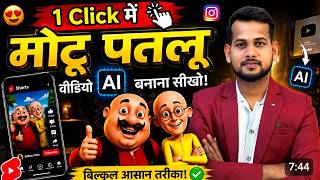

Make Viral Motu Patlu Videos in 1 Click!
46sThe creator promises a simple, one-click method to create viral videos, which is highly appealing and curiosity-driven.
▶ Play Clip"Delivers a functional, step-by-step tutorial that matches the title's promise, though the 'one click' claim is slightly exaggerated as the process involves multiple steps."
This video tutorial demonstrates how to create viral AI-generated videos featuring the popular cartoon characters Motu and Patlu, set in specific locations like Deoghar. The creator, Motu, walks viewers through a two-step process: first using ChatGPT to generate a custom image of the characters in a desired setting, and then using Google Labs' Flow Flow tool to animate that image into a talking video. The guide is aimed at beginners and promises a free, simple method to produce content for social media platforms like YouTube, Instagram, and Facebook.
The creator claims that with the method shown, viewers can make unlimited viral videos of Motu Patlu, or any other character, in just one click. This includes the ability to create custom ads or personal videos featuring oneself alongside the characters.
The creator advises viewers to watch the video first before liking or subscribing, emphasizing that the content should be judged on its own merit. This is a user-friendly approach to avoid pressuring the audience.
The first step is to install the ChatGPT app from the Play Store. The creator states that ChatGPT will do more than half the work, as it is used to generate the initial image of Motu Patlu in a specific location.
The creator explains that while there are multiple ways to obtain a Motu Patlu image (Google search, Pinterest), the easiest method is to use ChatGPT's voice or text input. The user simply asks ChatGPT to create an image of Motu Patlu at a desired location, specifying details like the background and aspect ratio.
The creator demonstrates how to craft a detailed prompt for ChatGPT, including the aspect ratio (9:16), the characters (Motu Patlu), the setting (standing on a railway station platform), and specific background elements (a board saying 'Deoghar'). This ensures the generated image matches the user's vision.
After sending the prompt, ChatGPT takes 10-15 seconds to generate the image. The creator shows the resulting image, which includes the railway station, a train, and the Deoghar board. The user can then download the image directly from the app.
The creator mentions that later in the video, they will teach viewers how to add themselves into the frame alongside Motu Patlu, making the video more personal and engaging.
To animate the image into a talking video, the creator introduces a free tool called Flow Flow from Google Labs. The user must sign in for free and create a new project. The interface is described as simple and user-friendly.
Within Flow Flow, the user uploads the downloaded image and enters a specific prompt that dictates what the character will say. The creator provides a sample prompt and notes that only the location and name need to be changed to suit the user's needs.
The user must adjust settings: select 'video' mode, set the aspect ratio to 'shorts' (9:16), and set the duration to 10 seconds. After clicking send, the video is generated in 10-20 seconds. The creator shows the final result, which features a realistic, talking Motu Patlu character.
Once the video is generated, the user can download it in the highest quality and save it to their phone. The video can then be uploaded to any social media platform, including YouTube, Instagram, and Facebook.
What is the first app you need to install to create the Motu Patlu image?
ChatGPT
00:53
What aspect ratio does the creator recommend for the Motu Patlu image?
9:16
01:45
What free tool from Google Labs is used to animate the image into a video?
Flow Flow
03:04
How long does it take for ChatGPT to generate the image after sending the prompt?
10-15 seconds
02:13
What settings must be adjusted in Flow Flow before generating the video?
Select 'video' mode, set aspect ratio to 'shorts' (9:16), and set duration to 10 seconds.
04:58
What is the recommended video duration for the final animated video?
10 seconds
04:58
One-Click Viral Video Claim
Sets the core promise of the video: creating unlimited viral videos effortlessly.
00:27Easiest Image Generation Method
Introduces ChatGPT as a simple, unified tool for generating custom character images, bypassing multiple sources.
01:05Free Animation Tool Introduction
Reveals Flow Flow as a free, accessible tool for animating static images into talking videos.
03:04Demonstration of Final Video
Provides visual proof of the method's effectiveness, showing a realistic, talking Motu Patlu video.
05:10[00:01] Hello friends, I am Motu and I have come to Deoghar to meet Arvind Bhai. The atmosphere here is very nice. Today I will eat the famous samosa of Deoghar. made along the way. Friends, look I am in Ranchi right now and
[00:14] look who has come to me. Hey, we have specially come to Ranchi to meet Arvind Bhai. Brother, you can make unlimited such viral videos of Motu Patlu in just one click. in just one click.
[00:27] not joking. Now I am going to make it live in front of you and will also teach you how you can make just Motu Patlu, you can make any shop made one or if you want you can make your own one along with Motu Patlu. Ok? If you
[00:40] want to make an ad yourself, brother, I will teach you how to make that too. Just watch the video and like it if you like it. There is no need to like or subscribe right now. Watch the video first. Like and subscribe later. Now look here, you will
[00:53] see my phone screen. Now what do you have to do first? You have to go to Play Store and install this Chat GBT app from there because it will do more than half the work for you. Like look here I have opened the chat GBT.
[01:05] What will we do now? Look at it in a simple way, some people tell as if there are many ways. You can also download Motu Patlulu from Google. You can download it from somewhere else. You can do it through Pinterest also. But let me tell you the easiest way.
[01:18] Look, here you will get a microphone. Just click on the mic and tell him to make a photo of Motu Patlulu for me. After that, tell me whatever location you want. Ok? Like I want Deoghar
[01:31] related okay? Motu Patlu standing on the platform at Deoghar railway station. Ok? And there should be a board behind it where Devghar is written. Because my that why it's okay? So I say. You see how I am speaking. Similarly,
[01:45] you can ask for a photo of your location to be taken first. Like look, I type here, that means I click here. Brother, you should make an image of Motu Patlulu Brother, you should make an image of Motu Patlulu in the ratio of 9:16 and Motu Patlulu should be
[01:58] standing on the platform of a railway station and there should be a board of Deoghar Railway Station behind the platform because it has to be shown in the railway station of Deoghar. Now just say it like this and stop it. Ok ? Meaning, tell him to give you the photo of Motu Batlu. Tell me
[02:13] whatever ratio you want. Tell me whatever location you want. Like this and just what do you do here? Send it. Now as soon as you send it, brother, you have to wait for 10-15 seconds here. Then he will make this photo and give it to you. So you can see that
[02:25] our perfect image has been created here. Look, I am showing you everything tap on it. Now look, this is the railway station shown. The train is also visible. A board is also installed. I have come back from Deoghar like this. Now you have to
[02:38] click on download here. Now friends, if you want to be added in this frame, it means you will also be visible. Ok? Like Motu Patlu and one you also want to be, I will teach you how to make that too in this video. Don't worry. First understand this, after that I will
[02:50] You have to download it from here. Ok? Now after downloading, friends, how will we convert it into a video so that it speaks properly. Ok? So there is a simple formula for it. You don't have to leave your phone and go to the Chrome browser. Ok
[03:04] ? I will tell you the easiest thing. And it will definitely be made in a perfect way. Look, I will come friends, you have to search here in a simple way: Flow Flow. The work is going to be done for free. No money has to be spent.
[03:16] Now you have to tap on the website of Google Labs which will appear at the top. Now if you come to this website for the first time then you have to do a small work. You have to sign in absolutely free. There is no problem. Ok? It's very easy. Now
[03:30] after that, look here, this option will appear in front of you by saying new project. Okay, right ? After you create the ID. So you have to tap on New Project. Now as soon as you click on it, an interface like this will appear. Now brother, from here
[03:42] your bus will be made in just one click. Just look carefully. What to do? It is a simple method. You will find the plus icon below, you have to tap on it. Now after tapping, friends, you will get the option to upload the photo here. So
[03:54] by clicking on it, you have to upload your photo in a simple way from here. Look, I have uploaded it. wait a little. 5 to 10 seconds does not take much time. After that you just have to tap here. Now after tapping, friends, you have to enter a prompt here in a simple way.
[04:07] Ok? Look, let me show you. You have to enter this prop which I have entered. Now where will you get this certificate ? So brother, As soon as you click on the link, a prompt will appear in front of you. So
[04:20] [nasal sound] there's just one thing you need to change. Everything will remain the same. this text that you are getting here. Ok? You have to get this written as per your requirement. Like I have got it written that hello friends I am Motu. I have
[04:33] come to Deoghar to meet Arvind Bhai. So you can do this as per your convenience. Whatever your location is, enter it. If you assume that you are from Patna then say hello friends I am Motu or Patlu I have come to Patna to meet Arvind Bhai, whatever you want to do, do it as per your convenience,
[04:45] okay, if you are not able to do it then you can also do the chat through GBT, okay, the here, whatever you want to be called, now after that see here, a setting will come, click on it and keep it on the video here and
[04:58] keep this ratio of shorts, now keep it on one and make it 10 seconds. After that you just have to click on send here. As soon as you click on send, your video will start getting created here. All you have to do is wait for 10-20 seconds. After that
[05:10] brother, I will show you the final result. You can see friends, this video look here. Am. meet Arvind Bhai. The atmosphere here is very nice. Today I will
[05:24] eat the famous samosa of Deoghar. Can you see it? It has been prepared so perfectly. Very realistic. Ok? Just what do you have to do? Here you have to what you have to do here is just download it in the highest quality and then it will be saved in your phone.
[05:38] Now you can upload this video anywhere, YouTube, Instagram, Facebook, it YouTube, Instagram, Facebook, it And friends, yes, if you want to stay with me and make videos, then
[05:50] look here, I am making more videos with you. If you want to make it like this, then for that, simply click on this video and watch it. In this video I have explained in detail how you can add yourself to the
[06:02] how you can add yourself to the Motu Patlu group.


⚡ Saved you 0h 06m reading this? Transcribe any YouTube video for free — no signup needed.